
This page is not an official page of the app or its developer, but an independent editorial publication created for informational and commentary purposes. Unless expressly stated otherwise, neither the app nor its developer is affiliated with, endorsed by, sponsored by, authorized by, or otherwise officially connected with MWM, Apple, Google Play, the app publisher, or the app's developer, and nothing on this page implies that the app was developed using MWM's services. Any trademarks, logos, screenshots, and other content remain the property of their respective owners.

QR Code Reader,Barcode Scanner
Every barcode is a data wall. This application shatters it, arming users with critical pricing insights and total inventory command.
Downloads
12.5M+User Rating
Total Ratings
149.2KPublisher
Category
UtilitiesLocales
35Latest Version
2026.1.4Size
180.1 MBFirst Released
Apr 17, 2017Key Feature Analysis: QR Code Reader,Barcode Scanner
An evaluation of the application's core functionalities for diverse user needs.
Instant QR & Barcode Scanning
The app provides rapid and accurate scanning of various QR code and barcode formats, delivering immediate results like opening links or accessing product details.
Product Price Comparison & Smart Shopping
This tool allows users to instantly compare prices from various retailers after scanning product barcodes, enabling smarter shopping decisions.
Batch Scanning & Inventory Management
It features a batch barcode scanner, enabling users to scan multiple items simultaneously and organize them into folders, which is ideal for efficient home or business inventory tracking.
Custom QR & Barcode Generation
The app includes a built-in generator that allows users to create personalized QR codes and barcodes for various purposes such as websites, contact details, and promotions, with customization options.
Scan History & Barcode Lookup
It automatically saves every scan in a comprehensive history, empowering users to revisit past scans, search for products, or retrieve contact information with ease.
Detailed Product Information Access
This tool enables users to retrieve extensive product information, including nutritional facts, ingredients, and detailed descriptions, simply by scanning a barcode.
Frequently Asked Questions
Everything you need to know about QR Code Reader,Barcode Scanner
What is QR Air?
QR Air is a smart QR code and barcode scanner designed for everyday use. It instantly scans QR codes and barcodes, also functioning as a generator and product scanner.
How do I scan QR codes and barcodes with QR Air?
Yes, QR Air supports instant scanning of both QR codes and barcodes. Users simply open the app and point their camera at the code for immediate results.
Can QR Air generate QR codes and barcodes?
Yes, QR Air includes a built-in QR code generator and barcode maker. Users can create custom codes for websites, contact details, promotions, and business applications, as shown in the app interface.
Does QR Air support scanning multiple barcodes at once?
Yes, QR Air offers batch scanning capabilities. Its batch barcode scanner allows users to scan multiple barcodes simultaneously and save them in folders, ideal for inventory management.
Can QR Air be used for price comparison when shopping?
Yes, QR Air functions as a smart product scanner and price checker. It allows users to instantly compare deals and make informed shopping choices, acting as a general price scanner.
Does QR Air save a history of my scanned items?
Yes, QR Air automatically stores every scan in a detailed history. Users can revisit past scans, search for products, or retrieve contact information using the built-in barcode lookup.
Is QR Air compatible with iPhone and iPad devices?
Yes, QR Air is fully optimized for iPhone and iPad. It functions as a fast QR code scanner for iPhone and a reliable QR reader for iPad, delivering smooth performance across iOS devices.
Does the QR Air app offer a dark mode option?
Yes, QR Air supports dark mode. The app integrates with iOS system settings to provide a comfortable viewing experience in low light conditions, as shown in the app's interface.
Can QR Air display product information like nutrition details?
Yes, QR Air provides product lookup capabilities. Users can scan barcodes to retrieve product details, including nutritional information, as demonstrated in the app's product lookup screen.
What is Air Apps One?
Air Apps One is a subscription service providing access to over 30 premium apps, including QR Air. It offers various productivity, fitness, and learning applications within a single plan.
What subscription plans does Air Apps One offer?
Air Apps One subscriptions are available in 1-week, 1-month, and 1-year options. These plans offer flexible access to all premium apps included in the subscription.
How are payments handled for Air Apps One subscriptions?
Payments for Air Apps One subscriptions are charged to your iTunes account. Charges occur at purchase confirmation and at the beginning of each renewal period.
How do Air Apps One free trials work?
Free trials for Air Apps One convert automatically to paid plans. To avoid charges, users must cancel their trial at least 24 hours before the renewal date in iTunes settings.
The following screenshots and description are sourced directly from the app's official store listing and are the property of the app developer.
App Store
Screenshots
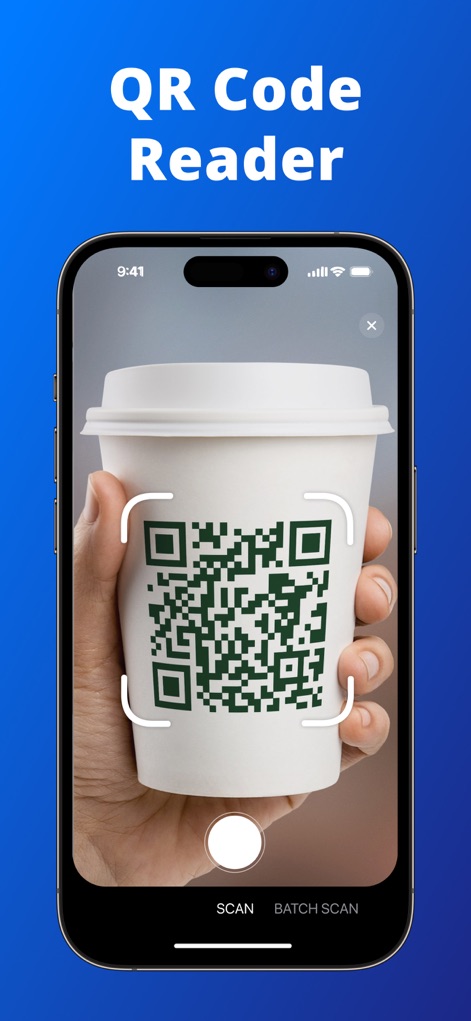
Instant QR Scan
Users can swiftly scan QR codes on everyday items like coffee cups, utilizing the intuitive white scanning frame and clear SCAN/BATCH SCAN tabs at the bottom.
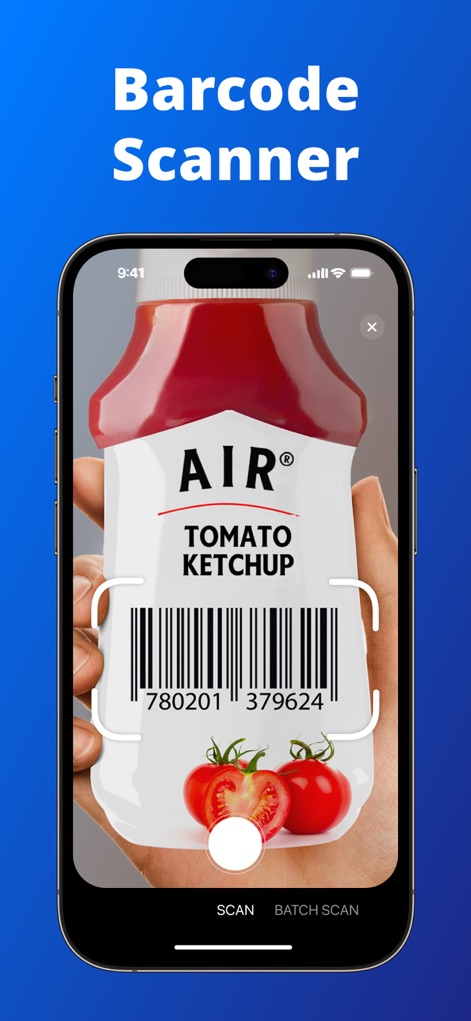
Swift Barcode Capture
The app provides precise barcode scanning capabilities, exemplified by capturing a barcode on a product like ketchup, supported by the efficient scanning interface and intuitive bottom navigation.
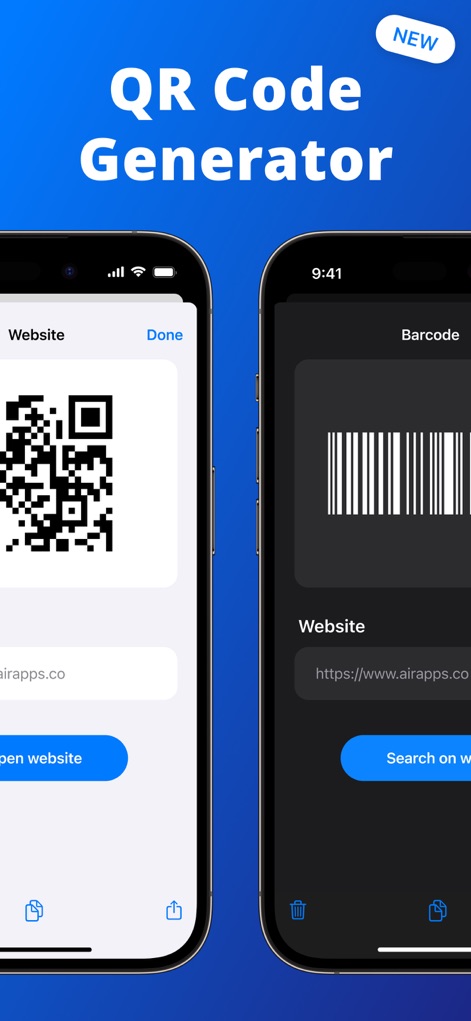
Custom Code Creator
This tool features a robust code generator, allowing users to create custom QR codes via the QR code generation interface and generate barcodes using the dedicated barcode creation options.
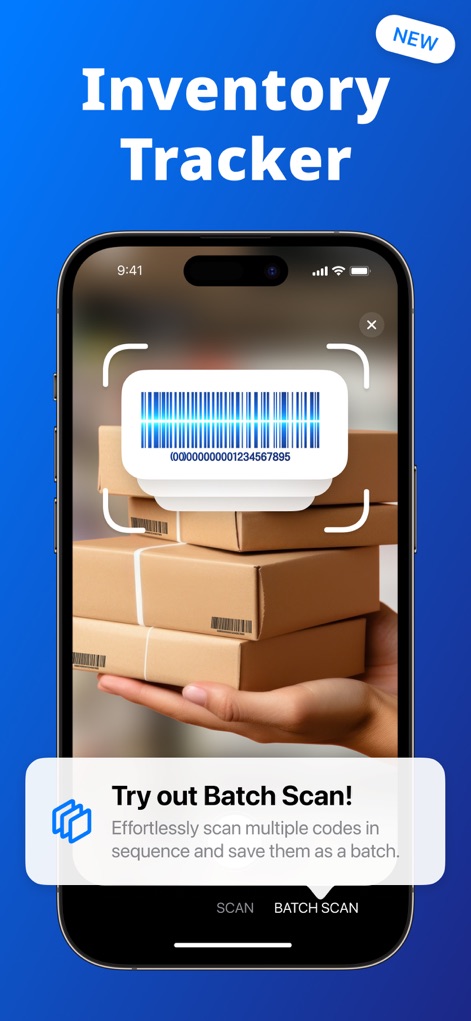
Efficient Inventory
Enhance inventory management with smart batch scanning, where the app identifies barcodes on multiple packages and provides a helpful batch scan tutorial overlay.
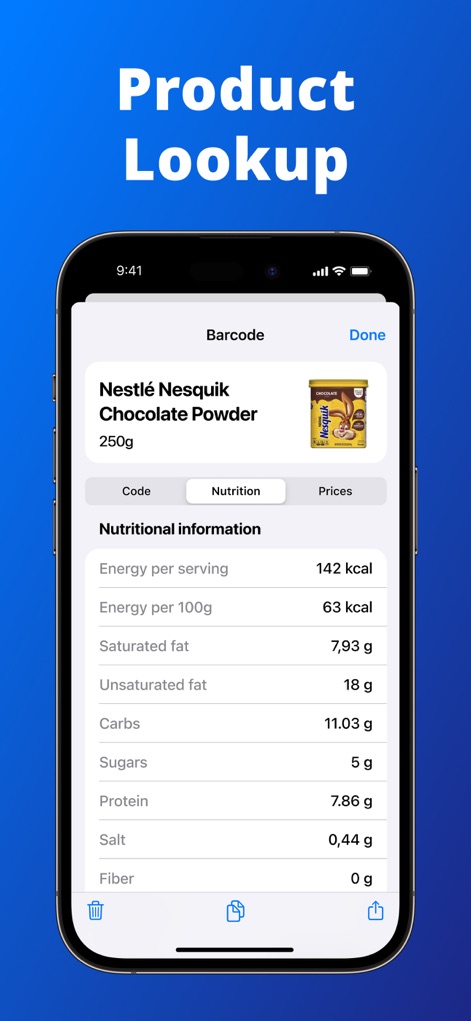
Detailed Product Info
Obtain comprehensive product information, including a detailed nutritional information table and a clear product image with brand details for informed decisions.
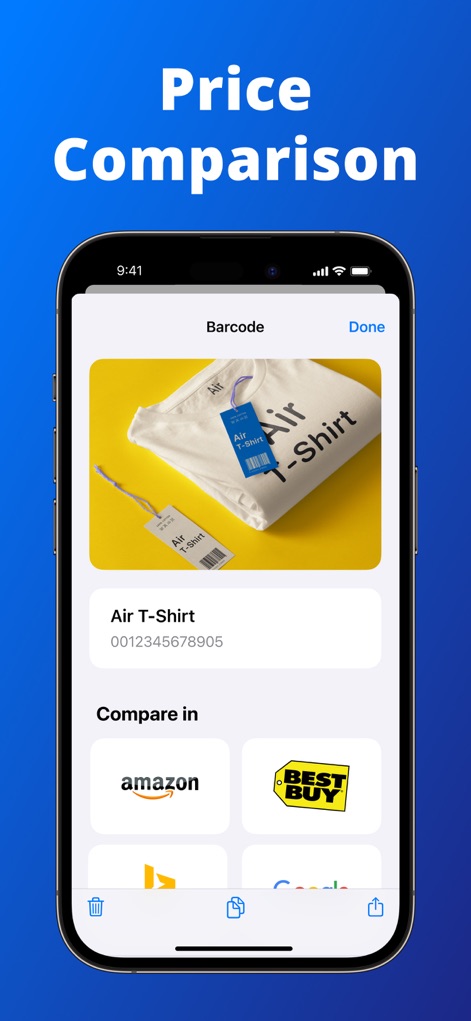
Compare Prices Easily
Shop smarter by easily comparing prices across retailers, with the app displaying the product image and barcode alongside multiple retailer comparison options.
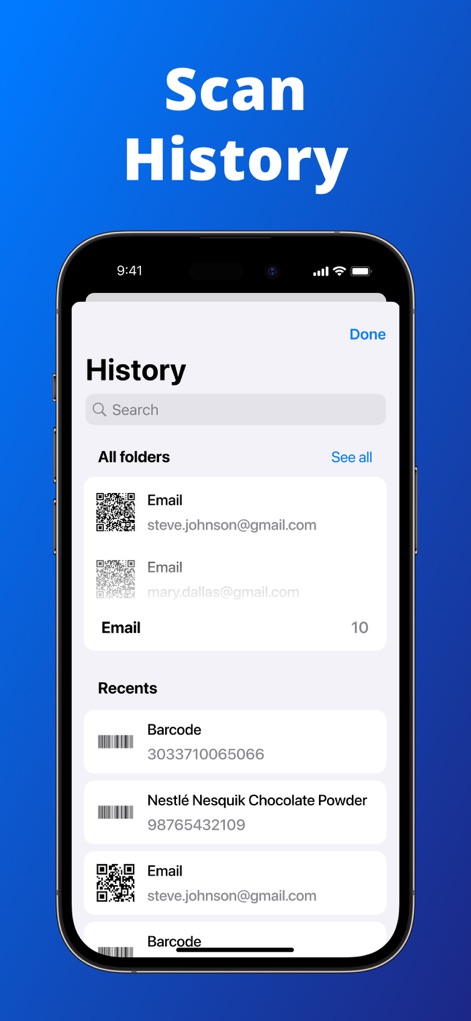
Organized Scan History
Access and manage all past scans effortlessly using the organized scan history, complete with a search bar for history and categorized lists of past scans.
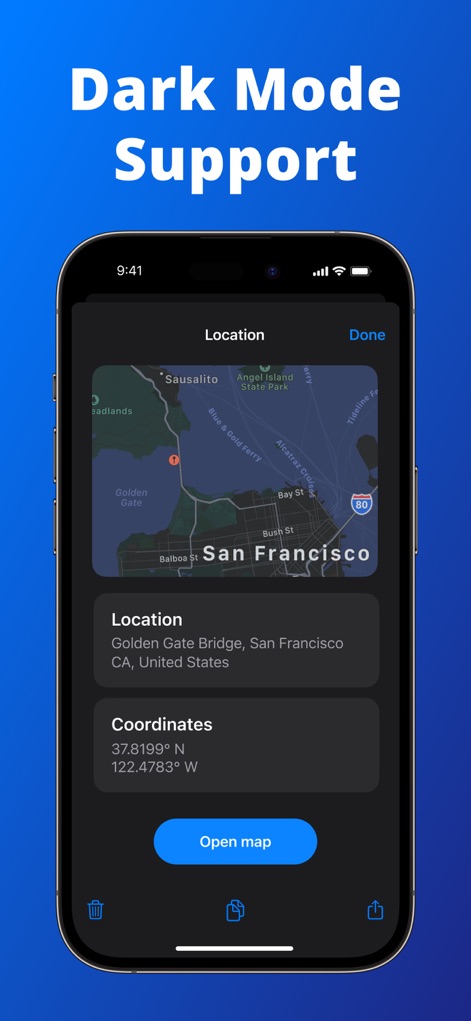
Sleek Dark Mode
The app offers a visually appealing and comfortable dark mode, as demonstrated by the dark themed interface displaying map with location details.
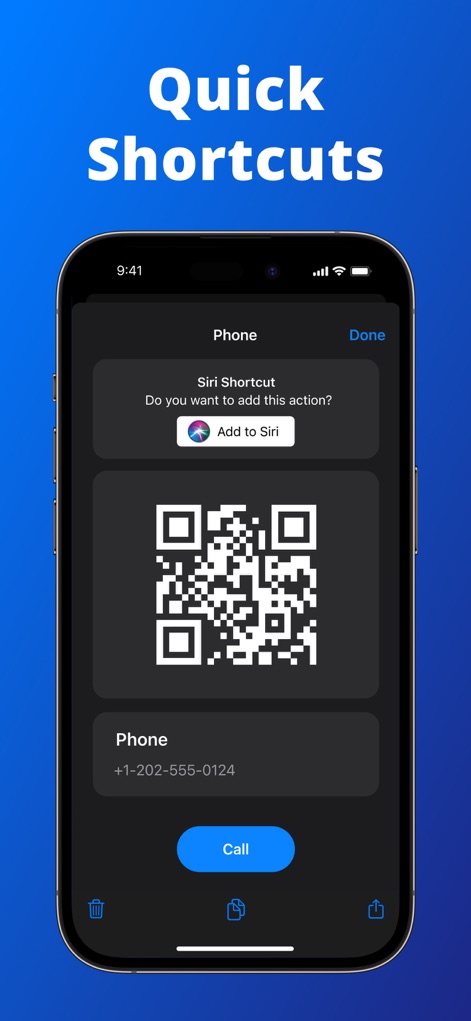
Quick Action Access
Streamline workflows with quick action access, including Siri Shortcut integration and the ability to initiate a direct call action from a scanned code.
Description
Download
More Like This
Apps with similar features and user experience

Me QR - QR Code Generator
ME TEAM LTD

QR Code Reader/QR Scanner App
MixerBox Inc.

QR Code Barcode: Scanner Maker
DE BITT LTD

QR Code Reader & QR Scanner ·
Simple Health Limited

Scan QR Code & Barcode
Mars Mobile LLC

QR Bot
Petr Polasek

QR Reader- Scanner & Generator
SAN MOBILE YAZILIM TICARET LIMITED SIRKETI

What's App -QR code scanner
DIGITALSTALK PRIVATE LIMITED

Power Barcode Scanner
Irvinesoft Inc
This page is not an official page of the app or its developer, but an independent editorial publication created for informational and commentary purposes. Unless expressly stated otherwise, neither the app nor its developer is affiliated with, endorsed by, sponsored by, authorized by, or otherwise officially connected with MWM, Apple, Google Play, the app publisher, or the app's developer, and nothing on this page implies that the app was developed using MWM's services. Any trademarks, logos, screenshots, and other content remain the property of their respective owners.