QuickNotes X Pro

QuickNotes X Pro

Download on App Store
Logo of QuickNotes X Pro

QuickNotes X Pro: Professional Note-Taking and PDF Annotation Reimagined

Transform your iPad into a powerful digital workspace. Effortlessly organize notebooks, markup PDFs, and secure your private thoughts with a lightweight tool designed for the modern professional and creative student.

Publisher

Alessandro Sassi

Category

Productivity

Downloads

19K+

User Rating

4.3/5

Total Ratings

100

Locales

3

A Glimpse Inside

Discover the interface used by 19K+ users.
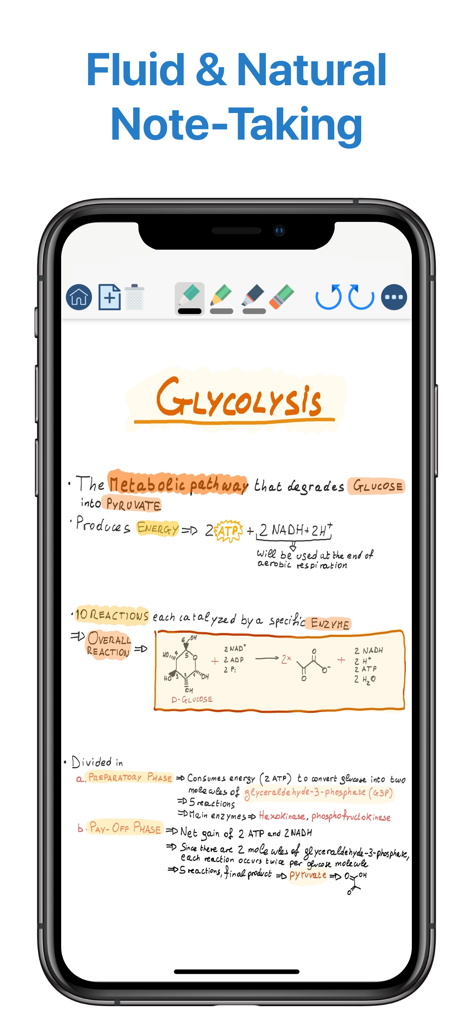
Handwritten biology study notes on glycolysis displayed in the QuickNotes X Pro app interface on iPhone

Handwritten biology study notes on glycolysis displayed in the QuickNotes X Pro app interface on iPhone

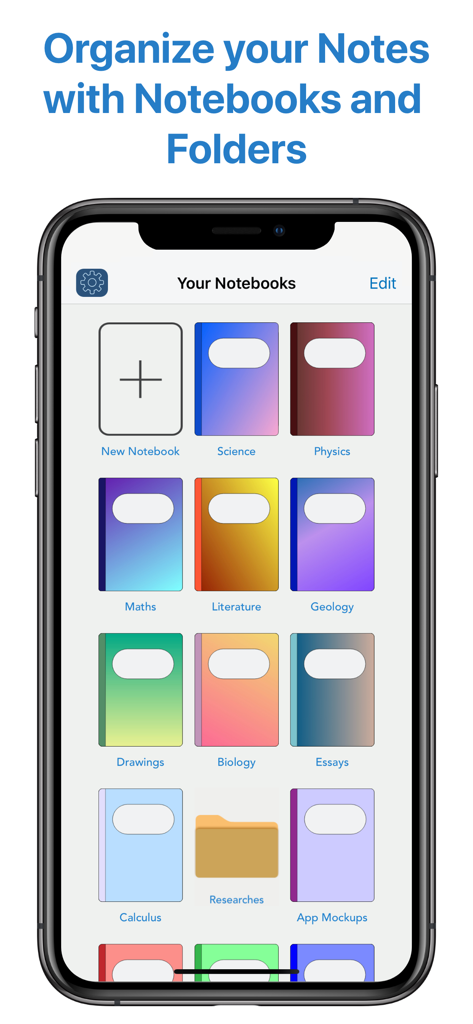
QuickNotes X Pro digital notebook library and organization screen

QuickNotes X Pro digital notebook library and organization screen

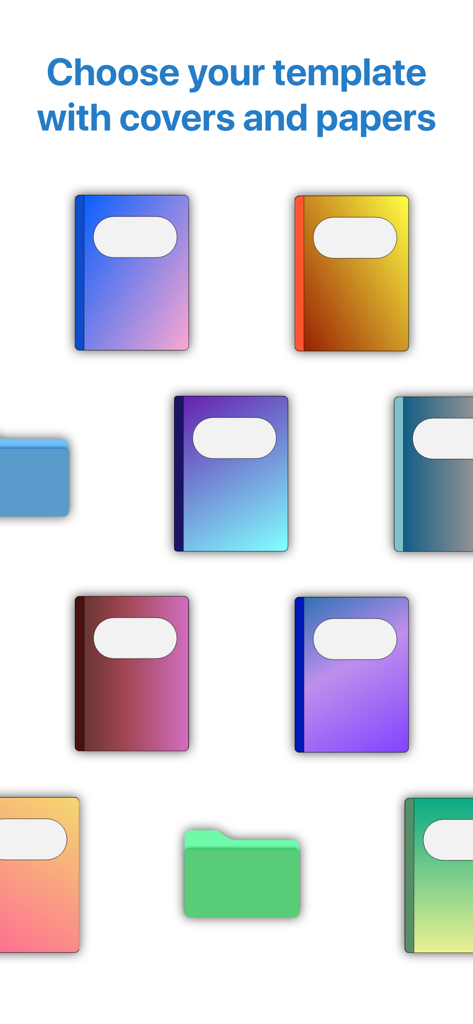
A variety of colorful digital notebook covers and organization folders for personalizing notes.

A variety of colorful digital notebook covers and organization folders for personalizing notes.

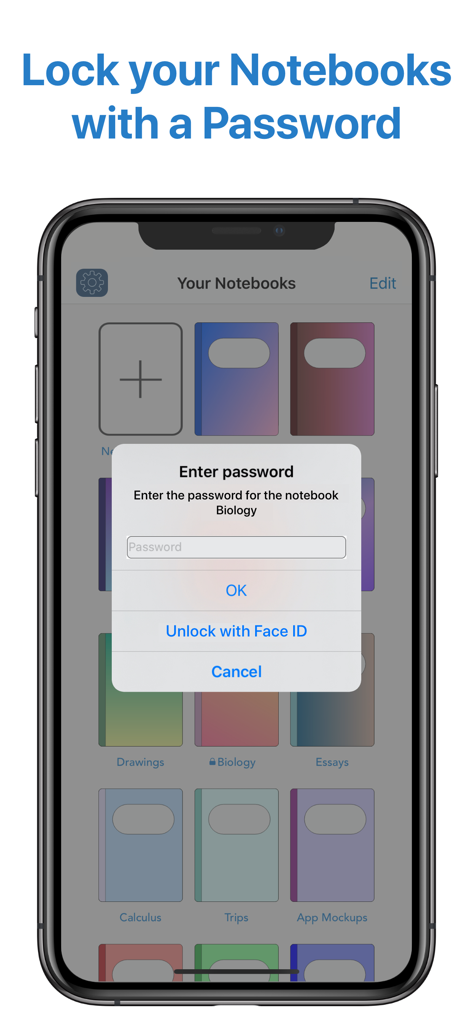
Interface showing a password entry prompt and Face ID unlock option for a private notebook in QuickNotes X Pro

Interface showing a password entry prompt and Face ID unlock option for a private notebook in QuickNotes X Pro

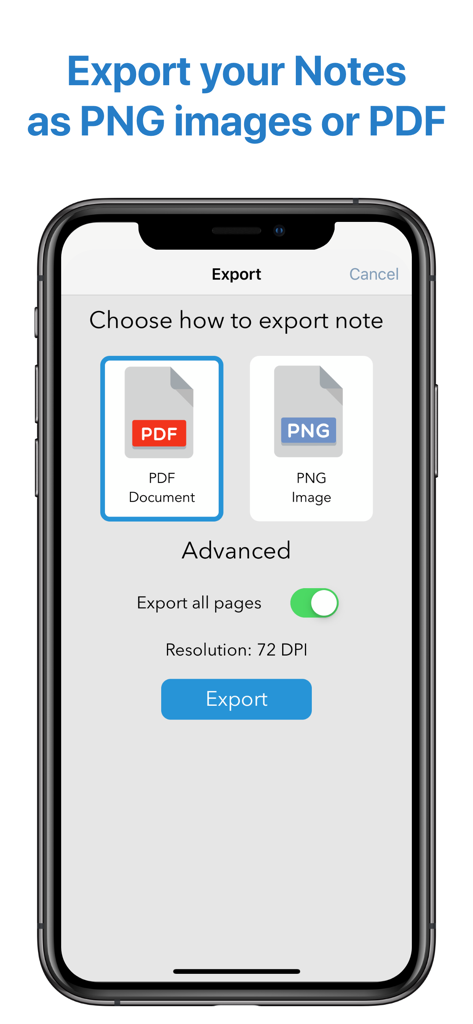
QuickNotes X Pro app interface showing options to export notes as PDF or PNG images.

QuickNotes X Pro app interface showing options to export notes as PDF or PNG images.

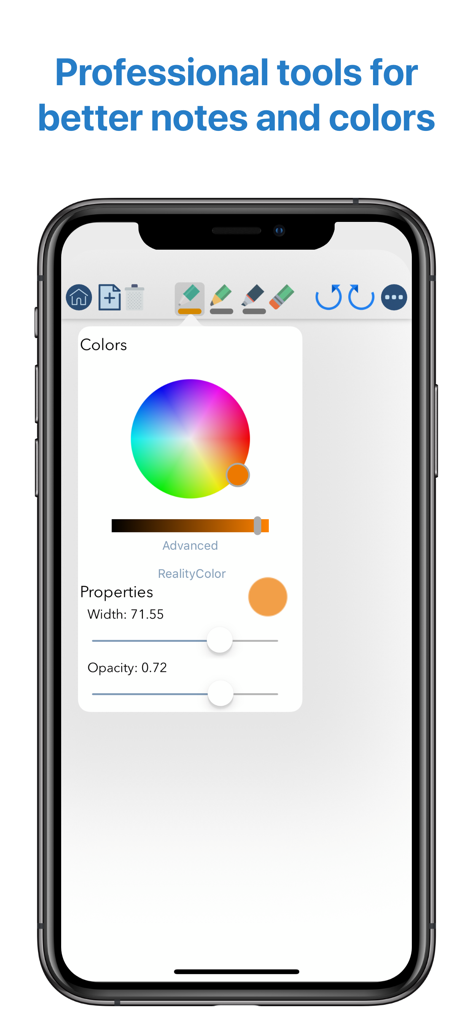
The QuickNotes X Pro interface on iPhone displaying professional drawing tools including an advanced color wheel and brush property sliders for width and opacity.

The QuickNotes X Pro interface on iPhone displaying professional drawing tools including an advanced color wheel and brush property sliders for width and opacity.

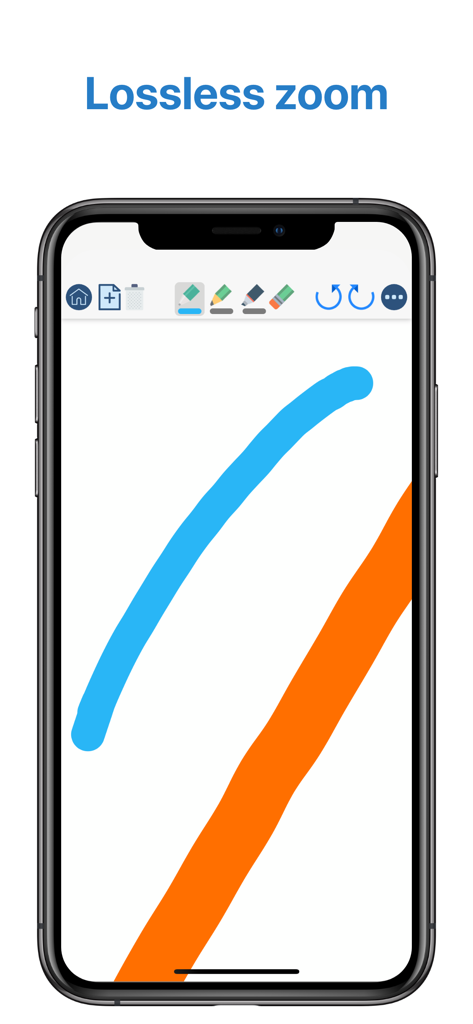
QuickNotes X Pro mobile interface showing smooth digital ink strokes and lossless zoom feature

QuickNotes X Pro mobile interface showing smooth digital ink strokes and lossless zoom feature

Elevate Your Note-Taking Experience

The tools that make this app stand out, trusted by 19K+ users.

✍️

Professional Drawing Engine

Experience zero-latency writing with pixel-perfect accuracy and unique tools like RealityPicker to capture any color from the world around you.

📑

Powerful PDF Annotations

Import lecture slides or business contracts to markup, highlight, and sign. Export high-quality documents instantly to stay ahead of your schedule.

🛡️

Private & Lightweight Design

Secure your sensitive notebooks with FaceID protection and enjoy a full professional toolset in a lightweight app that takes up less than 20MB.

About the app

Everything you need to know about QuickNotes X Pro.

Description

- ORGANIZE YOUR NOTES - Create notebooks to organize your notes. Choose between a selection of paper templates and covers, and choose between vertical or horizontal layout to fit your note-taking needs. You can also rearrange your notebooks and create folders for them for maximum flexibility. - IMPORT & EDIT YOUR PDFs - With QuickNotes X you can import your PDF documents inside an existing notebook or in a new one, and you can edit them using all the tools QuickNotes X offers. Markup, annotate, highlight, insert images and text and more. You can also export these pages as a new PDF to share you edits. - ACCURATE NOTE-TAKING - QuickNotes X has a new accurate drawing engine that never loses detail, even after zooming or moving around the page. It also has the tools necessary to take perfect professional notes, all in one place. - DRAG & DROP SUPPORT - With QuickNotes X, you can easily create multi-media notes: use an image as a background, or import images from your library or from the web with an in-app tool or by using drag & drop from another window. In addition, these images are always resizable and movable, so that you can edit them whenever you want - PROFESSIONAL TOOLS - To create perfect notes, you need the right tools. This is why QuickNotes X has everything you need, from Pen and Highlighter to the Eraser, so that no mistakes are irreversible. Select the perfect line width and opacity to further customize your style, and choose the color you need from a hand-picked selection or by using the new HSV picker. You can even import a color from an image using the unique RealityPicker! - LOCK YOUR PRIVATE NOTEBOOKS - Want to restrict access to a specific notebook? Just set up a password when you create it or long press on its cover to lock it. And when you need to add some pages to it, just enter the password again or use Touch ID or Face ID to unlock it. - TYPE INSTEAD OF WRITING - With the new Text Tool you can add Text Boxes to your notes to type instead of writing. Want a different text style? Choose the font, size and color you like, underline or set to bold important things: now typing and writing notes is easier with QuickNotes X. - EXPORT TO EDIT ON OTHER DEVICES - You can export individual notes or entire notebooks as a QuickNotes X Document, which can be imported on another device to continue editing your notes. If you export your notebooks they will retain all properties, such as background and aspect ratio, so that if you reimport them they will look exactly as you expect. - SEAMLESS SHARING - Export your note as a PNG image or PDF, with the option to export the whole notebook in a single PDF document. Then, open it in your favorite app or share it with Mail, all with a few taps. - USE YOUR STYLUS - Have a Bluetooth stylus? No problem! QuickNotes X support a variety of styluses, from the Apple Pencil (1st & 2nd Generation)* to Adonit Jot, so that you can take notes while resting your palm on the screen, just like on paper. - OPTIMIZED FOR iOS 13 & 14 - With iOS 13 and 14, QuickNotes X is better than ever! A new, more modern look and support for Dark Mode makes taking notes with QuickNotes X a new experience. - BUT THERE IS MORE! - ⊱ Quickly change page by double-tapping on the edge of the screen ⊱ See all your notebook pages at a glance while taking notes with the new "Notes List" feature ⊱ Create a new page while writing with the dedicated button or by double-tapping on the edge of the screen ⊱ Unlimited undo-redo while writing (before leaving the page) ⊱ Clear your page with a single tap ⊱ Change your notebook template while writing thanks to the dedicated button ⊱ Rapidly delete notes and notebooks with just a long press ⊱ Option to reset all content (Notebooks and Notes) and preferences ⊱ Lightweight: all the features of a professional drawing app with less than 20MB of space ⊱ Localized in English, Italian and French. QuickNotes X Pro: note-taking, made easy. *Only on selected iPad models

Latest Version

2.4.11

Size

38.6 MB

First Released

Jun 21, 2016

Ready to Master Your Productivity?

Join 19,000+ students and professionals who trust QuickNotes X Pro for precise handwriting, secure PDF markup, and aesthetic organization. Download now on the App Store.

Download on App Store

App information, icons, screenshots, and descriptions displayed on this page are sourced from the Apple App Store and are the property of their respective developers. Download estimates and rankings are based on MWM's proprietary models and may not reflect actual figures. This page is provided for informational and analytical purposes only.

Believe this page infringes your intellectual property? File a dispute