
This page is not an official page of the app or its developer, but an independent editorial publication created for informational and commentary purposes. Unless expressly stated otherwise, neither the app nor its developer is affiliated with, endorsed by, sponsored by, authorized by, or otherwise officially connected with MWM, Apple, Google Play, the app publisher, or the app's developer, and nothing on this page implies that the app was developed using MWM's services. Any trademarks, logos, screenshots, and other content remain the property of their respective owners.

Notes Writer - Note Taking
Join over 8 million students and professionals who have transformed their iPad and iPhone into a powerful digital office. Write, annotate, and organize your world with the ultimate tool for your second brain.
Downloads
8M+User Rating
Total Ratings
56K+Publisher
Category
ProductivityLocales
10Latest Version
18.4.0Size
359.4 MBFirst Released
Aug 15, 2018Master Your Mobile Workflow
The ultimate all-in-one workspace for students and professionals to write, annotate, and organize their entire digital life without switching apps.
Distraction-Free Writing
Craft manuscripts or class notes with Markdown support, typewriter mode, and automated MLA/APA formatting for academic excellence.
Advanced PDF Toolset
Highlight textbooks, sign legal contracts, and fill complex forms instantly. Use Dual-View to research and write simultaneously.
Frequently Asked Questions
Everything you need to know about Notes Writer - Note Taking
What is Notes Writer?
Notes Writer is an all-in-one note-taking and PDF editing solution for iPad and iPhone. It enables users to write, annotate, organize, scan, and manage documents effectively for study and business.
Can I use Notes Writer without an internet connection?
Yes, Notes Writer functions offline. The application allows users to capture notes, journal entries, and articles regardless of internet availability, ensuring productivity anywhere.
What types of files can Notes Writer export?
Notes Writer exports notes to various formats, including RTF, Markdown, PDF, ePub, HTML, and TXT. It also allows users to zip and email entire notebooks directly from the app.
Does Notes Writer support PDF annotation?
Yes, Notes Writer supports comprehensive PDF annotation. Users can highlight, underline, strikeout, add notes, voice annotations, pencil marks, stamps, and digital signatures directly on PDFs.
How does Notes Writer help organize documents?
Notes Writer provides unlimited organization. Users create and manage unlimited notebooks, folders, and subfolders. It features custom covers and a powerful full-text search across the entire library.
What cloud services does Notes Writer sync with?
Notes Writer offers seamless synchronization with iCloud, Dropbox, Box, WebDAV, and Google Drive. Users can also open email attachments directly within the application.
Does Notes Writer include a document scanner?
Yes, Notes Writer incorporates document scanning. This feature converts physical documents, recipes, and tickets into PDF files directly using the device’s camera for digital organization.
Can I open Microsoft Office files like Word or Excel in Notes Writer?
Yes, Notes Writer supports opening PowerPoint, Word, and Excel files directly within the app. This enhances its utility as a comprehensive document manager.
The following screenshots and description are sourced directly from the app's official store listing and are the property of the app developer.
App Store
Screenshots
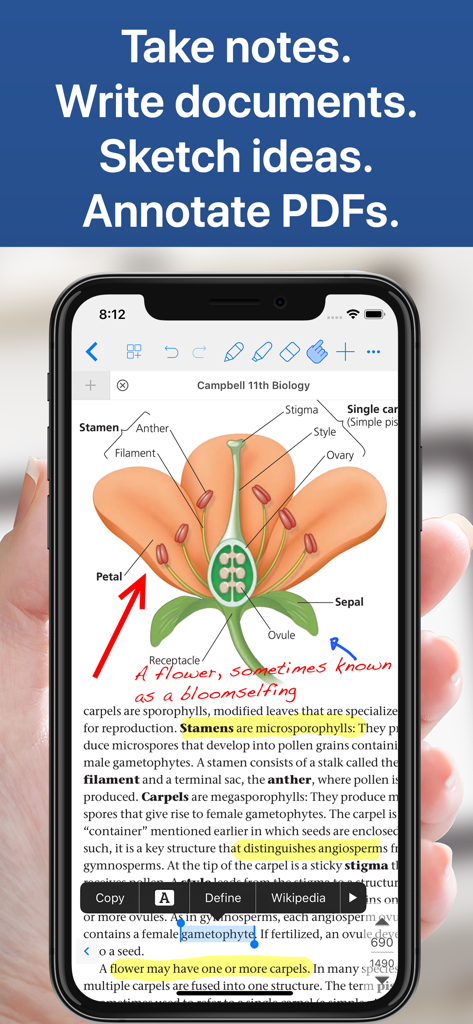
Notes Writer app on iPhone displaying a biology textbook PDF with handwritten notes and highlights
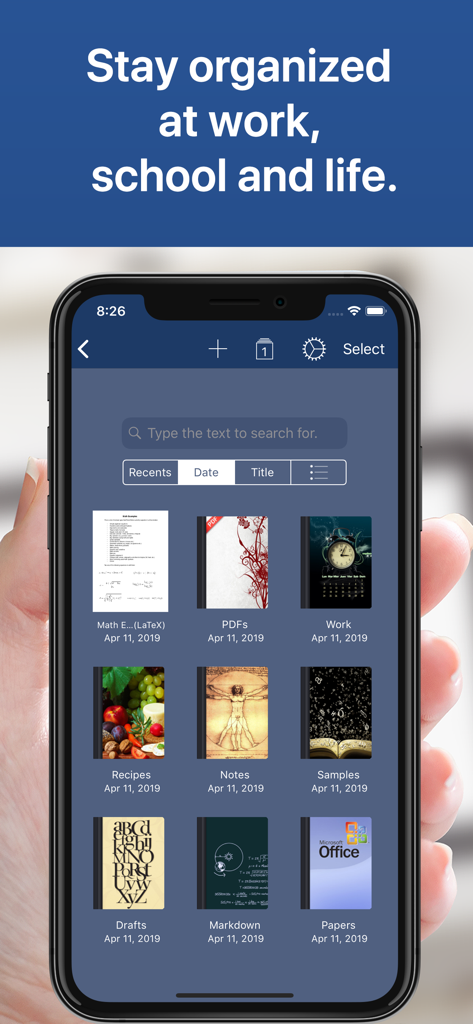
Interface of Notes Writer app showing a library of organized notebooks and folders on a smartphone
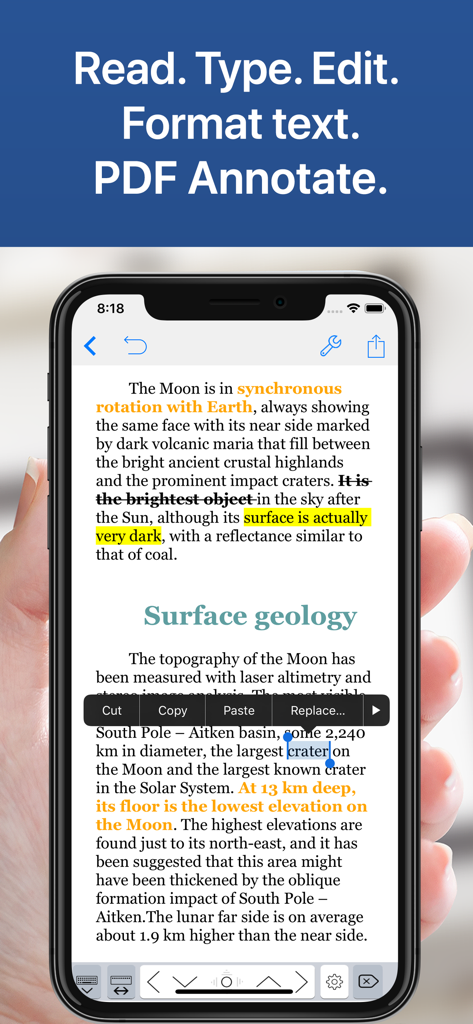
Notes Writer app interface on iPhone showing text formatting and PDF annotations
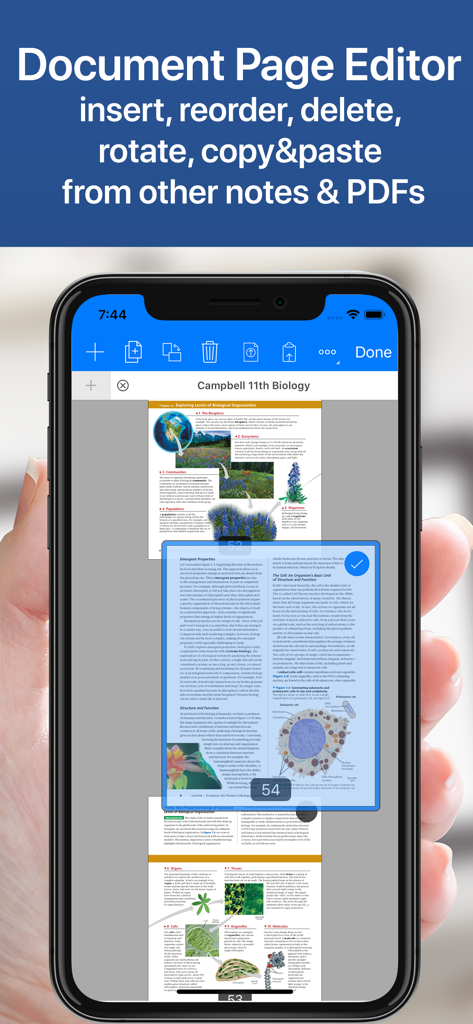
Notes Writer app document page editor interface on iPhone showing a biology textbook PDF with options to reorder and manage pages
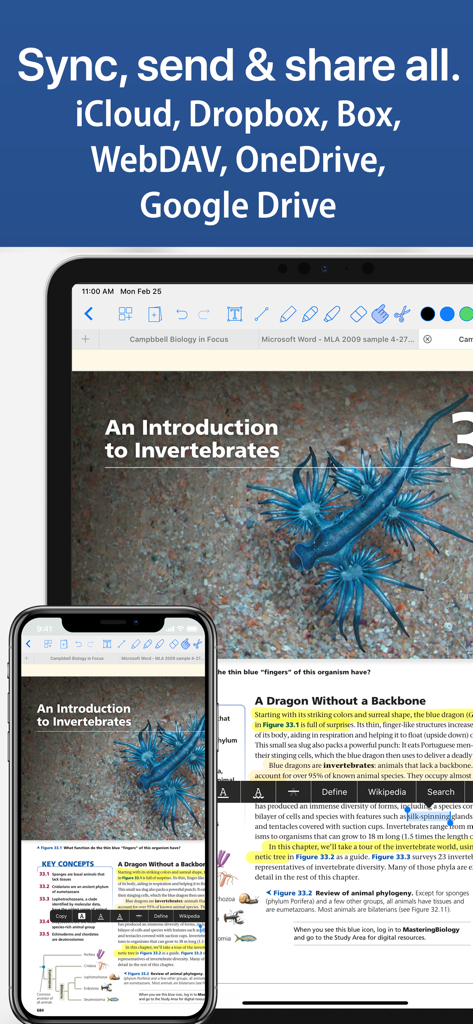
Notes Writer app interface on iPad and iPhone showing document synchronization across cloud services like iCloud and Google Drive
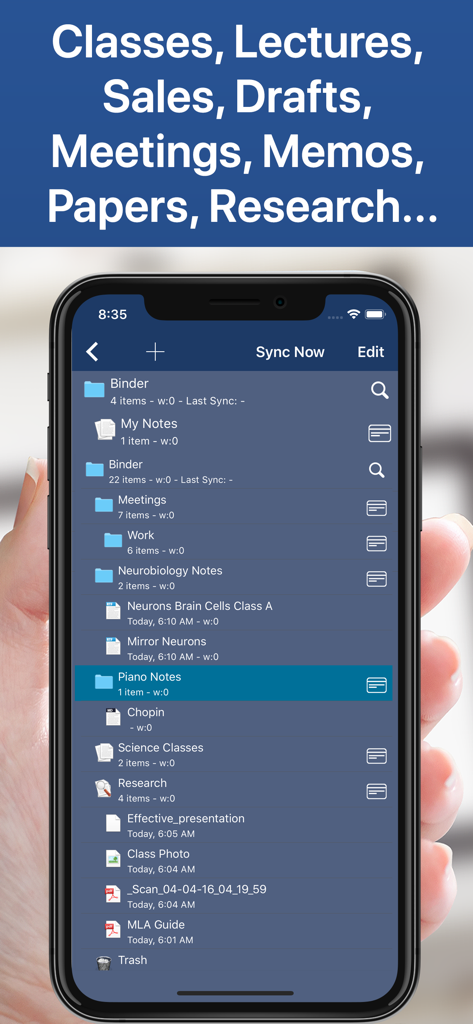
Smartphone screen displaying organized folders for academic and professional notes in Notes Writer
Description
Download
More Like This
Apps with similar features and user experience

Notepad: Easy Notes & Memos
1381802 Ontario Inc.

EasyNote: Note, Handwrite, PDF
Hangzhou Tensorart Technology Co., Ltd

Wellnote-Notes&PDF
MAXEYE US INC.

AJournal - Planner & Journal
WonderApps AB

Element Note
Soysauce Lab

Penbook
User Camp Inc.

Notewise - AI Notes, PDF, Docs
ZIIKR Pte. Ltd.

Notes Writer Pro 2026
Kairoos Solutions S.L.

Paintwork - Infinite Notebook
伟典 苏
This page is not an official page of the app or its developer, but an independent editorial publication created for informational and commentary purposes. Unless expressly stated otherwise, neither the app nor its developer is affiliated with, endorsed by, sponsored by, authorized by, or otherwise officially connected with MWM, Apple, Google Play, the app publisher, or the app's developer, and nothing on this page implies that the app was developed using MWM's services. Any trademarks, logos, screenshots, and other content remain the property of their respective owners.