
This page is not an official page of the app or its developer, but an independent editorial publication created for informational and commentary purposes. Unless expressly stated otherwise, neither the app nor its developer is affiliated with, endorsed by, sponsored by, authorized by, or otherwise officially connected with MWM, Apple, Google Play, the app publisher, or the app's developer, and nothing on this page implies that the app was developed using MWM's services. Any trademarks, logos, screenshots, and other content remain the property of their respective owners.

Notepad: Easy Notes & Memos
Ditch the complexity of feature-heavy apps and return to the joy of simple organization. Capture thoughts, manage daily tasks, and sketch with Apple Pencil in a beautiful, secure notebook that syncs across all your devices.
Downloads
1M+User Rating
Total Ratings
32K+Publisher
Category
ProductivityLocales
32Latest Version
5.3.12Size
50.1 MBFirst Released
Nov 1, 2013Effortless Productivity for Your Modern Lifestyle
Designed for those who value simplicity and style, Notepad blends the nostalgic feel of a classic notebook with the power of the Apple ecosystem.
Natural Handwriting & Sketching
Capture ideas with fluid, pressure-sensitive ink that feels like pen on paper. Perfect for students and creatives using the Apple Pencil on iPad.
Elegant Aesthetic Organization
Avoid the chaos of feature-heavy apps. Use color-coded folders and custom fonts to create a workspace that reflects your personal style.
Frequently Asked Questions
Everything you need to know about Notepad: Easy Notes & Memos
What is Notepad: Easy Notes & Memos?
Notepad: Easy Notes & Memos is a classic note-taking app designed to organize ideas and tasks. It combines a nostalgic notebook feel with modern features for creating notes, to-do lists, and handwritten content.
Can I create to-do lists in Notepad: Easy Notes & Memos?
Yes, Notepad: Easy Notes & Memos allows creating to-do lists with interactive checkboxes. Users can reorder items by dragging and dropping and check off completed tasks. It is perfect for shopping or project lists.
Does Notepad: Easy Notes & Memos support Apple Pencil?
Yes, Notepad: Easy Notes & Memos supports Apple Pencil for natural handwritten notes, diagrams, and drawings. It offers fluid writing, realistic ink flow, pressure sensitivity, and customizable pens, pencils, and highlighters.
How does Notepad: Easy Notes & Memos organize notes?
Notepad: Easy Notes & Memos organizes notes into folders and subfolders with a clean, nested structure. Users can assign unique colors to folders, and drag-and-drop to reorder or move multiple notes efficiently.
Can I pin important notes in Notepad: Easy Notes & Memos?
Yes, Notepad: Easy Notes & Memos allows users to pin important notes to the top of their list. Users can also sort notes by date, a custom order, or alphabetically for easy access.
Does Notepad: Easy Notes & Memos offer iCloud synchronization?
Yes, Notepad: Easy Notes & Memos provides automatic backups and iCloud sync. This feature ensures notes remain safe and accessible across all your Apple devices, maintaining data consistency.
How can I personalize Notepad: Easy Notes & Memos?
Users can personalize Notepad: Easy Notes & Memos with unique app icons, custom colors, and stylish fonts. It also offers a sleek dark mode for comfortable night use.
Is there a search function in Notepad: Easy Notes & Memos?
Yes, Notepad: Easy Notes & Memos includes advanced search tools with text highlighting. This allows users to quickly find exactly what they are looking for within their notes.
Can I protect my notes with FaceID in Notepad: Easy Notes & Memos?
Yes, Notepad: Easy Notes & Memos allows users to lock their notes using FaceID or TouchID. This feature provides enhanced privacy and security for personal or sensitive information.
What are the premium features of Notepad: Easy Notes & Memos?
Premium features in Notepad: Easy Notes & Memos include an ad-free experience, exclusive themes, and advanced sorting options. These provide power users with enhanced functionality and customization.
The following screenshots and description are sourced directly from the app's official store listing and are the property of the app developer.
App Store
Screenshots
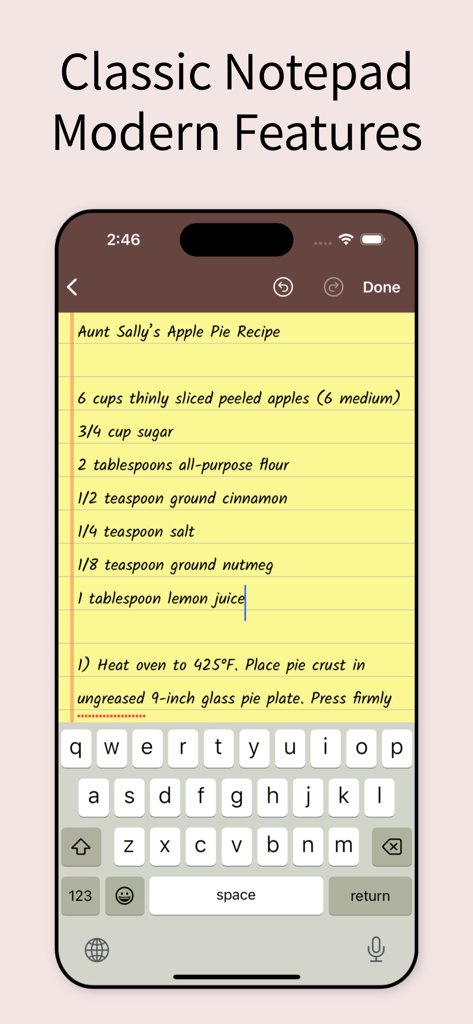
iPhone app screen showing a classic yellow legal pad note with an apple pie recipe.
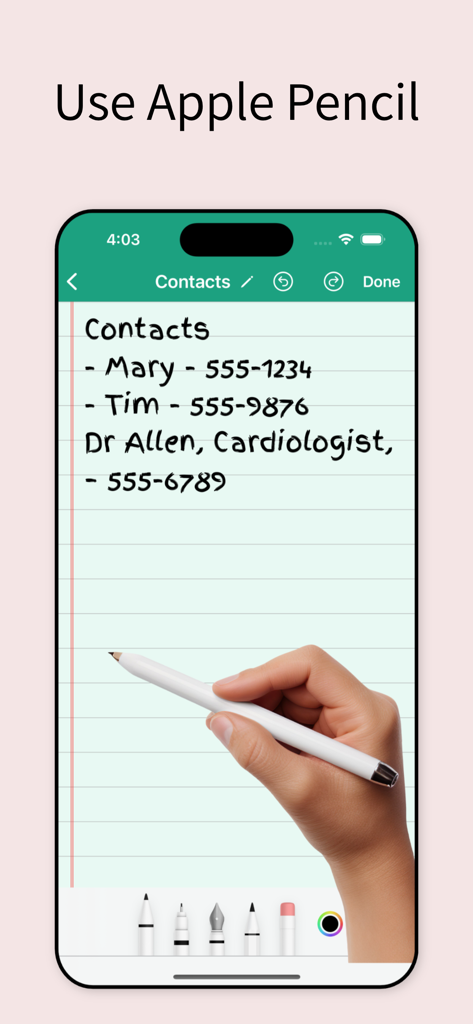
A hand using a stylus to write a contact list with phone numbers on a digital notepad app
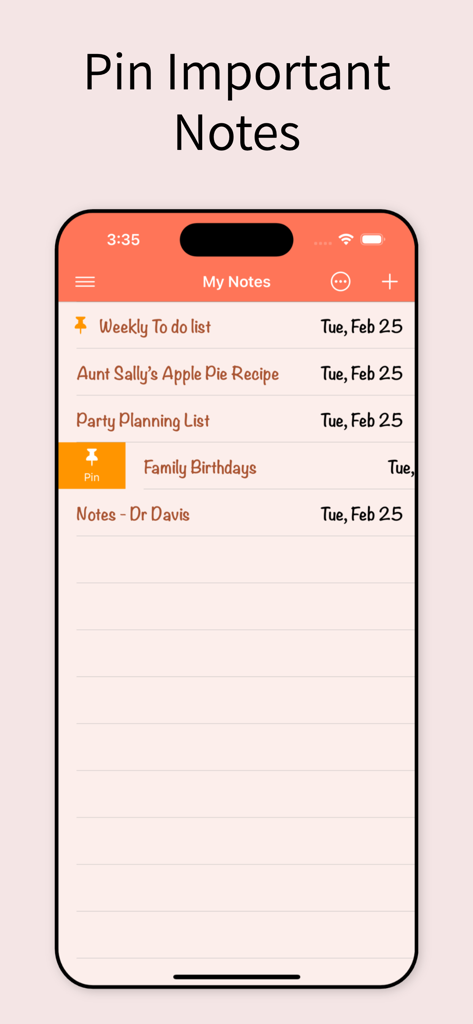
A mobile interface of the Notepad app demonstrating the pin important notes feature for easy organization
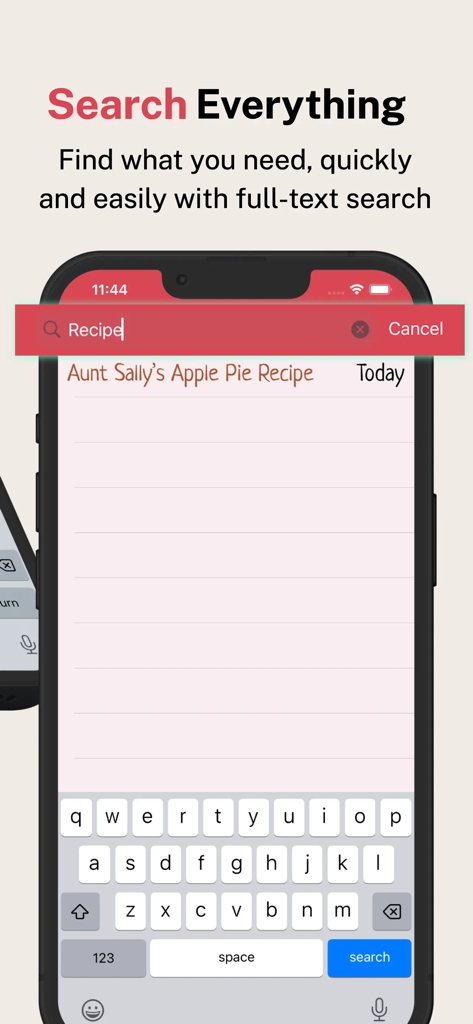
A mobile screen showing the full text search feature in the Notepad app to quickly find a recipe note
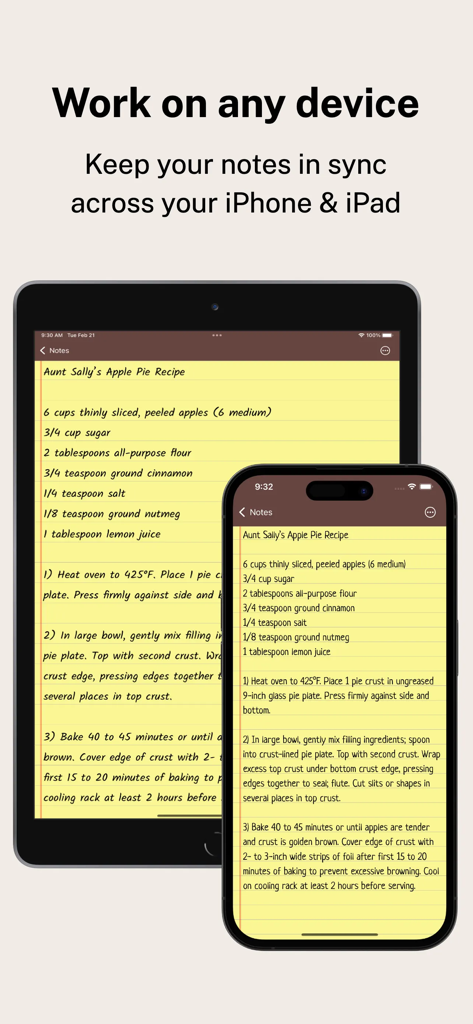
Notepad app displaying the same note synced across an iPhone and an iPad
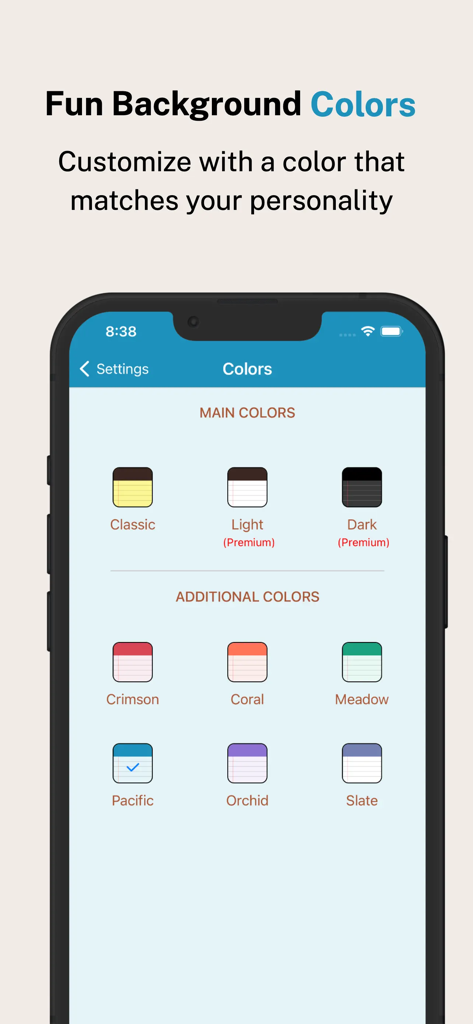
iPhone screen showing various color theme options for the notepad app background like Crimson Coral and Meadow
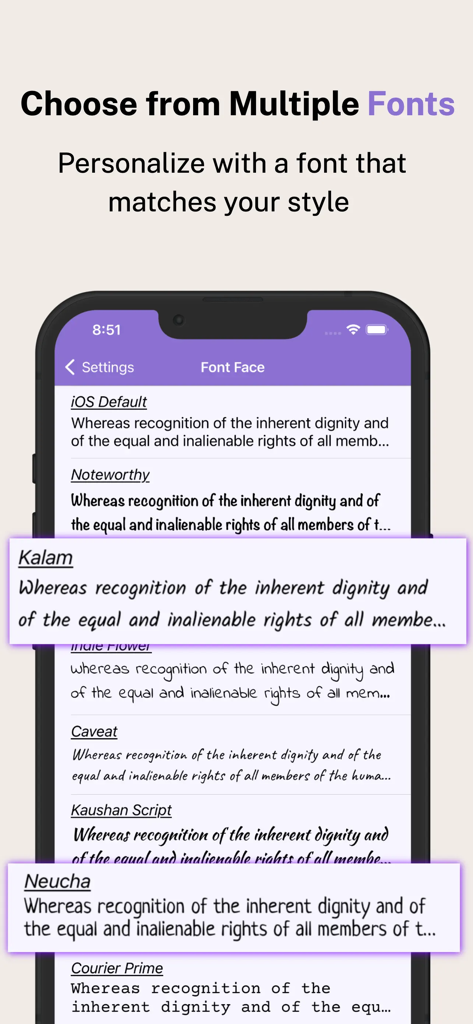
A smartphone screen displaying various font styles for personalizing notes in the Notepad app.
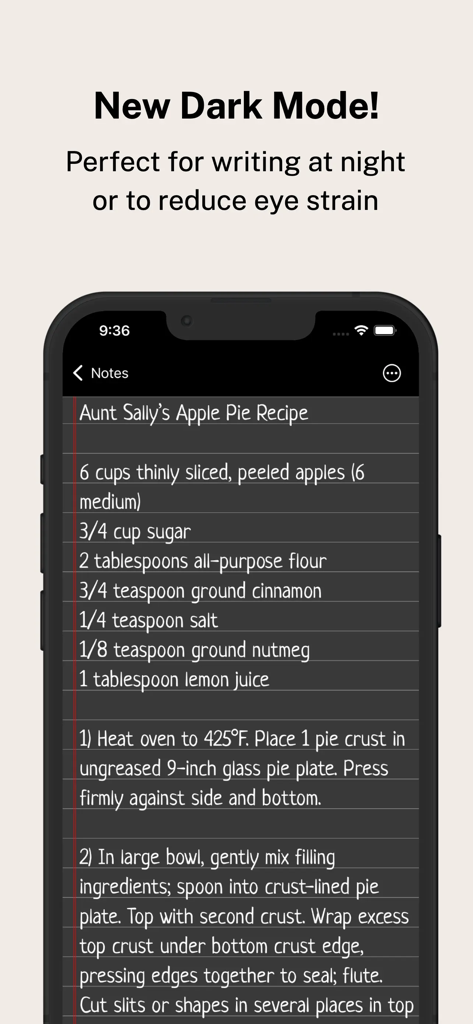
Smartphone displaying the Notepad app in dark mode with an apple pie recipe
Description
Download
More Like This
Apps with similar features and user experience

EasyNote: Note, Handwrite, PDF
Hangzhou Tensorart Technology Co., Ltd

Wellnote-Notes&PDF
MAXEYE US INC.

AJournal - Planner & Journal
WonderApps AB

Element Note
Soysauce Lab

Penbook
User Camp Inc.

Notes Writer - Note Taking
Kairoos Solutions S.L.

Notewise - AI Notes, PDF, Docs
ZIIKR Pte. Ltd.

Notes Writer Pro 2026
Kairoos Solutions S.L.

Paintwork - Infinite Notebook
伟典 苏
This page is not an official page of the app or its developer, but an independent editorial publication created for informational and commentary purposes. Unless expressly stated otherwise, neither the app nor its developer is affiliated with, endorsed by, sponsored by, authorized by, or otherwise officially connected with MWM, Apple, Google Play, the app publisher, or the app's developer, and nothing on this page implies that the app was developed using MWM's services. Any trademarks, logos, screenshots, and other content remain the property of their respective owners.