
This page is not an official page of the app or its developer, but an independent editorial publication created for informational and commentary purposes. Unless expressly stated otherwise, neither the app nor its developer is affiliated with, endorsed by, sponsored by, authorized by, or otherwise officially connected with MWM, Apple, Google Play, the app publisher, or the app's developer, and nothing on this page implies that the app was developed using MWM's services. Any trademarks, logos, screenshots, and other content remain the property of their respective owners.

AJournal - Planner & Journal
Transform your iPad into a beautiful, personalized sanctuary. Seamlessly blend your digital calendar with the creative freedom of handwriting to organize your days, track habits, and design your dream life.
Downloads
1M+User Rating
Total Ratings
10K+Publisher
Category
LifestyleLocales
19Latest Version
9.7Size
118.8 MBFirst Released
Dec 16, 2021Craft Your Perfect Day, Digitally
Experience the tactile joy of handwriting merged with the efficiency of smart digital tools. From daily tracking to long-term goals, AJournal adapts to your unique rhythm.
Mindful Handwriting & Design
Express yourself freely with Apple Pencil support. Use over 2,500 stickers and aesthetic templates to make your planner as beautiful as it is functional.
Smart Calendar Integration
Never miss a beat. Sync your Apple Calendar and Reminders directly into your daily pages to bridge the gap between your schedule and your thoughts.
Frequently Asked Questions
Everything you need to know about AJournal - Planner & Journal
Does AJournal support Apple Pencil for handwriting?
Yes, AJournal supports handwriting and drawing with Apple Pencil or finger for creating and customizing planners and journal pages.
Can users customize templates within the AJournal app?
Yes, AJournal templates are fully customizable. Users can add, remove, rearrange elements, and set colors or headers. They can also save personalized pages as new templates.
Does AJournal offer iCloud synchronization across devices?
Yes, AJournal data can be synced via iCloud, allowing use on devices like the iPhone. An active subscription is required for iCloud sync functionality.
Is a free trial available for AJournal?
Yes, users can try AJournal without any limitation with a 7-day free trial. This allows full access to features before committing to a subscription.
Can AJournal integrate with digital calendars?
Yes, AJournal connects with any digital calendar to display all events within daily/weekly planners. Users can write, scribble, or type alongside these integrated events.
Does AJournal integrate with the ATracker time tracking tool?
Yes, AJournal integrates with ATracker. This optional integration allows users to follow up on their task and goal progress from ATracker in real time within AJournal.
Can users export their journals and planners from AJournal?
Yes, users can export their journals and planners as PDFs. This feature allows for reading content in other tools or for safekeeping.
Does AJournal offer a dark mode interface?
Yes, AJournal supports a dark mode interface. This option provides a different visual theme for user preference and reduced eye strain.
How many templates are available in AJournal?
AJournal provides over 100 professionally designed templates. These cover various needs including daily, weekly, monthly, project, finance, meal, fitness, and habit trackers.
Can I add images and stickers to my journal in AJournal?
Yes, AJournal allows users to add images, resize, rotate, or crop them. It also offers over 2500 stickers and the option to save personal images as stickers.
The following screenshots and description are sourced directly from the app's official store listing and are the property of the app developer.
App Store
Screenshots
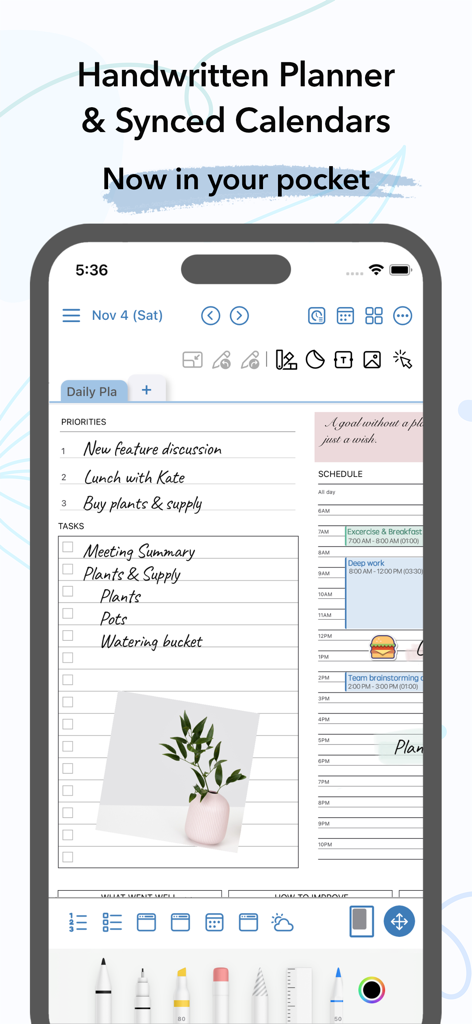
AJournal interface on iPhone featuring a handwritten daily planner and synced digital calendar
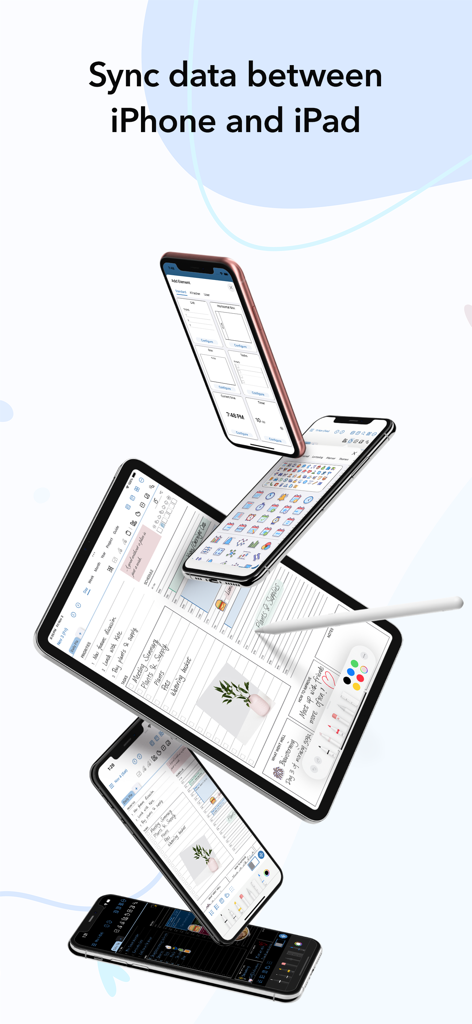
AJournal digital planner sync between iPhone and iPad showing calendar and habit tracker templates
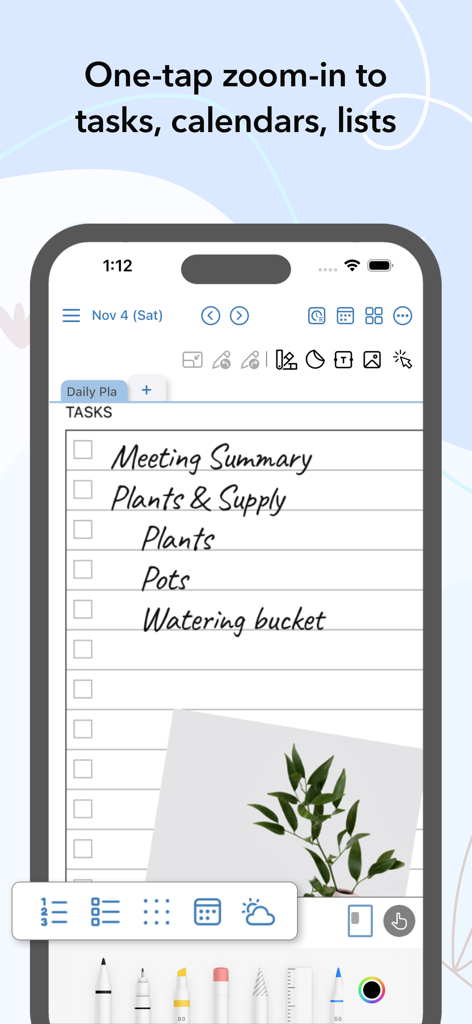
AJournal mobile app showing a handwritten task list with zoom functionality and plant photo
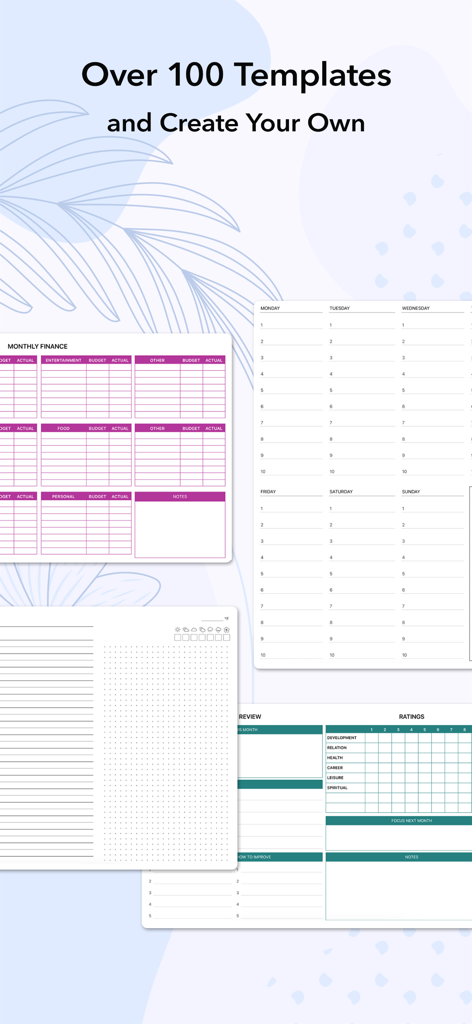
Display of various digital planner templates for finance tracking and daily scheduling in the AJournal app
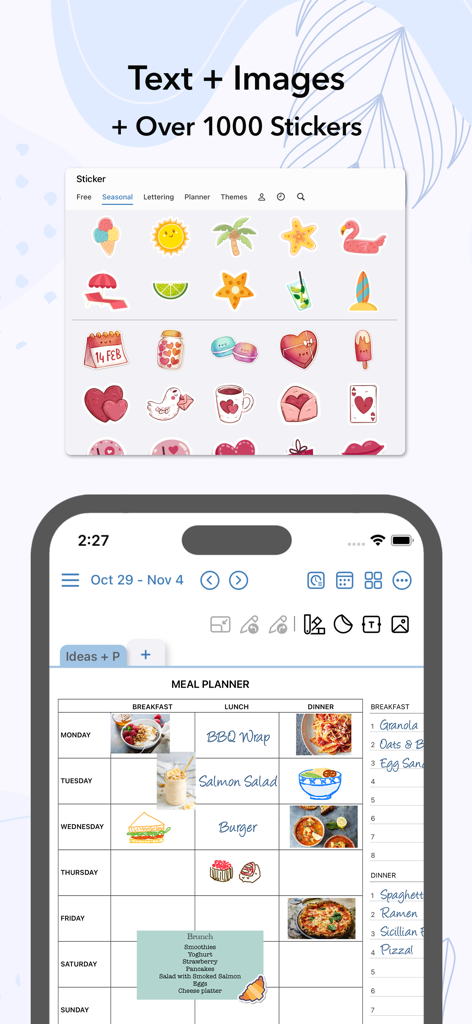
AJournal digital meal planner template featuring food images and various colorful stickers.
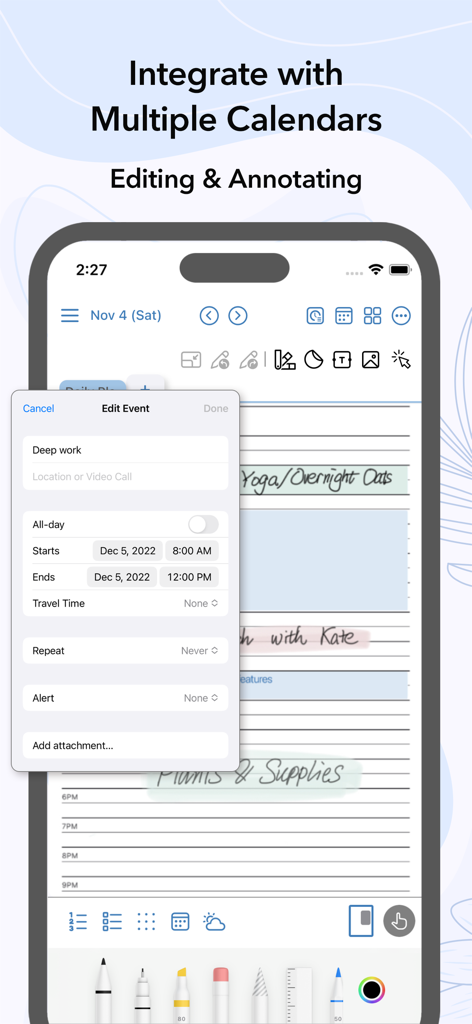
A screenshot of AJournal app showing the interface to edit a calendar event called Deep work on an iPhone with handwriting and digital planning elements.
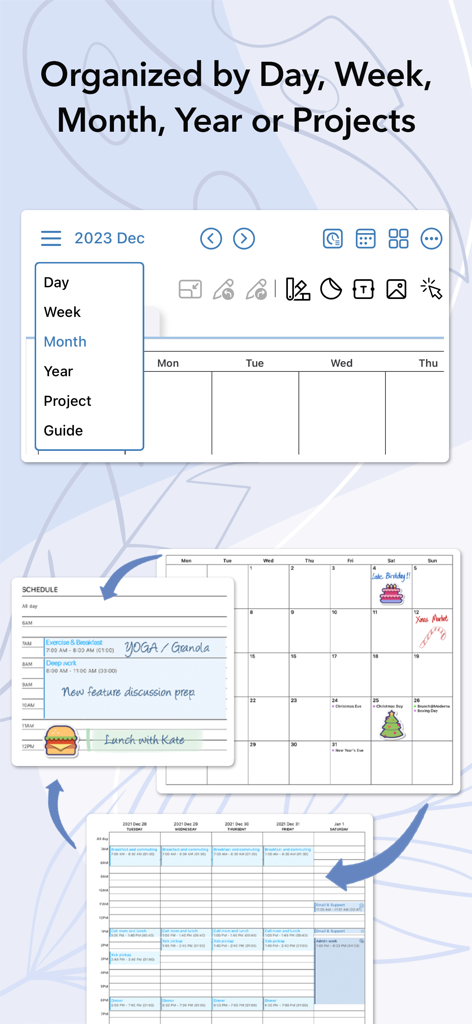
AJournal digital planner showing day, week, month, and project organization views
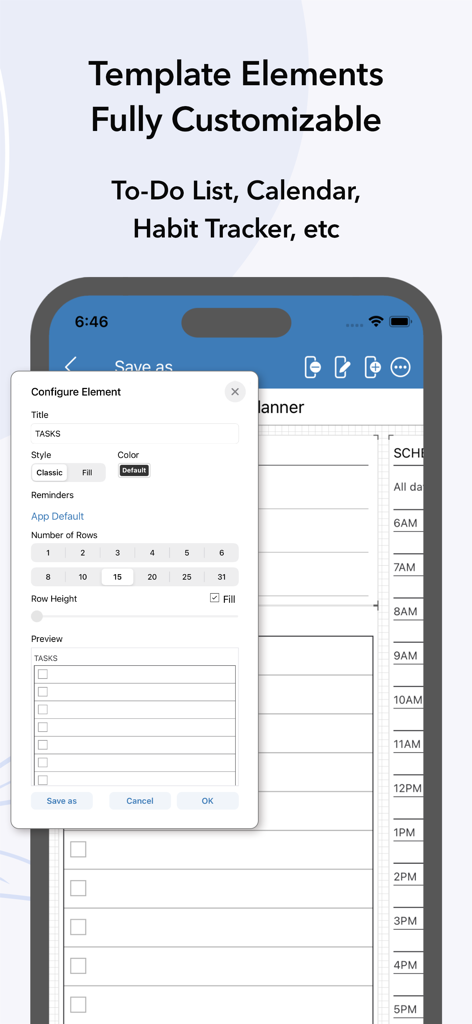
Interface showing customizable template elements like a to-do list in AJournal
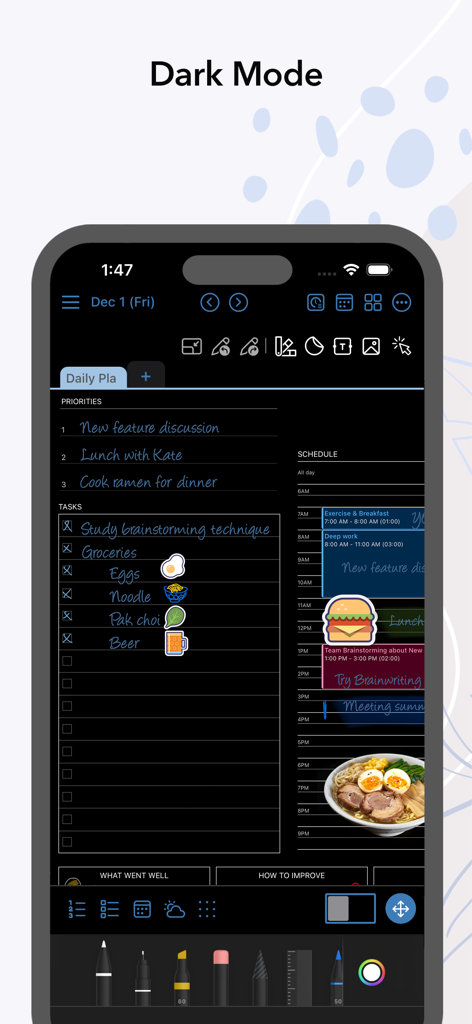
AJournal digital planner app showing a daily schedule and task list in dark mode
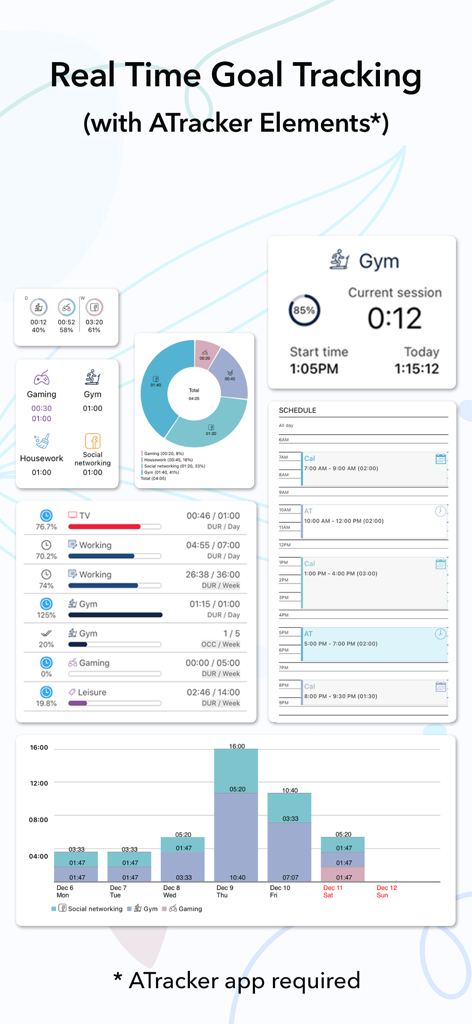
AJournal app interface displaying real-time goal tracking widgets and activity analytics charts integrated with ATracker.
Description
Download
More Like This
Apps with similar features and user experience

Notepad: Easy Notes & Memos
1381802 Ontario Inc.

EasyNote: Note, Handwrite, PDF
Hangzhou Tensorart Technology Co., Ltd

Wellnote-Notes&PDF
MAXEYE US INC.

Element Note
Soysauce Lab

Penbook
User Camp Inc.

Notes Writer - Note Taking
Kairoos Solutions S.L.

Notewise - AI Notes, PDF, Docs
ZIIKR Pte. Ltd.

Notes Writer Pro 2026
Kairoos Solutions S.L.

Paintwork - Infinite Notebook
伟典 苏
This page is not an official page of the app or its developer, but an independent editorial publication created for informational and commentary purposes. Unless expressly stated otherwise, neither the app nor its developer is affiliated with, endorsed by, sponsored by, authorized by, or otherwise officially connected with MWM, Apple, Google Play, the app publisher, or the app's developer, and nothing on this page implies that the app was developed using MWM's services. Any trademarks, logos, screenshots, and other content remain the property of their respective owners.