
This page is not an official page of the app or its developer, but an independent editorial publication created for informational and commentary purposes. Unless expressly stated otherwise, neither the app nor its developer is affiliated with, endorsed by, sponsored by, authorized by, or otherwise officially connected with MWM, Apple, Google Play, the app publisher, or the app's developer, and nothing on this page implies that the app was developed using MWM's services. Any trademarks, logos, screenshots, and other content remain the property of their respective owners.


Quike Widget
Homsecreens, once static, now flex to your every whim. The app turns your device into a canvas, granting total control over your digital aesthetic and information access.
Downloads
5M+User Rating
Total Ratings
63.0KPublisher
Category
UtilitiesLocales
4Latest Version
8.7Size
186.6 MBFirst Released
Sep 22, 2020An Evaluation of Key Features for Personalized Mobile Experiences
Quike Widget: Feature Analysis
Advanced Widget Customization
The app allows users to freely edit widget layouts, themes, and content, enabling deep personalization and a unique mobile experience.
Extensive Widget Library
The app provides a comprehensive collection of widgets across various categories and sizes, catering to diverse informational and aesthetic needs for the homescreen.
Versatile Photo Display Widgets
It offers a range of picture-based widgets, enabling users to showcase personal photos directly on their homescreen in different sizes and creative layouts.
Customizable Widget Backgrounds
This tool supports flexible background mode selection and allows for the replacement of widget backgrounds with custom images, enhancing visual personalization.
Handwritten Note Integration
The app enables the display of handwritten notes or artistic elements as large, personalized widgets, offering a distinct and expressive aesthetic.
Stylish Date & Time Display
It includes diverse date and clock widgets, offering both practical timekeeping and extensive options for aesthetic customization to match any homescreen theme.
Dynamic Calendar Widgets
The app provides functional calendar widgets, helping users stay organized and efficiently track their schedule and upcoming events directly from their homescreen.
Personalized Event Trackers
This tool features widgets for tracking significant personal milestones and countdowns, adding an emotional and personalized touch to the mobile interface.
Frequently Asked Questions
Everything you need to know about Quike Widget
What is Quike Widget?
Quike Widget is a powerful desktop widget app that supports multiple customizable widgets. It allows users to freely edit widget designs, select background modes, and replace background pictures to personalize their device home screen.
Can I customize the widgets in Quike Widget?
Yes, Quike Widget allows free editing of widgets. Users can select black and white modes, choose various background modes, and replace background pictures to fully personalize their desktop widgets.
What types of small widgets does Quike Widget offer?
Quike Widget offers several small widgets, including a Calendar widget, a "How many days did you live with" widget, an Anniversary widget, and a Small picture stick widget for various display needs.
Does Quike Widget include a date and clock widget?
Yes, Quike Widget includes a Date/Clock Widget as part of its medium-sized widget offerings. Screenshots also display digital clock and date widgets.
Can I change the background picture of widgets in Quike Widget?
Yes, Quike Widget supports background picture replacement. Users can personalize their widgets by selecting and changing the background image, as indicated by the app's features and demonstrated in screenshots.
Does Quike Widget support large widgets for pictures or handwriting?
Yes, Quike Widget supports large widgets. It offers a Big picture attachment widget and a Handwriting big component widget, allowing users to display images or handwritten notes prominently.
The following screenshots and description are sourced directly from the app's official store listing and are the property of the app developer.
App Store
Screenshots
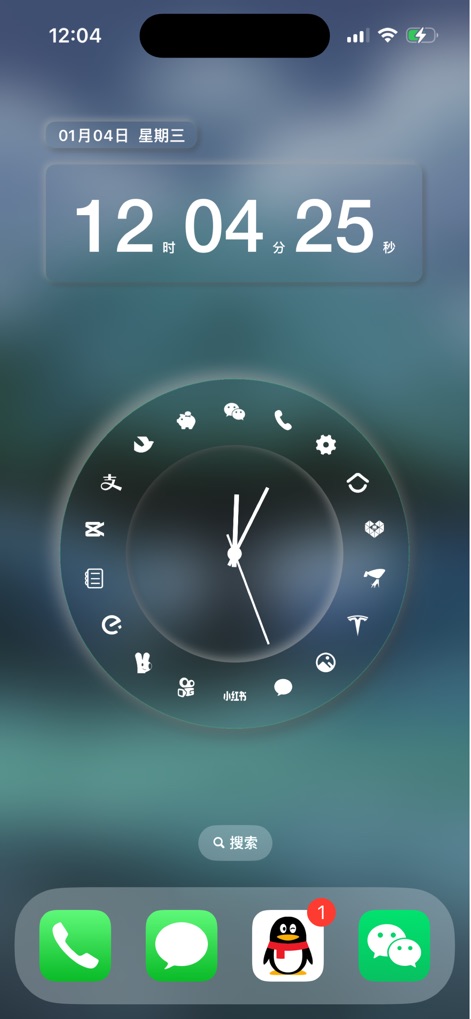
Experience how the app integrates a precise digital clock widget showing seconds with a circular app launcher that organizes essential applications for immediate access.
Integrated Clock & Apps

Discover the app's modular design, allowing users to arrange distinct date and time widgets alongside a functional step counter, for a truly personalized overview.
Modular Home Layout
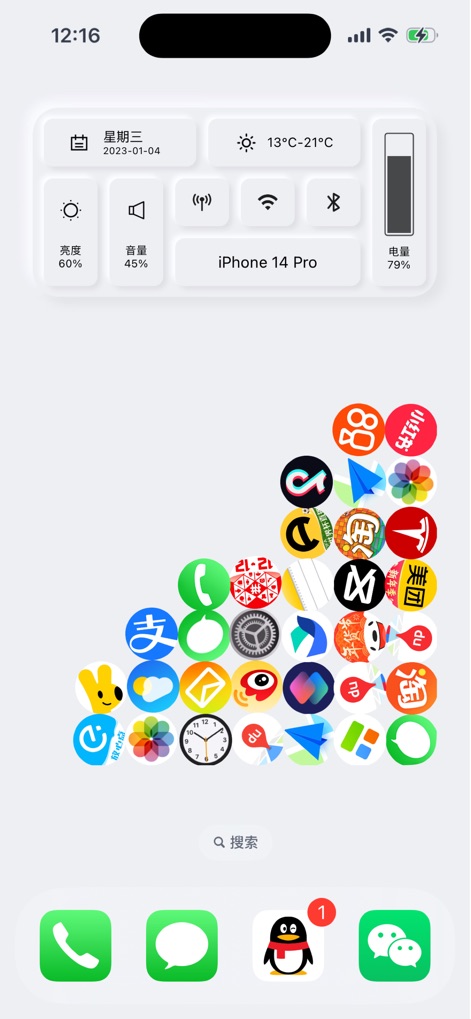
Examine the consolidated system control widget, offering immediate access to settings like brightness and volume, paired with a dynamic, clustered presentation of app icons.
Efficient System Access
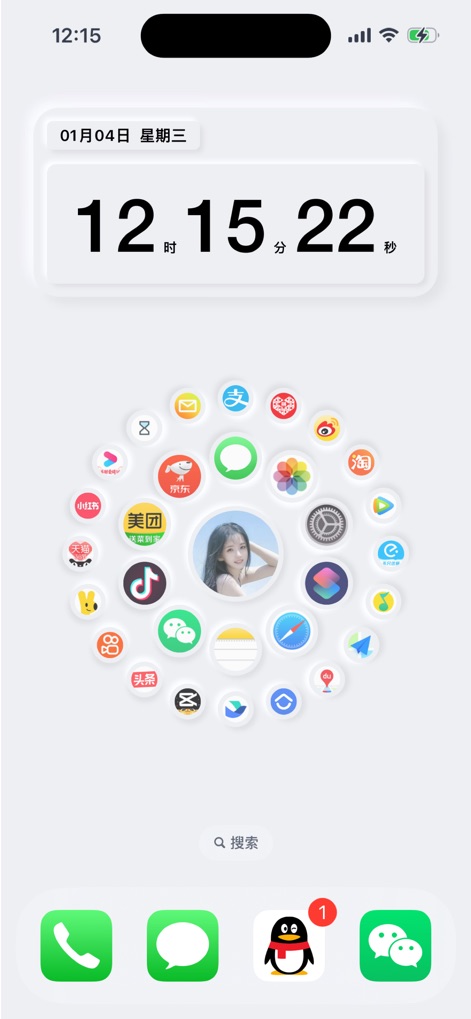
Users can personalize their homescreen with a dynamic digital clock widget displaying seconds, alongside a unique circular app hub that features a central customizable image.
Customizable Interface
Description
Download
More Like This
Apps with similar features and user experience

iScreen - Widgets & Wallpaper
Xiamen ShenZhuo Information Technology Co., Ltd.

Top Widgets⁺ Icons & Themes
Chengdu Tiange Technology Co., Ltd

Colorful Widget- Widget&Themes
Guangzhou ZHIFENG Information Technology Co.,Ltd.

最美壁纸-手机动态主题AI壁纸
文彬 黄

Clockology Watch Faces
Clockology, LLC

全能实况 - 实况壁纸制作器&视频转实况动态壁纸
Xiamen Infinity Starway Technology Co., Ltd.

Fun Widgets-Widgets&Wallpapers
Beijing Curious Cat Co.Ltd

屏幕精灵 - 个性的动态壁纸&充电动画&来电壁纸秀
Guangzhou Shuhong Network Technology Co., Ltd.

Themes - Widget & Icon Themes
S.HOUSING INTERIOR ARCHITECTURE COMPANY LIMITED
This page is not an official page of the app or its developer, but an independent editorial publication created for informational and commentary purposes. Unless expressly stated otherwise, neither the app nor its developer is affiliated with, endorsed by, sponsored by, authorized by, or otherwise officially connected with MWM, Apple, Google Play, the app publisher, or the app's developer, and nothing on this page implies that the app was developed using MWM's services. Any trademarks, logos, screenshots, and other content remain the property of their respective owners.