
This page is not an official page of the app or its developer, but an independent editorial publication created for informational and commentary purposes. Unless expressly stated otherwise, neither the app nor its developer is affiliated with, endorsed by, sponsored by, authorized by, or otherwise officially connected with MWM, Apple, Google Play, the app publisher, or the app's developer, and nothing on this page implies that the app was developed using MWM's services. Any trademarks, logos, screenshots, and other content remain the property of their respective owners.

Top Widgets⁺ Icons & Themes
Generic screens are for amateurs. The app delivers the absolute control to stamp your identity onto every pixel, turning your OS into a visual statement.
Downloads
25M+User Rating
Total Ratings
1.2MPublisher
Category
UtilitiesLocales
11Latest Version
2.8.3Size
351.0 MBFirst Released
Apr 7, 2023Analysis of Top Widgets⁺ Icons & Themes Key Features
An evaluation of core functionalities designed for aesthetically-driven iOS personalization.
Advanced Visual Effects & Themes
The app provides cutting-edge visual customization, including 3D depth wallpapers, liquid glass themes, and dynamic covers, allowing users to transform their screen into a multi-dimensional, immersive space that reflects current design trends.
Comprehensive Home Screen Customization
It allows users to fully personalize their home screen by customizing fonts, colors, and backgrounds, enabling limitless styles and unique aesthetic expressions.
Dynamic Charging & Standby Effects
This tool features engaging charging animations and personalized horizontal standby widgets, enhancing the lock screen's visual appeal and leveraging new iOS functionalities for added personality.
Integrated Mood Tracker
It allows users to instantly log their current mood directly from the home screen, helping them stay in tune with their emotions and integrate self-expression into their daily digital experience.
Real-time System Monitoring (X-Panel)
The app provides an X-Panel for real-time display of essential system information such as battery, storage, and network status, combining efficiency with a stylish presentation.
Quick App Launch
This tool provides one-tap access to users' favorite apps and functions, significantly boosting efficiency and streamlining their daily digital interactions.
Frequently Asked Questions
Everything you need to know about Top Widgets⁺ Icons & Themes
What is TopWidgets⁺?
TopWidgets⁺ offers an enhanced home screen experience for OS 26, featuring Liquid Glass visuals, 3D depth wallpapers, and customizable dynamic covers. It transforms the home screen into a visual and artistic space.
Does TopWidgets⁺ support OS 26?
Yes, TopWidgets⁺ is powered by the latest system features and brings an unprecedented home screen experience specifically to OS 26.
What visual upgrades does TopWidgets⁺ offer for OS 26?
TopWidgets⁺ offers immersive visual upgrades for OS 26, including Depth Wallpapers with intelligent layering, Liquid Glass Themes with transparent visuals, and customizable Dynamic Wallpapers.
Can I customize my home screen with TopWidgets⁺?
Yes, TopWidgets⁺ allows extensive home screen customization. Users can freely adjust fonts, colors, and backgrounds to create limitless styles and express their individuality.
What is the X-Panel feature in TopWidgets⁺?
The X-Panel in TopWidgets⁺ displays real-time system information such as battery, storage, and network status efficiently and stylishly on the home screen.
Does TopWidgets⁺ integrate with HealthKit for fitness tracking?
Yes, TopWidgets⁺ integrates with HealthKit. It synchronizes health data to display real-time steps, calories, and activity records in step-related widgets within the app.
What permissions does TopWidgets⁺ require for weather widgets?
When using the weather widget, TopWidgets⁺ requires location permission. This permission is necessary to display the required weather information for the current widget.
How many designers contribute to TopWidgets⁺ content?
Over 5,000 professional designers contribute to TopWidgets⁺. New creative inspirations are continuously added, offering a wide range of depth effects, liquid lighting, and dynamic wallpapers.
Can I create custom app icons with TopWidgets⁺?
Yes, TopWidgets⁺ allows users to create custom app icons. This feature enables personalization of the home screen with unique icon styles.
Does TopWidgets⁺ offer live wallpapers?
Yes, TopWidgets⁺ offers live wallpapers. Users can choose from a variety of options to enhance their lock screen and home screen visuals.
The following screenshots and description are sourced directly from the app's official store listing and are the property of the app developer.
App Store
Screenshots
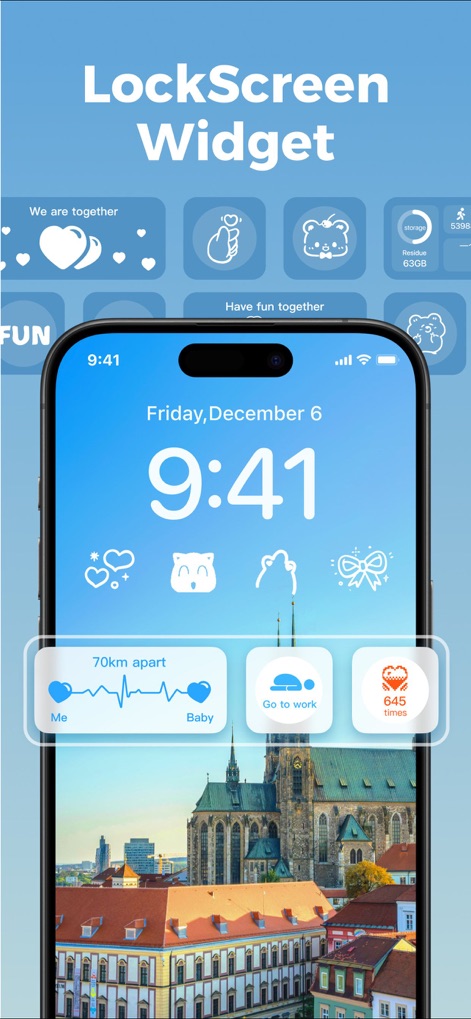
Dynamic Lock Customization
Users can personalize their lock screen with unique widgets, showcasing dynamic elements like distance tracking and quick-access buttons.

Curated Aesthetic Themes
Explore diverse aesthetic themes that transform the home screen with cohesive visual elements and charming custom app icons.

Bespoke Icon Collections
Discover professionally designed icon styles and creative widgets, transforming standard app appearances into delightful, themed visuals.
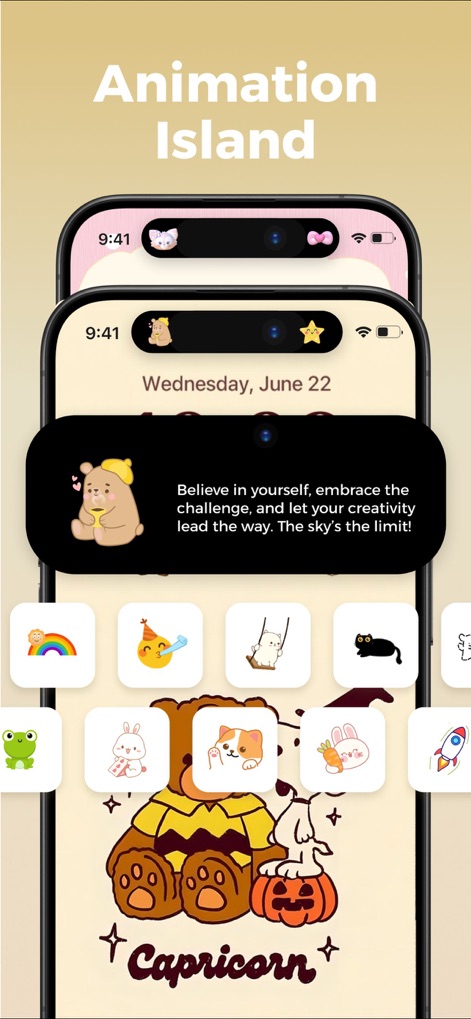
Animated Island Interactions
This tool enhances the Dynamic Island with playful animations and interactive messages, alongside a rich collection of expressive mini-widgets.
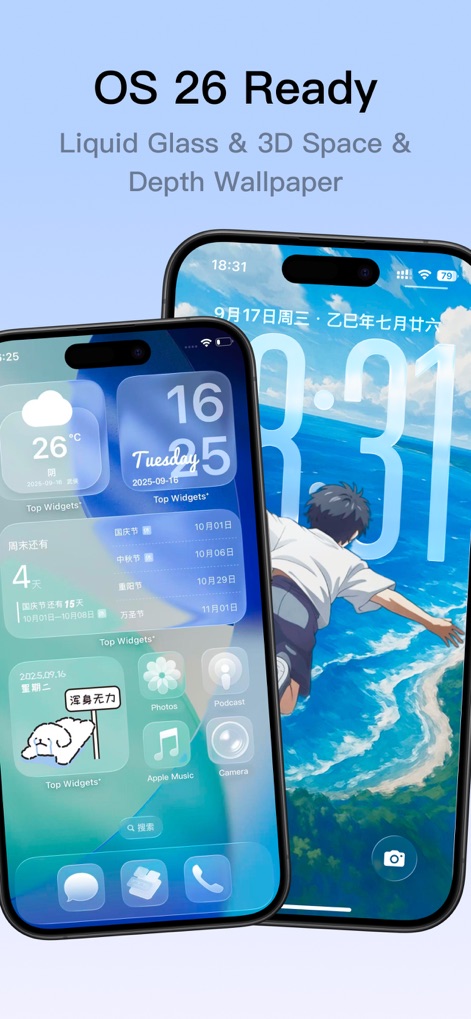
Next-Gen Visuals
Experience groundbreaking visual upgrades with Liquid Glass effects and immersive 3D depth wallpapers, pushing the boundaries of screen aesthetics.
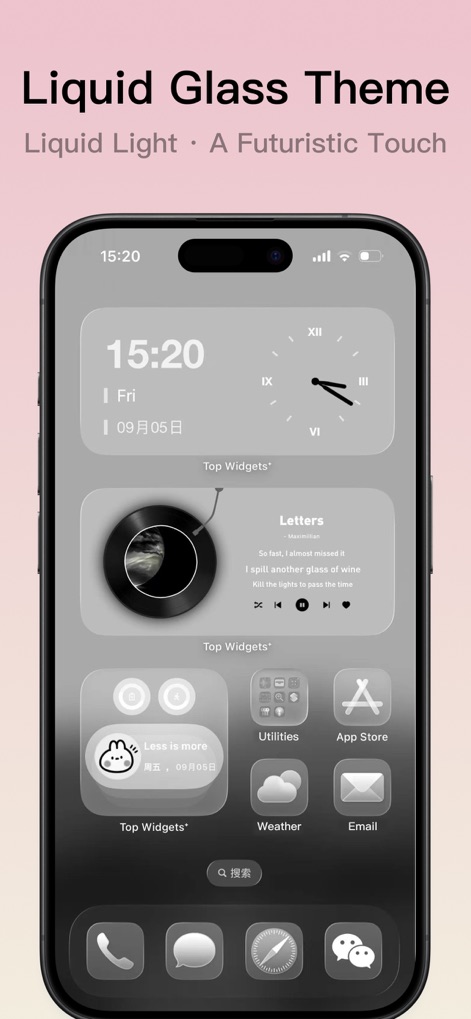
Fluid Glass Aesthetics
Explore the sleek, futuristic Liquid Glass themes, showcasing transparent widgets and fluid visual elements for a sophisticated device appearance.
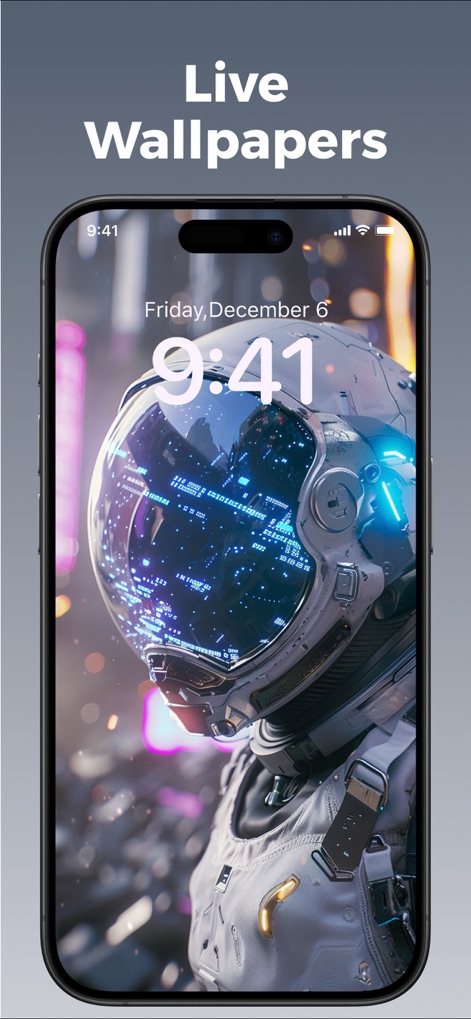
Dynamic Screen Backdrops
Users can set captivating live wallpapers that animate the lock screen, seamlessly integrating with time display and device features.
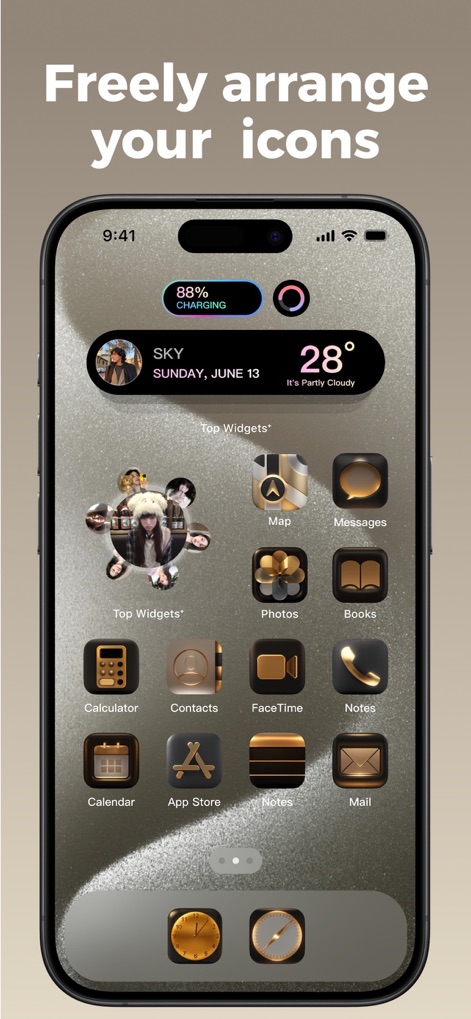
Intuitive Layout Customization
This tool offers flexible icon arrangement and a diverse range of personalized background textures, allowing for a truly unique home screen layout.
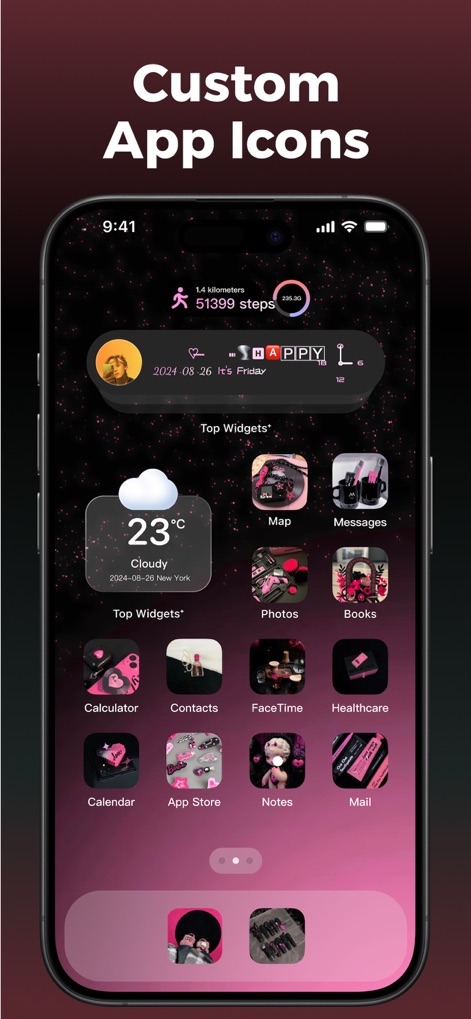
Personalized Icon Designs
Choose from a vast library of themed custom app icons and seamlessly integrate functional widgets for a perfectly personalized home screen experience.
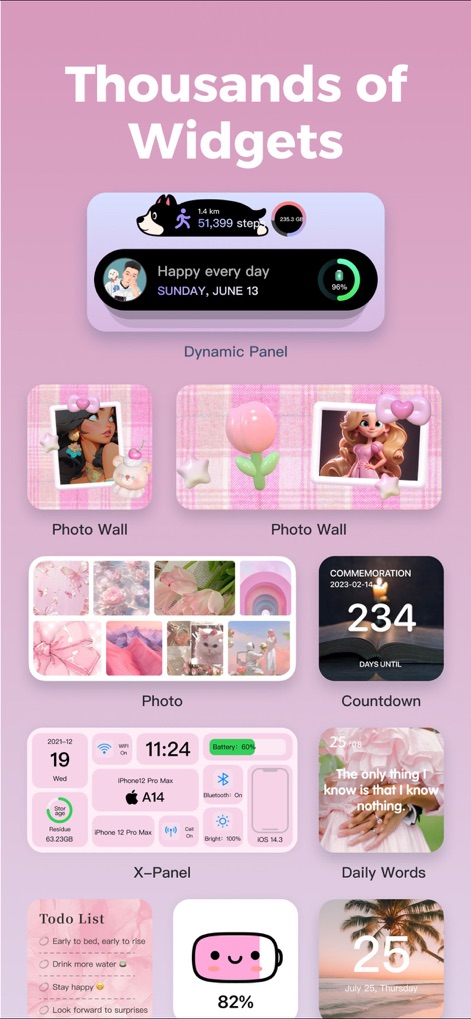
Extensive Widget Library
Access thousands of diverse widgets, from dynamic panels displaying health data to customizable photo walls and productivity tools like to-do lists.
Description
Download
More Like This
Apps with similar features and user experience

iScreen - Widgets & Wallpaper
Xiamen ShenZhuo Information Technology Co., Ltd.

Colorful Widget- Widget&Themes
Guangzhou ZHIFENG Information Technology Co.,Ltd.

最美壁纸-手机动态主题AI壁纸
文彬 黄

Clockology Watch Faces
Clockology, LLC

全能实况 - 实况壁纸制作器&视频转实况动态壁纸
Xiamen Infinity Starway Technology Co., Ltd.

Fun Widgets-Widgets&Wallpapers
Beijing Curious Cat Co.Ltd

屏幕精灵 - 个性的动态壁纸&充电动画&来电壁纸秀
Guangzhou Shuhong Network Technology Co., Ltd.

Themes - Widget & Icon Themes
S.HOUSING INTERIOR ARCHITECTURE COMPANY LIMITED

Widgets Flow
MaiChong Network Technology Co., Ltd.
This page is not an official page of the app or its developer, but an independent editorial publication created for informational and commentary purposes. Unless expressly stated otherwise, neither the app nor its developer is affiliated with, endorsed by, sponsored by, authorized by, or otherwise officially connected with MWM, Apple, Google Play, the app publisher, or the app's developer, and nothing on this page implies that the app was developed using MWM's services. Any trademarks, logos, screenshots, and other content remain the property of their respective owners.