
This page is not an official page of the app or its developer, but an independent editorial publication created for informational and commentary purposes. Unless expressly stated otherwise, neither the app nor its developer is affiliated with, endorsed by, sponsored by, authorized by, or otherwise officially connected with MWM, Apple, Google Play, the app publisher, or the app's developer, and nothing on this page implies that the app was developed using MWM's services. Any trademarks, logos, screenshots, and other content remain the property of their respective owners.


Quote of the Day Widget
Transform your Home Screen with beautifully customizable widgets. From motivational thoughts to spiritual wisdom, curate your digital space with the fonts, colors, and sources that resonate with your personal style.
Downloads
51K+User Rating
Total Ratings
0Publisher
Category
ReferenceLocales
8Latest Version
6.2Size
15.0 MBFirst Released
Oct 31, 2014Elevate Your Every Day
Transform your Home Screen into a source of inspiration with beautifully crafted widgets designed to match your personal aesthetic and morning ritual.
Tailored to Your Aesthetic
Customize fonts, colors, and alignments to create a look that perfectly complements your wallpaper and personal style.
Curated Daily Wisdom
Choose from pre-set sources or add your own favorite RSS feeds for a constant stream of motivation, humor, or philosophy.
Frequently Asked Questions
Everything you need to know about Quote of the Day Widget
What is the Quote of the Day Widget application?
The Quote of the Day Widget application customizes your iOS 14+ Home Screen and Today view with daily quotes. It provides inspiration, motivation, and thoughts from various sources, with customizable text display options.
How can I add quotes to the Quote of the Day Widget?
The Quote of the Day Widget connects to dedicated websites providing daily RSS content. Users can also add their favorite websites as sources for quotes directly within the application.
Can I customize the appearance of quotes in Quote of the Day Widget?
Yes, users can customize the text display within the Quote of the Day Widget. Options include adjusting the size, font, color, and alignment of the quote text.
Does Quote of the Day Widget support iOS Dark Mode?
Yes, the Quote of the Day Widget supports iOS Dark Mode. It adapts to the device's fresh look and is compatible with Dark mode of iOS13 and higher.
How many Quote of the Day Widgets can I add?
Users can add as many Quote of the Day Widgets as desired. These widgets display in up to three different lists within the Today view and the application.
What happens when I tap on a quote in the Quote of the Day Widget?
Tapping on a quote within the Quote of the Day Widget allows users to view the source web page of that specific quote directly. This provides context and further information.
Is the Quote of the Day Widget compatible with iOS 14 Home Screen?
Yes, the Quote of the Day Widget is fully compatible with the new iOS 14 Home Screen Widgets feature. It allows for custom widgets in the Today view.
Can I hide some Quote of the Day Widgets from the Today view?
Yes, it is possible to hide specific Quote of the Day Widgets from being displayed in the Today view, even though they are available within the application and other lists.
The following screenshots and description are sourced directly from the app's official store listing and are the property of the app developer.
App Store
Screenshots
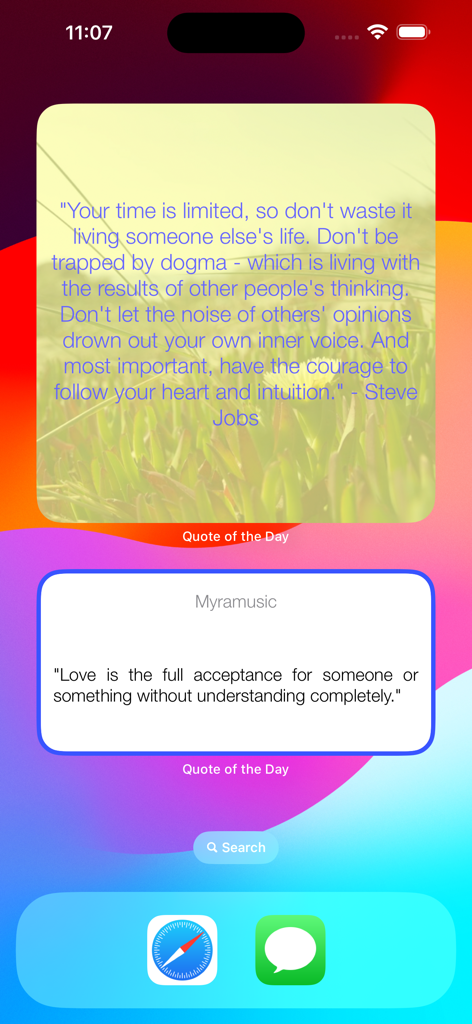
An iPhone home screen featuring two Quote of the Day widgets with motivational quotes and customized designs.
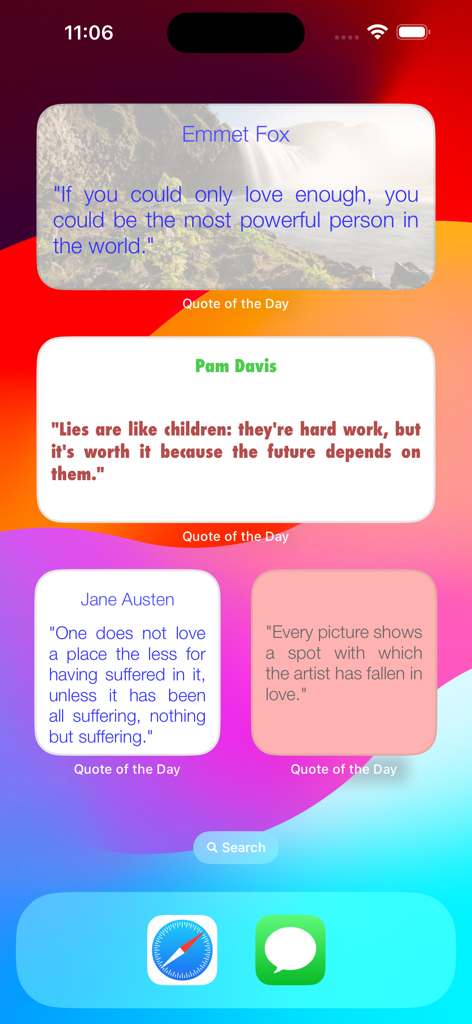
iOS home screen featuring several customized quote widgets in different sizes and colors
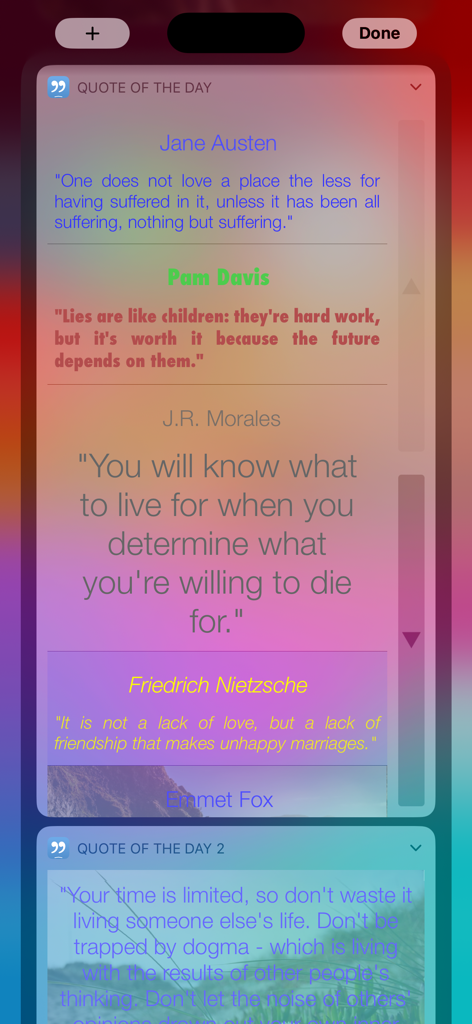
Customizable daily quote widgets on an iPhone showing different fonts and backgrounds
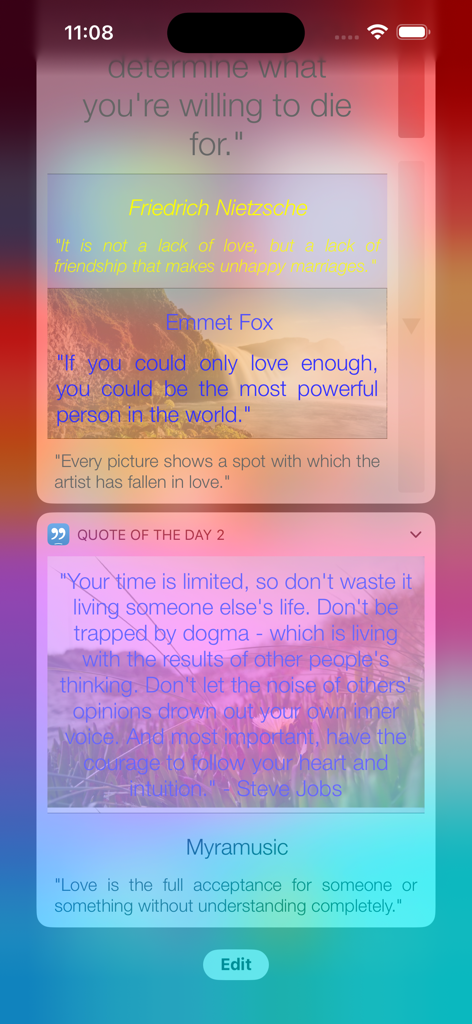
Customizable motivational quote widgets on an iPhone screen
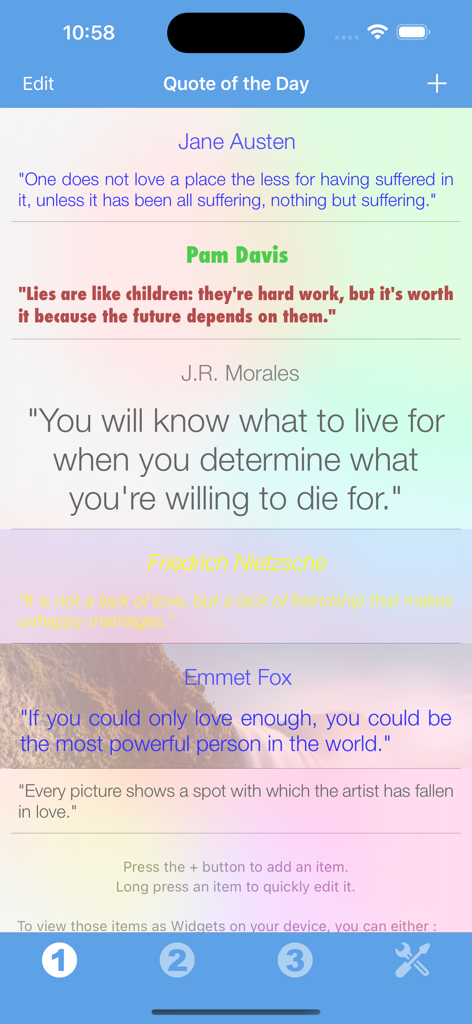
A list of daily quotes with different font styles and background colors
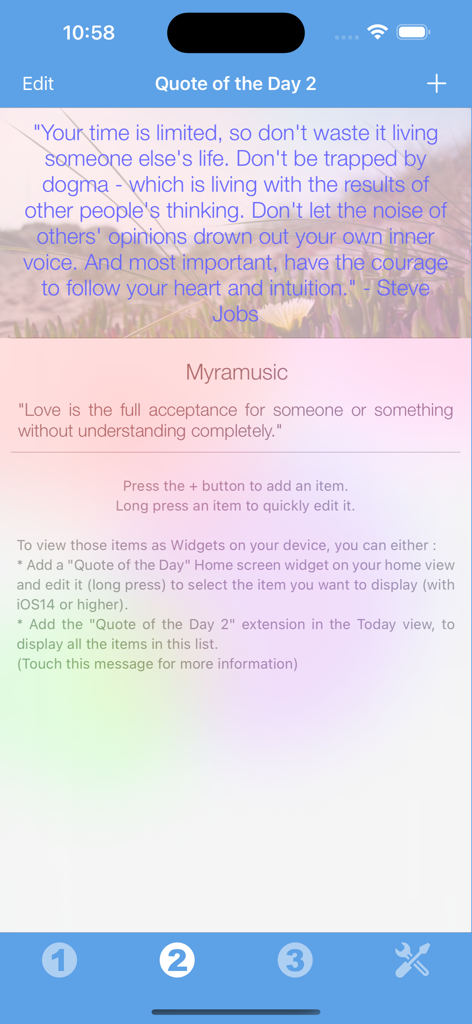
A mobile app interface displaying motivational quotes on an aesthetic blurred background with options to customize widgets
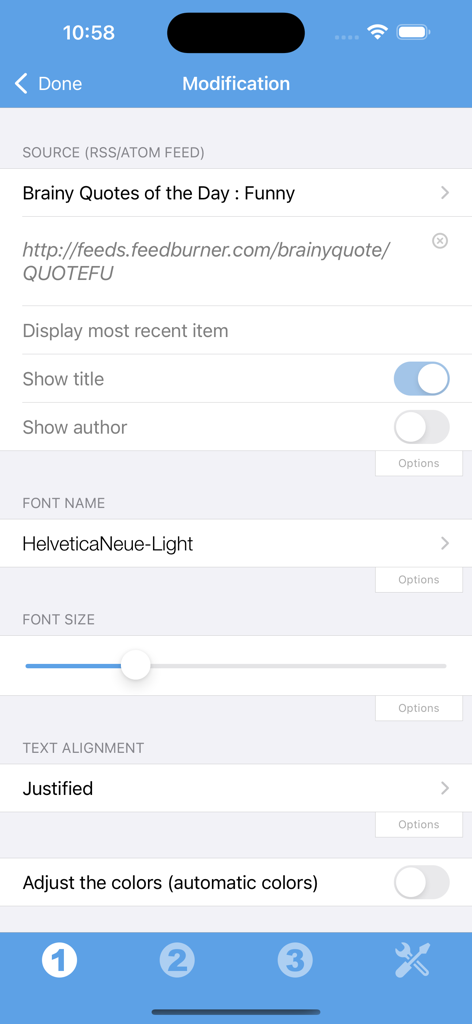
Interface for customizing quote widget source, font, and text alignment settings
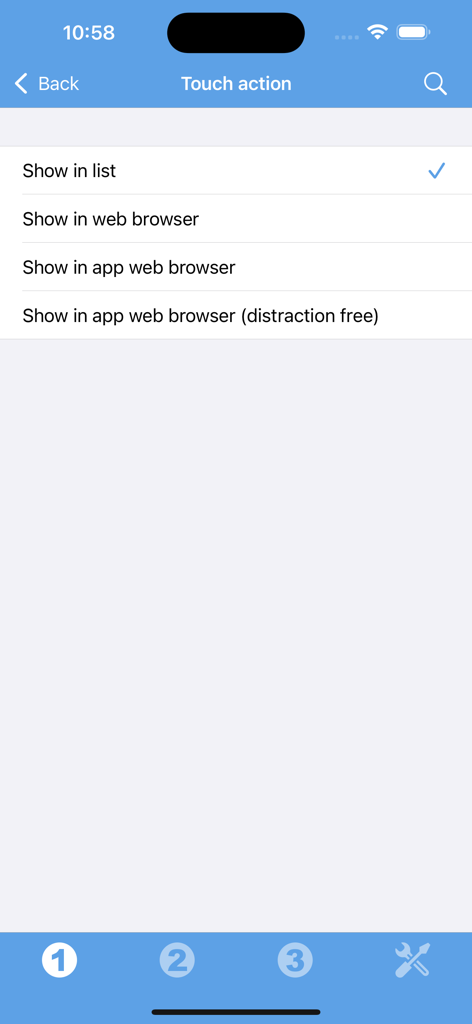
Settings menu for touch actions in the Quote of the Day Widget app showing options like show in list or web browser.
Description
Download
More Like This
Top-ranked apps in the same category

Google Translate
Google LLC

火箭沙盒
P2E CO., LTD.

Bible
Life.Church

Bible Chat: Daily Devotional
BookVitals APP SRL

Youdao Dictionary
Beijing NetEase Youdao Computer System Co.,Ltd

Translate Now - AI Translator
AIR APPS SYSTEMS, UNIPESSOAL, LDA

Naver Papago - AI Translator
NAVER Corp.

ΗiΤV - Endless Movies & Shows
学 张

Live Translator - AI Translate
DigitalSail (HK) Limited
This page is not an official page of the app or its developer, but an independent editorial publication created for informational and commentary purposes. Unless expressly stated otherwise, neither the app nor its developer is affiliated with, endorsed by, sponsored by, authorized by, or otherwise officially connected with MWM, Apple, Google Play, the app publisher, or the app's developer, and nothing on this page implies that the app was developed using MWM's services. Any trademarks, logos, screenshots, and other content remain the property of their respective owners.