Realsee 3D virtual tour
Download on App Store

This page is not an official page of the app or its developer, but an independent editorial publication created for informational and commentary purposes. Unless expressly stated otherwise, neither the app nor its developer is affiliated with, endorsed by, sponsored by, authorized by, or otherwise officially connected with MWM, Apple, Google Play, the app publisher, or the app's developer, and nothing on this page implies that the app was developed using MWM's services. Any trademarks, logos, screenshots, and other content remain the property of their respective owners.


Logo of Realsee 3D virtual tour
Download on App Store

Realsee 3D virtual tour

Transform physical spaces into immersive 3D walkthroughs with your smartphone. The all-in-one solution for real estate, architecture, and construction professionals to capture, edit, and share high-resolution spatial data.

Key Figures

Downloads

10K+

User Rating

4.4/5

Total Ratings

0

Publisher

Beike-Realsee-Technology-HK-Limited

Category

Lifestyle

Locales

6

Latest Version

3.59.1

Size

603.6 MB

First Released

Aug 4, 2022
Features

Elevate Your Business with Professional 3D Digital Twins

Capture, create, and share immersive virtual tours in minutes. Whether you are a realtor or an architect, Realsee provides the tools to showcase spaces with unmatched precision.

Smartphone-Ready 3D Capture

No expensive equipment needed. Use your smartphone or a 360 camera to generate high-fidelity VR walkthroughs instantly on-site.

Precision CAD & BIM Exports

Streamline your technical workflow with downloadable floor plans, point clouds (E57), and OBJ models ready for AutoCAD and Revit.

The following screenshots and description are sourced directly from the app's official store listing and are the property of the app developer.

App Store

Screenshots
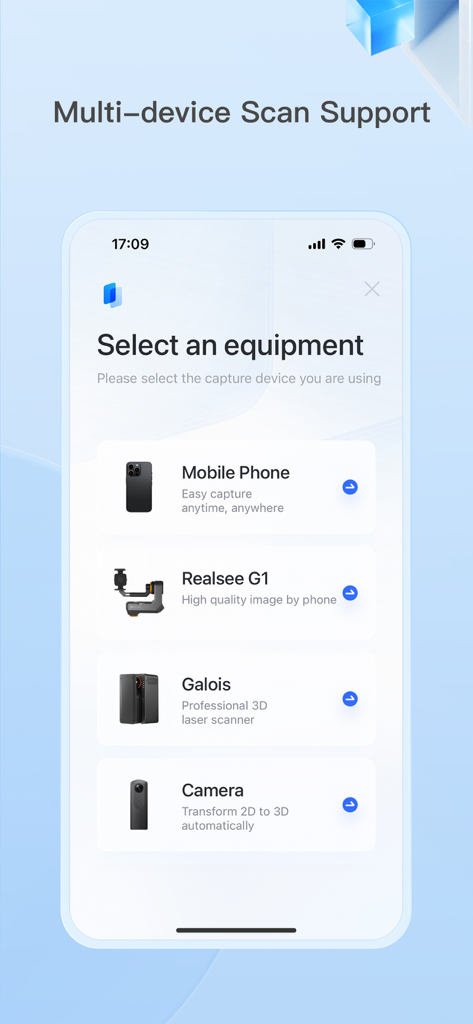
Realsee 3D virtual tour - Mobile app interface showing options to select scanning equipment including mobile phone, Realsee G1, Galois laser scanner, and 3D cameras.
Mobile app interface showing options to select scanning equipment including mobile phone, Realsee G1, Galois laser scanner, and 3D cameras.

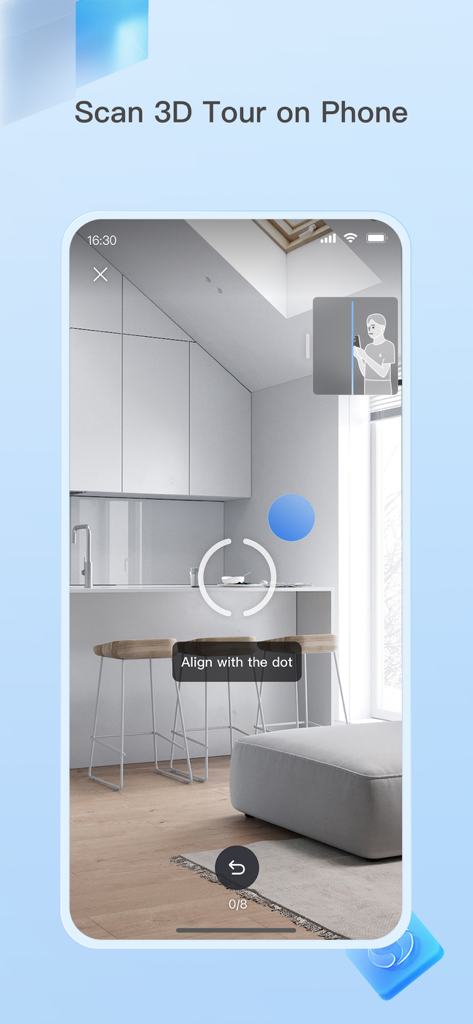
Realsee 3D virtual tour - Smartphone interface of the Realsee app showing the 3D scanning process of a room with instructions to align with a dot
Smartphone interface of the Realsee app showing the 3D scanning process of a room with instructions to align with a dot

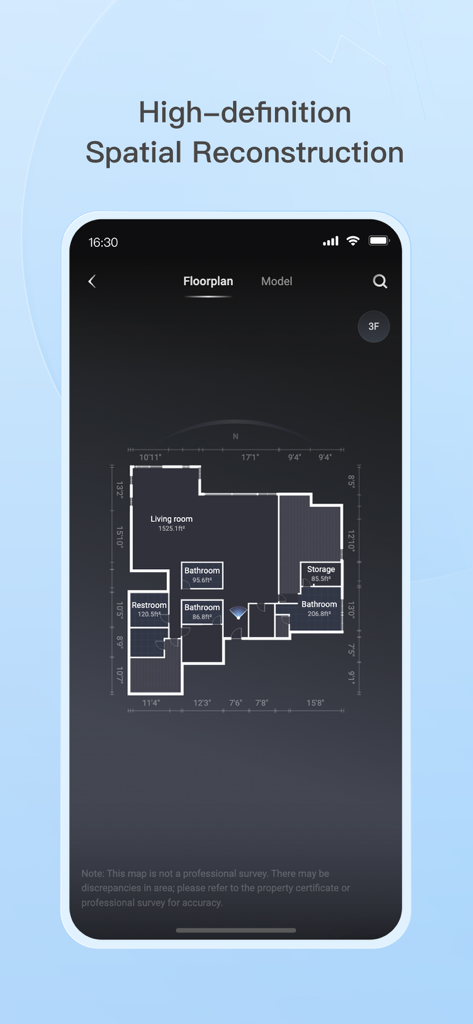
Realsee 3D virtual tour - The Realsee app interface displaying a detailed floorplan with room labels and precise measurements for spatial reconstruction.
The Realsee app interface displaying a detailed floorplan with room labels and precise measurements for spatial reconstruction.

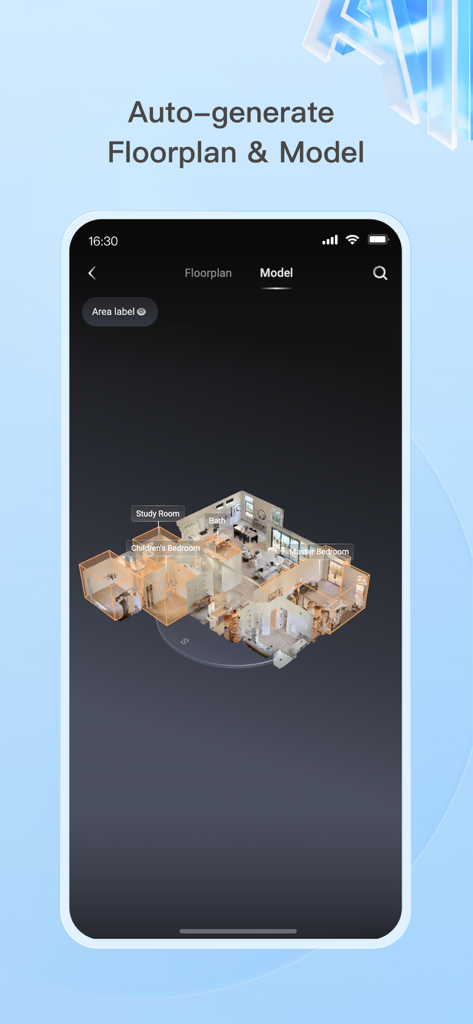
Realsee 3D virtual tour - A smartphone screen displaying an auto-generated 3D house model and floorplan with labeled rooms like study and master bedroom
A smartphone screen displaying an auto-generated 3D house model and floorplan with labeled rooms like study and master bedroom

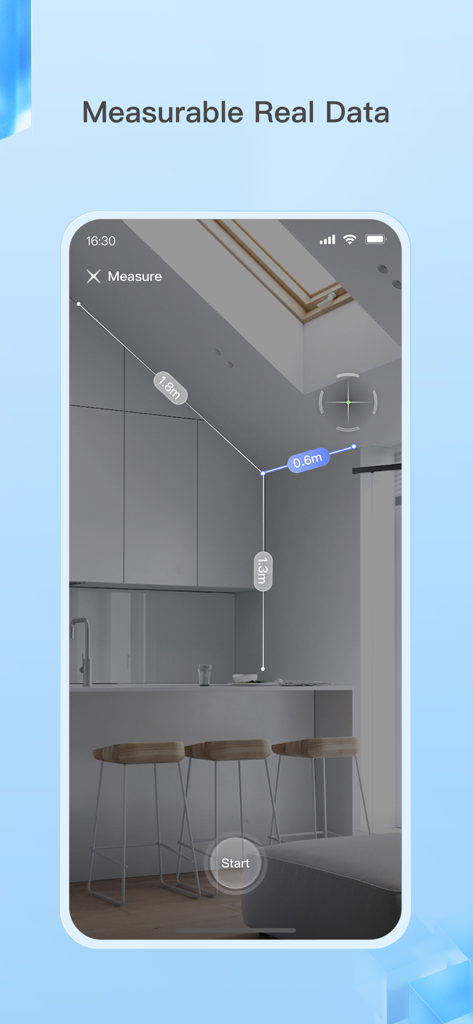
Realsee 3D virtual tour - A smartphone interface showing the Realsee app measuring dimensions of a kitchen interior in a 3D virtual tour
A smartphone interface showing the Realsee app measuring dimensions of a kitchen interior in a 3D virtual tour

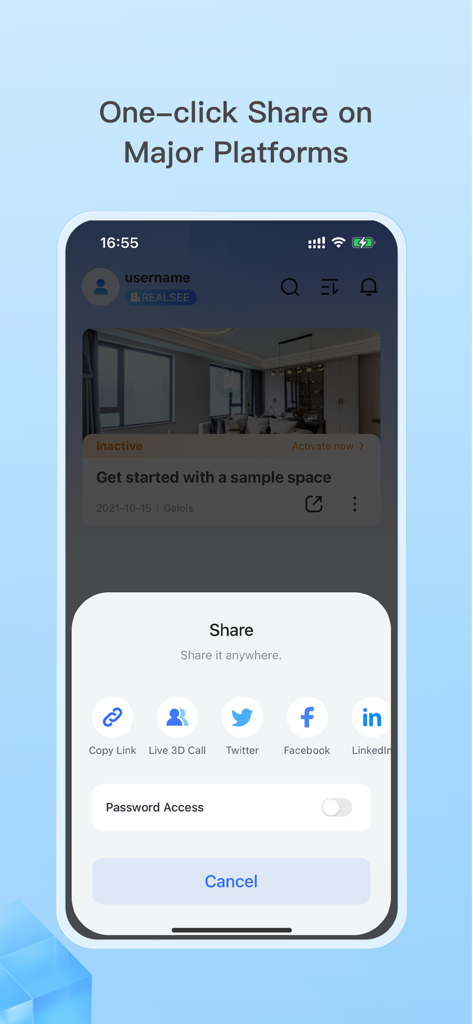
Realsee 3D virtual tour - Mobile app interface showing one-click sharing options for a 3D virtual tour to LinkedIn Facebook and Twitter

Mobile app interface showing one-click sharing options for a 3D virtual tour to LinkedIn Facebook and Twitter

Description

The Realsee app lets you capture 3D virtual tours of real-world spaces using your smartphone, Insta360 camera, Ricoh Theta camera, or a compatible 3D lidar scanner. Here's what you can do: 1. Capture 3D Tours: Simply download the app and scan your space anytime with various device options. Realsee automatically creates a 3D walkthrough (VR tour) for you. 2. Edit and Manage Your Space: Realsee offers basic in-app editing tools like adding guided tours, hotspots, and labels. Additionally, the PC console unlocks powerful features like floor plan creator, custom branding options, route creation, high-resolution downloads (16K panoramas, videos) and point cloud E57 files, obj models, dwg CAD files which can be used in autocad or other 3D modeling softwares. 3. Share and Collaborate: Easily share your 3D virtual tour using a link on your own website, social media, or with clients. This is ideal for showcasing real estate properties, room design, marketing hotels and restaurants, or remotely inspecting facilities and construction sites. Additional Benefits: Realsee offers all in one function like capture, upload, preview, and storage. You can also create DIY floor plans, sync with Google Street View, and add your own marketing materials while clients explore the space. Who Can benefit from Realsee? Realsee's 3D digital twin technology empowers a wide range of professionals and individuals: - Photographers: Expand your services by offering 3D capture and virtual tours alongside traditional photography. Provide a more comprehensive solution by combining stunning visuals with immersive 3D experiences. - Real Estate Professionals: - Realtors and Brokers: Create virtual tours to showcase properties, allowing potential buyers to explore listings remotely, saving time and increasing engagement. - Property Managers: Showcase rental properties virtually, reducing the need for physical tours and attracting a wider audience. - Architects and Home builders: Share 3D models with clients for better visualization and collaboration on design projects. - Construction and Engineering Firms: - Document construction progress with 3D scans for remote monitoring and collaboration, or compare with BIM files. - Create 3D models of existing buildings for renovation or maintenance planning. - Facility Management: Create virtual tours of facilities for training, planning, and remote inspections. - Hospitality: Showcase hotels, resorts, or event spaces with immersive 3D tours, enhancing guest experiences. - Other Industries: - Retailers: Showcase product showrooms or store layouts with virtual tours for a more engaging online shopping experience. - Museums and Educational Institutions: Create virtual tours of exhibits or historical sites for remote access and education. - Insurance and Restoration Companies: Capture 3D scans of damaged properties for faster and more accurate assessments. Even individuals can benefit from Realsee by creating 3D models of their homes for personal documentation, sharing with family and friends far away. Ultimately, Realsee empowers anyone who needs to capture, share, and analyze spatial data for various purposes.

Download

Download on App Store

This page is not an official page of the app or its developer, but an independent editorial publication created for informational and commentary purposes. Unless expressly stated otherwise, neither the app nor its developer is affiliated with, endorsed by, sponsored by, authorized by, or otherwise officially connected with MWM, Apple, Google Play, the app publisher, or the app's developer, and nothing on this page implies that the app was developed using MWM's services. Any trademarks, logos, screenshots, and other content remain the property of their respective owners.