
This page is not an official page of the app or its developer, but an independent editorial publication created for informational and commentary purposes. Unless expressly stated otherwise, neither the app nor its developer is affiliated with, endorsed by, sponsored by, authorized by, or otherwise officially connected with MWM, Apple, Google Play, the app publisher, or the app's developer, and nothing on this page implies that the app was developed using MWM's services. Any trademarks, logos, screenshots, and other content remain the property of their respective owners.


Recraft
Recraft hands users the reins of creation, turning abstract thought into tangible visuals with startling speed. It offers a direct path from concept to concrete art, bypassing the usual creative bottlenecks.
Downloads
750k+User Rating
Total Ratings
95Publisher
Category
Graphics & DesignLocales
1Latest Version
3.0.8Size
38.0 MBFirst Released
Jun 19, 2024An in-depth look at Recraft's core functionalities for creative professionals.
Recraft App: Key Feature Analysis
Dual Vector and Raster Output
The app provides the capability to create both production-ready vector graphics (e.g., logos, icons, SVGs) and detailed raster images (e.g., photorealistic photos, posters), catering to diverse professional needs.
Conversational AI Generation
The app allows users to generate diverse visual content, including photorealistic images, scalable vectors, AI art, and videos, from simple text descriptions, across any desired style.
Extensive and Customizable Style Library
This tool features an infinite library of artistic styles that users can browse and apply, or even create their own custom styles, for generating AI art, illustrations, logos, and more.
Access to Multiple Leading AI Models
This tool provides access to a wide array of cutting-edge internal and external AI models for diverse image, video, and AI content creation needs.
Reference-Based Generation
It allows users to guide AI generations by attaching reference images, enabling transformation of photos, building upon sketches, or reimagining existing visuals.
Flexible Control Modes
The app provides flexible generation controls, offering an Agentic mode for automated context understanding and optimization, alongside a Manual mode for instant generation with precise parameter control.
Seamless Cross-Device Workflow
The app provides a seamless cross-device workflow, enabling users to start projects on mobile and continue them effortlessly on desktop for enhanced tools and control.
Community Inspiration Gallery
It allows users to explore a community gallery to find inspiration and discover ideas for AI-generated images, art, videos, and generative designs created by other users.
Frequently Asked Questions
Everything you need to know about Recraft
What is Recraft used for?
Recraft is an app for creating vector art, icons, digital illustrations, and 3D graphics. It generates illustrations and photos, offering presets like Illustration, Vector Art, and Photorealism.
Does Recraft generate vector art?
Yes, Recraft generates vector art. The app description specifies this capability, and users can select a "Vector Art" preset within the creation interface.
Can Recraft create photorealistic images?
Yes, Recraft creates photorealistic images. The app includes a "Photorealism" preset under its "Choose the preset" options, allowing users to generate detailed photos.
Where are the Recraft Terms of Service located?
The Recraft Terms of Service are located at the URL https://www.recraft.ai/terms. This link is provided within the app's official description.
Does Recraft support 3D graphic creation?
Yes, Recraft supports 3D graphic creation. The app's description explicitly states its ability to create "3D graphics" alongside other art forms.
What types of illustrations can I make with Recraft?
Recraft allows users to make digital illustrations, vector art, and 3D graphics. It offers specific presets for "Illustration", "Vector Art", and "Photorealism" to guide content creation.
The following screenshots and description are sourced directly from the app's official store listing and are the property of the app developer.
App Store
Screenshots
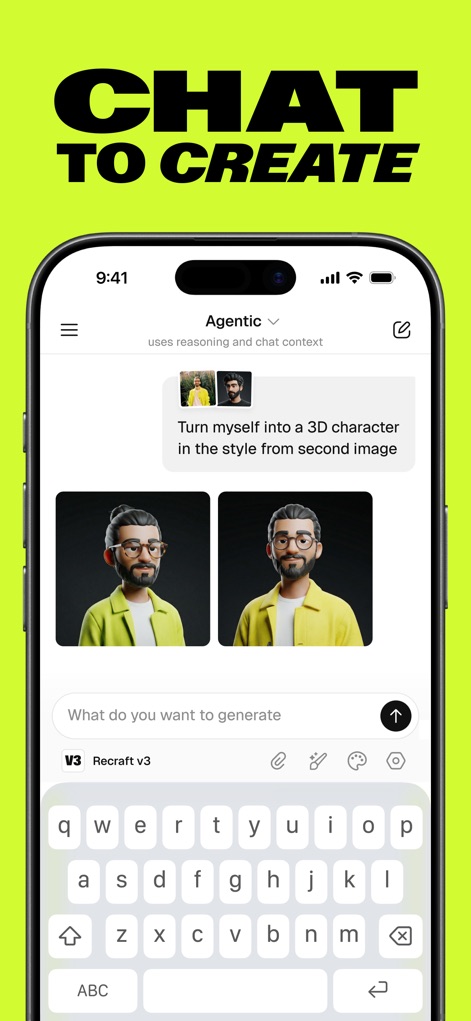
Explore the app's intuitive chat-based generation interface and the 'Agentic' mode, which uses reasoning and chat context for refined outputs.
Chat-Powered Creation
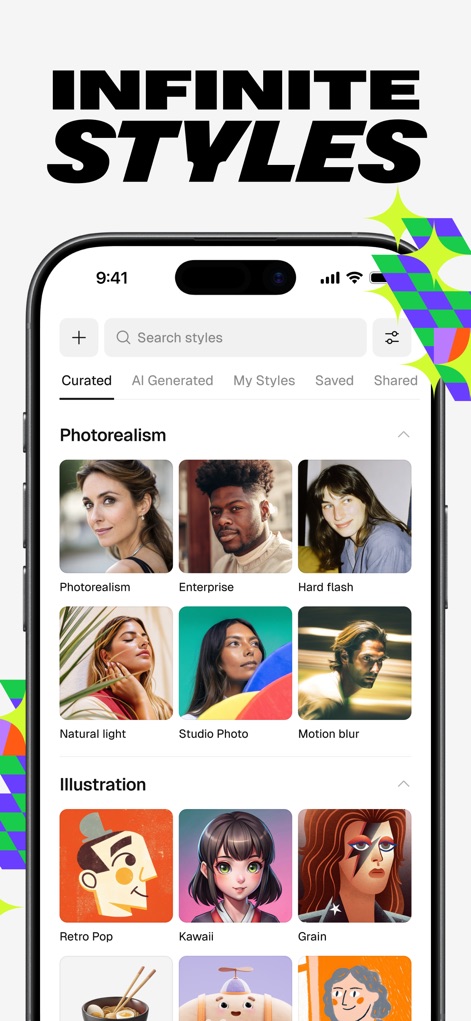
Discover the app's extensive style library, showcasing visual examples from photorealism to illustration, allowing users to select or create their unique artistic direction.
Diverse Style Library
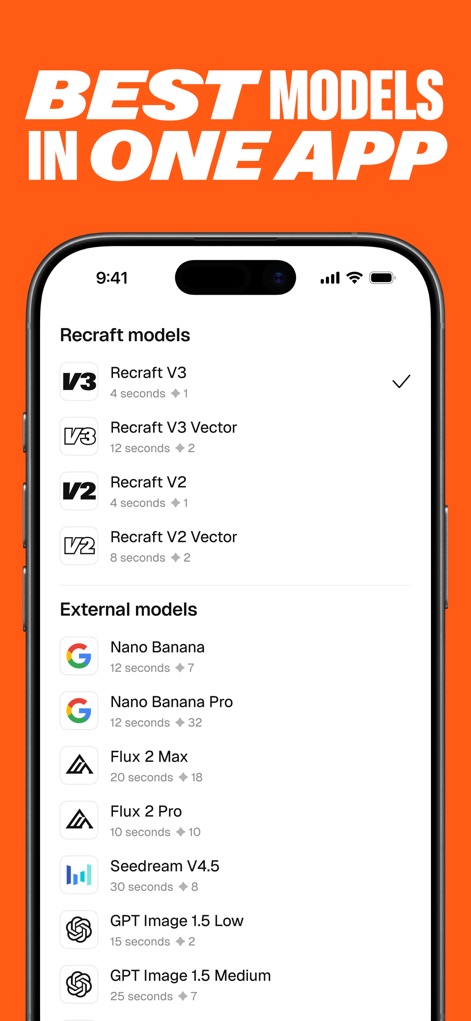
This tool offers an integrated AI model selection, featuring Recraft's proprietary versions alongside industry-leading external models for diverse generation capabilities.
Advanced AI Models
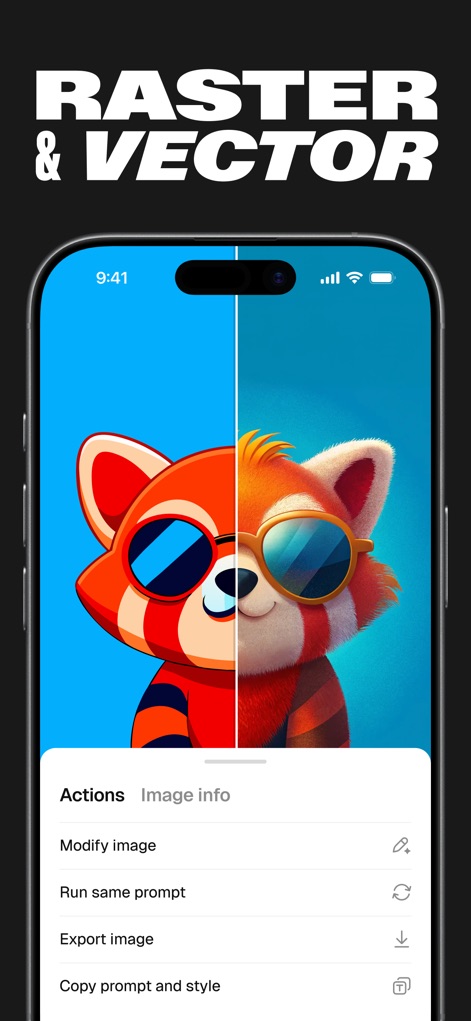
Witness the app's versatile output, presenting both detailed raster and scalable vector graphics, complemented by an intuitive actions menu for post-generation control.
Vector & Raster Versatility
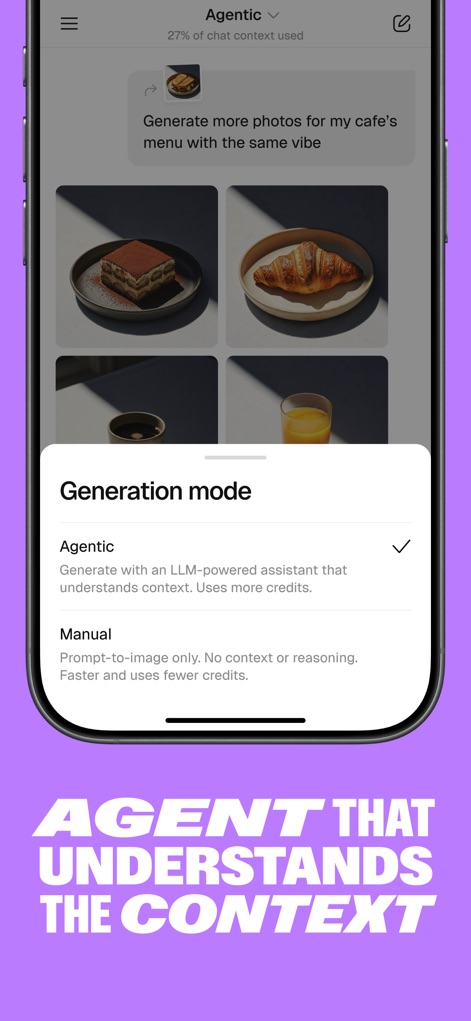
Observe the 'Agentic' mode's ability to understand context for tailored outputs, allowing users to choose between intelligent assistance and manual, direct prompt-to-image creation.
Context-Aware Generation
Description
Download
More Like This
Apps with similar features and user experience

Tripo AI - 3D Model Generator
HOLYMOLLY LIMITED

My Sketchbook - Masterclass
DEILI DISKAVERZ, OOO

Foxy AI
国斌 刘

ТаngоLivе AI: Character Studio
VARETOS & SONS LIMITED

Pofi Create - 3D · Art · Comic
Pofi Entertainment Shenzhen Network Technology Co.,Ltd

Pofi AI - 3D AIGC Tool
Pofi Entertainment Shenzhen Network Technology Co.,Ltd

Kiku - Discover, Share
文康 任
This page is not an official page of the app or its developer, but an independent editorial publication created for informational and commentary purposes. Unless expressly stated otherwise, neither the app nor its developer is affiliated with, endorsed by, sponsored by, authorized by, or otherwise officially connected with MWM, Apple, Google Play, the app publisher, or the app's developer, and nothing on this page implies that the app was developed using MWM's services. Any trademarks, logos, screenshots, and other content remain the property of their respective owners.