Renamer

Renamer

Download on App Store
Logo of Renamer

Renamer: Professional Batch File Renaming for Your Mobile Workflow

Stop renaming files one by one. Take control of your digital clutter with automated counters, dates, and custom tags—designed for creators, students, and professionals who demand efficiency.

Download on App Store

Publisher

Marco Tini

Category

Productivity

Downloads

0

User Rating

3.8/5

Total Ratings

0

Locales

34

Efficiency in Action

Discover the interface used by 0 users.
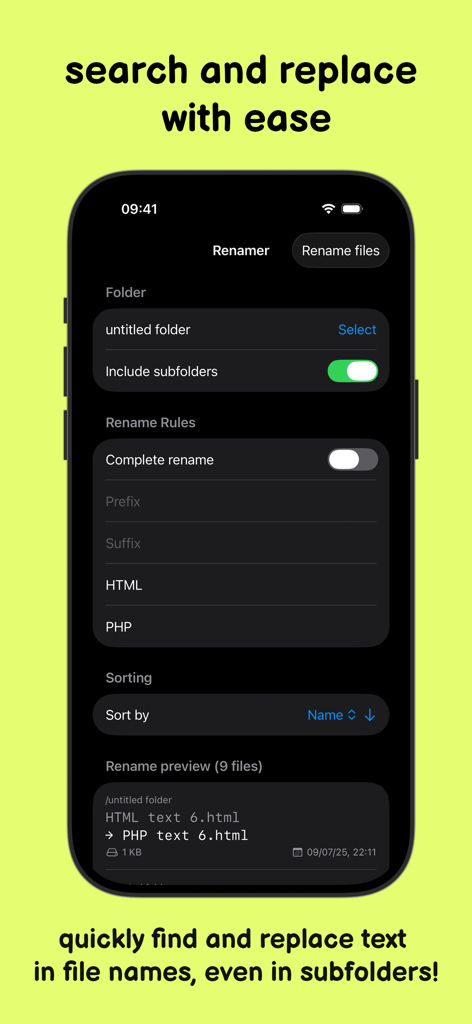
Interface of the Renamer app showing search and replace rules for batch file management

Interface of the Renamer app showing search and replace rules for batch file management

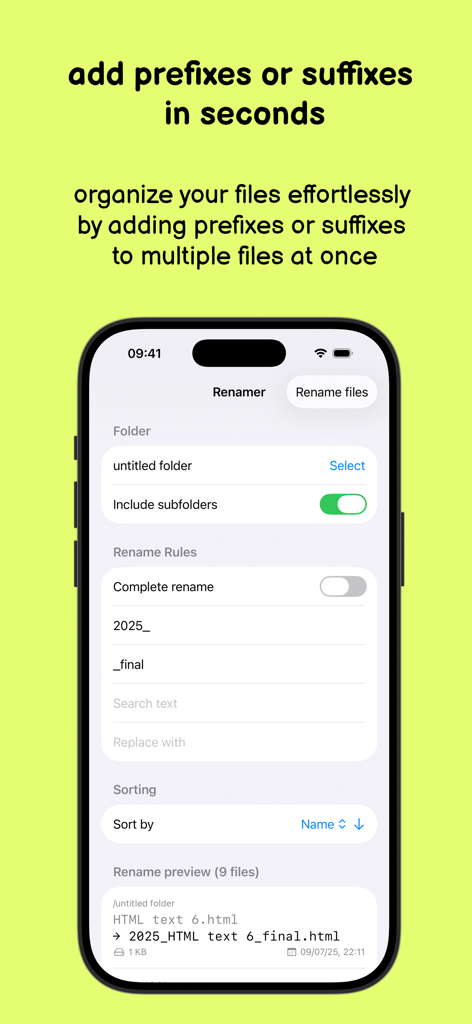
Renamer app interface on iPhone showing how to add prefixes and suffixes to multiple files for batch organization.

Renamer app interface on iPhone showing how to add prefixes and suffixes to multiple files for batch organization.

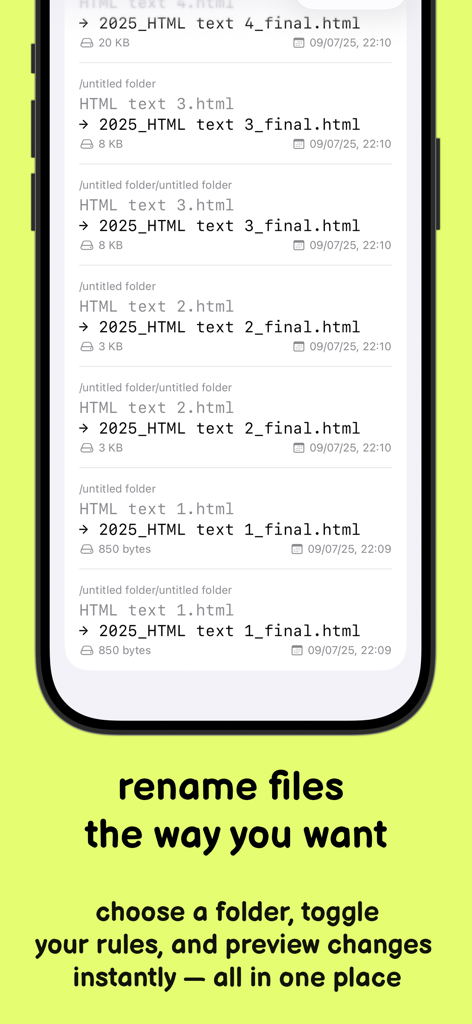
Interface showing batch file renaming with a preview of changes

Interface showing batch file renaming with a preview of changes

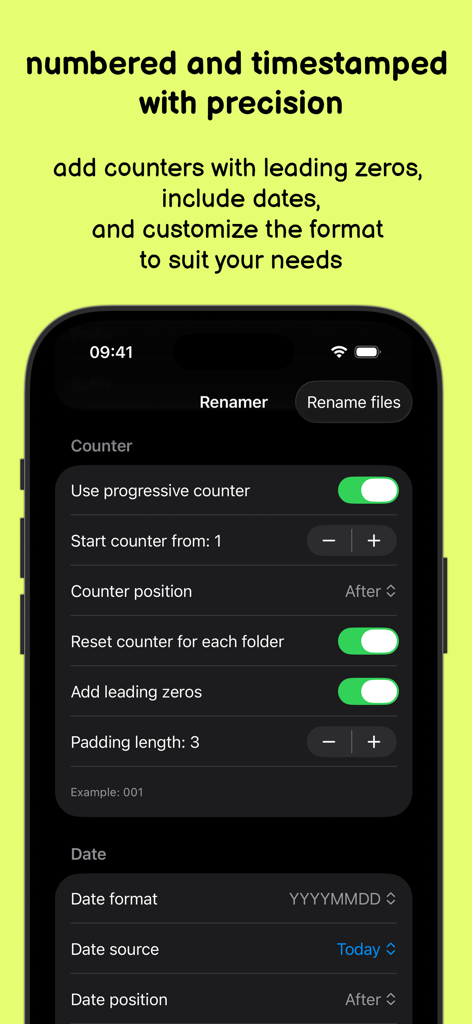
Interface of the Renamer app showing settings for adding counters and dates to multiple file names

Interface of the Renamer app showing settings for adding counters and dates to multiple file names

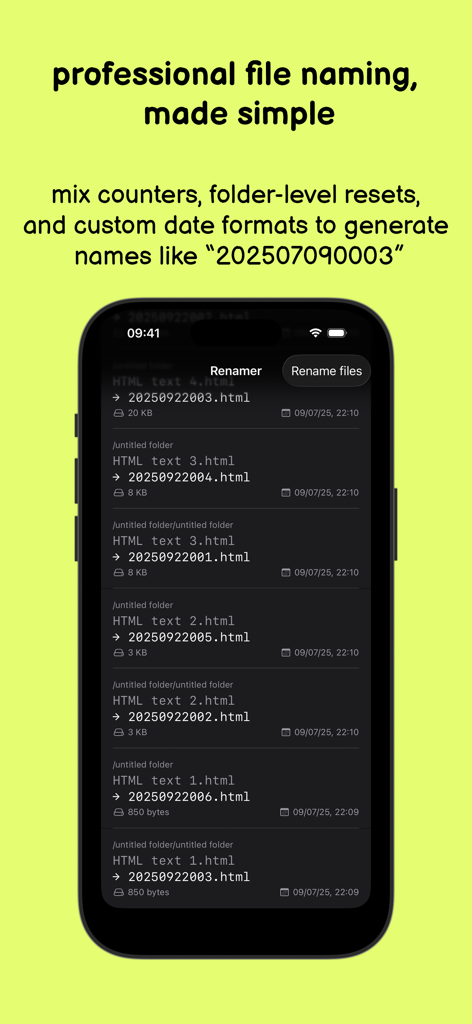
iPhone screen showing Renamer app batch renaming files with custom date and counter formats.

iPhone screen showing Renamer app batch renaming files with custom date and counter formats.

Organize Like a Pro

The tools that make this app stand out, trusted by 0 users.

Instant Batch Editing

Modify hundreds of filenames in one tap. Add prefixes, suffixes, or search and replace text across your entire library with surgical precision.

🔢

Automated Sequencing

Perfect for creators and students. Use padded counters and dynamic dates to keep your project versions perfectly organized and searchable.

🛡️

Risk-Free Preview

See exactly how your files will look before you commit. Our conflict detection ensures your file structure remains safe, accurate, and error-free.

About the app

Everything you need to know about Renamer.

Description

Batch rename files... fast and easy! Need to organize your files quickly and effortlessly? Our app is the perfect solution! With just a few taps, you can: - Add prefixes or suffixes to file names. - Search and replace text in file names. - Rename files, including those in subfolders. - Fully rename files using counters and padded numbers. - Insert creation/modification/today’s date into file names. - Sort files by name, kind, size, or modification date. - Preview results and avoid conflicts before renaming. All with a single action and a simple, user-friendly interface! Perfect for professionals, students, and anyone looking to save precious time. Download Renamer and experience smart file renaming like never before!

Latest Version

1.0.12

Size

1.0 MB

First Released

Jan 2, 2025

Ready to Master Your Workflow?

Join the professionals and creators who save hours every week. Download Renamer today and bring desktop-class batch file management to your iPhone and iPad.

Download on App Store

App information, icons, screenshots, and descriptions displayed on this page are sourced from the Apple App Store and are the property of their respective developers. Download estimates and rankings are based on MWM's proprietary models and may not reflect actual figures. This page is provided for informational and analytical purposes only.

Believe this page infringes your intellectual property? File a dispute