
This page is not an official page of the app or its developer, but an independent editorial publication created for informational and commentary purposes. Unless expressly stated otherwise, neither the app nor its developer is affiliated with, endorsed by, sponsored by, authorized by, or otherwise officially connected with MWM, Apple, Google Play, the app publisher, or the app's developer, and nothing on this page implies that the app was developed using MWM's services. Any trademarks, logos, screenshots, and other content remain the property of their respective owners.


Reverse Audio
Audio manipulation, unchained. This app hands users the power to twist sound, offering instant sonic inversions and creative playback control.
Downloads
7.5M+User Rating
Total Ratings
132.2KPublisher
Category
MusicLocales
3Latest Version
3.6.0Size
33.3 MBFirst Released
Jul 5, 2017An overview of core functionalities driving creative audio manipulation for hobbyists and content creators.
Reverse Audio App Analysis: Key Features
One-Tap Audio Reversal
The app provides instant reversal of recorded audio, offering a quick and intuitive way for users to create surreal soundscapes and unique audio effects with minimal effort.
Precise Pitch Adjustment
It allows users to fine-tune the audio's pitch across a four-octave range (±2 octaves by half-tones), enabling deep sound design for musical experimentation and character voice manipulation.
Variable Playback Speed
This tool features flexible playback speed controls, enabling users to dramatically alter the tempo from x0.5 to x2.0, perfect for time-stretching effects or rapid-fire sound sequencing.
Integrated Audio Recording
The app provides a direct way to capture live audio through the device's microphone, streamlining the process of generating original content for immediate manipulation and experimentation.
Comprehensive Audio Import
It allows users to import a wide range of audio file formats (e.g., WAV, MP3, FLAC) from other applications via share actions or the Files app, integrating existing content seamlessly.
Direct File System Integration
This tool ensures that all saved audio files are readily accessible and manageable directly within the device's Files app, simplifying organization, backup, and sharing with other platforms.
Frequently Asked Questions
Everything you need to know about Reverse Audio
What is the Reverse Audio app?
The Reverse Audio app records sound from your device's microphone. It plays recorded audio normally or in reverse and allows modifications to playback rate and pitch.
How do I record audio using the Reverse Audio app?
To record audio with the Reverse Audio app, tap the microphone icon or 'Start Recording' button on the main screen. The app utilizes your device's microphone for sound capture.
Can I play audio in reverse with the Reverse Audio app?
Yes, the Reverse Audio app plays recorded audio in reverse. After recording, tap the 'Play Reverse' button to listen to the sound in reverse.
What audio file types does Reverse Audio support for import?
The Reverse Audio app supports importing wav, mp3, mp4, m4a, aifc, aiff, caf, and flac audio files. Users can import files via the share action or directly from the Files app.
Can I adjust playback speed and pitch in the Reverse Audio app?
Yes, the Reverse Audio app allows users to change the playback rate from x0.5 to x2.0. It also offers pitch adjustment, ranging from -2 octave to +2 octave.
Where does the Reverse Audio app save recorded files?
The Reverse Audio app saves recorded audio files in the Files app. Users access them by navigating to 'Files app -> On My iPhone/iPad -> Reverse Play -> Audio'.
Does Reverse Audio offer loop playback?
Yes, the Reverse Audio app features a loop playback option. Users can toggle this setting in the 'Playback Effects' menu within the app.
The following screenshots and description are sourced directly from the app's official store listing and are the property of the app developer.
App Store
Screenshots
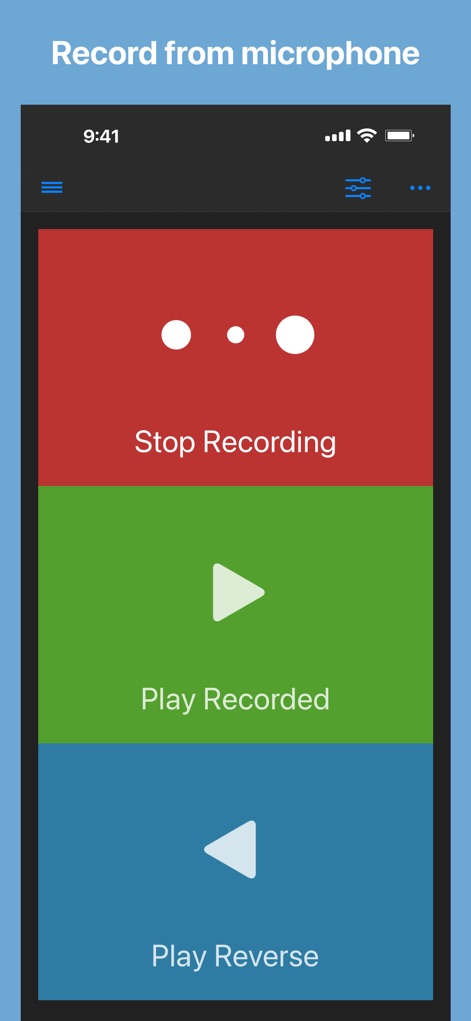
Users can effortlessly record audio with the prominent 'Stop Recording' button and immediately access playback options like 'Play Recorded' and 'Play Reverse'.
Instant Audio Capture
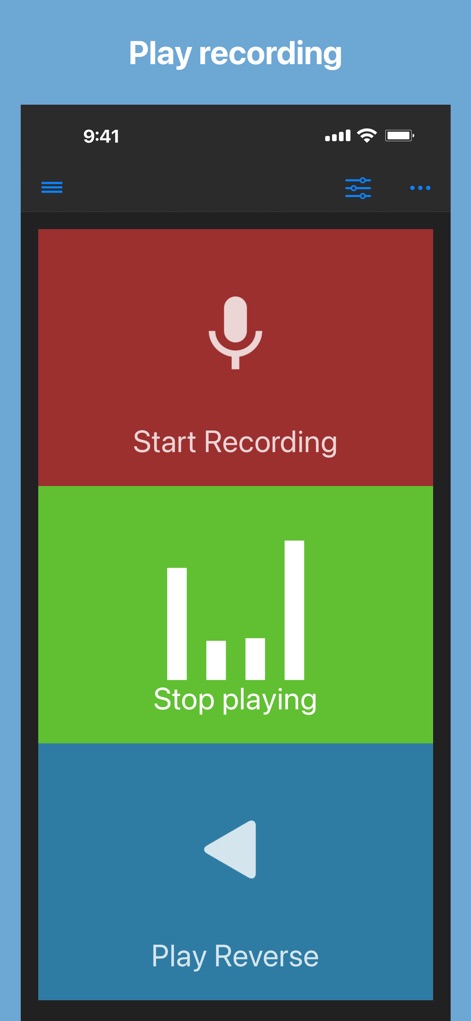
This tool provides clear visual feedback with the 'Stop playing' visualizer bars and allows quick toggling between normal and reversed playback.
Dynamic Playback

The app simplifies audio manipulation, allowing users to instantly 'Play Recorded' audio or experience unique effects with the active 'Stop playing' visualizer bars during reversed playback.
Effortless Reversal
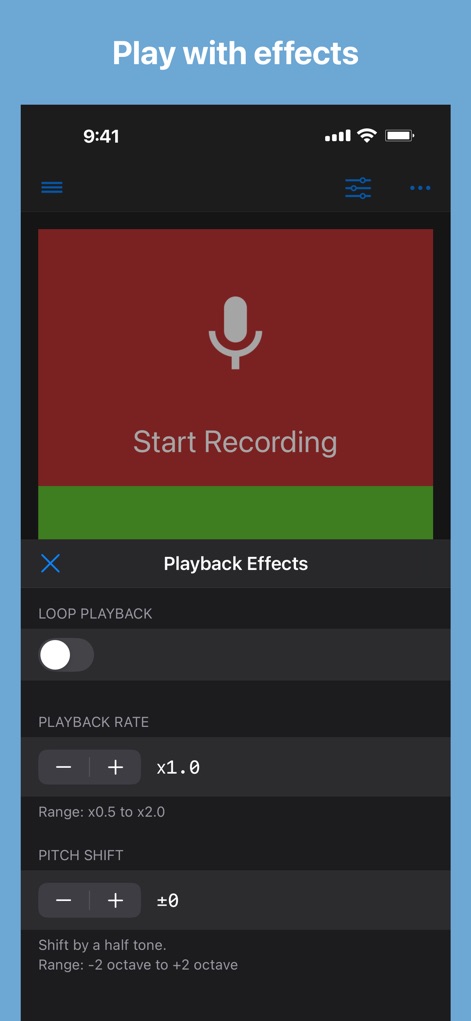
Explore creative possibilities with the comprehensive 'Playback Effects' panel, featuring precise 'PLAYBACK RATE' and 'PITCH SHIFT' adjustments for custom sound design.
Advanced Audio Control
Description
Download
More Like This
Apps with similar features and user experience
Reverse Singing
Calico Studio Inc.
The Reverse Audio
Vida Apps Incorporated

Reverse Audio Play
Dino Apps OU

Reverse Singing Audio Play
Tech Consolidated INC.
Reverse Audio ™
Pretty Boa Media Ltd

Reverse Audio: Record & Play
芳 王
Reverse Singing & Audio
APPELIO DIGITAL SOLUTIONS - NIHAT DINC
Reverse Singing Fun Challenge
NGUYEN QUY SON
Reverse Audio Singing Trend
Oussama Chariffi
This page is not an official page of the app or its developer, but an independent editorial publication created for informational and commentary purposes. Unless expressly stated otherwise, neither the app nor its developer is affiliated with, endorsed by, sponsored by, authorized by, or otherwise officially connected with MWM, Apple, Google Play, the app publisher, or the app's developer, and nothing on this page implies that the app was developed using MWM's services. Any trademarks, logos, screenshots, and other content remain the property of their respective owners.