
This page is not an official page of the app or its developer, but an independent editorial publication created for informational and commentary purposes. Unless expressly stated otherwise, neither the app nor its developer is affiliated with, endorsed by, sponsored by, authorized by, or otherwise officially connected with MWM, Apple, Google Play, the app publisher, or the app's developer, and nothing on this page implies that the app was developed using MWM's services. Any trademarks, logos, screenshots, and other content remain the property of their respective owners.

The Reverse Audio
Record your world, play it backward, and add crazy effects. Discover hidden laughs with the ultimate tool for family pranks and social media challenges.
Downloads
234K+User Rating
Total Ratings
1K+Publisher
Category
MusicLocales
33Latest Version
1.2.0Size
83.2 MBFirst Released
Nov 5, 2024Turn Every Sound into a Surprise
Discover the hilarious and unexpected side of your voice with intuitive tools designed for family fun and social media trends.
Instant Audio Reversal
Flip your voice or everyday noises in seconds to reveal hidden sounds and spark endless laughter with friends.
Creative Voice FX
Go beyond reversal with pitch shifting, echo effects, and speed controls to create alien voices and unique soundscapes.
Frequently Asked Questions
Everything you need to know about The Reverse Audio
What is the primary function of The Reverse Audio app?
The Reverse Audio app records sounds and plays them back in reverse. It allows users to experience unexpected fun by flipping everyday sounds, perfect for entertainment with friends and family.
Can I record my own voice using The Reverse Audio app?
Yes, The Reverse Audio app allows users to record their own voice using the microphone. It enables immediate playback and reverse playback of the recorded audio for entertainment purposes.
What audio effects does The Reverse Audio app offer?
The Reverse Audio app offers multiple audio effects. Users can change playback speed, adjust pitch, add echo effects, and loop playback for their recordings. These features enhance sound manipulation.
Does The Reverse Audio app allow users to import existing audio files?
Yes, The Reverse Audio app allows users to import audio files. This feature enables the reversal and manipulation of existing sound clips from a user's device, expanding creative possibilities.
How do I save recordings in The Reverse Audio app?
Saving recordings in The Reverse Audio app requires a Premium Plan. Users must subscribe to unlock the ability to save recordings and manage them in a dedicated list within the application.
What are the benefits of The Reverse Audio app's Premium Plan?
The Premium Plan for The Reverse Audio app provides several benefits. It removes ads and unlocks the ability to save recordings, manage saved files in a list, and share recordings.
Can I share audio recordings made with The Reverse Audio app?
Yes, users can share recordings made with The Reverse Audio app. This functionality is exclusively available as a benefit of the Premium Plan, unlocking sharing capabilities.
Does The Reverse Audio app support changing the playback speed of audio?
Yes, The Reverse Audio app supports changing the playback speed. Users can adjust the speed of their recordings using the dedicated playback speed control found in the app's settings menu.
Is there an ad-free version of The Reverse Audio app available?
Yes, an ad-free version of The Reverse Audio app is available. Users can subscribe to the Premium Plan to remove all advertisements, ensuring an uninterrupted experience.
What kind of entertainment does The Reverse Audio app provide?
The Reverse Audio app provides entertaining sound play by reversing voices and everyday sounds. It is ideal for casual amusement, playing with friends and family, or as a party tool.
The following screenshots and description are sourced directly from the app's official store listing and are the property of the app developer.
App Store
Screenshots
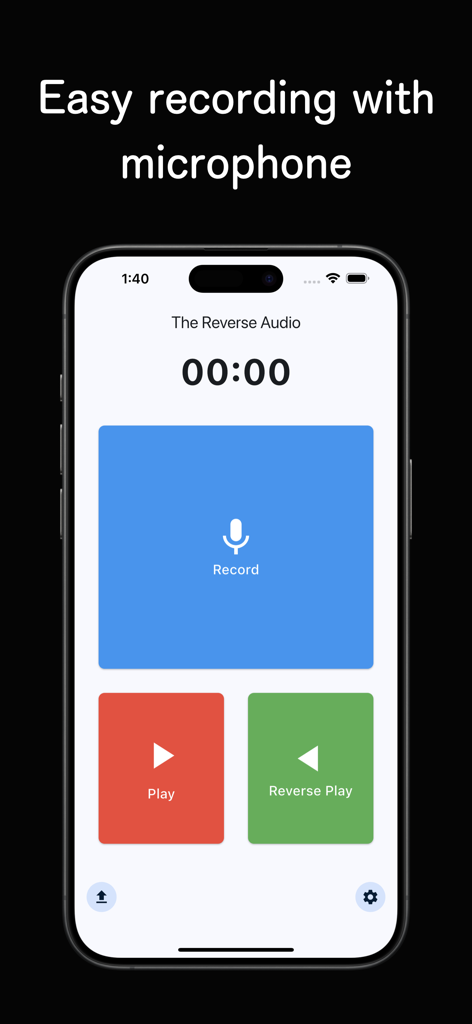
The Reverse Audio mobile app interface showing record play and reverse playback buttons
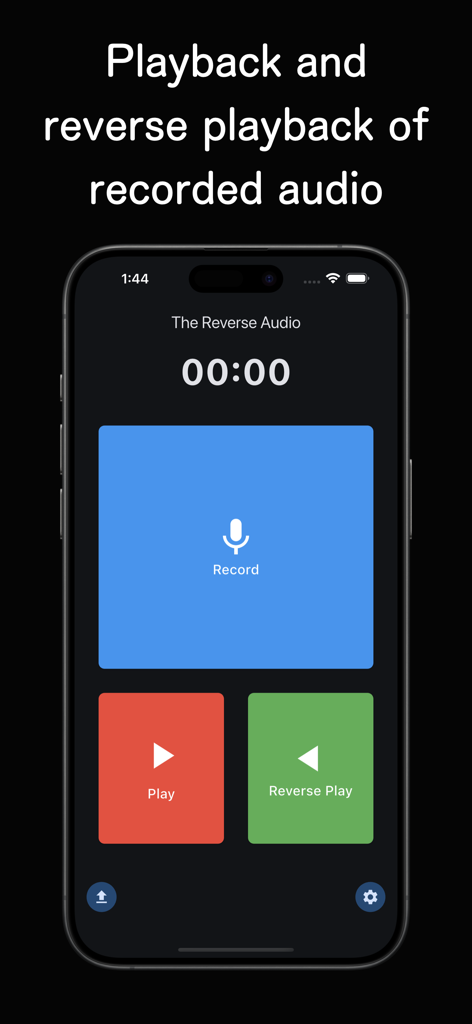
The main screen of The Reverse Audio app featuring record, play, and reverse play buttons on a dark background.
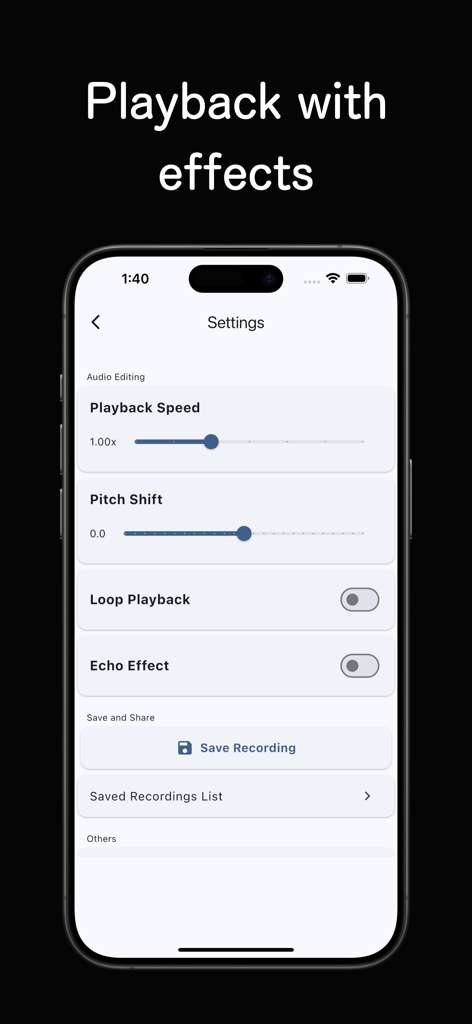
Interface of The Reverse Audio app showing audio editing controls for playback speed pitch shift echo and saving recordings
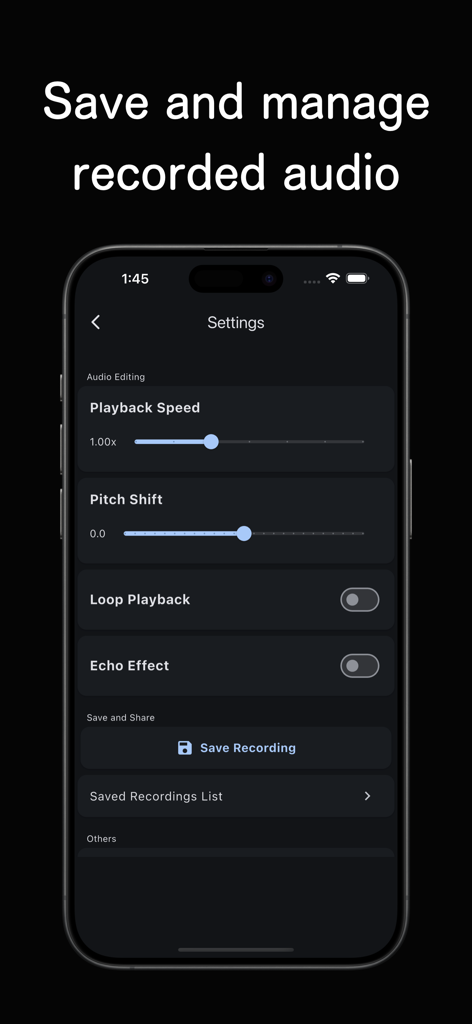
The Reverse Audio app settings screen showing audio editing controls for playback speed pitch shift and saving options
Description
Download
More Like This
Apps with similar features and user experience
Reverse Audio
Nobutaka Yuasa
Reverse Singing
Calico Studio Inc.
Reverse Audio Play
Dino Apps OU
Reverse Singing Audio Play
Tech Consolidated INC.
Reverse Audio ™
Pretty Boa Media Ltd

Reverse Audio: Record & Play
芳 王
Reverse Singing & Audio
APPELIO DIGITAL SOLUTIONS - NIHAT DINC
Reverse Singing Fun Challenge
NGUYEN QUY SON
Reverse Audio Singing Trend
Oussama Chariffi
This page is not an official page of the app or its developer, but an independent editorial publication created for informational and commentary purposes. Unless expressly stated otherwise, neither the app nor its developer is affiliated with, endorsed by, sponsored by, authorized by, or otherwise officially connected with MWM, Apple, Google Play, the app publisher, or the app's developer, and nothing on this page implies that the app was developed using MWM's services. Any trademarks, logos, screenshots, and other content remain the property of their respective owners.