Revive AI: Restore Old Photos

This page is not an official page of the app or its developer, but an independent editorial publication created for informational and commentary purposes. Unless expressly stated otherwise, neither the app nor its developer is affiliated with, endorsed by, sponsored by, authorized by, or otherwise officially connected with MWM, Apple, Google Play, the app publisher, or the app's developer, and nothing on this page implies that the app was developed using MWM's services. Any trademarks, logos, screenshots, and other content remain the property of their respective owners.
Logo of Revive AI: Restore Old Photos

Revive AI: Restore Old Photos

Transform your shoebox of faded, scratched, and black-and-white photos into vibrant, crystal-clear memories. The one-tap restoration studio for every family historian.

Key Figures

Downloads

0

User Rating

1.0/5

Total Ratings

0

Publisher

Salma Jabeen

Category

Photo & Video

Locales

1

Latest Version

1.0.5

Size

54.8 MB

First Released

Feb 7, 2026
Features

Bring Your Family History Back to Life

Preserve your most cherished memories with powerful AI tools designed to fix, colorize, and sharpen your vintage photos in just one tap.

Heal Damaged Photos

Say goodbye to scratches, tears, and creases on scanned family pictures for a flawless finish that looks brand new.

Authentic Colorization

Automatically add natural, vibrant colors to black-and-white or sepia portraits to see your ancestors as they truly were.

The following screenshots and description are sourced directly from the app's official store listing and are the property of the app developer.

App Store

Screenshots
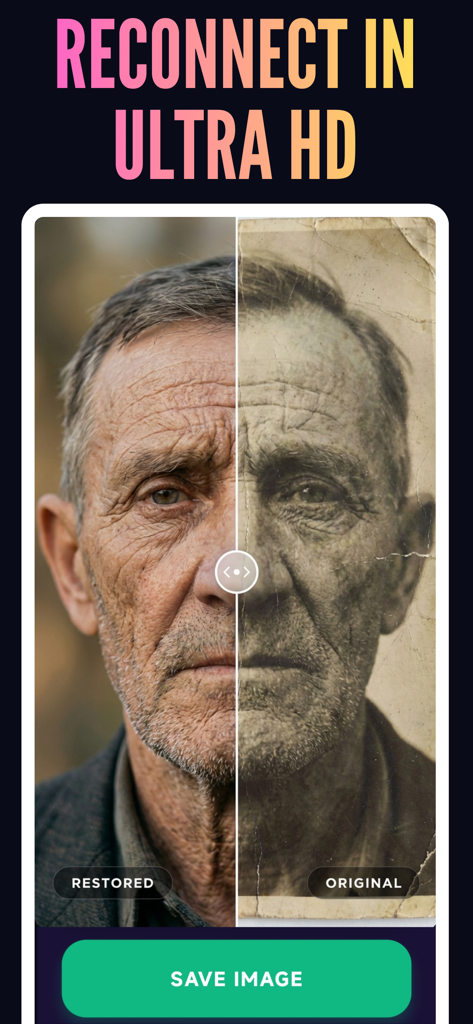
Revive AI: Restore Old Photos - A before and after comparison showing a faded vintage portrait of an elderly man restored to ultra high definition
A before and after comparison showing a faded vintage portrait of an elderly man restored to ultra high definition

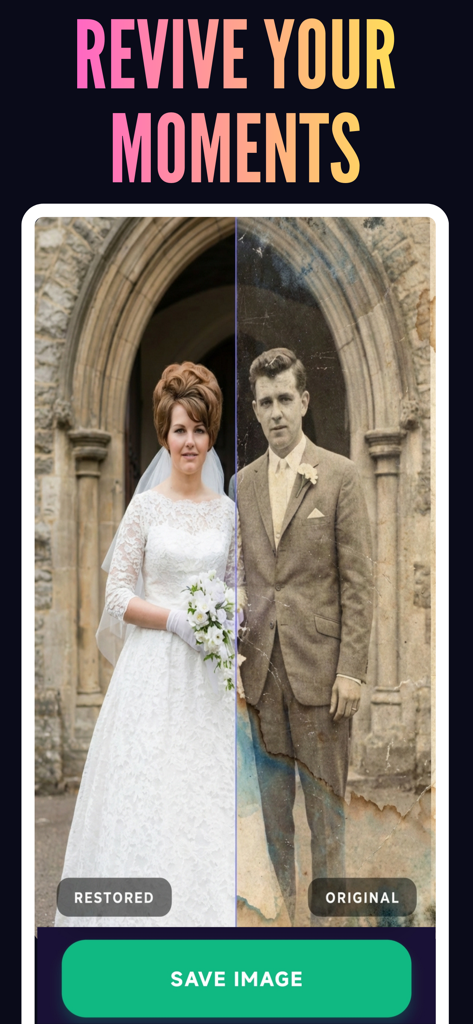
Revive AI: Restore Old Photos - Before and after comparison of a vintage wedding photo being restored using Revive AI
Before and after comparison of a vintage wedding photo being restored using Revive AI

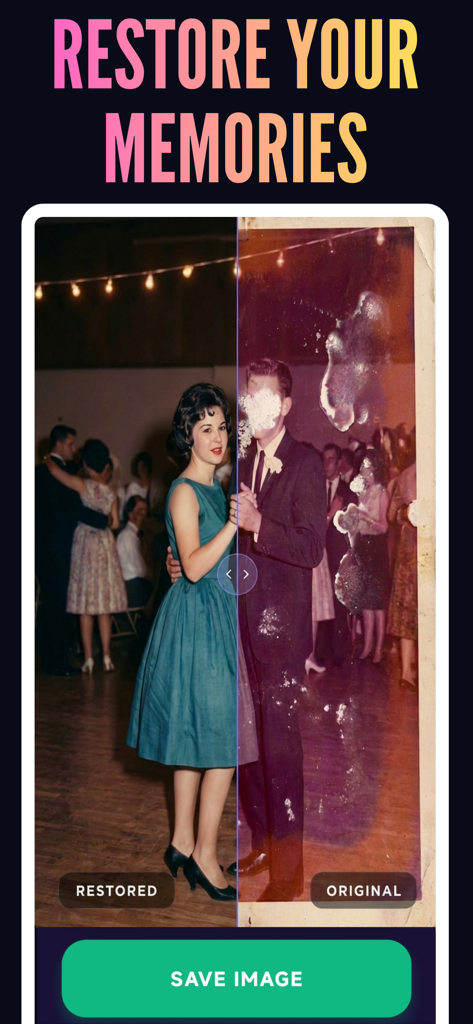
Revive AI: Restore Old Photos - Before and after comparison of a restored vintage photo showing a dancing couple using AI
Before and after comparison of a restored vintage photo showing a dancing couple using AI

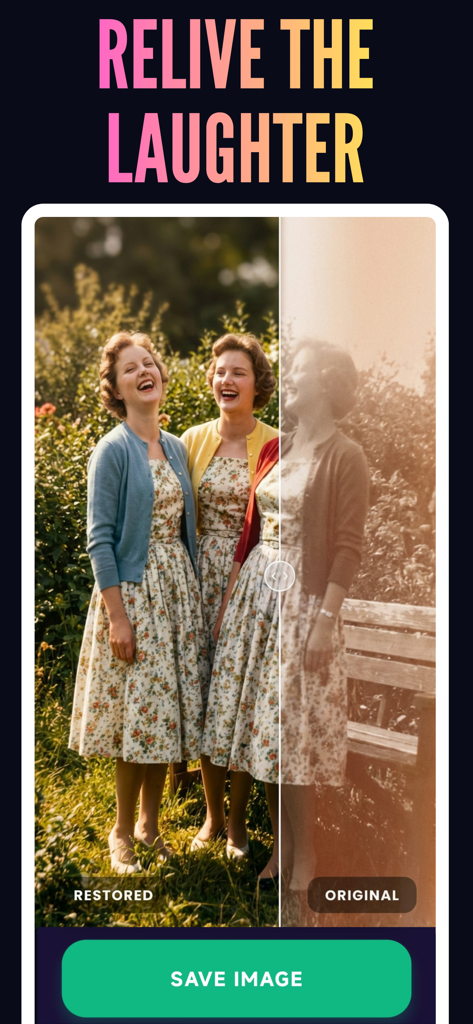
Revive AI: Restore Old Photos - Side by side comparison of an original faded sepia photo and a restored colorized version using AI

Side by side comparison of an original faded sepia photo and a restored colorized version using AI

Description

Do you have a shoebox full of faded, scratched, or damaged family pictures? Don’t let your precious memories fade away. Revive AI is your personal, pocket-sized photo restoration studio. Using cutting-edge artificial intelligence, Revive AI breathes new life into your vintage pictures, transforming them from blurry, black-and-white prints into crystal-clear, vibrant, high-definition memories in just one tap. Whether you want to repair a torn portrait of your grandparents, unblur a modern selfie, or colorize a piece of history, Revive AI does the heavy lifting for you instantly. CORE FEATURES: Restore Old & Damaged Photos Say goodbye to scratches, tears, creases, and water damage. Our advanced AI seamlessly repairs physical damage on scanned photos, making them look as perfect as the day they were printed. Colorize Black & White Pictures Watch the past come alive! Upload any black-and-white, sepia, or grayscale photo, and Revive AI will accurately add stunning, lifelike colors. See your ancestors exactly as they were. Unblur & Clarify Faces Have a blurry, pixelated, or out-of-focus image? Enhance facial details and instantly sharpen your pictures. Perfect for old camera-phone pictures or moving subjects. Upscale Quality to HD Take low-resolution, compressed, or small images and upscale them into breathtaking high-definition without losing detail. Perfect for printing, framing, or viewing on large screens. AI Background Remover Instantly isolate the subject of your photo! Remove messy or distracting backgrounds in one second with perfect edge detection, allowing you to save the subject with a clean, solid, or transparent backdrop. HOW IT WORKS IN 3 STEPS: Scan or upload an old/blurry photo from your camera roll. Select your desired AI tool (Restore, Colorize, Unblur, Upscale, or Background Remove). Swipe the Before & After slider to see the magic, and save your HD photo! Perfect for family historians, genealogy enthusiasts, and anyone looking to rescue their favorite moments. Download Revive AI today and start restoring! Subscription Pricing & Terms: Revive AI offers a premium subscription to unlock unlimited, watermark-free, high-definition restorations and all advanced AI tools. • Subscriptions are billed weekly or annually. • The Annual plan includes a 3-Day Free Trial to experience the magic risk-free. • Payment will be charged to your Apple ID account at confirmation of purchase. • Subscriptions automatically renew unless auto-renew is turned off at least 24 hours before the end of the current period. • You can manage and cancel your subscriptions by going to your App Store account settings after purchase. Terms of Use: https://www.apple.com/legal/internet-services/itunes/dev/stdeula/

Download

This page is not an official page of the app or its developer, but an independent editorial publication created for informational and commentary purposes. Unless expressly stated otherwise, neither the app nor its developer is affiliated with, endorsed by, sponsored by, authorized by, or otherwise officially connected with MWM, Apple, Google Play, the app publisher, or the app's developer, and nothing on this page implies that the app was developed using MWM's services. Any trademarks, logos, screenshots, and other content remain the property of their respective owners.