
This page is not an official page of the app or its developer, but an independent editorial publication created for informational and commentary purposes. Unless expressly stated otherwise, neither the app nor its developer is affiliated with, endorsed by, sponsored by, authorized by, or otherwise officially connected with MWM, Apple, Google Play, the app publisher, or the app's developer, and nothing on this page implies that the app was developed using MWM's services. Any trademarks, logos, screenshots, and other content remain the property of their respective owners.


レジュメ
Paperwork no longer dictates your job hunt. This app puts the power to apply, anytime, anywhere, directly in your pocket.
Downloads
1M+User Rating
Total Ratings
10.5KPublisher
Category
UtilitiesLocales
1Latest Version
5.2.16Size
30.0 MBFirst Released
Jun 18, 2010A detailed evaluation of key features designed for convenience, efficiency, and guided document creation.
App Analysis: レジュメ - Streamlining Job Application Documents for Japanese Job Seekers
Guided Content & Format Templates
This tool provides a rich collection of sample texts for challenging sections like motivations, work history, and self-PR, alongside various resume format templates (standard, qualification, self-PR focused).
Integrated Convenience Store Printing
The app allows users to print professionally formatted resumes and CVs directly at convenience stores nationwide, enabling last-minute applications or interviews with high convenience.
Seamless In-App Photo Capture & Editing
It allows users to take and crop professional ID photos using their smartphone camera directly within the app, saving significant time and money on external photo services.
Full Mobile Document Creation Workflow
The app provides the capability to complete the entire resume and CV creation process—from data entry and photo attachment to printing preparation—exclusively using a smartphone, emphasizing efficiency and on-the-go usability.
Smart Education History Autofill
The app automatically populates educational history, including enrollment and graduation years, based on basic input like birth date, significantly streamlining data entry and reducing manual calculation.
PDF Export & Email Functionality
This tool converts completed resumes and CVs into PDF format, which can be easily emailed to personal accounts, allowing users to print at home, school, or submit documents digitally.
Frequently Asked Questions
Everything you need to know about レジュメ
What is the レジュメ app?
レジュメ is a free app produced by Town Work that allows users to easily create interview-ready resumes and curriculum vitae directly on their smartphone. It supports input, photo capture, and printing.
Can I print resumes created with the レジュメ app at convenience stores?
Yes, the レジュメ app allows direct printing of created resumes and curriculum vitae at convenience stores nationwide. Users can also email the documents for printing elsewhere.
Does the レジュメ app offer templates for writing resumes?
Yes, the レジュメ app provides example sentences and templates for sections like motivation, work history, and self-PR. It also offers three resume formats: Standard, Qualification-focused, and Self-PR.
Can I add photos to my resume using the レジュメ app?
Yes, the レジュメ app enables users to take photos with their smartphone camera, crop them to the desired size, and attach them to their resume. Existing photos can also be used.
Does the レジュメ app save my resume progress automatically?
Yes, the レジュメ app features automatic saving for resumes currently being created. This ensures users do not lose their progress during the creation process.
Is the レジュメ app free to use?
Yes, the レジュメ app is a free application for creating resumes and curriculum vitae. It is produced by Town Work.
Can レジュメ app users create multiple types of resumes?
Yes, the レジュメ app allows users to create multiple resumes and curriculum vitae. This feature supports customizing documents for different job application situations.
How does レジュメ app simplify academic history input?
The レジュメ app automatically inputs elementary school enrollment and graduation years based on the user's birthdate and years of enrollment. Users can also edit this freely or remove older entries.
The following screenshots and description are sourced directly from the app's official store listing and are the property of the app developer.
App Store
Screenshots
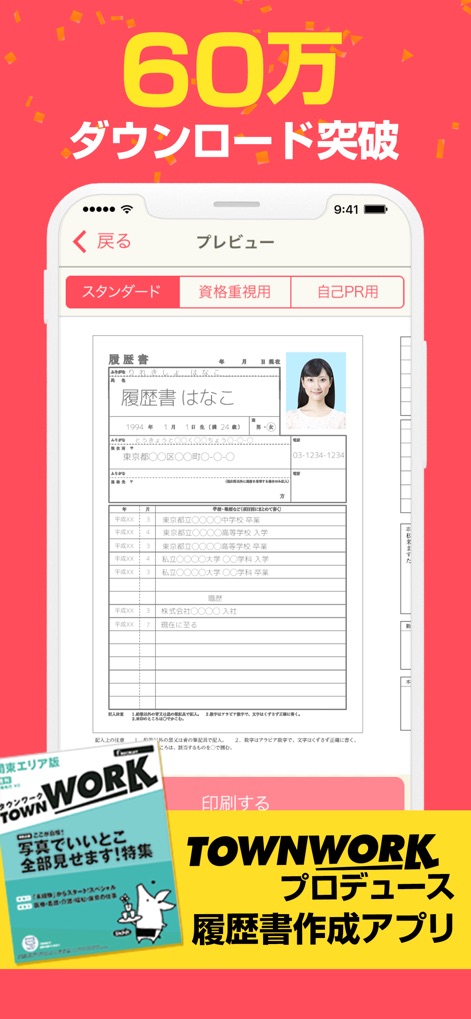
Discover the app's diverse resume formats, including "Standard" and "Self-PR Focused" options, designed for various job applications.
Resume Formats Overview
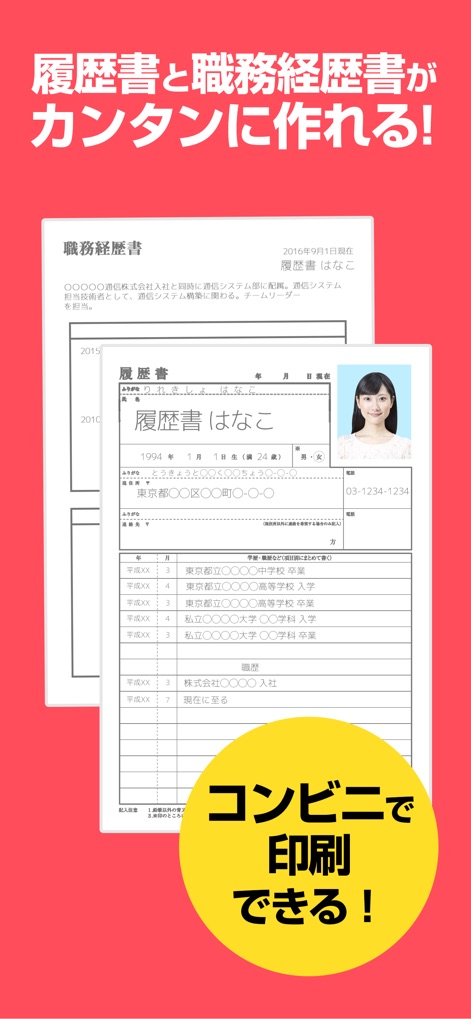
This tool streamlines resume and curriculum vitae creation, offering convenient printing options at local convenience stores for immediate use.
Integrated Document Creation
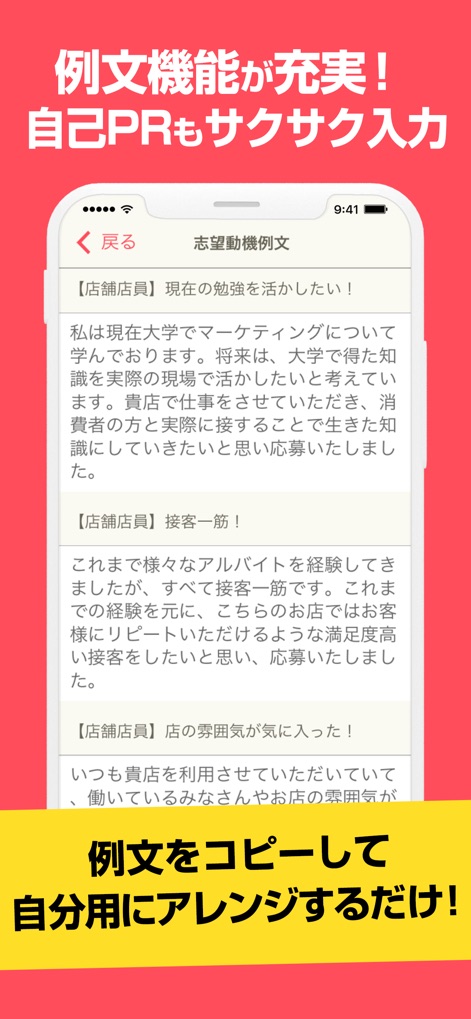
Leverage the rich example sentence feature to effortlessly craft compelling self-PR sections and motivational statements with customizable templates.
Smart Writing Assistance
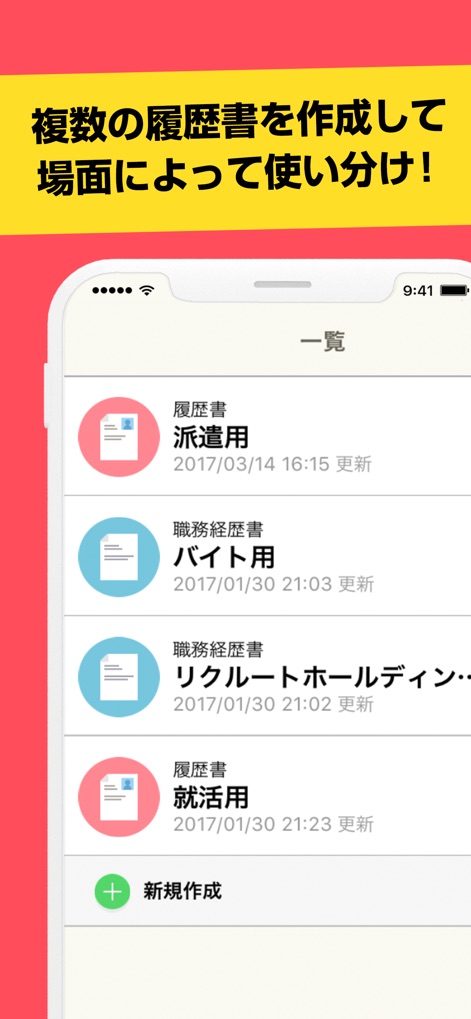
Users can efficiently create and organize multiple resumes and CVs, allowing for quick selection and use tailored to specific job application scenarios.
Manage Multiple Documents
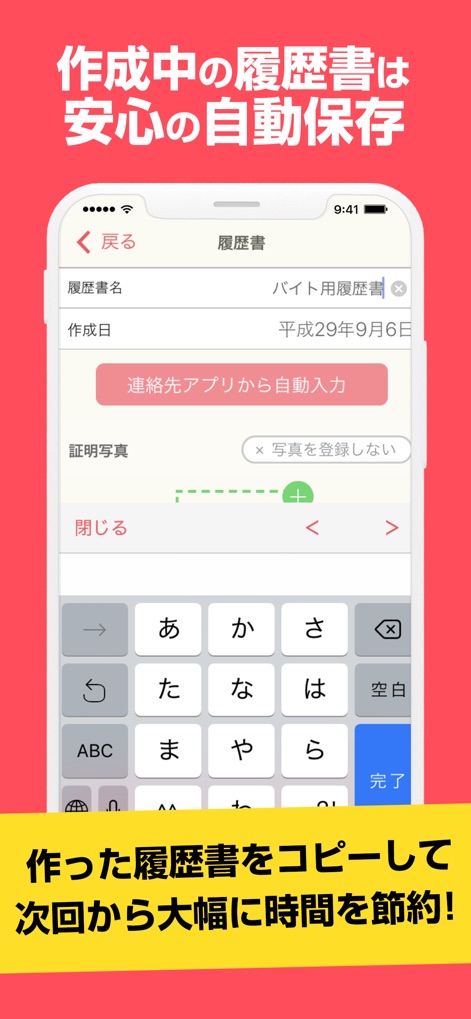
Benefit from automatic saving of in-progress resumes and streamlined data entry through contact app integration and easy photo uploads, saving valuable time.
Efficient Editing & Saving
Description
Download
More Like This
Apps with similar features and user experience
Resume : Intelligent CV Maker
Intelligent CV

Resume Builder - CV Creator
Clebson Pereira

Resume Builder - CV Engineer
First Pick Ltd
Resume Builder Pro with AI
Uncaught Exception Inc.
Quick & Easy Resume Builder CV
Wiliam Goncalves Pinto

Resume Maker, CV Job Builder
Oleg Yuriev

Resume Builder⁺
Rounding Squares BV

履歴書作成(インディード)
Indeed Inc.

履歴書作成
WEBDIA INC.
This page is not an official page of the app or its developer, but an independent editorial publication created for informational and commentary purposes. Unless expressly stated otherwise, neither the app nor its developer is affiliated with, endorsed by, sponsored by, authorized by, or otherwise officially connected with MWM, Apple, Google Play, the app publisher, or the app's developer, and nothing on this page implies that the app was developed using MWM's services. Any trademarks, logos, screenshots, and other content remain the property of their respective owners.