RoboSpeech

RoboSpeech

Download on App Store
Logo of RoboSpeech

RoboSpeech: Turn Your Reading List into a Natural-Sounding Podcast

Instantly convert PDFs, web pages, and documents into audio. Master your productivity with hands-free listening designed for busy professionals, students, and lifelong learners.

Download on App Store

Publisher

Andrew Cowderoy

Category

Utilities

Downloads

0

User Rating

1.0/5

Total Ratings

0

Locales

1

Experience the Flow

Discover the interface used by 0 users.
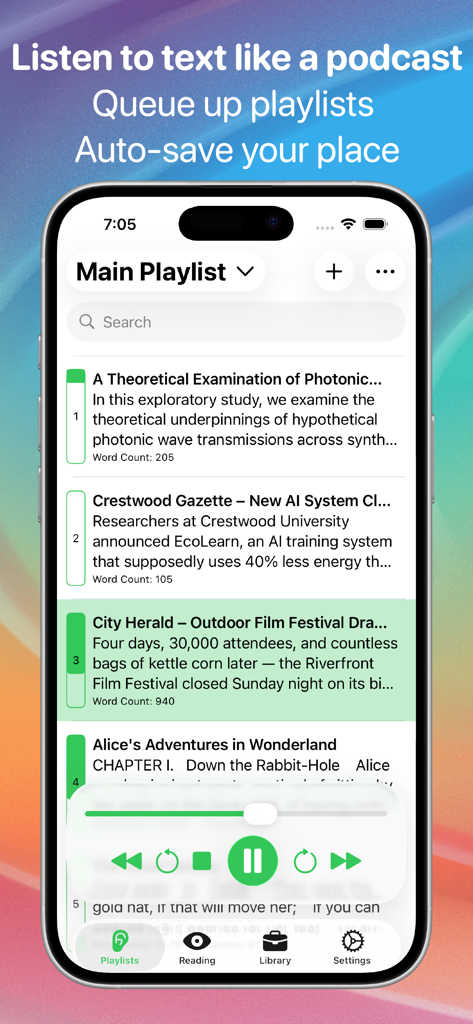
RoboSpeech app showing the main playlist with a list of articles and podcast style playback controls

RoboSpeech app showing the main playlist with a list of articles and podcast style playback controls

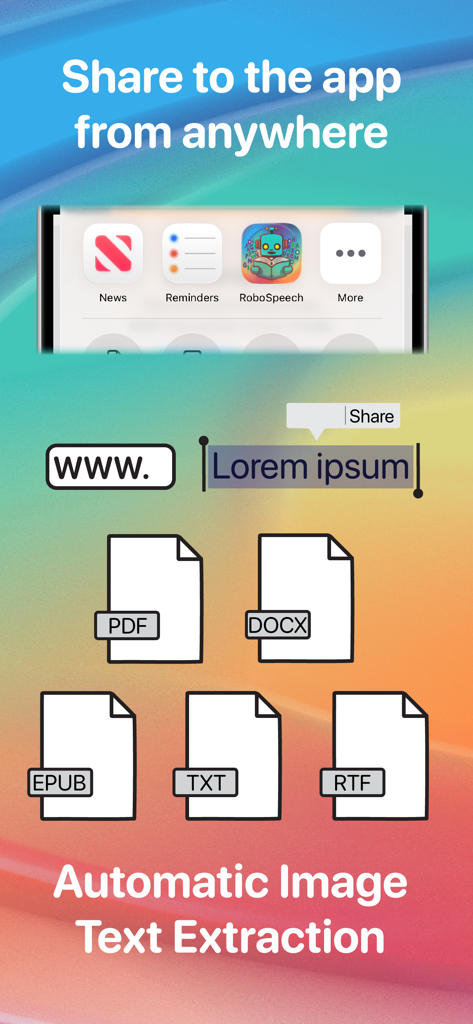
RoboSpeech app screen showing sharing options and supported file formats like PDF and DOCX for text to speech extraction

RoboSpeech app screen showing sharing options and supported file formats like PDF and DOCX for text to speech extraction

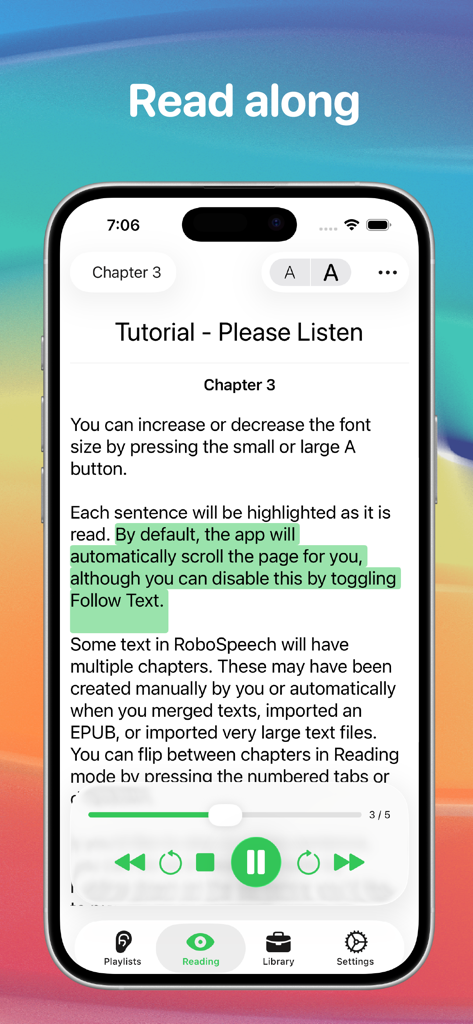
RoboSpeech app interface showing text highlighting and audio playback controls for the Read Along feature

RoboSpeech app interface showing text highlighting and audio playback controls for the Read Along feature

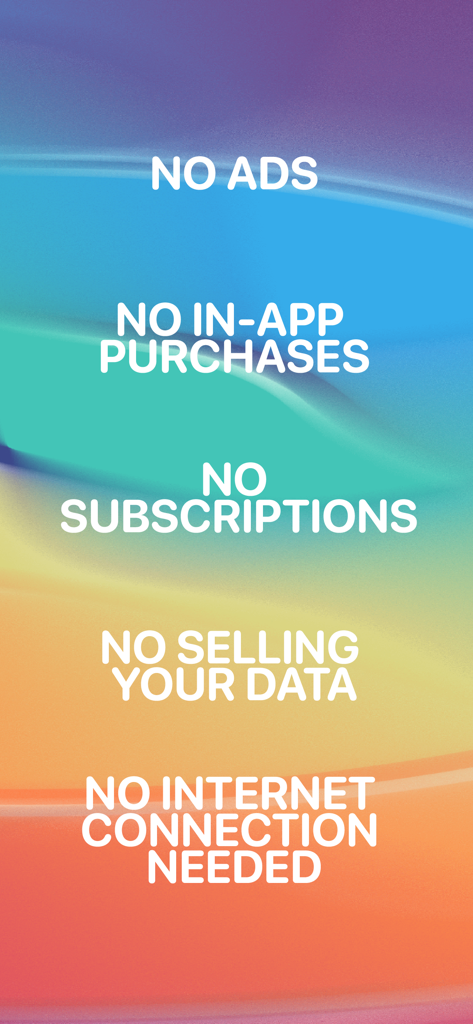
List of RoboSpeech features including no ads, no subscriptions, no data selling, and offline mode on a colorful gradient background.

List of RoboSpeech features including no ads, no subscriptions, no data selling, and offline mode on a colorful gradient background.

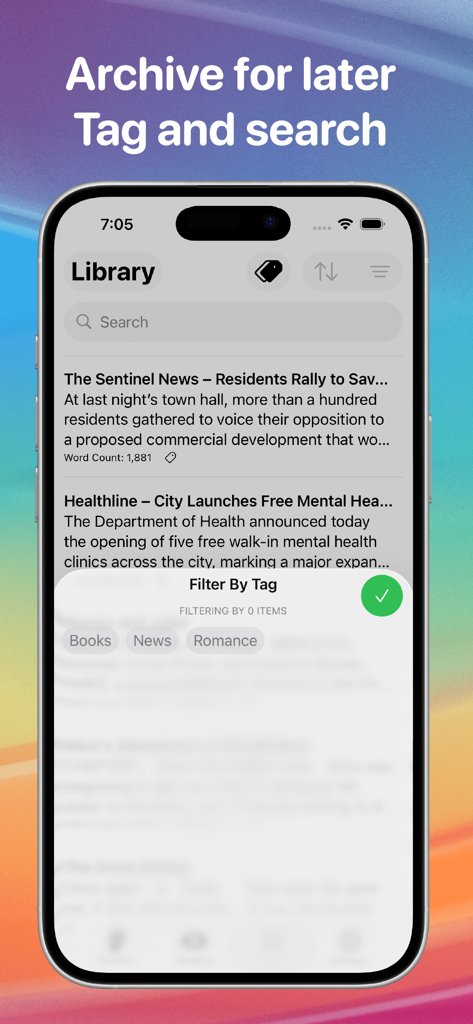
RoboSpeech app library screen showing saved articles with search and tag filtering options

RoboSpeech app library screen showing saved articles with search and tag filtering options

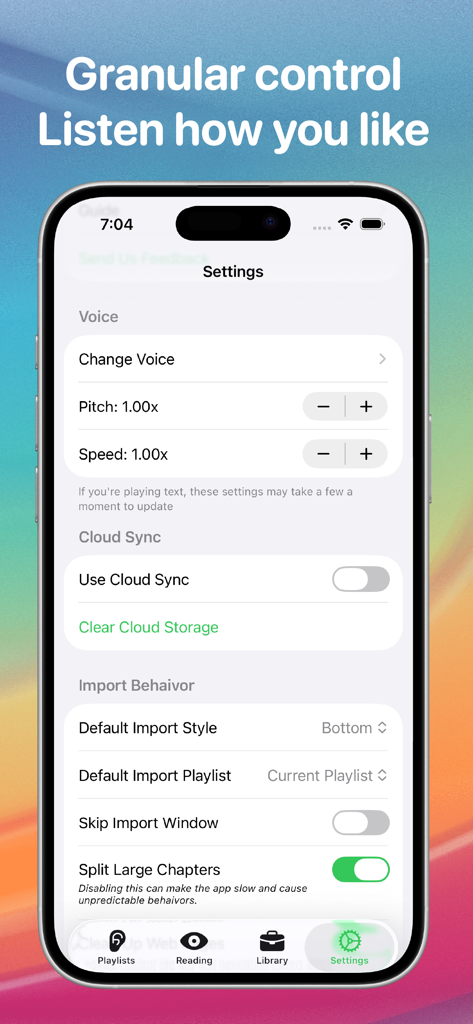
RoboSpeech mobile app settings screen showing voice controls for pitch and speed, cloud sync options, and import behavior settings.

RoboSpeech mobile app settings screen showing voice controls for pitch and speed, cloud sync options, and import behavior settings.

Maximize Every Moment of Your Day

The tools that make this app stand out, trusted by 0 users.

🎧

Your Reading List, Now a Podcast

Convert any article or document into audio with familiar playback controls. Listen while you commute, workout, or relax without the screen fatigue.

📄

Import Anything, Listen Anywhere

Seamlessly import PDFs, web pages, and even photos of physical text. Our advanced processing ensures no content is left behind in your digital workflow.

Enhance Focus and Retention

Follow along with highlighted text in Reading Mode. It is the perfect tool for deep comprehension, speed reading, and supporting neurodivergent learning styles.

About the app

Everything you need to know about RoboSpeech.

Description

Turn text into natural-sounding audio. RoboSpeech lets you read PDFs, web pages, EPUBs, and documents aloud with podcast-style playback controls. Whether it’s an article, a book, a document, or even an image, RoboSpeech turns your reading into a hands-free listening experience. Seamless Text Import - Share text from any app or browser using the Share button. - Import full web pages, PDFs, DOCX, EPUBs, and even images with embedded text. Listen Your Way - Control playback like a podcast—pause, rewind, or skip ahead effortlessly. - Save progress so you can pick up where you left off. - Organize your content with playlists and archives for easy access. – Choose from multiple voices, including enhanced ones available in your device’s settings. Read Along - Follow along with highlighted text in Reading Mode while the app reads to you. - Adjust font size and toggle  - Follow Text for automatic scrolling. More Than Just a Reader - Edit, merge, and reorder your text entries effortlessly. - Shuffle playlists or play items in order. - Fine-tune your experience with advanced settings. Need help? A built-in guide is available in the settings, and you can contact the developer for support. Download RoboSpeech today and start listening!

Latest Version

2.01.01

Size

12.5 MB

First Released

Mar 4, 2025

Stop Reading, Start Listening

Turn your PDFs, web pages, and documents into a personal podcast. Reclaim your time and download RoboSpeech for iPhone, iPad, and Mac today.

Download on App Store

App information, icons, screenshots, and descriptions displayed on this page are sourced from the Apple App Store and are the property of their respective developers. Download estimates and rankings are based on MWM's proprietary models and may not reflect actual figures. This page is provided for informational and analytical purposes only.

Believe this page infringes your intellectual property? File a dispute