Route Optimizer - Easy Way
Download on App Store

This page is not an official page of the app or its developer, but an independent editorial publication created for informational and commentary purposes. Unless expressly stated otherwise, neither the app nor its developer is affiliated with, endorsed by, sponsored by, authorized by, or otherwise officially connected with MWM, Apple, Google Play, the app publisher, or the app's developer, and nothing on this page implies that the app was developed using MWM's services. Any trademarks, logos, screenshots, and other content remain the property of their respective owners.


Logo of Route Optimizer - Easy Way
Download on App Store

Route Optimizer - Easy Way

The intuitive personal CRM built for field sales reps who demand efficiency. Optimize your daily routes, find new prospects on the go, and reclaim your time from clunky corporate software.

Key Figures

Downloads

1K+

User Rating

5.0/5

Total Ratings

0

Publisher

Starship Coder

Category

Navigation

Locales

2

Latest Version

4.8.8

Size

117.8 MB

First Released

May 22, 2024
Features

Maximize Your Sales Impact, Minimize Your Drive Time

The mobile-first personal CRM and intelligent route planner built for field sales professionals who value their time and their results.

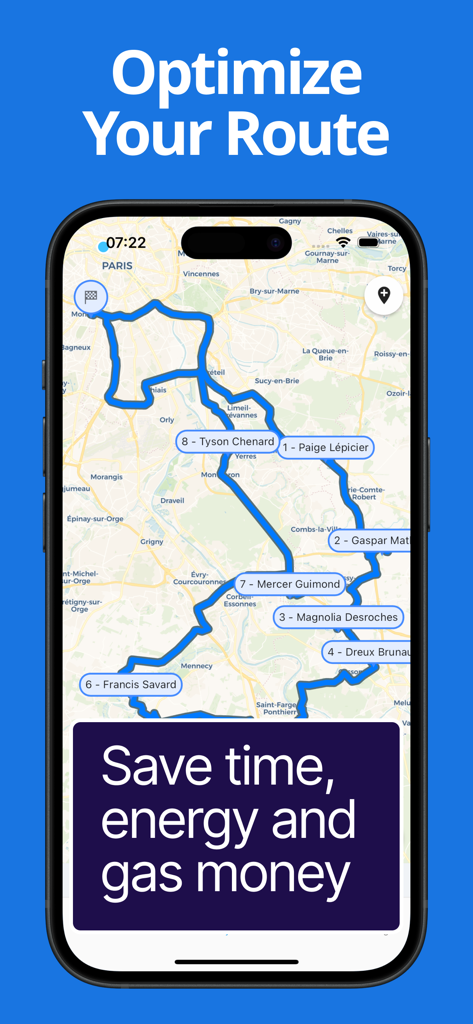
Smart Route Optimization

Turn hours of manual planning into seconds. Our algorithm calculates the fastest itinerary so you can hit more appointments and reclaim your 'windshield time'.

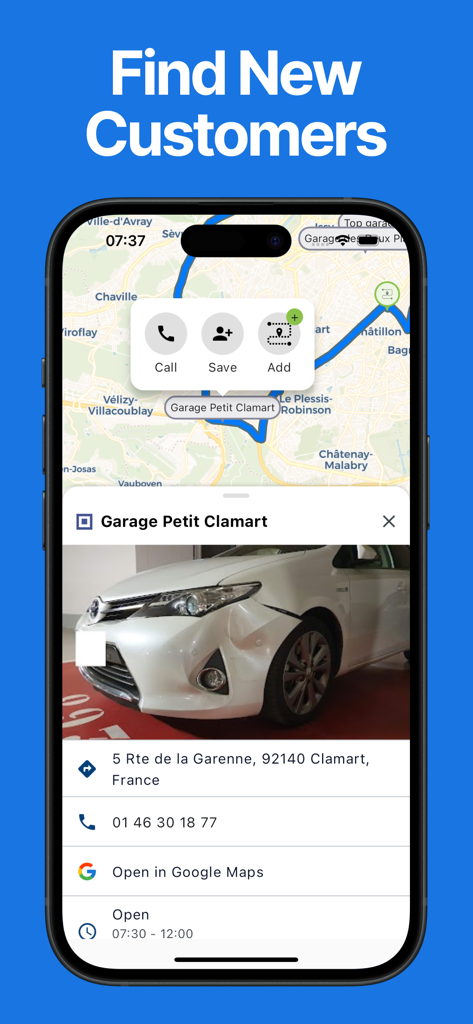
Instant Prospect Discovery

Never have 'dead hours' between meetings again. Instantly find and add new potential clients nearby to your route to maximize your territory coverage.

The following screenshots and description are sourced directly from the app's official store listing and are the property of the app developer.

App Store

Screenshots

Route Optimizer - Easy Way - A happy field sales representative running with a smartphone showing a route optimization map
A happy field sales representative running with a smartphone showing a route optimization map

Route Optimizer - Easy Way - iPhone screen displaying an optimized sales route map with numbered stops and client names
iPhone screen displaying an optimized sales route map with numbered stops and client names

Route Optimizer - Easy Way - Interface of the Easy Way app showing a business profile on a map with options to call or add to route.
Interface of the Easy Way app showing a business profile on a map with options to call or add to route.

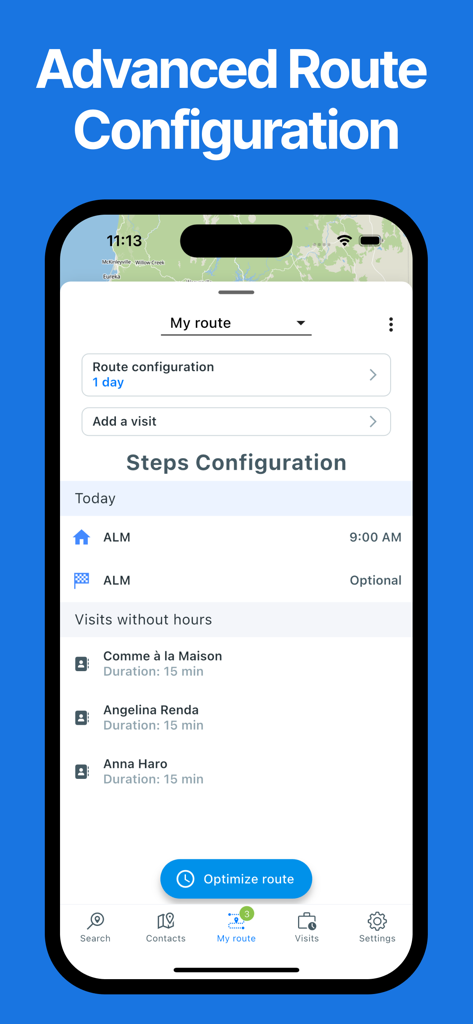
Route Optimizer - Easy Way - Advanced route configuration screen in the Easy Way app showing a list of visits and an optimize route button
Advanced route configuration screen in the Easy Way app showing a list of visits and an optimize route button

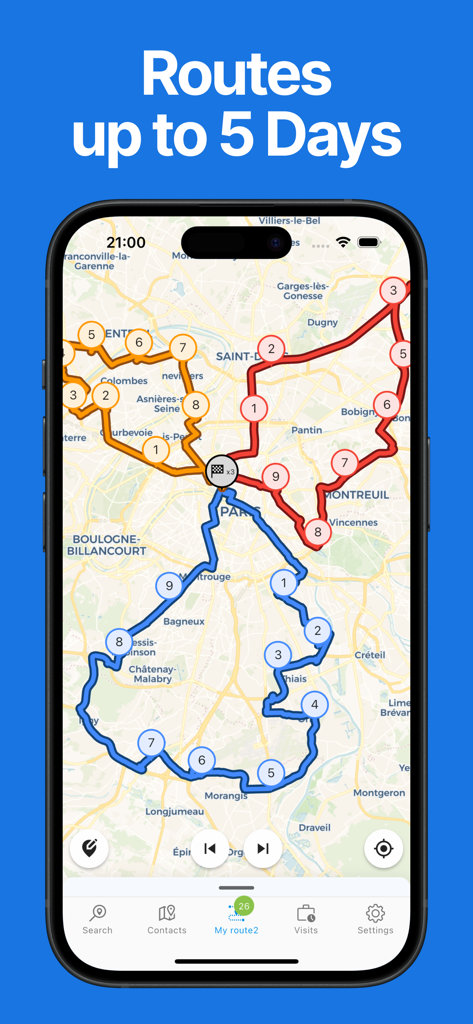
Route Optimizer - Easy Way - Route Optimizer app showing multiple colored delivery routes and numbered stops on a map for a five day schedule
Route Optimizer app showing multiple colored delivery routes and numbered stops on a map for a five day schedule

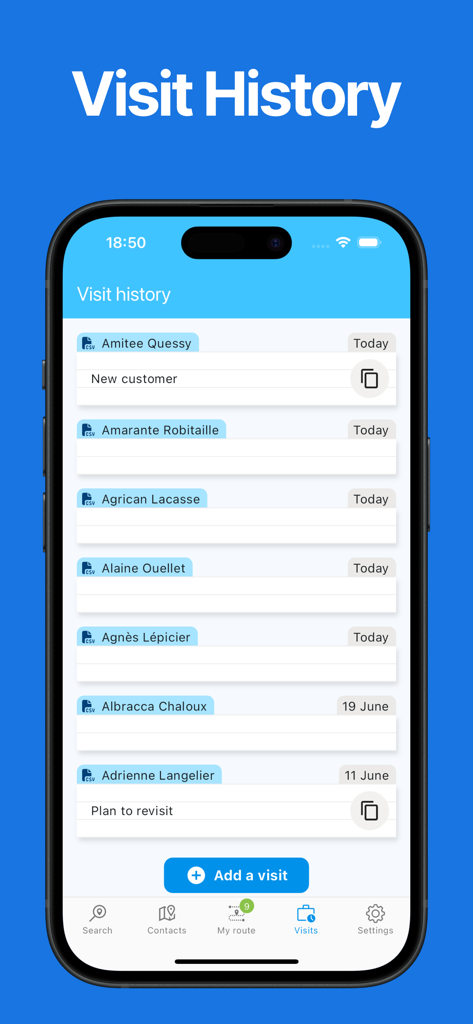
Route Optimizer - Easy Way - Route Optimizer app visit history screen showing a log of client names and dates.
Route Optimizer app visit history screen showing a log of client names and dates.

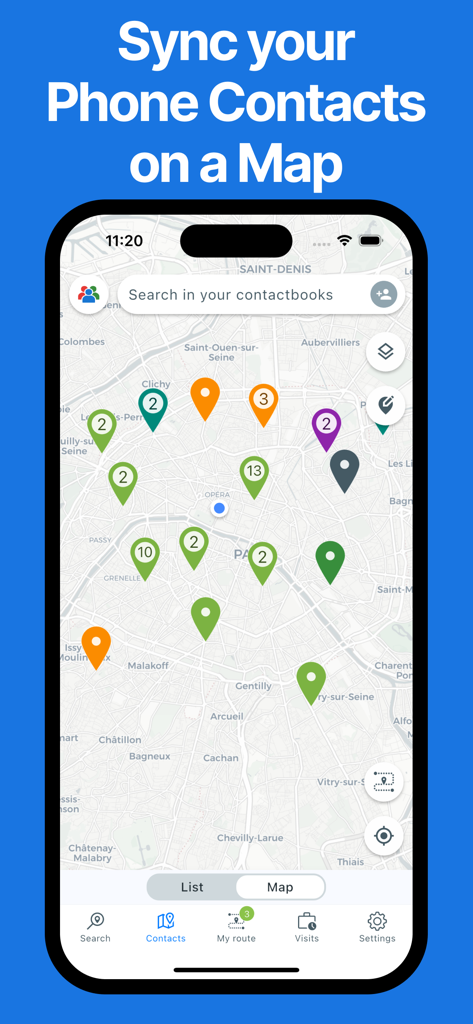
Route Optimizer - Easy Way - Mobile app interface showing phone contacts synced and displayed as colored pins on a city map

Mobile app interface showing phone contacts synced and displayed as colored pins on a city map

Description

EasyWay is the app designed specifically for Field Sales Reps! Natacha V. - Sales Director “This app is a game-changer for preparing my routes. It saves me so much time and allows me to easily keep track of my appointments, including summaries with the date, time spent, and future client needs. As a Sales Director, I’ve recommended it to my team, and they’ve all appreciated the efficiency and time savings it offers.” Ben S. - Business Engineer “Harold has developed an outstanding app that simplifies route planning and provides a clear overview of visit statuses across the sales territory. It’s a real time-saver for my daily activities! The app is intuitive, user-friendly, and easy to get started with. On top of that, Harold is incredibly responsive when it comes to implementing new features to enhance the experience. I strongly recommend this app to all field sales reps—try it, and you’ll adopt it in no time!” Its purpose: to save you time so you can spend more with your clients. It has four main features that make it a tailor-made app for salespeople: • A contact map • A prospect search in Google Maps • A route planner and optimizer • A visit history This makes it a sort of mini-CRM or personal CRM, dedicated to field sales professionals. But why would you need such an app if you already have a CRM? Many CRMs are outdated and often have issues such as: • Only a web app on a PC, forcing you to take out your PC in the car and requiring a network connection • CRMs without a contact map, forcing you to use Google Maps alongside your clients • 2000s-era ergonomics Let’s take a tour of the app and explore its features in more detail! • STARTING POINT: A CONTACT MAP: These are from your phone’s directory or an Excel file. You can also manually add a contact. There’s even a filter system by group or last visit to simplify finding the next client to visit. • LOOKING FOR NEW CLIENTS: Launch a search in a city or around a client. Add the results directly to your route in just a few clicks. • EASY PLANNING: Add clients to a route in two clicks. • VISIT SETUP: Define the time on-site and set a fixed or flexible hour. • SMART OPTIMIZATION: Optimize your route and get the shortest itinerary ⇒ saving time and energy. • THE ROUTE IS READY, LET’S GO: Start the route and check your schedule during the day ⇒ know if you can extend or shorten the visit. • EASY NAVIGATION: Start navigation to your contacts in one click with your favorite navigation app (Waze, Google Maps…). • VISIT HISTORY: Keep track of the visit date (with or without notes). • END OF THE ROUTE: Congratulations, you’ve reached the end, but it’s not over yet… Download Easy Way! You can use it for free indefinitely (with some limitations, but it’s perfectly usable). You can enjoy a one-month free trial to test all the features. Please note that this app requires a paid subscription to access all its features. Your Apple ID account will be charged on the last day of your free trial. Your subscription will automatically renew at the end of each billing period unless canceled 24 hours before the expiration date. You can manage and cancel your subscriptions in your Apple ID account settings after purchase. Enjoy a one-week free trial to test all the features.

Download

Download on App Store

This page is not an official page of the app or its developer, but an independent editorial publication created for informational and commentary purposes. Unless expressly stated otherwise, neither the app nor its developer is affiliated with, endorsed by, sponsored by, authorized by, or otherwise officially connected with MWM, Apple, Google Play, the app publisher, or the app's developer, and nothing on this page implies that the app was developed using MWM's services. Any trademarks, logos, screenshots, and other content remain the property of their respective owners.








