
This page is not an official page of the app or its developer, but an independent editorial publication created for informational and commentary purposes. Unless expressly stated otherwise, neither the app nor its developer is affiliated with, endorsed by, sponsored by, authorized by, or otherwise officially connected with MWM, Apple, Google Play, the app publisher, or the app's developer, and nothing on this page implies that the app was developed using MWM's services. Any trademarks, logos, screenshots, and other content remain the property of their respective owners.


Safe Vision Kids for YouTube
Stop worrying about what your child might click on next. Our channel-restriction system replaces unpredictable algorithms with total parental control, ensuring your kids only watch the verified, age-appropriate content you approve.
Downloads
377K+User Rating
Total Ratings
1K+Publisher
Category
EntertainmentLocales
1Latest Version
52.17Size
25.0 MBFirst Released
Nov 29, 2017Total Peace of Mind for Every Screen Minute
Stop worrying about what an algorithm might suggest. Safe Vision replaces unpredictable feeds with a parent-curated library of verified, age-appropriate content designed for your child's safety.
Zero-Trust Channel Filtering
Every YouTube channel starts as blocked. You choose exactly which verified creators are allowed, making it impossible for harmful or fake content to slip through.
Complete Viewing Transparency
No more digital surprises. Access detailed history logs to see exactly what your child watched and maintain 100% control over their education and entertainment.
Frequently Asked Questions
Everything you need to know about Safe Vision Kids for YouTube
What is Safe Vision Kids for YouTube?
Safe Vision Kids for YouTube is an app designed to provide a 100% secure alternative for children to watch YouTube videos. It prevents disturbing and inappropriate content from reaching kids by using channel restrictions.
How does Safe Vision Kids for YouTube ensure child safety on YouTube?
Safe Vision ensures child safety by using a channel-restriction system. It only offers verified YouTube channels, preventing children from accessing unverified or potentially harmful content outside those specific channels.
Does Safe Vision Kids for YouTube use an algorithm to filter content?
No, Safe Vision Kids for YouTube does not use an algorithm to filter content. It employs a channel-restriction system to view YouTube, which differs from algorithm-driven apps like YouTube Kids.
Does Safe Vision Kids for YouTube offer parental control features?
Yes, Safe Vision Kids for YouTube offers 100% parental control. Parents initially block all channels and then unblock only the content appropriate for their children, ensuring complete oversight.
Is Safe Vision Kids for YouTube free to use?
Yes, Safe Vision Kids for YouTube offers everything needed for one child for free. Users have opportunities to upgrade with a Premium subscription as their family's viewing needs expand.
Can parents set screen time limits with Safe Vision Kids for YouTube?
Yes, Safe Vision Kids for YouTube allows parents to set screen time limits. This feature automatically manages children's viewing duration.
Does Safe Vision Kids for YouTube display ads or recommended videos?
No, Safe Vision Kids for YouTube does not display ads or "recommended videos" that might contain inappropriate content. The app focuses solely on pre-approved channel content.
Can parents track their child's viewing history in Safe Vision Kids for YouTube?
Yes, parents can track their child's viewing history in Safe Vision Kids for YouTube. The app provides a history feature to monitor what content children have watched.
How do parents add or unblock channels in Safe Vision Kids for YouTube?
In Safe Vision Kids for YouTube, all YouTube channels initially start blocked. Parents then manually unblock specific verified channels they deem appropriate for their children.
What occurs upon purchasing a Safe Vision Kids for YouTube Premium subscription?
Upon purchasing Safe Vision Premium, payment is charged to your iTunes account. Your account will also be charged for automatic renewal 24 hours before the current period ends.
Can users manage or turn off auto-renewal for Safe Vision Kids for YouTube Premium?
Yes, users can manage or turn off auto-renewal for Safe Vision Kids for YouTube Premium. This can be done in your Apple ID Account Settings at any time after purchase.
The following screenshots and description are sourced directly from the app's official store listing and are the property of the app developer.
App Store
Screenshots
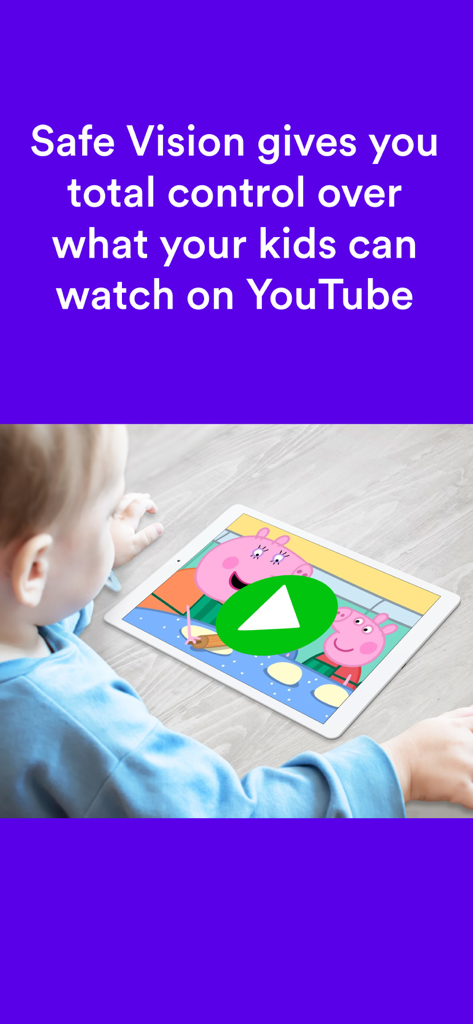
A young child watching a safe video on a tablet with the Safe Vision parental control app.
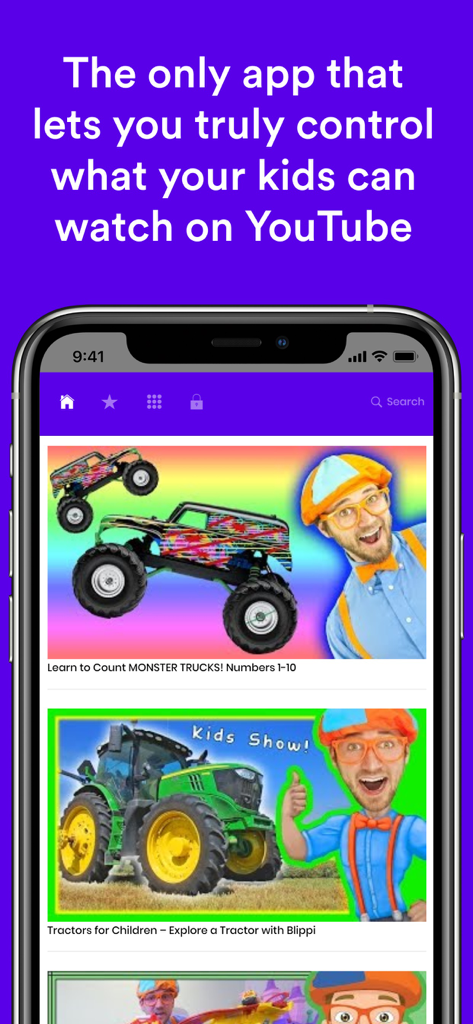
Safe Vision Kids for YouTube app interface on a smartphone showing parental control features and safe kids videos
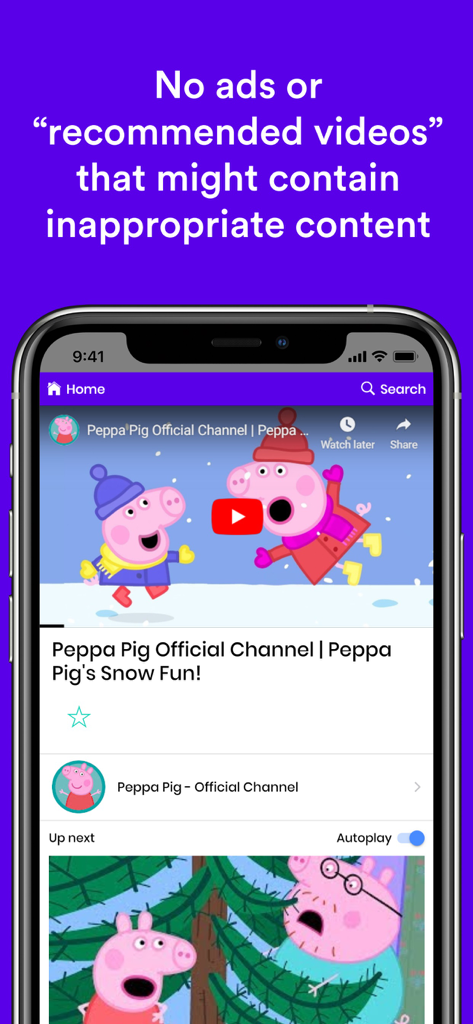
Safe Vision app interface playing an official Peppa Pig video with no ads or inappropriate recommended content
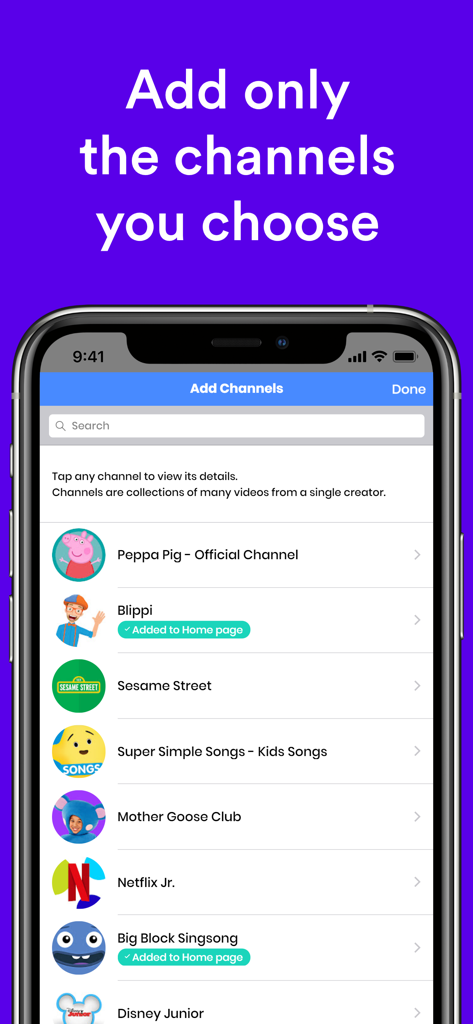
Safe Vision app screen for parents to select and whitelist specific YouTube channels for their children
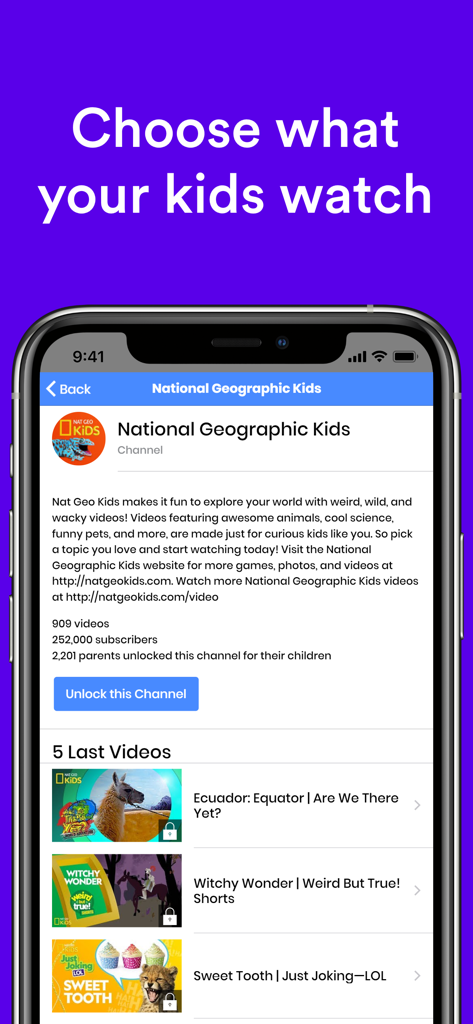
Safe Vision app interface for selecting and unlocking verified YouTube channels for kids
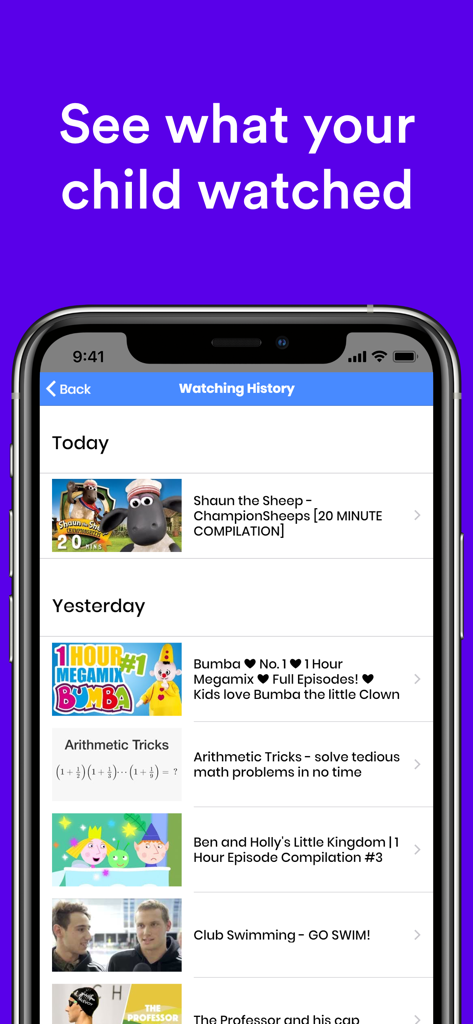
Mobile app screen showing a detailed list of videos watched by a child for parental monitoring
Description
Download
More Like This
Apps with similar features and user experience
Bounce Patrol Nursery Rhymes!
BOUNCE PATROL PTY. LTD.
YouTube Kids
Google LLC

贝乐虎儿歌-宝贝儿歌故事童话寓言多多听听
Leqing Network Technology Co., Ltd

儿歌点点-儿歌故事动画片益智启蒙
Beijing Mampod Technology Co. Ltd.
Kidjo TV: Kids Videos to Learn
Kidjo, INC

Tankee Gaming Videos & More
Tankee Inc.
Cuquin - Baby Songs & Cartoons
COLORCITY LIMITED
One4Kids TV
One 4 Kids Pty Ltd

Video Touch: Wild Animals
SoundTouch Interactive
This page is not an official page of the app or its developer, but an independent editorial publication created for informational and commentary purposes. Unless expressly stated otherwise, neither the app nor its developer is affiliated with, endorsed by, sponsored by, authorized by, or otherwise officially connected with MWM, Apple, Google Play, the app publisher, or the app's developer, and nothing on this page implies that the app was developed using MWM's services. Any trademarks, logos, screenshots, and other content remain the property of their respective owners.