
This page is not an official page of the app or its developer, but an independent editorial publication created for informational and commentary purposes. Unless expressly stated otherwise, neither the app nor its developer is affiliated with, endorsed by, sponsored by, authorized by, or otherwise officially connected with MWM, Apple, Google Play, the app publisher, or the app's developer, and nothing on this page implies that the app was developed using MWM's services. Any trademarks, logos, screenshots, and other content remain the property of their respective owners.

SafeZone
Connect instantly with your organization’s response team for emergencies, first aid, and localized guidance—providing peace of mind wherever you work or study.
Downloads
540K+User Rating
Total Ratings
100Publisher
Category
UtilitiesLocales
10Latest Version
3.194Size
236.7 MBFirst Released
Aug 1, 2012Your Direct Link to Safety and Support
Experience peace of mind across your campus or workplace with a dedicated safety network that puts professional help just one tap away.
One-Tap Emergency Alerts
Connect directly to your organization's security team when every second counts, providing your exact location for a response faster than 911.
Smart Check-In for Solo Work
Work or study late with confidence by sharing your status and location with responders, ensuring you're never truly alone in isolated areas.
Frequently Asked Questions
Everything you need to know about SafeZone
What is the SafeZone app?
The SafeZone app is a free application that connects users directly to their organization's response team for help in emergencies, first aid situations, or less urgent needs.
Who can use the SafeZone app?
Only individuals at organizations using the SafeZone solution can use the app. Users must sign up with their organizational email (University or Work).
Is the SafeZone app free to use?
Yes, the SafeZone app is free. It connects users directly to their organization's response team without charge.
How do I get help in an emergency using the SafeZone app?
Yes, you can get help in an emergency. Tap the "Emergency" button in the SafeZone app, and the response team is alerted to your situation and location.
What is the 'First Aid' feature in the SafeZone app?
The 'First Aid' feature allows users to contact their organization's response team when they or someone nearby needs first aid. The team receives an alert with the user's location.
Can I check-in with the SafeZone app when working alone?
Yes, the SafeZone app allows you to Check-In to share your status with the response team when working alone. This feature also provides access to safety tips.
Does the SafeZone app provide emergency notifications?
Yes, SafeZone allows you to receive Emergency Notifications and guidance from your organization during critical incidents.
What happens if I raise an alert outside a SafeZone area?
If you press an Alert button outside a defined SafeZone area, the app indicates you are outside the zone and offers a single-tap call to local emergency services.
Can the SafeZone app track shuttle bus locations?
Yes, if your organization provides safety shuttle buses, you can see their real-time locations inside the SafeZone app.
Does the SafeZone app use location services?
Yes, the SafeZone application uses location services while running in the background. Continuous use of GPS can significantly decrease battery life.
How does the SafeZone app send an alert?
When an alert button is pressed, the SafeZone app displays a countdown "Preparing to send alert..." and then shows "Sending Alert" with current GPS location.
Does the SafeZone app show my GPS location during an alert?
Yes, during an alert, the SafeZone app displays your current GPS location coordinates. This information is shared with the response team.
Can I call security or emergency services directly from the SafeZone app?
Yes, after an alert is sent, the SafeZone app provides buttons to "Call Security" and "Call 000" (local emergency services).
The following screenshots and description are sourced directly from the app's official store listing and are the property of the app developer.
App Store
Screenshots
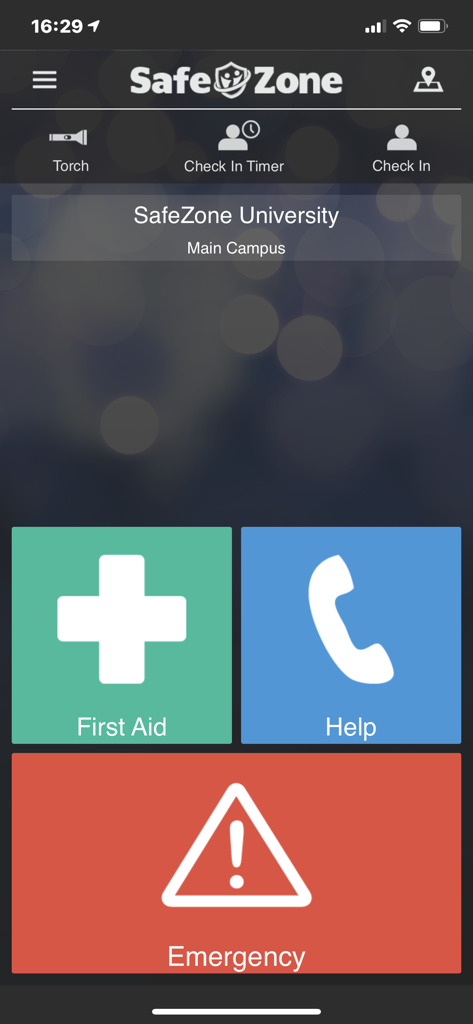
SafeZone app dashboard showing First Aid Help and Emergency contact buttons
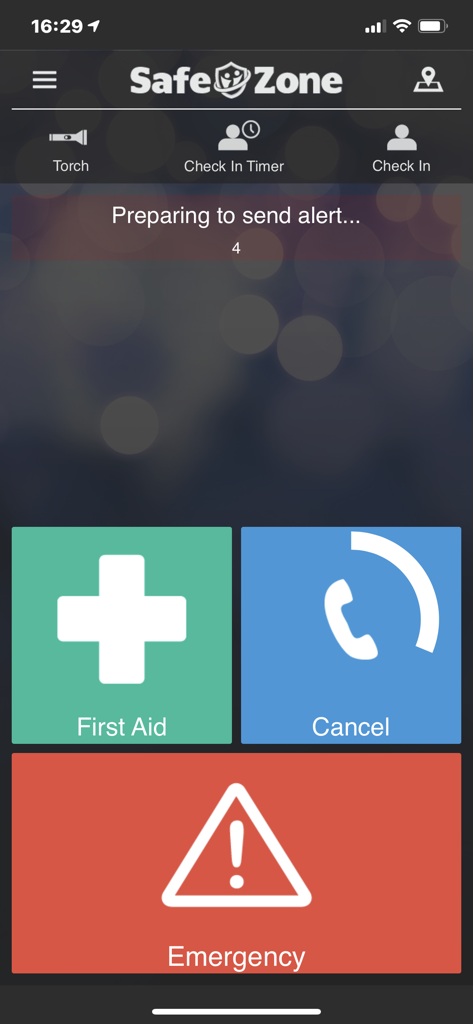
SafeZone mobile app interface featuring large First Aid and Emergency buttons with a timer preparing to send an alert
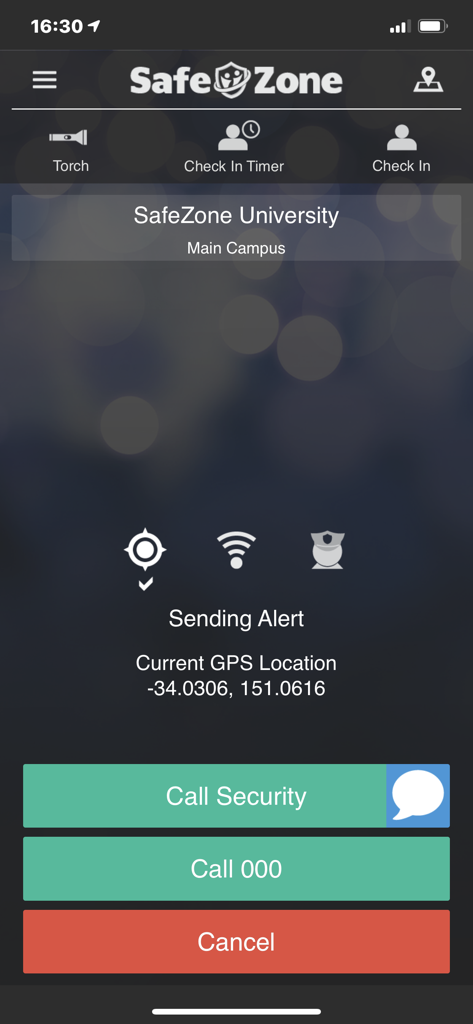
SafeZone app interface showing an emergency alert in progress with current GPS coordinates and options to call security or emergency services
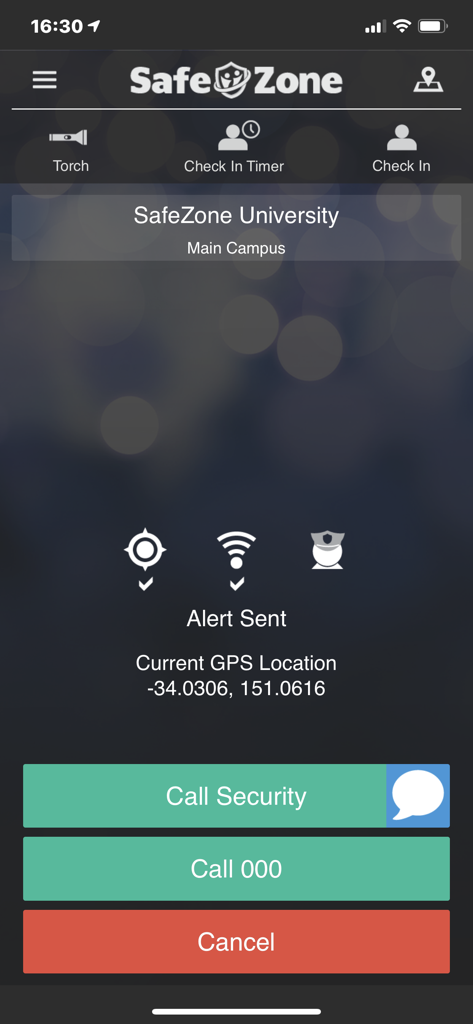
SafeZone app interface showing an alert sent screen with institutional security and emergency call options.
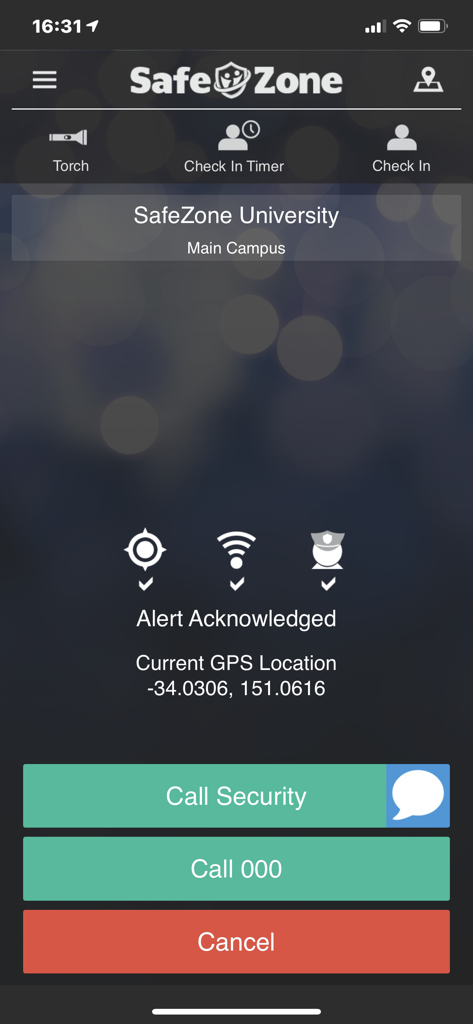
SafeZone app interface displaying an acknowledged alert and emergency contact options.
Description
Download
More Like This
Apps with similar features and user experience

SafeNow™
SafeNow GmbH
Záchranka
Medical Information Technologies, s.r.o.

Noonlight: Feel Protected 24/7
Noonlight, Inc.

Kaaval Uthavi
Tamil Nadu Police
Hjelp 113
Stiftelsen Norsk Luftambulanse

112NL
Politie Nederland

EchoSOS
MobileMed Sarl

Pol-App(Kerala Police)
Kerala Police
Emergency Plus
National Triple Zero Awareness Work Group
This page is not an official page of the app or its developer, but an independent editorial publication created for informational and commentary purposes. Unless expressly stated otherwise, neither the app nor its developer is affiliated with, endorsed by, sponsored by, authorized by, or otherwise officially connected with MWM, Apple, Google Play, the app publisher, or the app's developer, and nothing on this page implies that the app was developed using MWM's services. Any trademarks, logos, screenshots, and other content remain the property of their respective owners.