Salesforce Authenticator

Salesforce Authenticator

Download on App Store
Logo of Salesforce Authenticator

Salesforce Authenticator: One-Tap Security for Your Professional Workflow

Protect your accounts with lightning-fast push notifications and intelligent, location-based automation that secures your data without slowing you down.

Download on App Store

Publisher

salesforce.com

Category

Business

Downloads

5M+

User Rating

4.6/5

Total Ratings

7K+

Locales

26

Security at a Tap

Discover the interface used by 5M+ users.
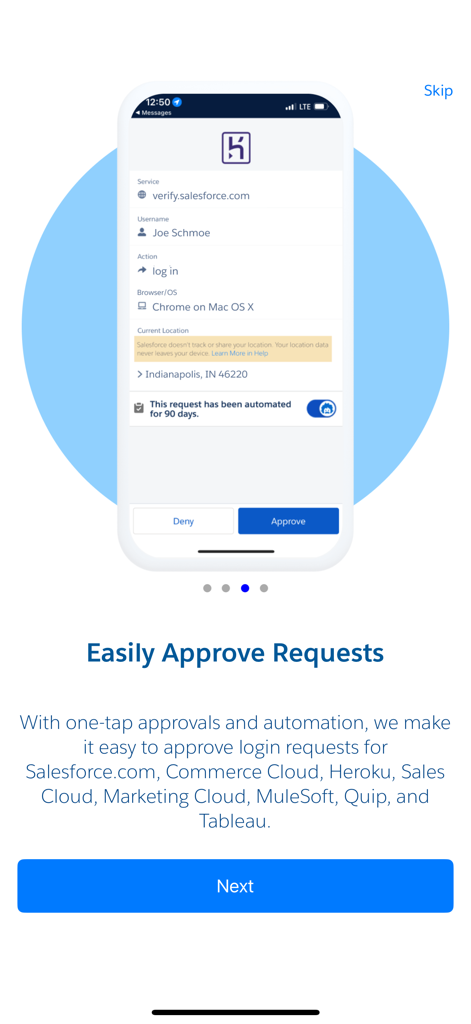
Interface of Salesforce Authenticator app showing a request to approve a login attempt.

Interface of Salesforce Authenticator app showing a request to approve a login attempt.

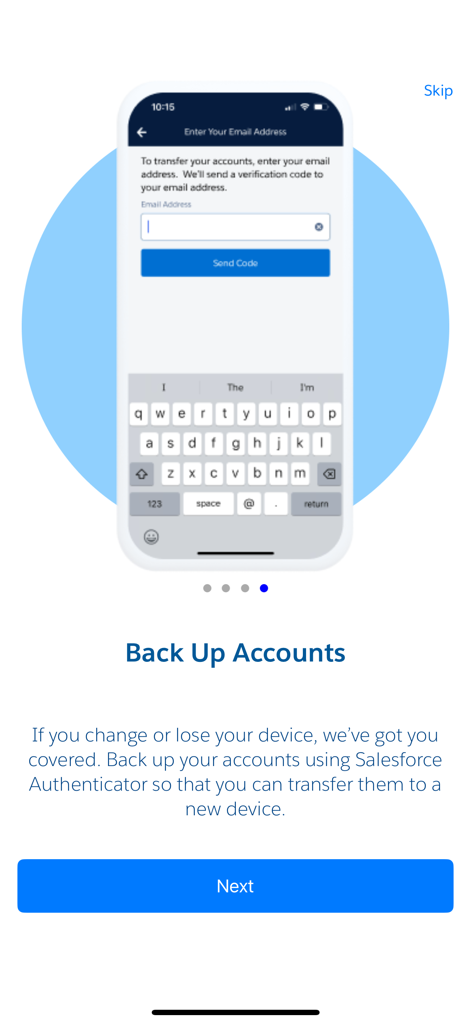
Salesforce Authenticator mobile app screen showing account backup options

Salesforce Authenticator mobile app screen showing account backup options

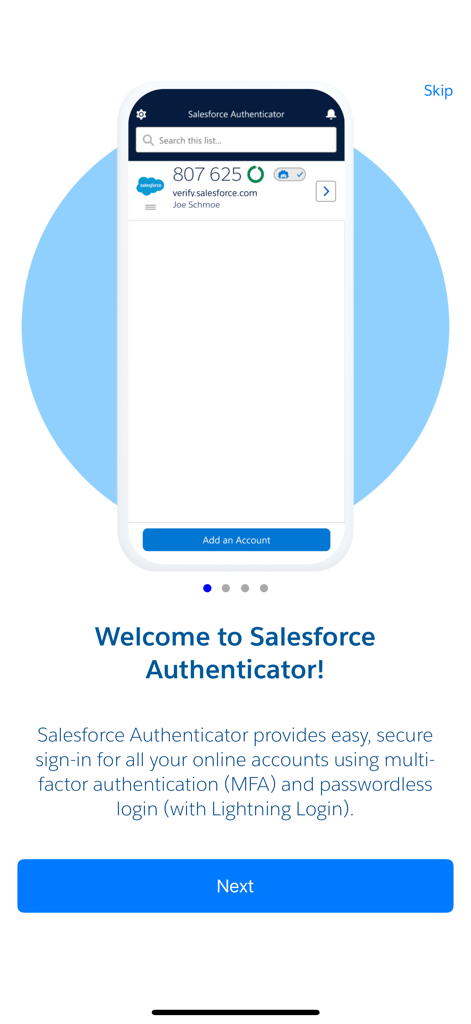
Welcome screen of the Salesforce Authenticator app highlighting multi-factor authentication and passwordless login features

Welcome screen of the Salesforce Authenticator app highlighting multi-factor authentication and passwordless login features

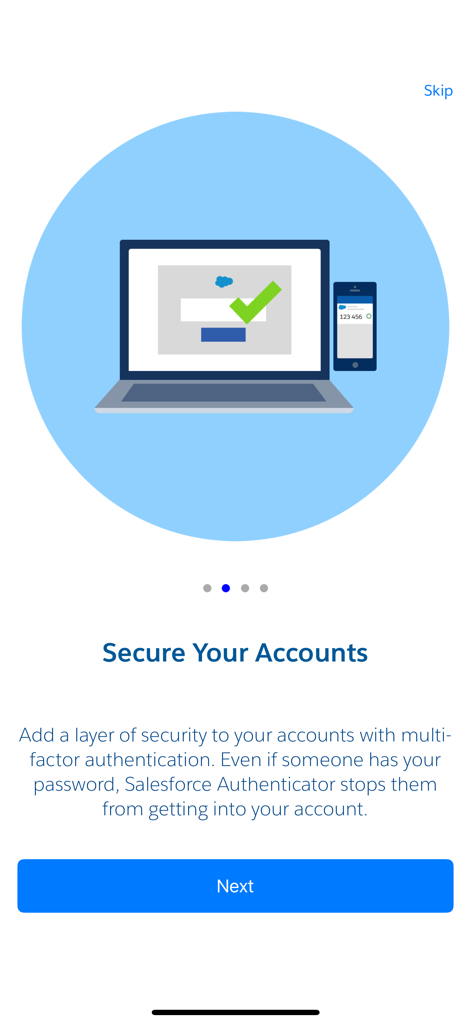
Salesforce Authenticator app onboarding screen titled Secure Your Accounts with a laptop and smartphone illustration.

Salesforce Authenticator app onboarding screen titled Secure Your Accounts with a laptop and smartphone illustration.

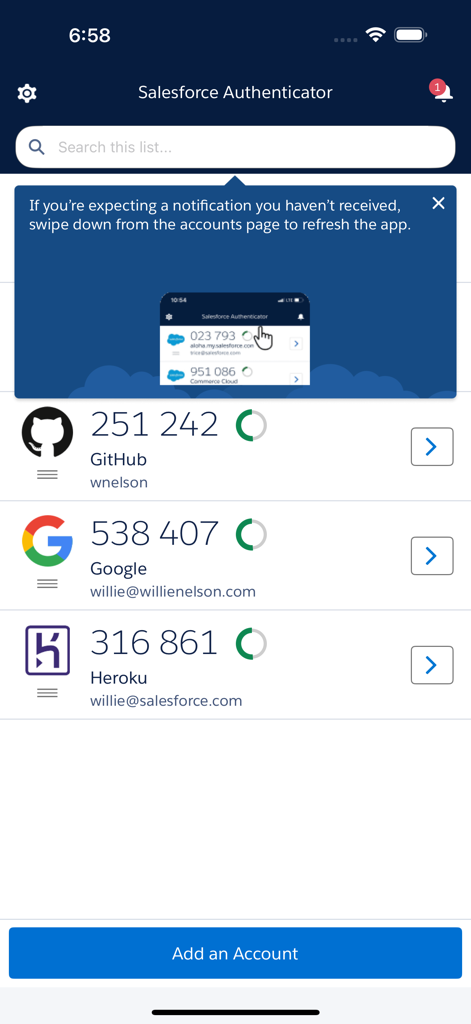
Salesforce Authenticator app main screen displaying a list of connected accounts and their 6-digit verification codes.

Salesforce Authenticator app main screen displaying a list of connected accounts and their 6-digit verification codes.

Secure Access, Without the Friction

The tools that make this app stand out, trusted by 5M+ users.

📲

One-Tap Verification

Forget typing 6-digit codes. Approve logins and critical actions with a simple tap on your iPhone or Apple Watch notification.

📍

Smart Automation

Automate your workflow by trusting your home or office. The app uses geofencing to verify your identity automatically in safe zones.

🛡️

Privacy-First Security

Enterprise-grade protection that respects your privacy. Location data stays on your device and is never shared or tracked by Salesforce.

About the app

Everything you need to know about Salesforce Authenticator.

Description

Salesforce Authenticator adds an extra layer of security for your online accounts with multi-factor authentication (also known as two-factor authentication). With Salesforce Authenticator, you use your mobile device to verify your identity when logging in to your account or performing critical actions. The app sends you a push notification, and you approve or deny the activity with just a tap. For even more convenience, Salesforce Authenticator can use your mobile device’s location services to automatically approve account activity that you trust. The app also provides one-time verification codes for use while you’re offline or have low connectivity. Use Salesforce Authenticator to secure all your online accounts that support time-based one-time passwords (TOTP). Any service that allows multi-factor authentication using an “Authenticator app” is compatible with Salesforce Authenticator. Location Data & Privacy If you enable location-based automation in Salesforce Authenticator, rest assured that Salesforce never tracks your location or shares it with anyone. Location data is stored securely on your mobile device, never in the cloud. You can delete all location data from your device or turn off location services at any time. Learn more about how the app uses location data in Salesforce Help. Battery Usage Rather than getting precise location updates, Salesforce Authenticator only receives updates when you enter or leave the approximate area, or “geofence,” of a location that you trust. By minimizing the frequency of location updates, Salesforce Authenticator conserves your mobile device’s battery life. To reduce battery usage even more, you can turn off location services and stop automating your activity.

Latest Version

4.7.0

Size

62.9 MB

First Released

Jan 8, 2014

Ready to secure your workflow without the friction?

Join over 5 million professionals who use Salesforce Authenticator for one-tap approvals and intelligent, location-based automation.

Download on App Store
FAQ

Frequently Asked Questions

Everything you need to know about Salesforce Authenticator

What is Salesforce Authenticator?

Salesforce Authenticator is a mobile app that provides multi-factor authentication (MFA) for online accounts. It enhances security by requiring users to verify identity via push notifications or one-time verification codes during login.

How does Salesforce Authenticator work for logins?

Salesforce Authenticator sends a push notification to your mobile device when you log in. You verify your identity by approving or denying the activity directly from the app with a single tap.

Can Salesforce Authenticator automatically approve logins?

Yes, Salesforce Authenticator can use your mobile device’s location services to automatically approve trusted account activity. This feature enhances convenience while maintaining security for your logins.

Does Salesforce Authenticator work offline?

Yes, Salesforce Authenticator provides one-time verification codes. These codes enable secure login verification even when your mobile device is offline or has low connectivity.

What accounts are compatible with Salesforce Authenticator?

Salesforce Authenticator is compatible with any online service supporting time-based one-time passwords (TOTP) for multi-factor authentication. This includes services allowing "Authenticator app" MFA.

Does Salesforce Authenticator track my location?

No, Salesforce Authenticator does not track your location or share it. Location data for automated approvals is stored securely on your mobile device only, never in the cloud.

Can I delete location data from Salesforce Authenticator?

Yes, you can delete all location data from your device within Salesforce Authenticator. You also have the option to turn off location services at any time.

How does Salesforce Authenticator manage battery usage?

Salesforce Authenticator conserves battery by only receiving location updates when you enter or leave a trusted "geofence." It avoids frequent, precise location tracking.

Can I back up my accounts in Salesforce Authenticator?

Yes, Salesforce Authenticator allows you to back up your accounts. This feature enables you to transfer your authenticated accounts if you change or lose your mobile device.

App information, icons, screenshots, and descriptions displayed on this page are sourced from the Apple App Store and are the property of their respective developers. Download estimates and rankings are based on MWM's proprietary models and may not reflect actual figures. This page is provided for informational and analytical purposes only.

Believe this page infringes your intellectual property? File a dispute