
This page is not an official page of the app or its developer, but an independent editorial publication created for informational and commentary purposes. Unless expressly stated otherwise, neither the app nor its developer is affiliated with, endorsed by, sponsored by, authorized by, or otherwise officially connected with MWM, Apple, Google Play, the app publisher, or the app's developer, and nothing on this page implies that the app was developed using MWM's services. Any trademarks, logos, screenshots, and other content remain the property of their respective owners.


ScamShield
Protect yourself and your loved ones from digital fraud. Block robocalls, filter suspicious messages, and verify links instantly with the app built to give you back your peace of mind.
Downloads
640K+User Rating
Total Ratings
800Publisher
Category
UtilitiesLocales
1Latest Version
4.2.1Size
63.1 MBFirst Released
Feb 17, 2025Your Ultimate Shield Against Digital Scams
Take control of your mobile safety with advanced filtering and verification tools designed to protect you and your loved ones from evolving fraud.
Automatic Call & SMS Blocking
Experience total peace of mind as the app silences known fraudulent callers and filters out phishing texts before they ever reach your screen.
Instant Screenshot Analysis
Unsure about a WhatsApp or Telegram message? Simply upload a screenshot to instantly verify if a link or contact is suspicious.
Frequently Asked Questions
Everything you need to know about ScamShield
What is ScamShield?
ScamShield is an app that protects users by blocking scam calls, filtering scam SMS messages, and allowing them to check suspicious links, messages, or numbers for potential scams.
How does ScamShield protect against scams?
ScamShield protects users by blocking calls from known scam numbers, filtering suspicious SMSes into a junk folder, and enabling users to check if messages, links, or numbers are suspicious before interacting with them.
Can ScamShield detect suspicious messages from WhatsApp or Telegram?
Yes, ScamShield can check suspicious messages from WhatsApp and Telegram. Users can upload screenshots of these messages to determine if they might be a scam.
Does ScamShield notify users about reported scam numbers?
Yes, ScamShield notifies users when a number they reported is marked as scam-related by the authorities. Users can also view a history of these identified scam-related numbers.
How do I report scams using the ScamShield app?
Users report suspicious calls, messages, and links directly through the ScamShield app. They can include screenshots to provide additional evidence for the report.
Is reporting a scam in ScamShield the same as filing a police report?
No, submitting a scam report in the ScamShield app is not equivalent to filing an official police report. If scammed, users must file an e-report with the Singapore Police Force.
How does ScamShield block calls?
ScamShield blocks calls from numbers identified as scams by authorities. Users must complete a quick setup guide within the app to enable this call blocking functionality.
How does ScamShield filter SMS messages?
ScamShield filters suspicious SMS messages, originating from unknown numbers or known scammers, by directing them to the user's Junk folder. This feature requires initial setup.
Who developed the ScamShield app?
ScamShield is built by Open Government Products. It is developed through a collaboration with the Singapore Police Force (SPF) and the National Crime Prevention Council (NCPC).
Does ScamShield read my calls or contact list?
No, ScamShield respects user privacy. It does not listen to calls on the phone, nor does it read SMSes from numbers present in the user's contact list.
The following screenshots and description are sourced directly from the app's official store listing and are the property of the app developer.
App Store
Screenshots
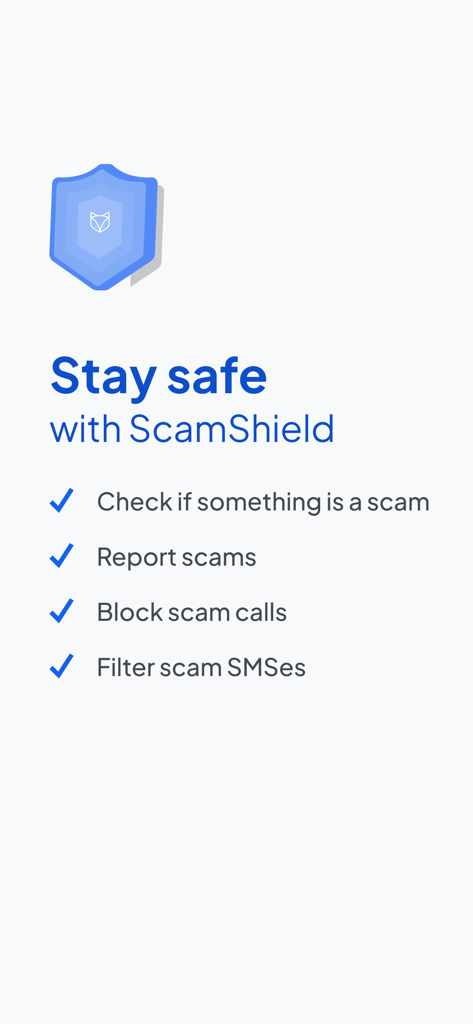
ScamShield app dashboard showing features to check, report, and block scam calls and SMS
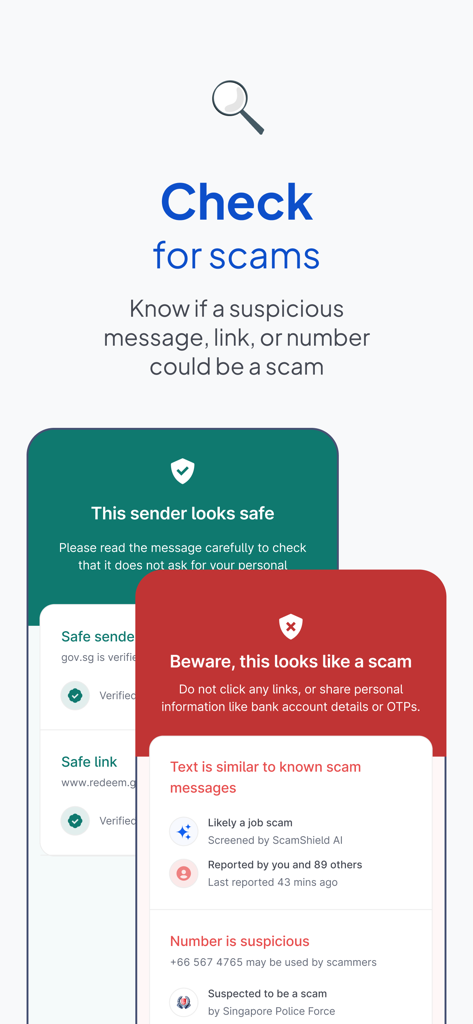
Interface of ScamShield app showing how to check if a message link or phone number is a scam with safe and scam alert examples
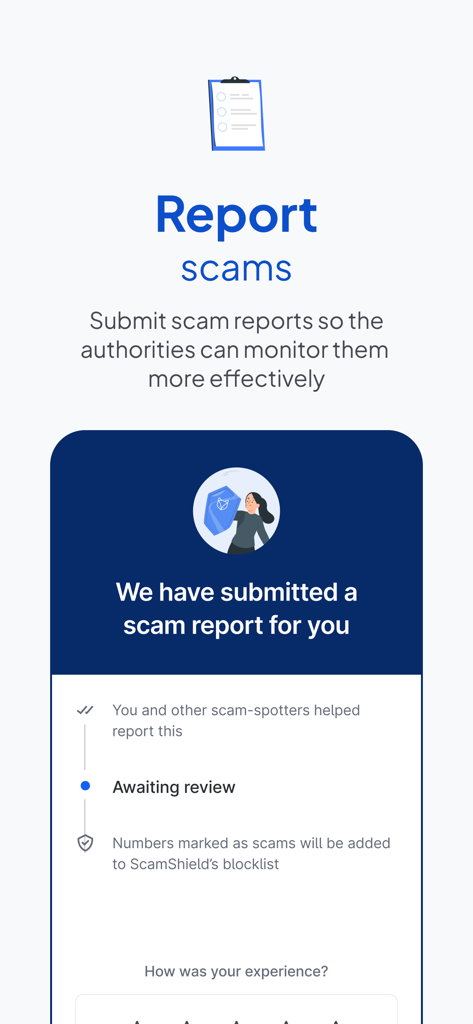
Interface of ScamShield app showing how to report scams and track the status of reports for community protection.
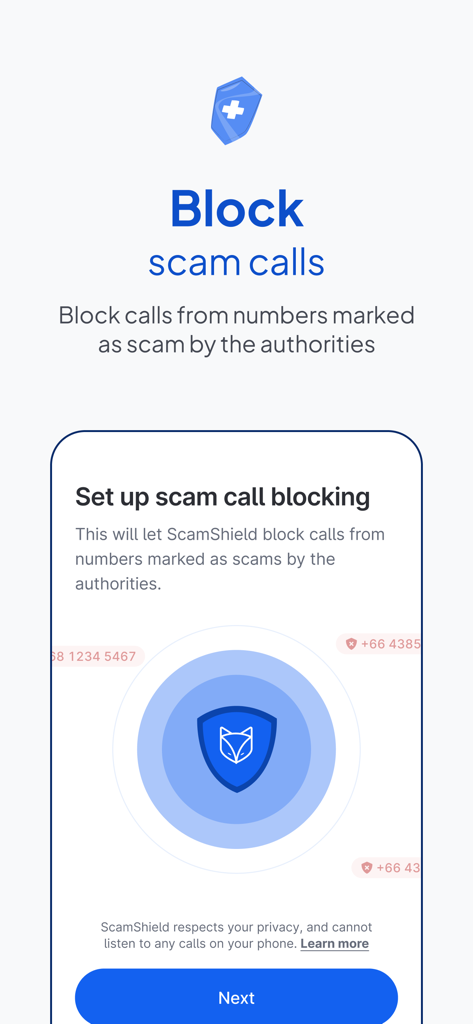
Setup screen for blocking scam calls in the ScamShield app
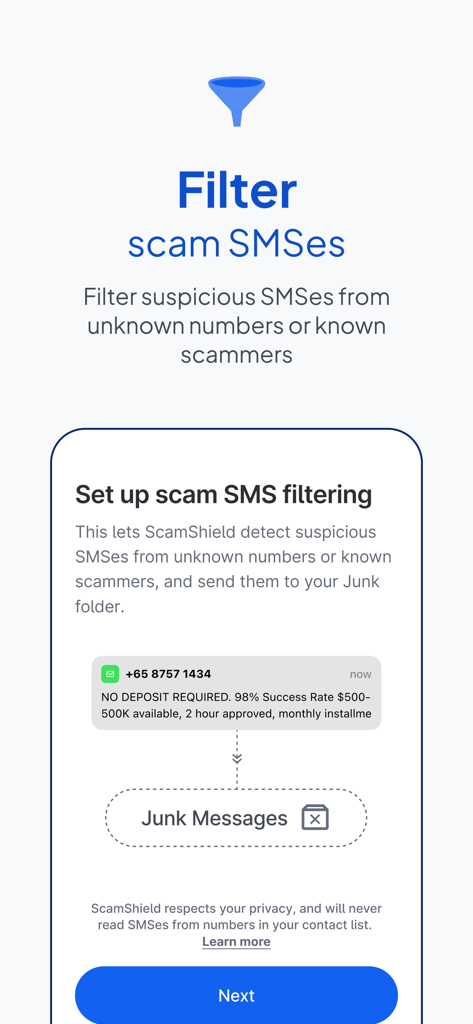
ScamShield app interface showing how to set up filtering for suspicious SMS messages and move them to a junk folder
Description
Download
More Like This
Apps with similar features and user experience

Gens de Confiance
GENS DE CONFIANCE

黑猫投诉-新浪旗下消费者服务平台
Beijing Sina Finance Information Service Co., Ltd.
医美查-全国医美整形信息查询
Chengdu Meierbei Network Technology Co., Ltd.

더치트 - 사기피해 정보공유 공식 앱
TheCheat corporation

Control+ Security & Protection
National Cyber Shield

Mit digitale selvforsvar
Forbrugerradet

Scam Scanner, reveal scams
Mobile Apps Raw Company
This page is not an official page of the app or its developer, but an independent editorial publication created for informational and commentary purposes. Unless expressly stated otherwise, neither the app nor its developer is affiliated with, endorsed by, sponsored by, authorized by, or otherwise officially connected with MWM, Apple, Google Play, the app publisher, or the app's developer, and nothing on this page implies that the app was developed using MWM's services. Any trademarks, logos, screenshots, and other content remain the property of their respective owners.