Scan to Sheets - QR & Barcode

Scan to Sheets - QR & Barcode

Download on App Store
Logo of Scan to Sheets - QR & Barcode

Scan to Sheets - QR & Barcode: Sync Inventory Directly to Google Sheets

Eliminate manual data entry and streamline your workflow. Scan barcodes and QR codes directly into your spreadsheets with real-time updates, custom fields, and GPS location tracking.

Download on App Store

Publisher

Sheetify Limited

Category

Productivity

Downloads

10K+

User Rating

4.5/5

Total Ratings

600

Locales

1

Efficiency in Action

Discover the interface used by 10K+ users.
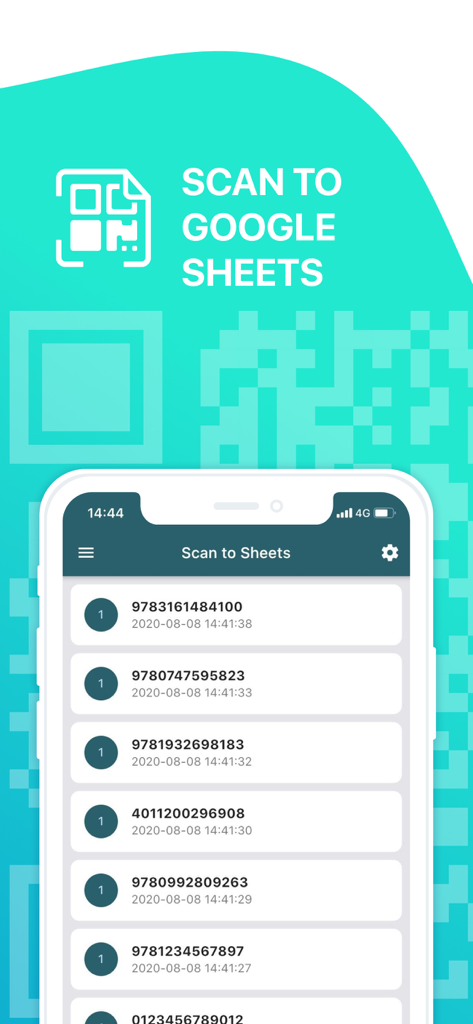
Interface of the Scan to Sheets app showing a history of scanned barcodes with timestamps on a smartphone

Interface of the Scan to Sheets app showing a history of scanned barcodes with timestamps on a smartphone

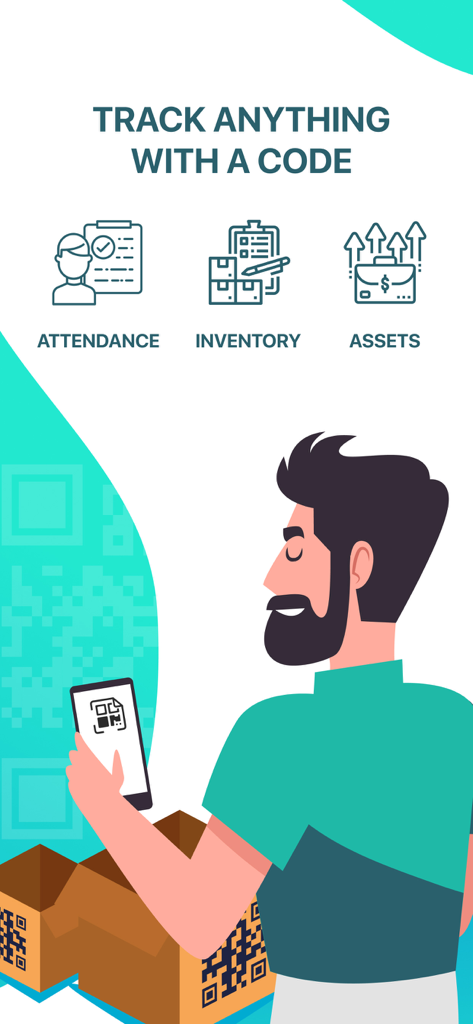
A man using his smartphone to scan a QR code on a package for inventory tracking

A man using his smartphone to scan a QR code on a package for inventory tracking

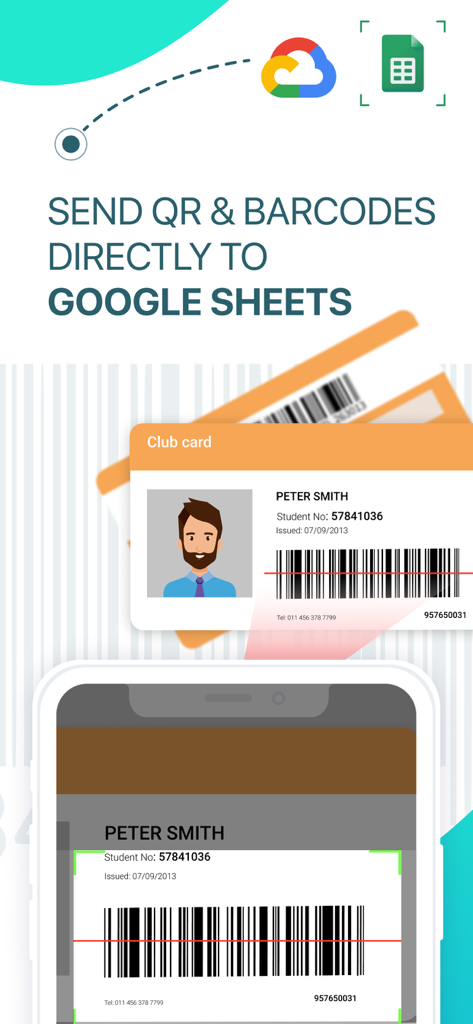
A smartphone scanning a barcode from an ID card to sync data with Google Sheets

A smartphone scanning a barcode from an ID card to sync data with Google Sheets

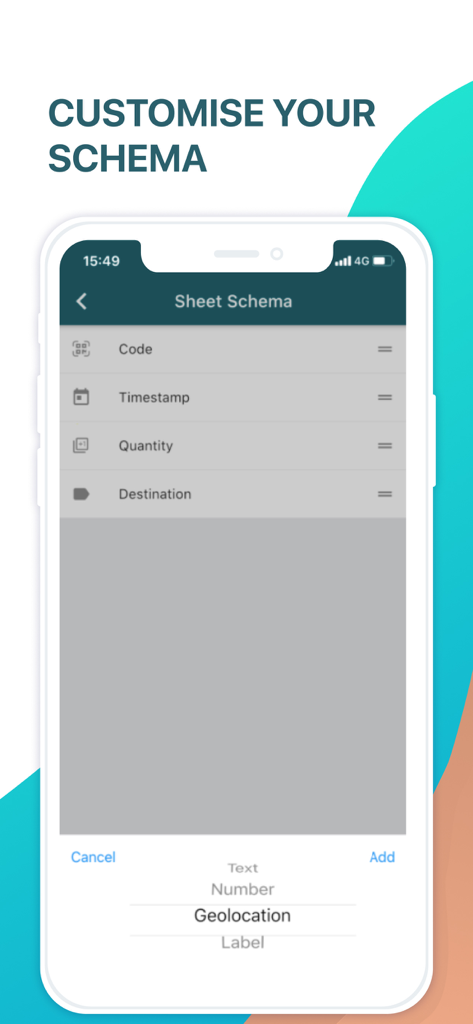
Interface for customizing spreadsheet data fields with options for geolocation and timestamps

Interface for customizing spreadsheet data fields with options for geolocation and timestamps

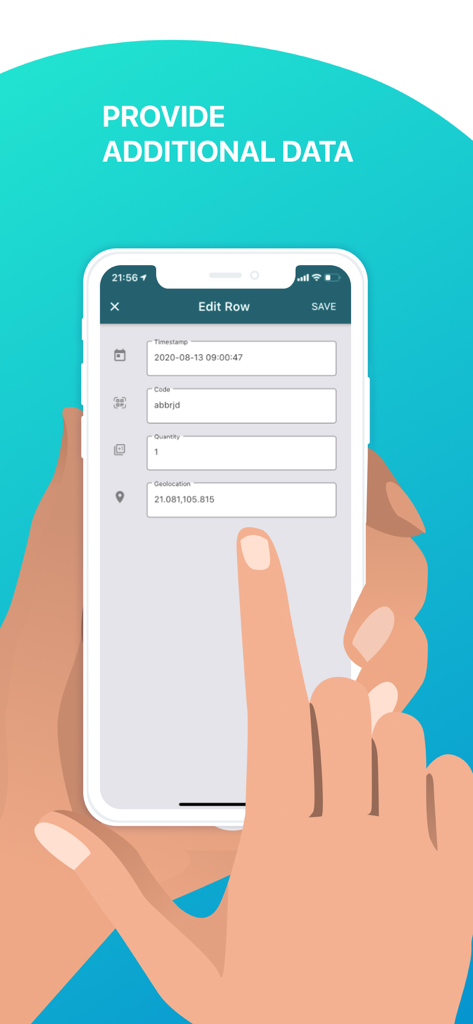
A mobile interface for adding additional data like timestamps and geolocations to scanned barcode rows

A mobile interface for adding additional data like timestamps and geolocations to scanned barcode rows

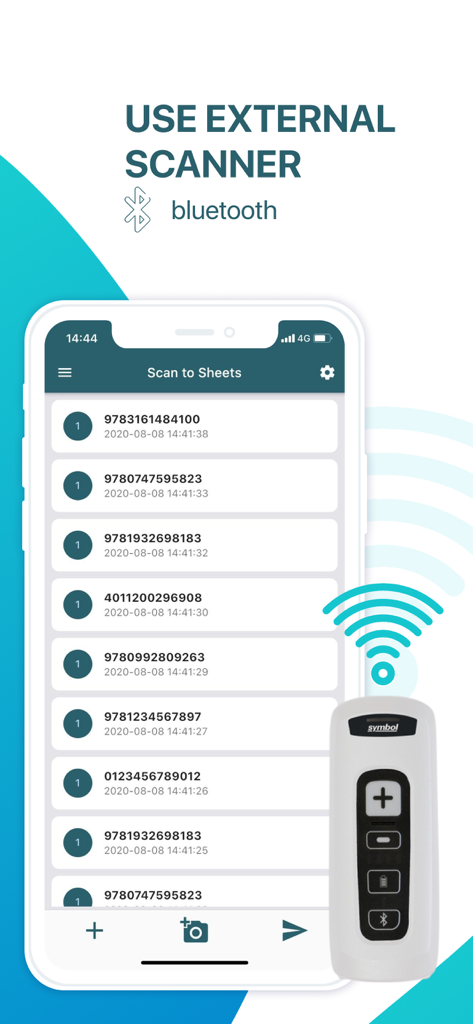
Mobile app interface showing a list of scanned codes and an external Bluetooth barcode scanner

Mobile app interface showing a list of scanned codes and an external Bluetooth barcode scanner

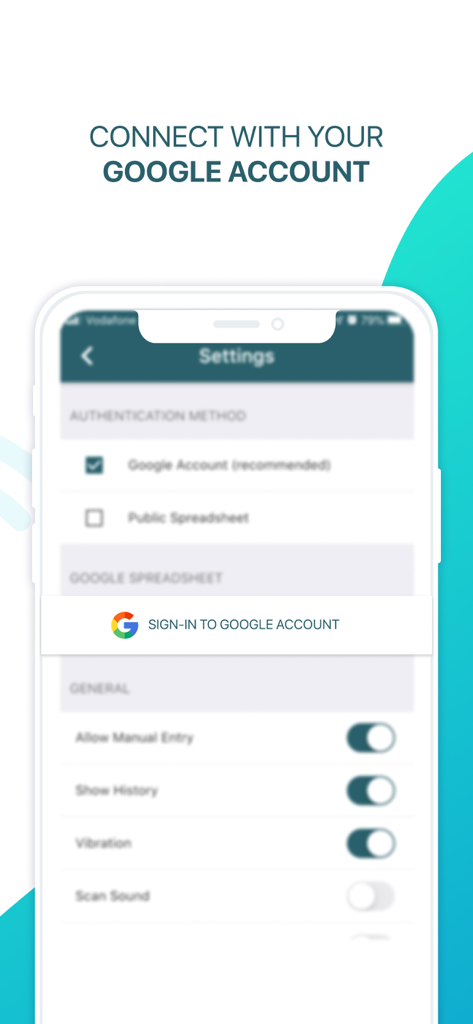
Settings screen for connecting a Google account in the Scan to Sheets app.

Settings screen for connecting a Google account in the Scan to Sheets app.

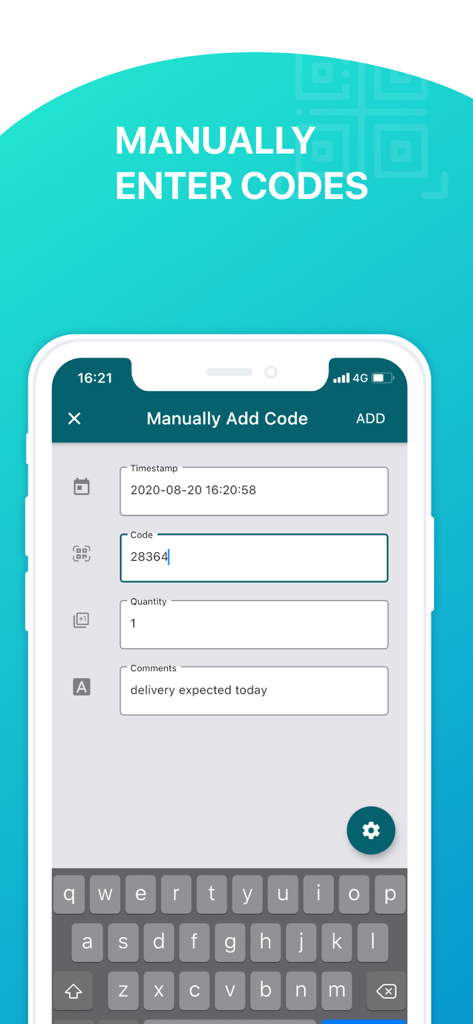
Interface of the Scan to Sheets app showing a form for manual entry of barcode data including timestamp, quantity, and comments.

Interface of the Scan to Sheets app showing a form for manual entry of barcode data including timestamp, quantity, and comments.

Everything You Need to Automate Your Data Entry

The tools that make this app stand out, trusted by 10K+ users.

Instant Google Sheets Sync

Skip the CSV exports. Your scans appear in your spreadsheet in real-time, making data immediately available for your entire team.

📍

Smart Data Customization

Automatically append GPS locations, timestamps, and custom quantities to every scan to maintain perfect accountability and records.

📦

Professional Hardware Support

Connect external Bluetooth or USB scanners to turn your mobile device into a high-speed inventory station for heavy-duty workflows.

About the app

Everything you need to know about Scan to Sheets - QR & Barcode.

Description

Scan to Sheets - QR & Barcode scanner allows you to easily scan QR and barcodes and store codes in Google Sheets. Looking to keep track of the inventory or your shop, warehouse or library? Need to monitor attendance of your classes, events and meetings? Look no further than Scan to Sheets, the app that allows you to quickly and easily scan QR codes and barcodes directly to Google Sheets. Supports a large variety of formats and external scanners connected via bluetooth or USB. Securely sign in with your Google account or connect to your public spreadsheets without sign in. You can customise your schema to append geolocations, timestamps, quantities, and custom text and numeric fields and labels to your scans. -------------------- Terms of Use: https://www.apple.com/legal/internet-services/itunes/dev/stdeula/ See https://scantogooglesheets.com/privacy/ for our privacy policy.

Latest Version

1.43.8

Size

124.5 MB

First Released

Feb 10, 2019

Ready to Streamline Your Workflow?

Stop wasting time on manual data entry. Join 10,000+ professionals who trust Scan to Sheets for instant, accurate inventory and attendance tracking directly in Google Sheets.

Download on App Store
FAQ

Frequently Asked Questions

Everything you need to know about Scan to Sheets - QR & Barcode

What is Scan to Sheets - QR & Barcode?

Scan to Sheets - QR & Barcode is an app designed to scan QR codes and barcodes, storing them directly into Google Sheets. It helps users track inventory, attendance, and various assets efficiently.

Does Scan to Sheets support external barcode scanners?

Yes, Scan to Sheets supports external scanners connected via Bluetooth or USB. This allows for flexible and efficient QR code and barcode scanning.

Can I customize data fields when scanning with Scan to Sheets?

Yes, users can customize their schema in Scan to Sheets. This includes appending geolocations, timestamps, quantities, and custom text/numeric fields and labels to their scans.

What can I track using the Scan to Sheets app?

Scan to Sheets enables users to track inventory for shops, warehouses, or libraries. It also monitors attendance for classes, events, and meetings by scanning QR codes and barcodes.

How does Scan to Sheets handle user authentication?

Scan to Sheets offers secure sign-in with a Google account. Users can also connect to public spreadsheets without requiring an explicit sign-in process.

Can codes be manually entered into Scan to Sheets?

Yes, Scan to Sheets allows manual entry of codes. Users can input timestamps, codes, quantities, and comments directly into the app.

App information, icons, screenshots, and descriptions displayed on this page are sourced from the Apple App Store and are the property of their respective developers. Download estimates and rankings are based on MWM's proprietary models and may not reflect actual figures. This page is provided for informational and analytical purposes only.

Believe this page infringes your intellectual property? File a dispute