Screen Recorder:Video Recorder
Download on App Store

This page is not an official page of the app or its developer, but an independent editorial publication created for informational and commentary purposes. Unless expressly stated otherwise, neither the app nor its developer is affiliated with, endorsed by, sponsored by, authorized by, or otherwise officially connected with MWM, Apple, Google Play, the app publisher, or the app's developer, and nothing on this page implies that the app was developed using MWM's services. Any trademarks, logos, screenshots, and other content remain the property of their respective owners.

Logo of Screen Recorder:Video Recorder
Download on App Store

Screen Recorder:Video Recorder

Capture HD video with facecam, edit with precision, and live stream directly to YouTube or Twitch. No watermarks, no limits—just everything you need to grow your audience and share your gaming wins.

Key Figures

Downloads

0

User Rating

4.4/5

Total Ratings

0

Publisher

金璇 黄

Category

Photo & Video

Locales

2

Latest Version

1.1.8

Size

238.6 MB

First Released

Sep 17, 2023
Features

Your All-In-One Mobile Production Studio

From epic gaming highlights to viral tutorials, Screen Recorder gives you the professional tools to capture, edit, and stream like a pro.

High-Def Recording & Facecam

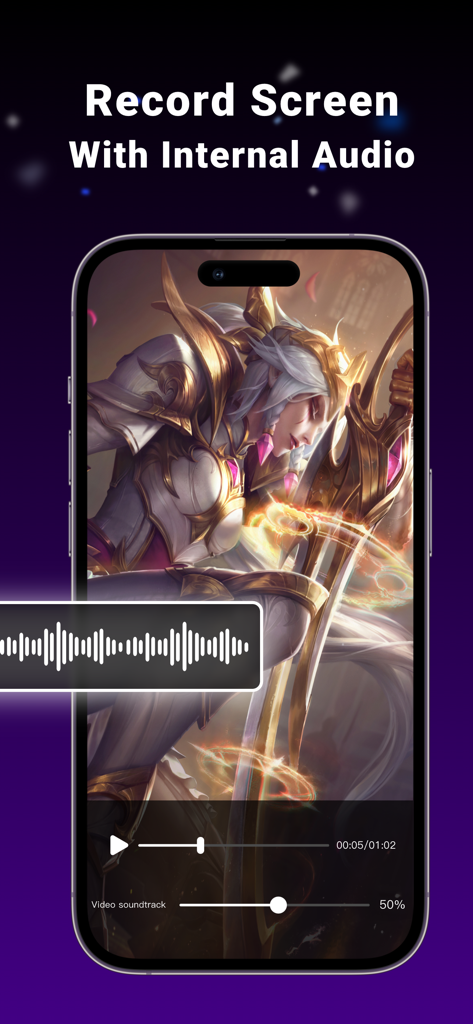
Capture your best plays in crystal-clear quality with simultaneous internal audio and Facecam reactions for high-impact social content.

Go Live Anywhere, Anytime

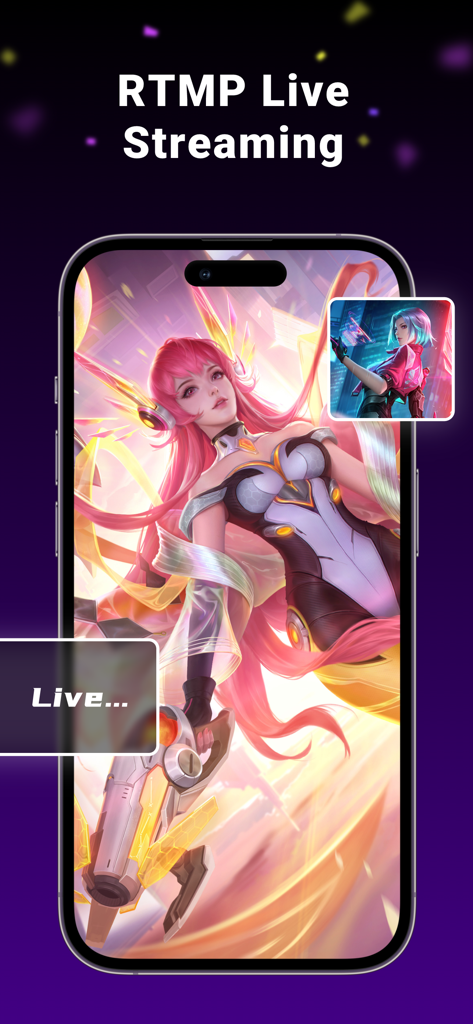
Broadcast your screen directly to Twitch, YouTube, and Facebook. Interact with your fans in real-time without needing an expensive PC setup.

The following screenshots and description are sourced directly from the app's official store listing and are the property of the app developer.

App Store

Screenshots
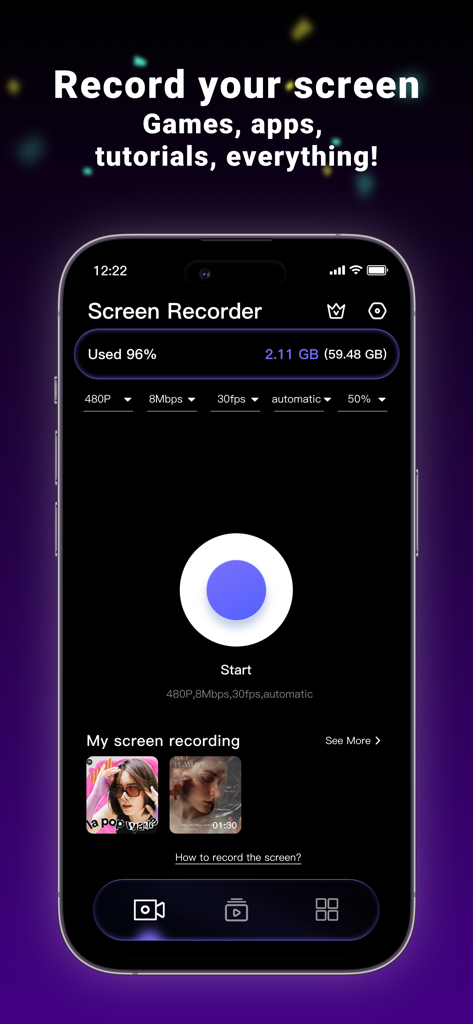
Screen Recorder:Video Recorder - Main dashboard of the Screen Recorder app on an iPhone showing a large start button and video quality settings.
Main dashboard of the Screen Recorder app on an iPhone showing a large start button and video quality settings.

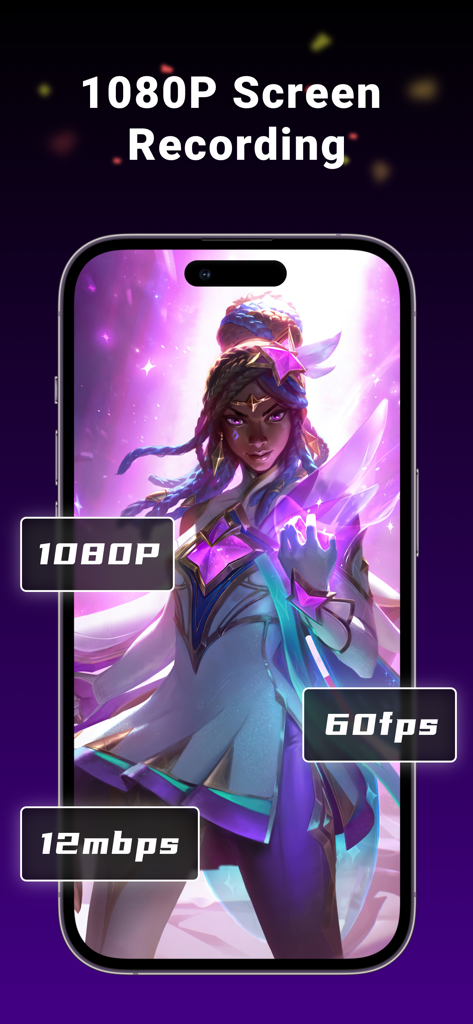
Screen Recorder:Video Recorder - 1080P 60fps screen recording interface showing high quality video settings for mobile gaming
1080P 60fps screen recording interface showing high quality video settings for mobile gaming

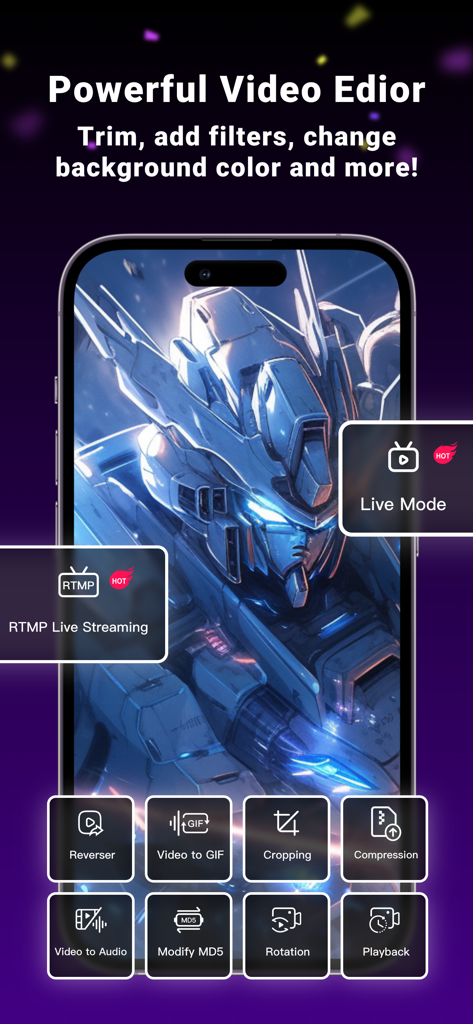
Screen Recorder:Video Recorder - Screenshot of the Screen Recorder app showing various video editing tools and live streaming options on a mobile device.
Screenshot of the Screen Recorder app showing various video editing tools and live streaming options on a mobile device.

Screen Recorder:Video Recorder - iPhone screen recording a mobile game with a visible internal audio waveform overlay
iPhone screen recording a mobile game with a visible internal audio waveform overlay

Screen Recorder:Video Recorder - A mobile screen showing RTMP live streaming of a game with facecam and live status indicator.

A mobile screen showing RTMP live streaming of a game with facecam and live status indicator.

Description

Welcome to Screen Recorder - an efficient and user-friendly iOS screen recording application! Screen Recorder is your ideal tool for capturing screen activities, creating tutorials, sharing gaming achievements, or recording memorable moments on your iPhone. Key Features: High-Definition Recording: Screen Recorder supports high-quality screen recording, including clear audio and smooth video. Multiple Recording Modes: Choose from full-screen recording, selected area recording, or audio-only recording to meet various recording needs. Built-In Audio Recording: Simultaneously record internal audio and microphone sound to make your tutorials and presentations more appealing. Video Editor : The video can be simply compressed / variable speed / mute and other convenient operation, easy to share. Open facecam : add your reaction to the video. Use microphone to add audio commentary. Live stream your screen : Live Video Streaming Effortlessly live stream iPhone screen anytime you wish. Broadcast games or live stream on YouTube, Twitch, and Facebook directly with just a few taps. This is one of the best live streaming apps for recording and creating content on the iPhone. Export and Share: After completing your recording, easily export videos and share them on various social media platforms or via email, messages, and more. Screen Recorder is perfect for:
 • Lovers of video production and video editor
 • Podcast Maker, Talk Show producer and ASMR anchor • Youtube and TikTok video secondary creation
 • Musicians and Professional Music Producers • Students and teachers • Lover of game Feature Highlights: * Record high-quality video: you can choose resolution, frame rate and bit rate. * Live stream your screen * All-in-One Video Editor - Trim video: Keep only the most exciting parts and cut out the unnecessary parts - Add music to your video - Compressed video, easier to share with friends - Rotate the orientation of the video - You can add narration and voiceover to your video - Crop video area, change video aspect ratio - Change the playback speed of a video - Remove watermark from video - Turn your video into a GIF * Unlimited recording time! * No watermark on the video! * Add a custom watermark, you can set your own trademark or brand as a watermark to prevent the video from being used by others without authorization. Terms of Service: https://www.freeprivacypolicy.com/live/43665f1a-836b-4fc9-9d18-33977d15b277 Privacy Policy: https://www.freeprivacypolicy.com/live/ee39fab3-8b9f-416d-a33a-d592be7b04de About Screen Recorder Pro subscriptions: Try Screen Recorder Pro with a free trial. You'll be charged a subscription fee when the trial ends only, except if you cancel the subscription before. Screen Recorder Pro subscriptions are charged monthly or annually to your iTunes.

Download

Download on App Store

This page is not an official page of the app or its developer, but an independent editorial publication created for informational and commentary purposes. Unless expressly stated otherwise, neither the app nor its developer is affiliated with, endorsed by, sponsored by, authorized by, or otherwise officially connected with MWM, Apple, Google Play, the app publisher, or the app's developer, and nothing on this page implies that the app was developed using MWM's services. Any trademarks, logos, screenshots, and other content remain the property of their respective owners.