ScreenshotResize

ScreenshotResize

Logo of ScreenshotResize

ScreenshotResize: Perfect App Store Screenshots in Seconds

The ultimate batch-resizing utility for indie developers. Effortlessly prepare 66+ resolutions for iPhone, iPad, and Vision Pro with pixel-perfect precision and zero subscriptions.

Publisher

Linosec

Category

Developer Tools

Downloads

0

User Rating

1.0/5

Total Ratings

0

Locales

1

Pixel-Perfect Previews

Discover the interface used by 0 users.
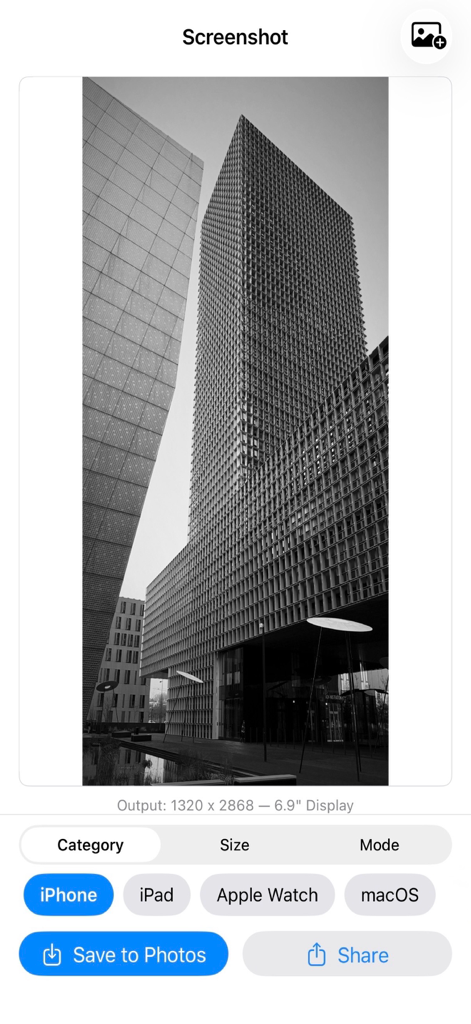
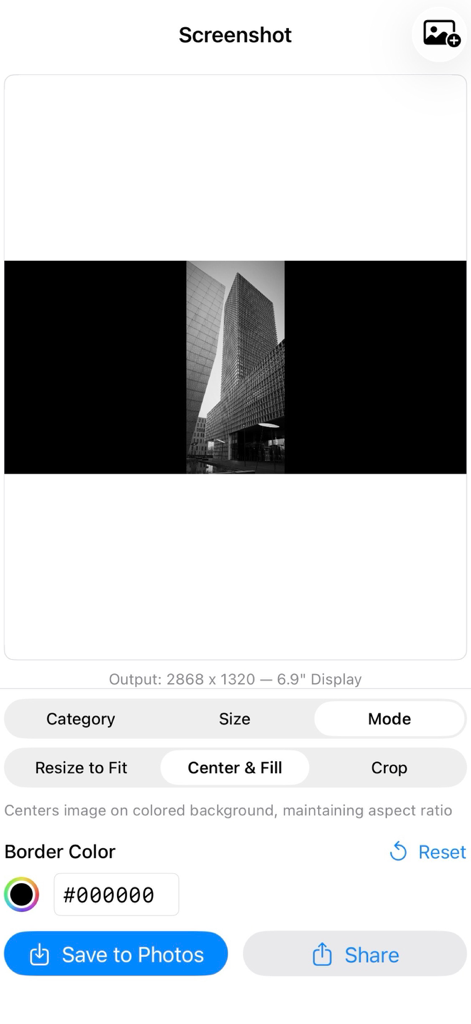
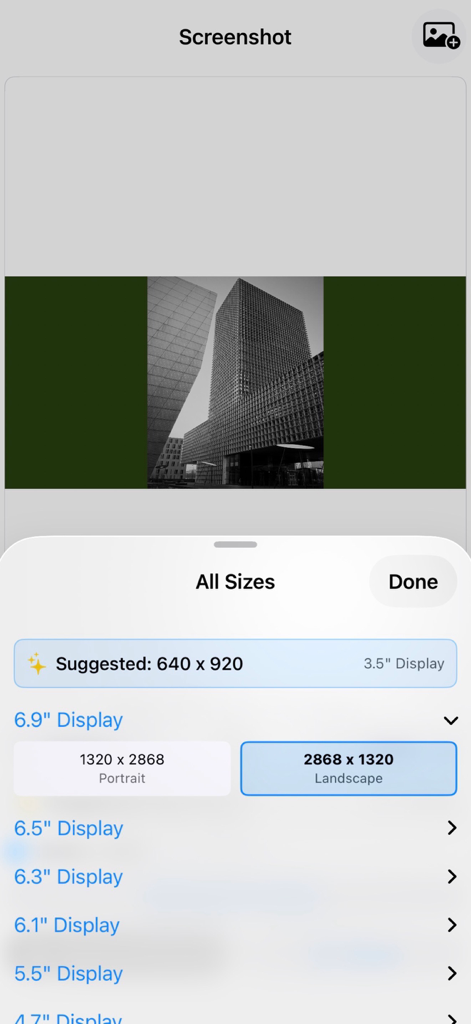
ScreenshotResize app interface showing an iPhone 6.9 inch screen resolution preview

ScreenshotResize app interface showing an iPhone 6.9 inch screen resolution preview

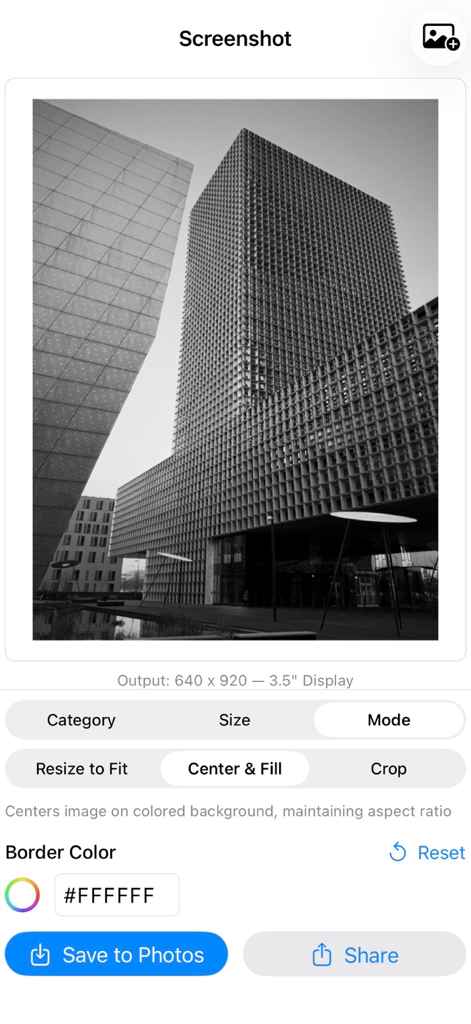
ScreenshotResize app interface showing image centering options and border color selection for a 3.5 inch display.

ScreenshotResize app interface showing image centering options and border color selection for a 3.5 inch display.

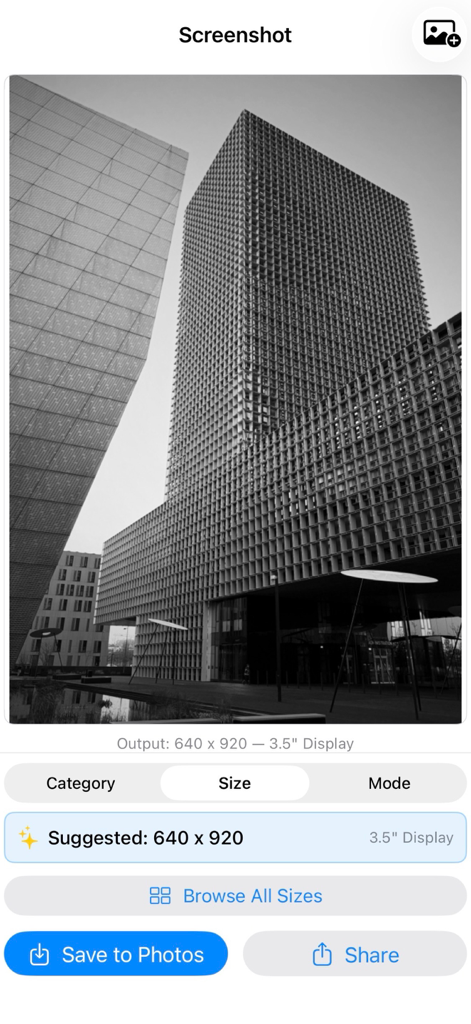
User interface of the ScreenshotResize app showing a suggested resolution for a 3.5 inch display display and export options.

User interface of the ScreenshotResize app showing a suggested resolution for a 3.5 inch display display and export options.

ScreenshotResize app interface showing the center and fill resize mode with a border color picker

ScreenshotResize app interface showing the center and fill resize mode with a border color picker

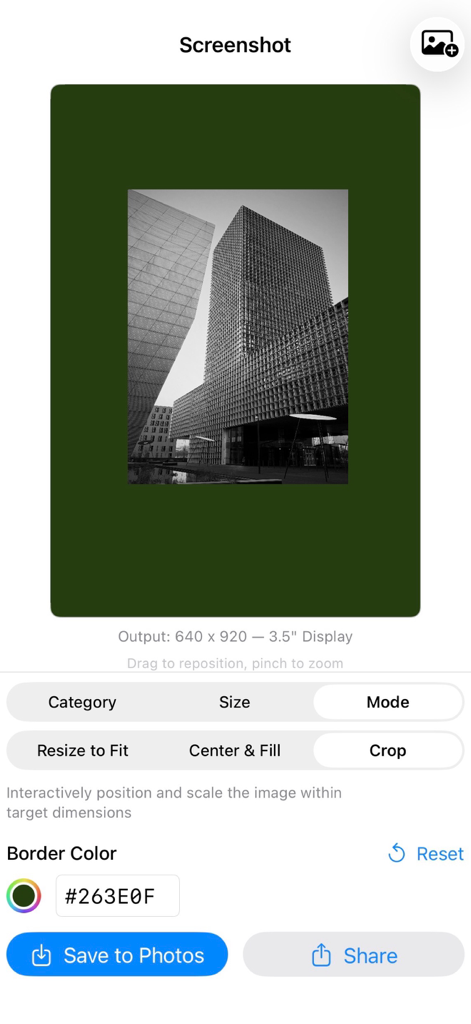
Interface of the ScreenshotResize app showing an image being cropped with a custom green border and options to save or share.

Interface of the ScreenshotResize app showing an image being cropped with a custom green border and options to save or share.

ScreenshotResize app interface showing a list of Apple device display resolutions for resizing screenshots

ScreenshotResize app interface showing a list of Apple device display resolutions for resizing screenshots

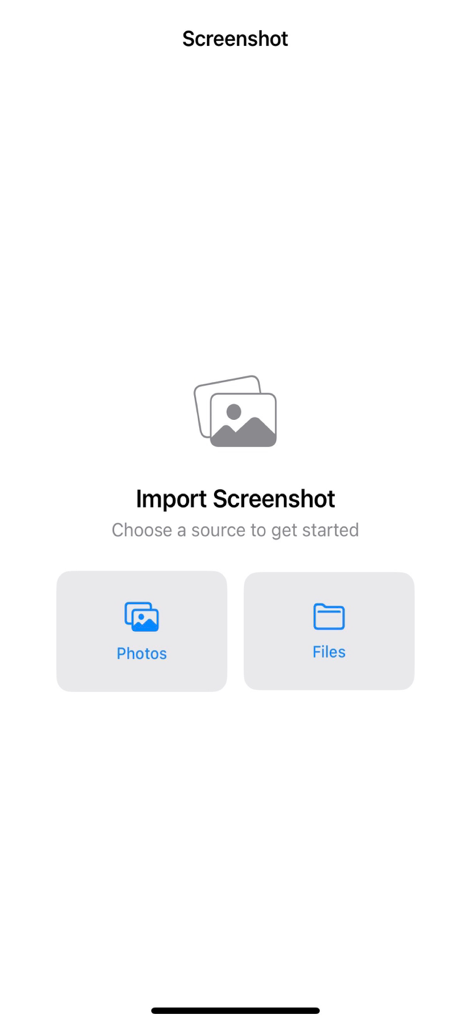
The initial import screen of the ScreenshotResize app featuring buttons to choose images from the Photos library or Files app.

The initial import screen of the ScreenshotResize app featuring buttons to choose images from the Photos library or Files app.

Launch Faster with Pixel-Perfect Screenshots

The tools that make this app stand out, trusted by 0 users.

📱

66+ Built-in Resolutions

From iPhone 6.9" to Apple Vision Pro 4K, cover every Apple device category with the exact pixel dimensions required for submission.

Smart Batch Workflow

Import multiple images at once, get instant resolution suggestions based on aspect ratio, and export your entire set as a ZIP file.

🛠️

Developer-First Utility

No subscriptions, no watermarks, and no internet required. A professional offline tool designed for developers who value speed and privacy.

About the app

Everything you need to know about ScreenshotResize.

Description

Screenshot Resize makes it easy to prepare your app screenshots for App Store Connect submission. Import multiple images at once and resize them to the exact pixel dimensions Apple requires — across all device categories. SUPPORTED DEVICES & SIZES Resize for every Apple platform with 66 built-in resolutions: - iPhone — 6.9", 6.5", 6.3", 6.1", 5.5", 4.7", 4.0", and 3.5" displays including portrait and landscape orientations - iPad — 13", 12.9", 11", 10.5", and 9.7" displays - Apple Watch — Ultra 2, Series 10, Series 7+, Series 4–6, and Series 3 - Mac — 1280x800 through 2880x1800 - Apple TV — 1080p and 4K - Apple Vision Pro — 4K BATCH IMPORT & MULTI-IMAGE WORKFLOW Select multiple screenshots at once from your Photo Library or Files app. Swipe between images to preview each one, and crop or adjust them individually. A position indicator shows which image you're viewing. When you're done, save all images to Photos in one tap or export them together as a ZIP file for easy sharing. SMART SUGGESTIONS The app analyzes your source image and suggests the best matching resolution based on aspect ratio and pixel count. Switch between device categories and the suggestion updates automatically — so you spend less time hunting for the right size. THREE RESIZE MODES Fit — Stretches the image to the exact target dimensions. Quick and precise when you need pixel-perfect output. Fill — Centers your image on a customizable background color while maintaining its aspect ratio. Pick a color with the built-in color picker or type a hex code directly. Crop — Interactively position and scale your image with drag and pinch gestures. The live preview shows exactly what the final output will look like. Zoom in to focus on a specific area or zoom out to reveal a border. LIVE PREVIEW See the result in real time as you adjust settings. The preview updates instantly when you change the resize mode, pick a new resolution, or reposition your crop. Output dimensions are always displayed so you know exactly what you're exporting. EASY EXPORT Save the current image or all images at once directly to your photo library. With multiple images, share them as a single ZIP file — perfect for uploading a full set of screenshots to App Store Connect. Single images can be shared anywhere using the system share sheet. Works with AirDrop, Files, email, and any other share destination on your device. SIMPLE SINGLE-SCREEN LAYOUT Everything fits on one screen with no scrolling. The top half shows your live preview — swipe to navigate between images when working with a batch. The bottom half gives you tabbed controls for device category, size selection, and resize mode. Browse all available sizes in a dedicated picker organized by display size. DESIGNED FOR APP DEVELOPERS Built specifically for indie developers and teams who need to prepare App Store screenshots without a Mac or desktop image editor. Import your screenshots in bulk, pick your target device and size, adjust each image individually, and export them all — from your iPhone or iPad. No subscriptions. No watermarks. No internet connection required.

Latest Version

1.0

Size

2.5 MB

First Released

Feb 12, 2026

Ready to Ship Your Next App?

Stop wasting hours on manual resizing. Batch export pixel-perfect screenshots for every Apple device—from iPhone to Vision Pro—with zero subscriptions and no watermarks.

App information, icons, screenshots, and descriptions displayed on this page are sourced from the Apple App Store and are the property of their respective developers. Download estimates and rankings are based on MWM's proprietary models and may not reflect actual figures. This page is provided for informational and analytical purposes only.

Believe this page infringes your intellectual property? File a dispute