Scrivener

Scrivener

Logo of Scrivener

Scrivener: The Ultimate Writing Studio for Novels, Screenplays, and Research

Stop fighting linear word processors and start building your masterpiece. Scrivener is the all-in-one workspace designed for the way you actually write, letting you organize notes, draft scenes in any order, and sync across all your Apple devices.

Publisher

FREE AI UTILS COMPANY LIMITED

Category

Utilities

Downloads

100+

User Rating

4.3/5

Total Ratings

0

Locales

1

A Canvas for Your Craft

Discover the interface used by 100+ users.
Scrivener writing app logo featuring an open book icon with the letter S

Scrivener writing app logo featuring an open book icon with the letter S

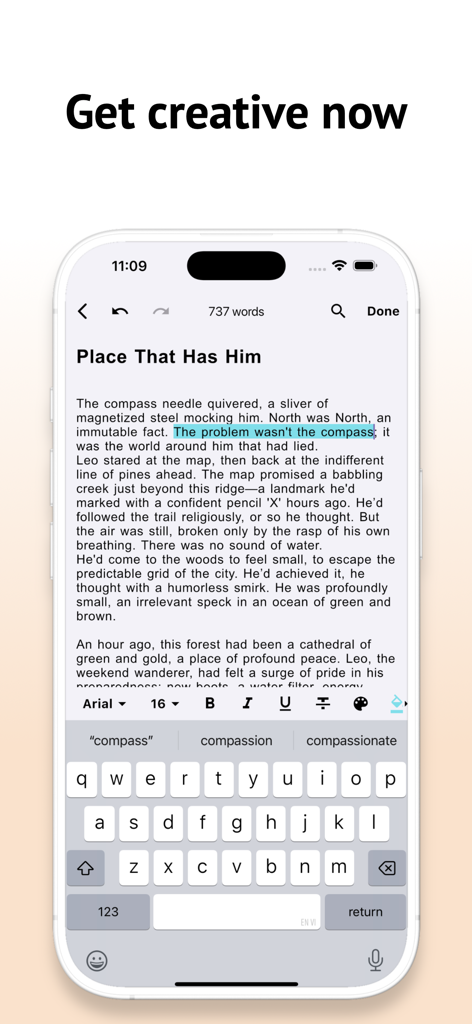
The Scrivener app writing interface on an iPhone showing a story draft and formatting toolbar

The Scrivener app writing interface on an iPhone showing a story draft and formatting toolbar

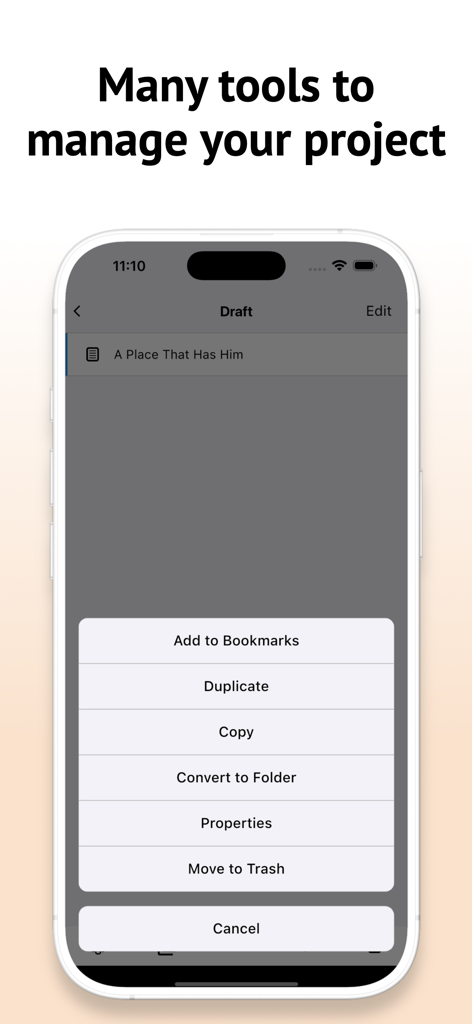
Scrivener mobile app interface showing document management options like duplicate and move to trash

Scrivener mobile app interface showing document management options like duplicate and move to trash

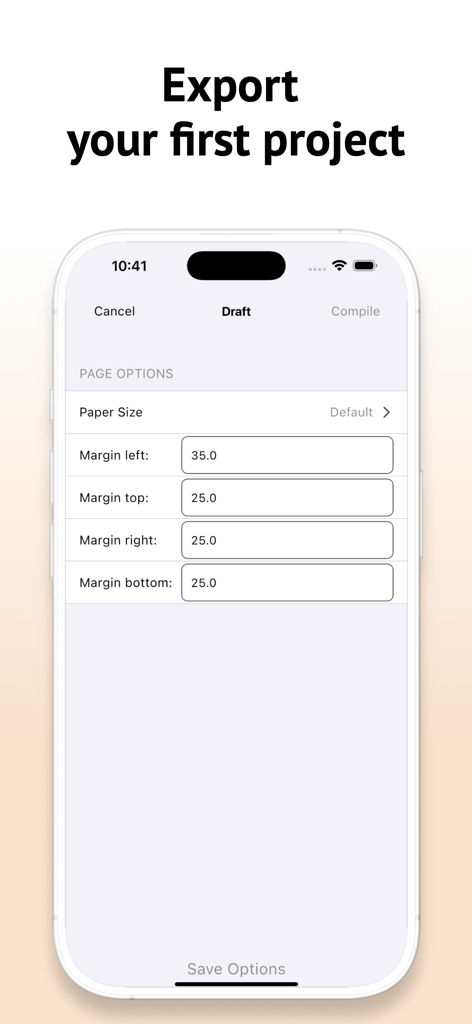
Scrivener app export settings screen for draft page margins and layout

Scrivener app export settings screen for draft page margins and layout

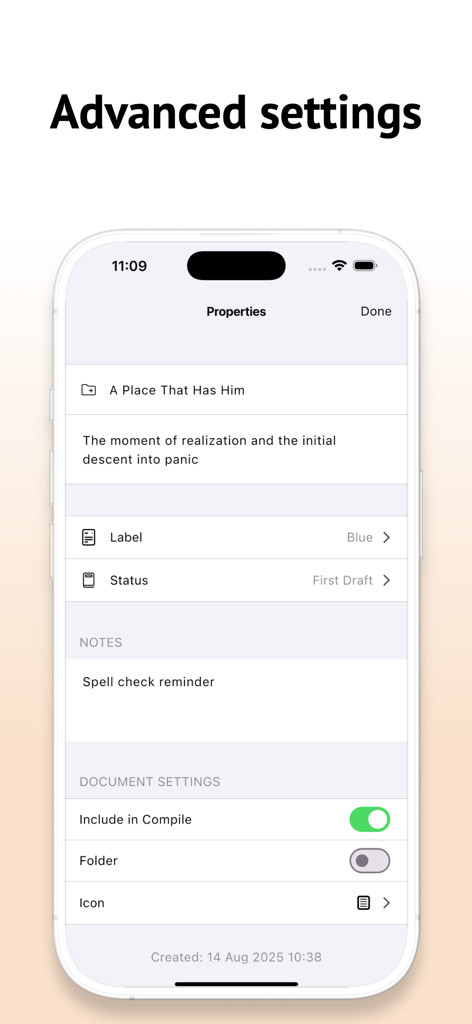
Scrivener app properties screen showing document status labels and compile settings

Scrivener app properties screen showing document status labels and compile settings

Your Complete Writing Studio

The tools that make this app stand out, trusted by 100+ users.

📌

Structure with Visual Ease

Use the digital Corkboard to rearrange scenes and chapters with a simple drag-and-drop, making complex plotting effortless.

📚

Integrated Research Hub

Keep your notes, PDFs, and web pages right alongside your draft to eliminate distraction-heavy app switching.

📲

Seamless Multi-Device Flow

Capture ideas on your iPhone and dive deep on your iPad with effortless syncing across all your Apple devices.

About the app

Everything you need to know about Scrivener.

Description

Join thousands of writers who use Scrivener, the powerful writing app trusted by bestselling novelists, screenwriters, academics, lawyers, journalists, and more. Whether you're crafting a novel, writing a screenplay, organizing a research paper, or planning a long-form blog series, Scrivener gives you everything you need to plan, write, and revise—all in one place. Write Your Way Unlike standard word processors, Scrivener is designed to support your creative process. Write scenes or sections in any order, shuffle them around later, and organize your manuscript with ease. Break your work into manageable pieces or write in a single fluid document—the choice is yours. Research at Your Fingertips Keep your notes, research, images, PDFs, and web pages right alongside your writing. No more switching between apps or digging through folders—everything you need stays within reach. Powerful Organization Tools Use the Corkboard and Outliner views to structure and rearrange your work. Track word counts, set writing targets, and stay on top of deadlines with built-in productivity tools. Seamless Syncing Work across your Apple devices with Google sync. Start on your iPad, edit on your iPhone, and polish on your Mac without missing a beat. Export With Ease When you're ready to share your work, Scrivener compiles your manuscript into formats like DOCX, PDF, ePub, and more. Perfect for publishing, submission, or printing. Made for Every Writer From novels and nonfiction to academic papers and screenplays, Scrivener adapts to your workflow, not the other way around. Download Scrivener today and take your writing to the next level. Privacy Policy : https://freeaiutils.com/scrivener/privacy-policy Terms of Use : https://freeaiutils.com/scrivener/terms-of-use

Latest Version

1.1.5

Size

77.8 MB

First Released

Aug 28, 2025

Ready to Write Your Masterpiece?

Join thousands of novelists, screenwriters, and academics who trust Scrivener to organize their ideas and finish their projects. Download now and take your professional writing studio wherever you go.

App information, icons, screenshots, and descriptions displayed on this page are sourced from the Apple App Store and are the property of their respective developers. Download estimates and rankings are based on MWM's proprietary models and may not reflect actual figures. This page is provided for informational and analytical purposes only.

Believe this page infringes your intellectual property? File a dispute