
This page is not an official page of the app or its developer, but an independent editorial publication created for informational and commentary purposes. Unless expressly stated otherwise, neither the app nor its developer is affiliated with, endorsed by, sponsored by, authorized by, or otherwise officially connected with MWM, Apple, Google Play, the app publisher, or the app's developer, and nothing on this page implies that the app was developed using MWM's services. Any trademarks, logos, screenshots, and other content remain the property of their respective owners.


SECOM Safety confirmation
Ensure the safety of your employees with real-time reporting and instant disaster notifications. The essential tool for modern corporate duty of care and business continuity.
Downloads
3M+User Rating
Total Ratings
700Publisher
Category
BusinessLocales
2Latest Version
1.5.1Size
5.5 MBFirst Released
Apr 6, 2020Ensuring Safety When It Matters Most
Seamless disaster response and status reporting designed to protect employees and streamline corporate communication in critical moments.
One-Tap Safety Reporting
Provide your status in seconds during emergencies, ensuring your organization knows you are safe without the stress of complex forms.
Critical Push Notifications
Receive immediate alerts and check-in requests even during high-traffic disasters, so you never miss a vital communication from your team.
Frequently Asked Questions
Everything you need to know about SECOM Safety confirmation
What is the SECOM Safety confirmation app?
The SECOM Safety confirmation app allows users to report their safety status during disasters. It also enables receiving push notifications for safety confirmation if their corporation has applied for the service.
Who can use the SECOM Safety confirmation app?
The SECOM Safety confirmation app is for users issued by corporations that have contracts with SECOM Trust Systems Co., Ltd. for specific services, such as SECOM Safety Confirmation Service.
How does a user report their safety status with the SECOM Safety confirmation app?
Users can report their safety status directly within the SECOM Safety confirmation app when subject to safety confirmation. They can also do this from the disaster list.
Can SECOM Safety confirmation app users receive Push notifications?
Yes, users of the SECOM Safety confirmation app can receive Push notifications for safety confirmation. This requires the user's corporation to have applied for this service from SECOM Trust Systems Co., Ltd.
What services are supported by the SECOM Safety confirmation app?
The SECOM Safety confirmation app supports SECOM Safety Confirmation Service, SECOM Emergency Contact Service, and SECOM Emergency Call Out Service.
Does the SECOM Safety confirmation app have an administrator function?
Yes, the SECOM Safety confirmation app includes an administrator function. Users assigned to a group for administrator Push notifications can receive and access an administrator menu.
How do users log in to the SECOM Safety confirmation app?
Users log in to the SECOM Safety confirmation app using an Organization Code, User Id, and Password. Options for Biometric Login and One-time password Login are also available.
Can users view a list of disasters in the SECOM Safety confirmation app?
Yes, users can browse a list of disasters subject to safety confirmation within the SECOM Safety confirmation app. They can then report their safety status directly from this list.
The following screenshots and description are sourced directly from the app's official store listing and are the property of the app developer.
App Store
Screenshots
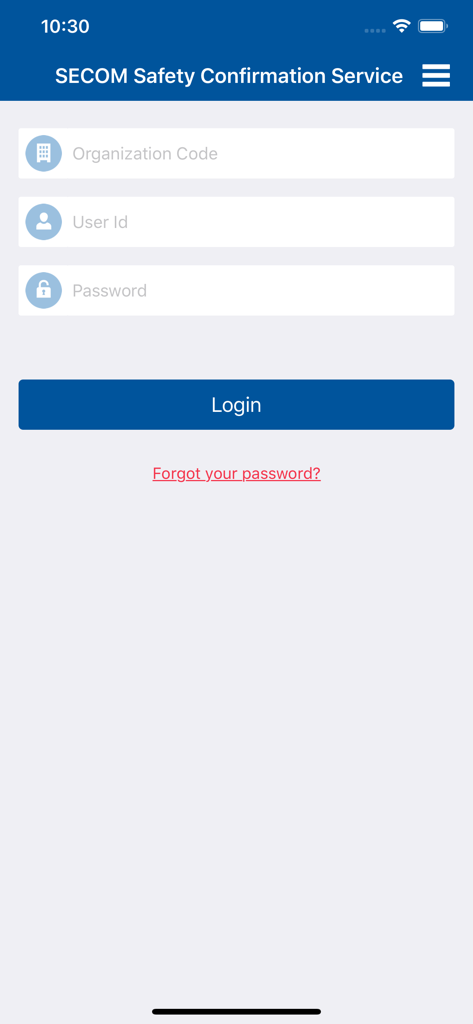
Login screen for the SECOM Safety Confirmation app showing fields for organization code user id and password
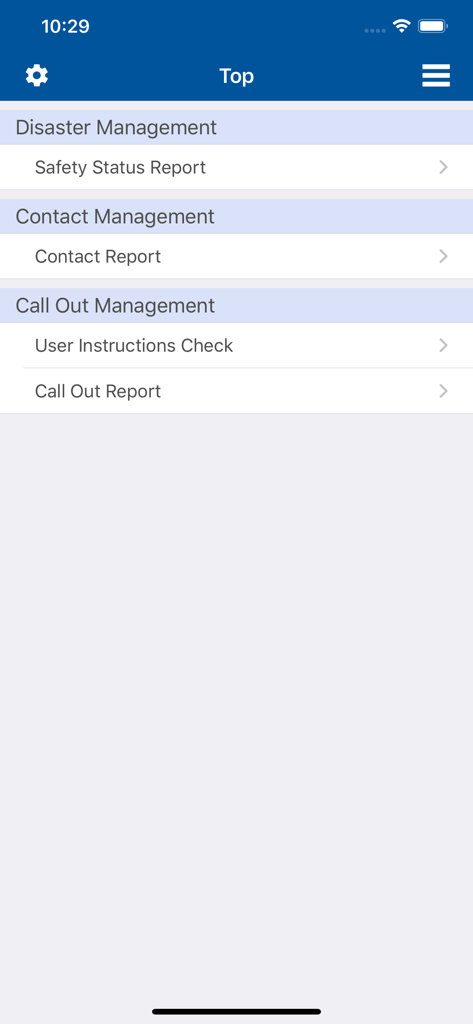
Main menu of the SECOM Safety Confirmation app showing options for disaster and contact management.
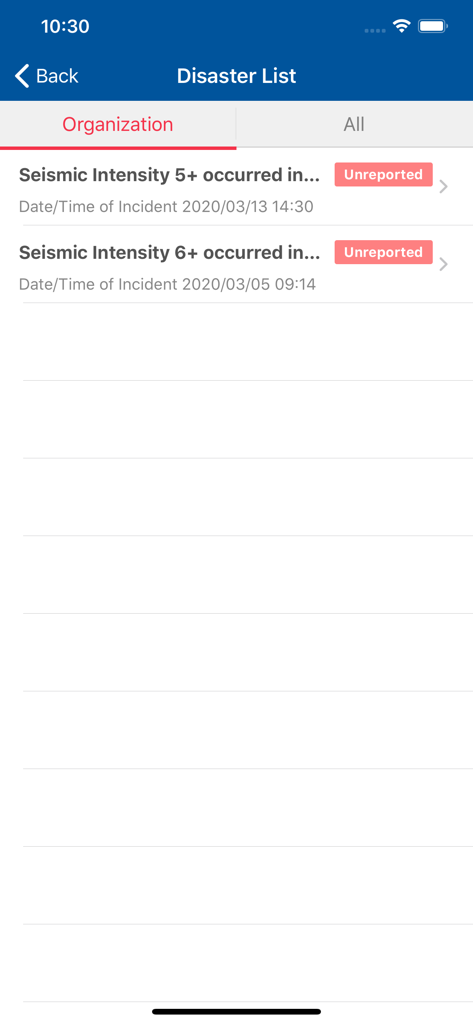
SECOM app disaster list showing unreported seismic events and timestamps
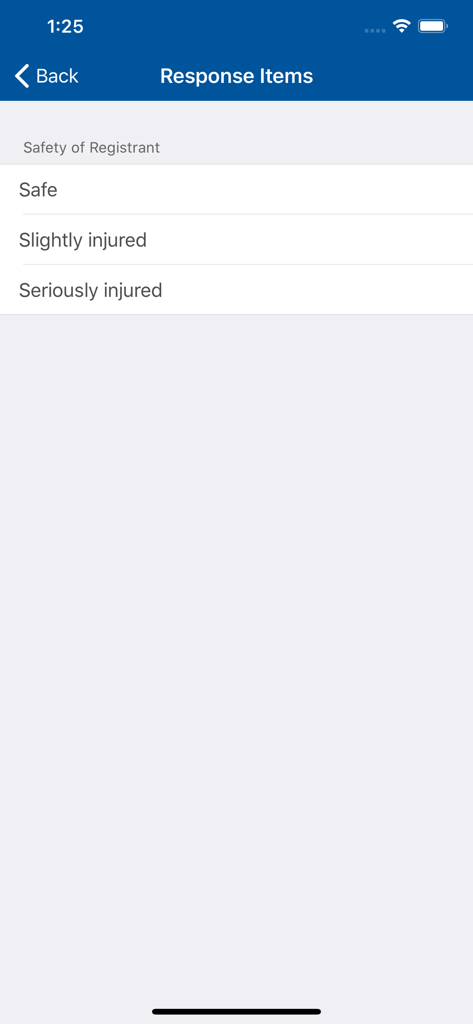
SECOM app screen showing safety response items with options for Safe, Slightly injured, and Seriously injured
Description
Download
More Like This
Apps with similar features and user experience
AlertMedia
Alert Media LLC

Enjad
ENJAD ASSOCIATION FOR SEARCH AND RESCUE

Raptor Alert
RAPTOR TECHNOLOGIES, LLC

Ocrenger
Pascal Corporation

安否確認サービス2:トヨクモ
TOYOKUMO, Inc.

エマージェンシーコール(EMC)-安否確認
INFOCOM CORPORATION
Everbridge 360
Everbridge, Inc.

Red Dot Alert
Correctional Psychiatric Services, P.C.
This page is not an official page of the app or its developer, but an independent editorial publication created for informational and commentary purposes. Unless expressly stated otherwise, neither the app nor its developer is affiliated with, endorsed by, sponsored by, authorized by, or otherwise officially connected with MWM, Apple, Google Play, the app publisher, or the app's developer, and nothing on this page implies that the app was developed using MWM's services. Any trademarks, logos, screenshots, and other content remain the property of their respective owners.