
This page is not an official page of the app or its developer, but an independent editorial publication created for informational and commentary purposes. Unless expressly stated otherwise, neither the app nor its developer is affiliated with, endorsed by, sponsored by, authorized by, or otherwise officially connected with MWM, Apple, Google Play, the app publisher, or the app's developer, and nothing on this page implies that the app was developed using MWM's services. Any trademarks, logos, screenshots, and other content remain the property of their respective owners.


Security Bank App
No more banking tethered to a desk. It puts a full financial toolkit in your pocket, making banking truly mobile.
Downloads
750k+User Rating
Total Ratings
3.9KPublisher
Category
FinanceLocales
1Latest Version
1.43.0Size
95.4 MBFirst Released
Aug 2, 2024An analysis of the core features enhancing convenience, security, and financial management for its primary users.
Security Bank App: Key Digital Banking Capabilities
Comprehensive Fund Transfers
The app provides extensive options for sending and receiving funds, allowing transfers between personal accounts, to other Security Bank accounts, and to external banks via InstaPay. It also supports recurring transfers and remittances.
Streamlined Bills Payment
This tool features a simplified process for bill payments, enabling users to easily search for billers, view outstanding amounts, and schedule recurring payments for various services.
Integrated Account Management
The app automatically links all Security Bank accounts, credit cards, investments, and saved billers upon a single registration, offering users a unified and comprehensive view of their financial portfolio.
Goal-Based Savings
It allows users to open up to ten eSecure Savings accounts within the app, facilitating targeted saving for specific financial goals such as travel, emergencies, or large purchases.
Advanced Card Security & Control
This tool features robust card control functionalities, including the ability to instantly lock or unlock credit cards and set daily budget alerts to manage spending effectively.
Effortless Credit Card Payments
The app provides a convenient way for users to easily pay their Security Bank Credit Card bills directly within the application, simplifying financial obligations.
Instant Balance Inquiry
It allows users to quickly and securely check their account balances without needing to complete a full login, offering immediate financial oversight.
Offline Transaction Authorization
This tool features an Offline Soft Token, enabling users to authorize web transactions and logins from the app even when their mobile device lacks an internet connection.
Centralized Notification Hub
The app includes a dedicated Notification Center where users can receive and view real-time updates and statuses for their online fund transfers and bills payment transactions.
Cardless Cash Access (eGiveCash)
It allows users to perform cardless cash withdrawals or send cash to beneficiaries through eGC-enabled ATMs, providing flexibility in cash transactions.
Frequently Asked Questions
Everything you need to know about Security Bank App
Do I need to re-register for the new Security Bank app if I used the old app?
Yes, you need to register again for the new Security Bank app. Your old login credentials do not work. However, saved favorites and scheduled transactions automatically migrate to your new account.
Does the Security Bank app automatically link all my accounts?
Yes, the Security Bank app features auto-sync. Register with one account, and all other Security Bank accounts, credit cards, investments, saved billers, and favorites link automatically.
Can I view Joint "AND" accounts in the new Security Bank app?
No, Joint "AND" and Joint ITF accounts are not eligible for online enrollment and cannot be viewed in the new Security Bank app. Only Joint "OR" accounts are viewable by all account holders.
Can I enroll multiple mobile devices to the Security Bank app?
No, you can only enroll one mobile device to the Security Bank app at a time for security. This ensures only your designated device authorizes web logins and transactions.
Can I open a new account through the Security Bank app?
Yes, you can open a new account, including checking and savings accounts, directly through the Security Bank app. This eliminates the need to visit a physical branch.
How can I pay my Security Bank credit card in the app?
You can easily pay your Security Bank Credit Card directly within the app. The "Pay Credit Card" feature is available for convenient payments.
Can I convert my credit card limit to cash using the Security Bank app?
Yes, you can convert your available credit card limit into cash using the "Ready Cash" feature in the Security Bank app.
Does the Security Bank app offer installment options for credit card purchases?
Yes, the Security Bank app offers "ChargeLight" to convert big credit card purchases into lighter installments. This feature makes managing large transactions easier.
Can I scan and pay with QR codes using the Security Bank app?
Yes, you can scan and pay via QR Ph using the Security Bank app. This service is available at over 1 million merchants nationwide.
Does the Security Bank app support large fund transfers?
Yes, the Security Bank app supports large fund transfers up to PHP500,000 via PESONet. Gold Circle members and Wealth customers receive free transfer fees.
Can I check my account balance without logging into the Security Bank app?
Yes, the Security Bank app includes a Quick Balance feature. This allows you to check your accounts and balances safely without needing to log in.
Can the Security Bank app authorize web logins when my phone is offline?
Yes, the Security Bank app features an Offline Soft Token. This allows you to authorize your web transactions and logins even when your phone is offline.
Does the Security Bank app allow me to control my credit cards?
Yes, the Security Bank app features Card Control. You can set daily budget alerts and lock or unlock your credit cards anytime through the app.
How many eSecure Savings accounts can I open with the Security Bank app?
You can open up to 10 eSecure Savings (eSS) accounts using the Security Bank app. This feature helps you save for specific financial goals.
How can I contact customer support for the Security Bank app?
You can contact Security Bank customer support via the in-app Help Center, email at customercare@securitybank.com.ph, or through their 24-hour hotline (+632) 8887 9188.
The following screenshots and description are sourced directly from the app's official store listing and are the property of the app developer.
App Store
Screenshots

See how the app simplifies getting started with its clear login interface and prominent 'Open an account' button.
Seamless Account Opening
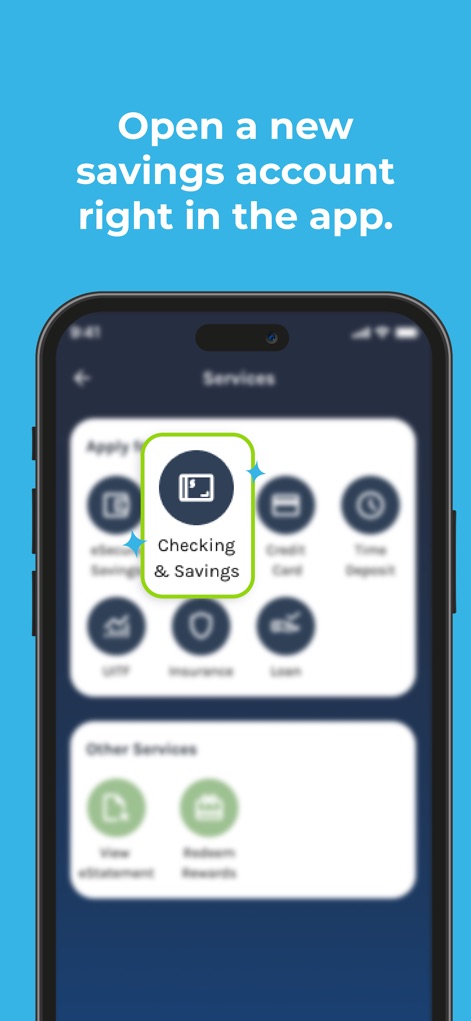
Discover how users can easily open a new savings account directly within the app, highlighting the 'Checking & Savings' option on the 'Services' screen.
New Account Creation

The app streamlines account creation, enabling users to 'Open an account' digitally without needing a branch visit.
Branchless Onboarding
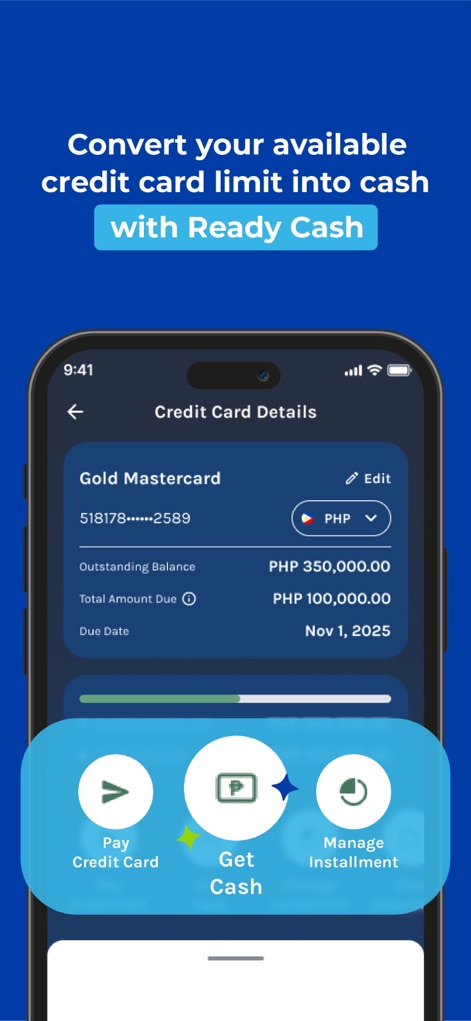
Explore the convenience of converting credit card limits to cash with the 'Ready Cash' feature, visible on the 'Credit Card Details' screen showing outstanding balance.
Ready Cash Access
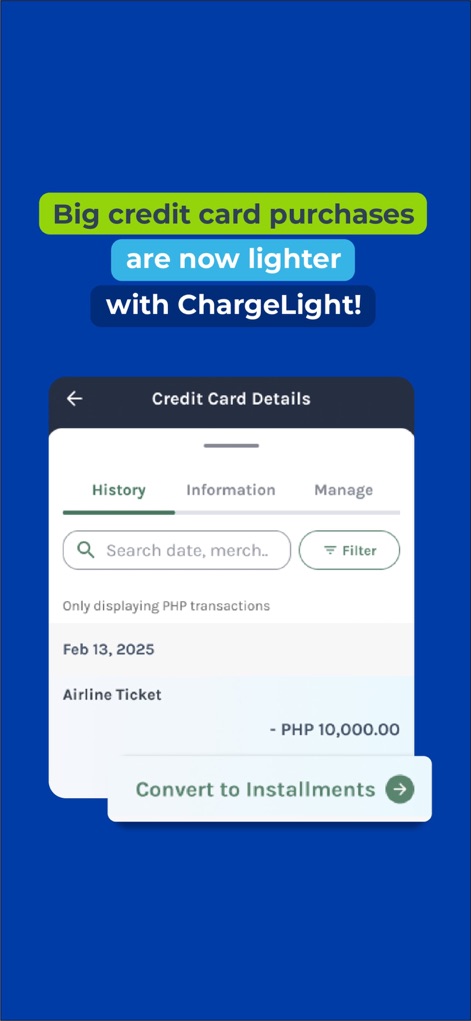
This tool allows users to manage credit card purchases by converting them to installments, as shown with the 'Convert to Installments' option on the transaction history.
Flexible Credit Management

The app facilitates quick and secure payments via QR Ph, displaying a central QR code scanner and various merchant category icons.
QR Payments Made Easy
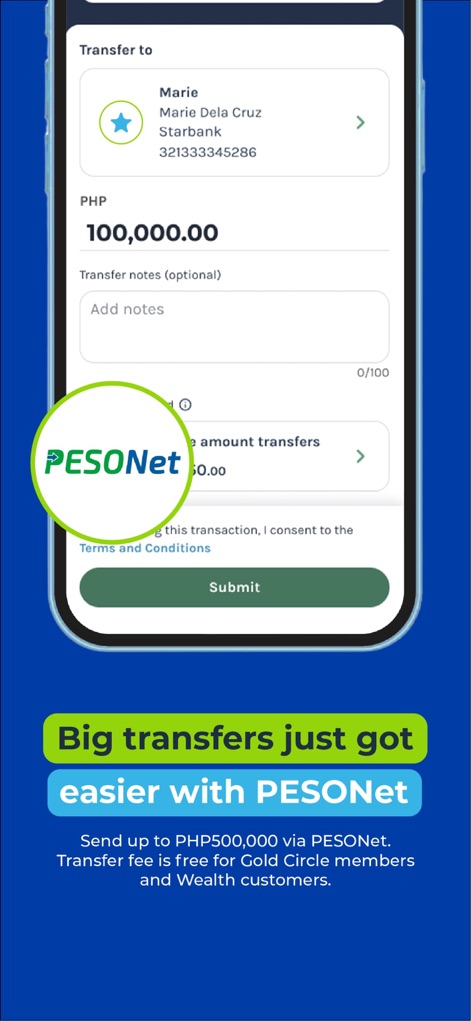
Users can make large fund transfers up to PHP500,000 via PESONet, as illustrated by the transfer amount input field and 'Submit' button on this screen.
Effortless Large Transfers

Discover the auto-sync feature, where registering one account automatically links all other Security Bank accounts and credit cards for a comprehensive overview.
Unified Account View

The app features an intuitive design for bill payments, allowing users to search for billers and access various biller categories with ease.
Intuitive Bill Payment

This tool provides enhanced security through device linking and transaction authorization, featuring a 'New Device Login Detected' alert and a secure PIN entry.
Enhanced Security Controls
Description
Download
More Like This
Apps with similar features and user experience

Enpara Bank Cep Şube
Enpara Bank Anonim Sirketi

Alinma App - تطبيق الإنماء
Alinma Bank

Huntington Mobile Banking
The Huntington National Bank, Inc

國泰世華網路銀行CUBE
Cathay United Bank

中國信託行動銀行
CTBC Bank Co., Ltd.

FNB Banking App
FirstRand Bank Limited

Riyad Bank App
Riyad Bank

CIMB OCTO MY
CIMB Bank Berhad

Regions Mobile
Regions Financial
This page is not an official page of the app or its developer, but an independent editorial publication created for informational and commentary purposes. Unless expressly stated otherwise, neither the app nor its developer is affiliated with, endorsed by, sponsored by, authorized by, or otherwise officially connected with MWM, Apple, Google Play, the app publisher, or the app's developer, and nothing on this page implies that the app was developed using MWM's services. Any trademarks, logos, screenshots, and other content remain the property of their respective owners.