Service Browser

Service Browser

Download on App Store
Logo of Service Browser

Service Browser: The Professional Tool for Local Network Discovery

Make the invisible visible. Effortlessly explore Bonjour services, analyze mDNS records, and troubleshoot your network with pro-grade diagnostic tools designed for power users and IT professionals.

Download on App Store

Publisher

Csaba Iranyi

Category

Utilities

Downloads

0

User Rating

1.0/5

Total Ratings

0

Locales

1

Deep Network Visibility

Discover the interface used by 0 users.
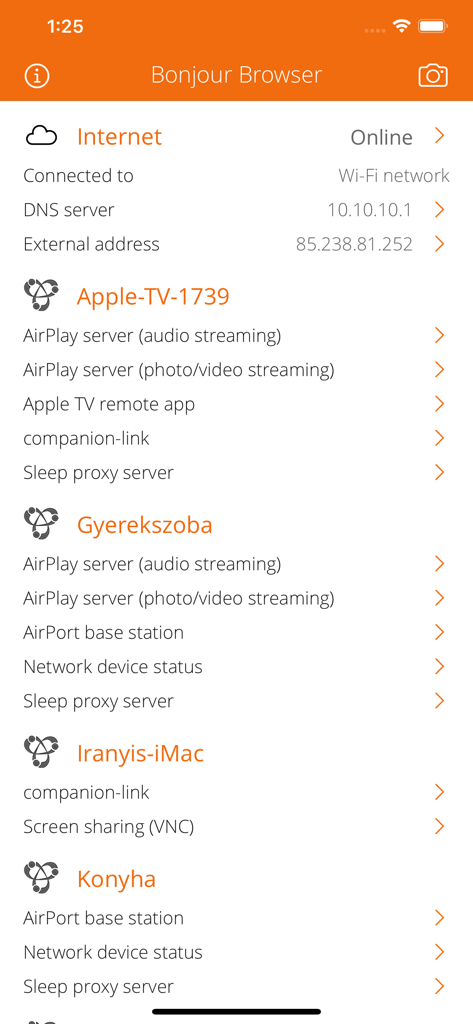
Service Browser app interface showing a list of discovered Bonjour network services including AirPlay and screen sharing

Service Browser app interface showing a list of discovered Bonjour network services including AirPlay and screen sharing

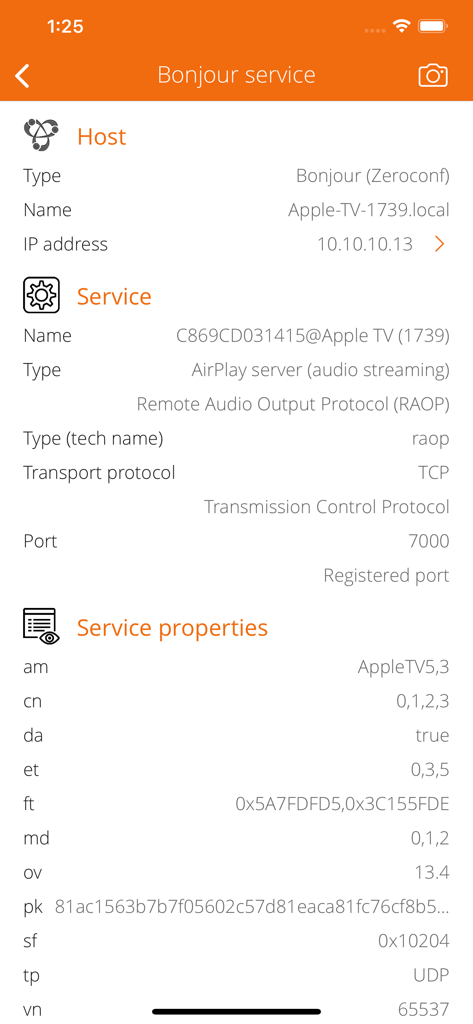
A technical view of the Service Browser app showing Apple TV host details and AirPlay service protocols including IP address and port information.

A technical view of the Service Browser app showing Apple TV host details and AirPlay service protocols including IP address and port information.

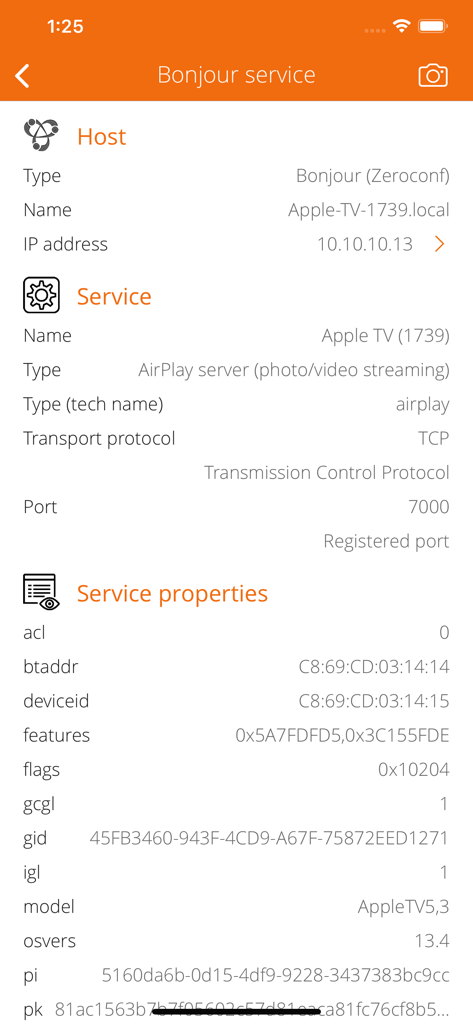
Technical details of an Apple TV Bonjour service showing IP address port number and hardware properties in the Service Browser app

Technical details of an Apple TV Bonjour service showing IP address port number and hardware properties in the Service Browser app

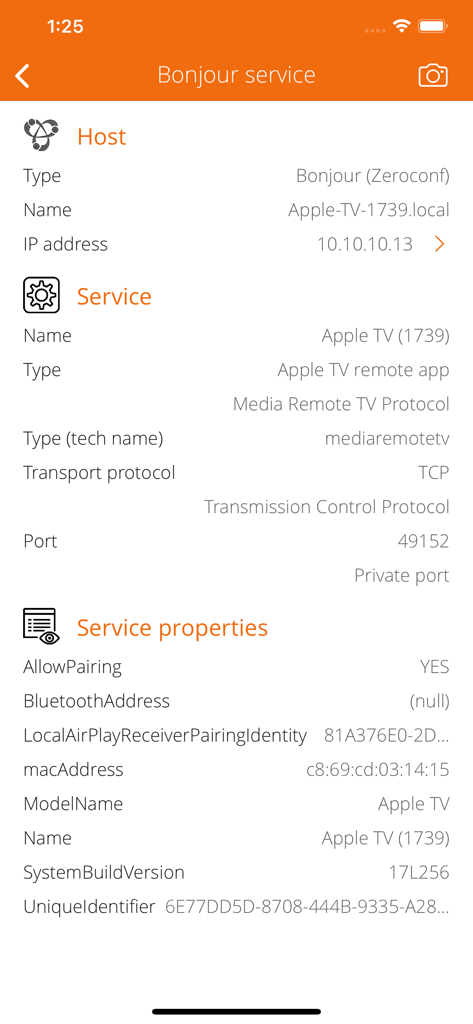
Technical view of Apple TV Bonjour service details including IP address, port, and network properties in Service Browser

Technical view of Apple TV Bonjour service details including IP address, port, and network properties in Service Browser

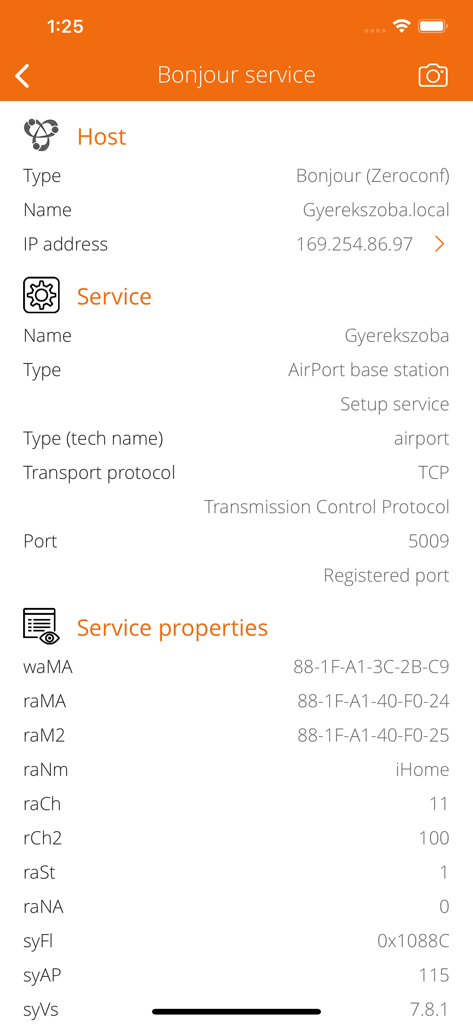
Detailed technical view of a Bonjour service showing host IP address, service type as AirPort base station, and specific network properties.

Detailed technical view of a Bonjour service showing host IP address, service type as AirPort base station, and specific network properties.

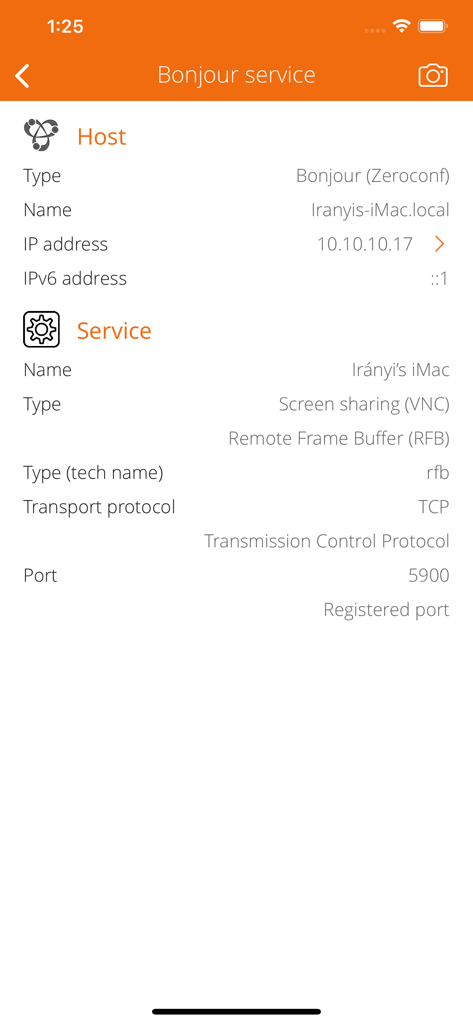
Service Browser interface showing Bonjour host and service information for a Mac including IP address and port 5900

Service Browser interface showing Bonjour host and service information for a Mac including IP address and port 5900

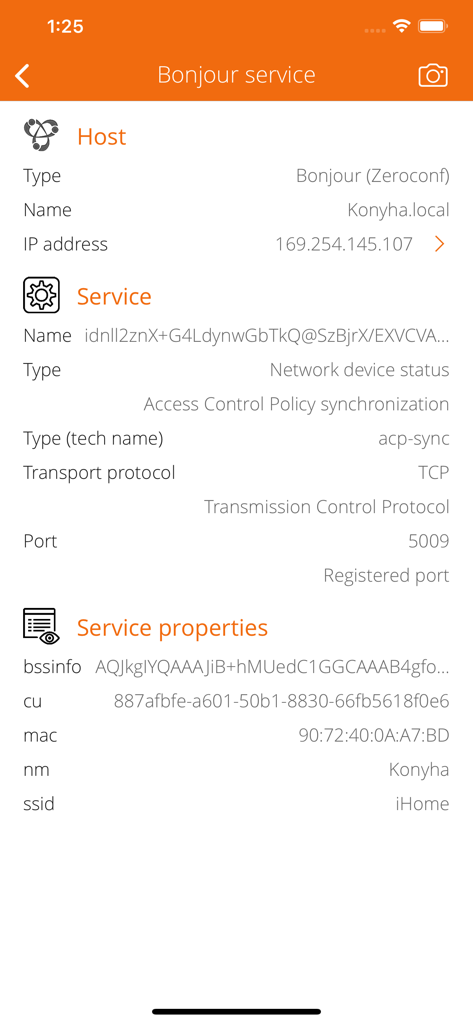
Screenshot of the Service Browser app showing detailed Bonjour service information including IP address, port number, and network protocols.

Screenshot of the Service Browser app showing detailed Bonjour service information including IP address, port number, and network protocols.

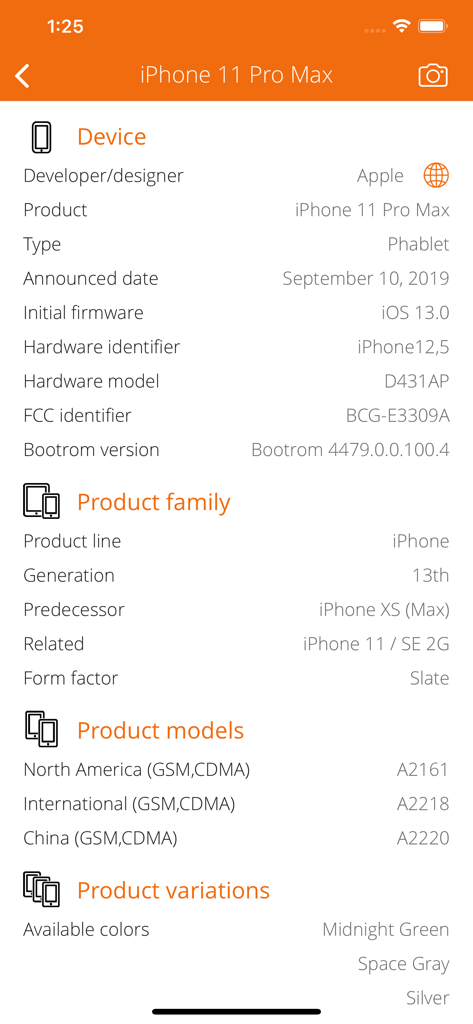
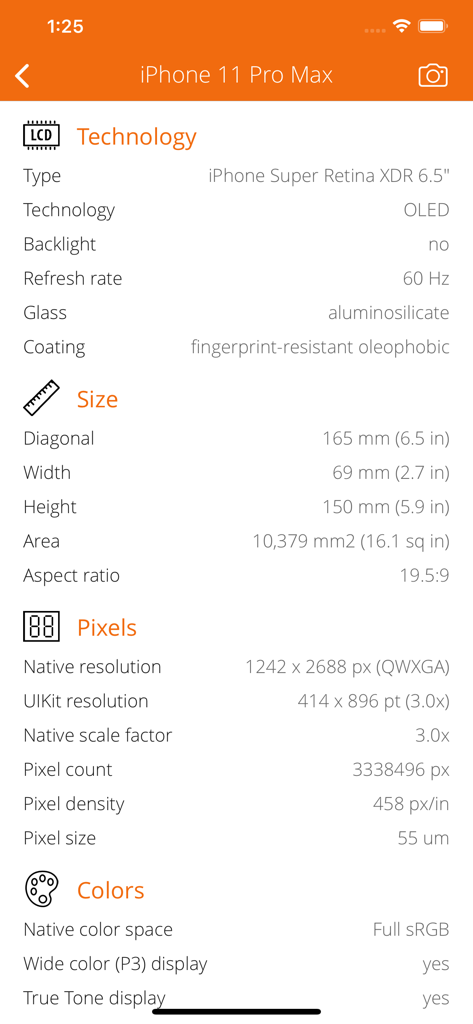
Service Browser app displaying detailed hardware and product specifications for iPhone 11 Pro Max

Service Browser app displaying detailed hardware and product specifications for iPhone 11 Pro Max

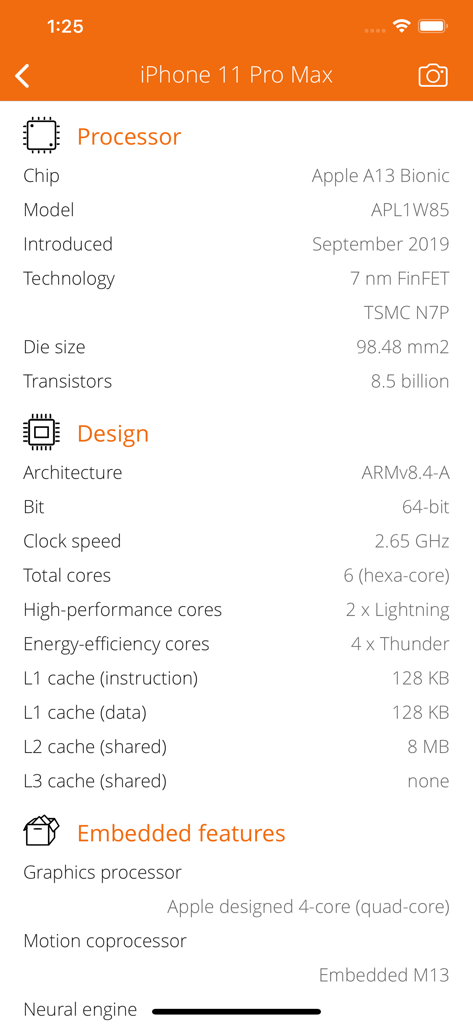
Detailed view of iPhone 11 Pro Max processor and design specifications

Detailed view of iPhone 11 Pro Max processor and design specifications

Service Browser app screen showing detailed hardware specifications for an iPhone including display technology size and pixel resolution

Service Browser app screen showing detailed hardware specifications for an iPhone including display technology size and pixel resolution

Master Your Local Network Infrastructure

The tools that make this app stand out, trusted by 0 users.

🔍

Instant Bonjour Discovery

Uncover every active service on your network, from AirPlay speakers and Apple TVs to hidden Time Machine disks and AirPrint printers.

🛠️

Deep Protocol Analysis

Drill down into service names, port numbers, and IP configurations. Get the 'under the hood' data you need to solve complex connectivity issues.

💻

Pro-Grade Diagnostic Tools

Perform network audits with integrated Ping, DNS resolution, and a comprehensive offline MAC vendor database for total environment visibility.

About the app

Everything you need to know about Service Browser.

Description

Explore and browse your local network. Search for Bonjour services like iTunes libraries, shared file systems, AirPlay speakers, Apple TVs, AirPrint printers, Apple Remote Desktops, Mac computers, AirPort and Time Capsule devices and so on... Service Browser is a very powerful tool for discover the available Bonjour (Zeroconf) capable devices on your home or office local network. ABOUT BONJOUR Bonjour is Apple's implementation of Zero-configuration networking (Zeroconf), a group of technologies that includes service discovery, address assignment, and hostname resolution. Bonjour locates devices such as printers, other computers, and the services that those devices offer on a local network using multicast Domain Name System (mDNS) service records. Typical Bonjour services: • File sharing and Time Machine disk detection. • Printer sharing and AirPrint. • AirPlay audio (wireless speakers) and video streaming, screen mirroring (Apple TV). • iTunes Library sharing, pairing and remote controlling. • Home Sharing (iTunes, Apple TV), pairing and remote controlling. • Remote login to OSX computer (SSH, Telnet). • Screen sharing (VNC) and Apple Remote Desktop. • Optical disk sharing. • Apple AirPort family base station and status service. • Remote Apple Events. • Media streaming and controlling. CACHING iOS uses a cache of Multicast DNS records to prevent hosts from requesting information that has already been requested. For example, when one host requests, say, a list of LPR print spoolers, the list of printers comes back via multicast, so all local hosts see it. The next time a host needs a list of print spoolers, it already has the list in its cache and does not need to reissue the query. The Multicast DNS responder is responsible for maintaining the cache; application developers do not need to do anything to maintain it. SERVICE BROWSING • Search for available and currently running Bonjour services. • Analyze and describe Bonjour service name, type, protocol, port, IP addresses and other properties. • Show Bonjour host local name, domain name, MAC address (with vendor information), PING capability. INTERNET INFO • Show default gateways, IP addresses, networks. • Show DNS servers, search domain names, local MAC addresses, host name resolve. • Depth external address analysis: ISP name, autonomous system name, whois, ping, regional internet registry info. • Full offline MAC vendor database. REACH UI FEATURES • Info menu with feedback and privacy settings • Use the camera icon (upper-right corner) to create and print/send/share a screenshot from the entire page. • Pull down with your finger to refresh the information. • Long press on a cell to copy/print/send/open as/share the cell value. • Shake your device to refresh the information.

Latest Version

1.13

Size

5.3 MB

First Released

Apr 14, 2015

Gain Total Visibility Over Your Local Network

Stop guessing and start analyzing. Download the ultimate Bonjour discovery tool built for IT professionals and power users to map, troubleshoot, and secure every connected service.

Download on App Store

App information, icons, screenshots, and descriptions displayed on this page are sourced from the Apple App Store and are the property of their respective developers. Download estimates and rankings are based on MWM's proprietary models and may not reflect actual figures. This page is provided for informational and analytical purposes only.

Believe this page infringes your intellectual property? File a dispute