SFFE

SFFE

Download on App Store
Logo of SFFE

SFFE: Personalize Your Safari with Custom Fonts

Transform the web to match your aesthetic. Upload custom WOFF files to create a beautiful, readable, and uniquely yours browsing experience on iPhone and iPad.

Download on App Store

Publisher

MINHO EOM

Category

Productivity

Downloads

13K+

User Rating

3.9/5

Total Ratings

100

Locales

2

Style Your Web

Discover the interface used by 13K+ users.
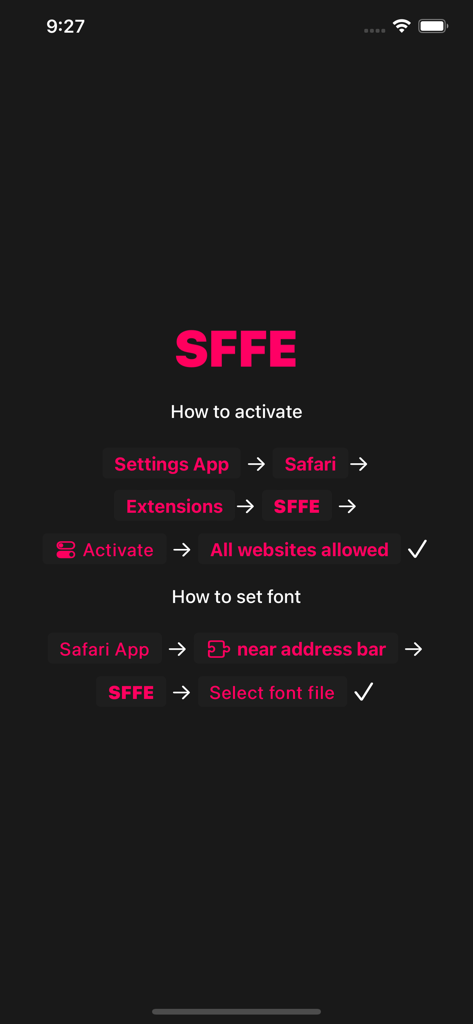
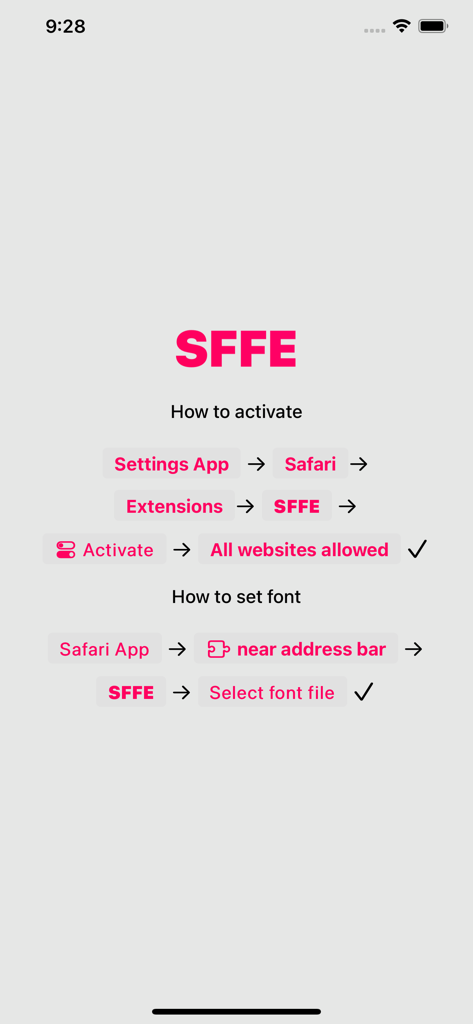
Step-by-step instructions for activating SFFE and setting a custom font in the Safari browser.

Step-by-step instructions for activating SFFE and setting a custom font in the Safari browser.

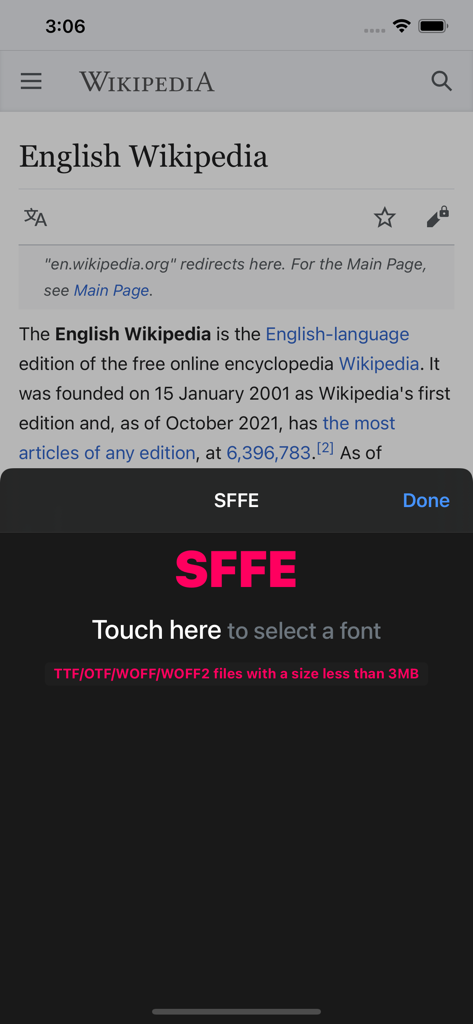
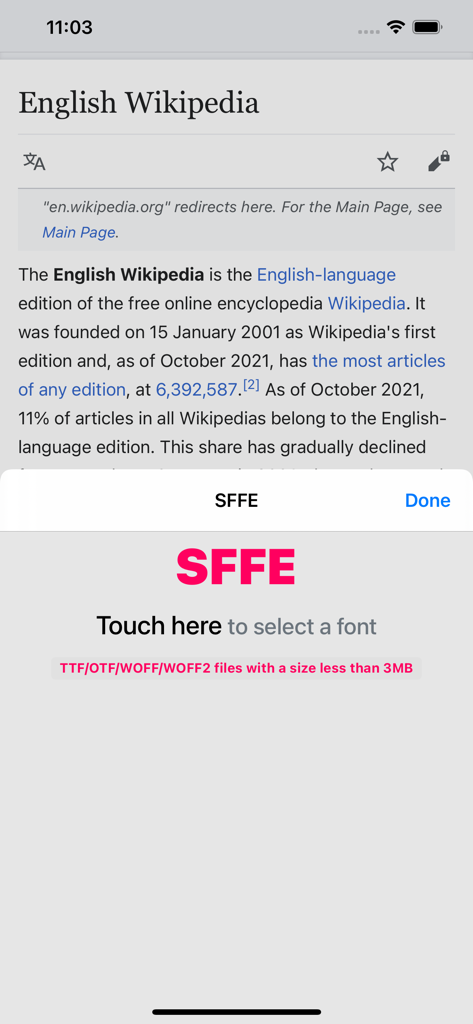
SFFE extension interface overlaying a Wikipedia page with a prompt to select a custom font file.

SFFE extension interface overlaying a Wikipedia page with a prompt to select a custom font file.

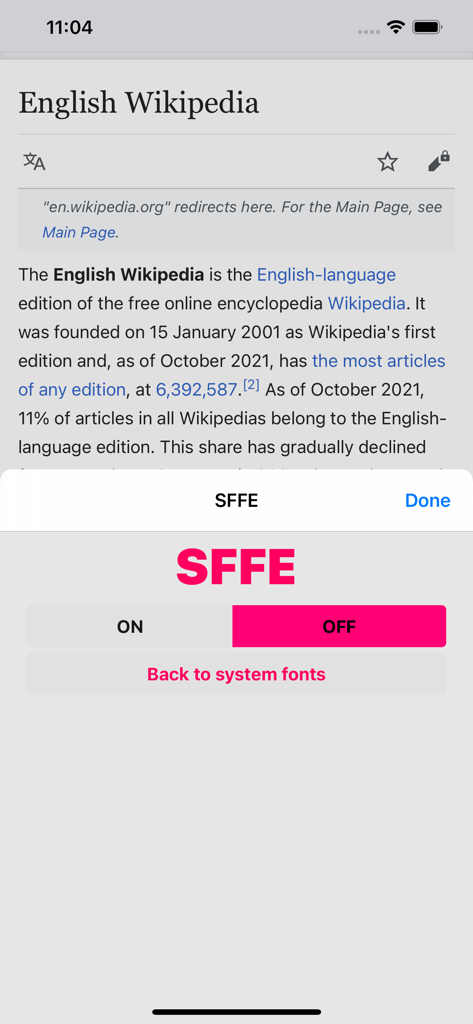
SFFE app interface overlay on a Safari browser window showing Wikipedia with a custom font

SFFE app interface overlay on a Safari browser window showing Wikipedia with a custom font

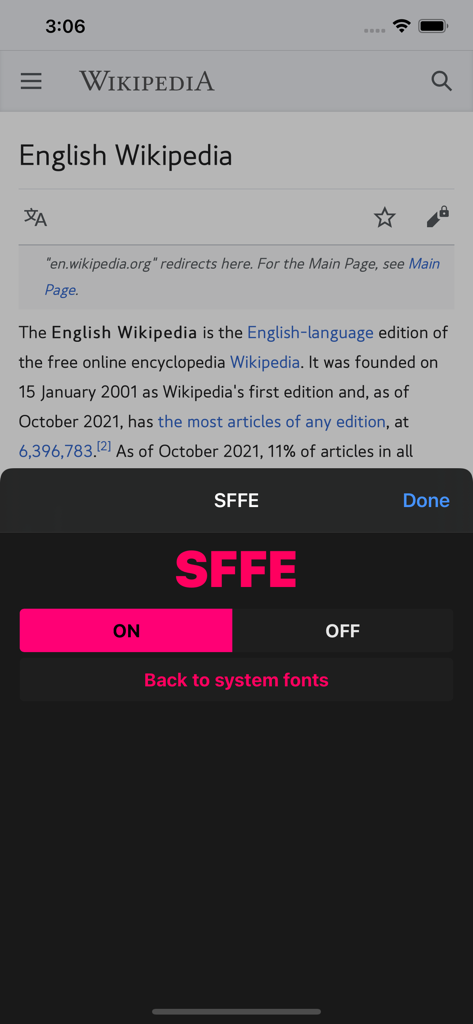
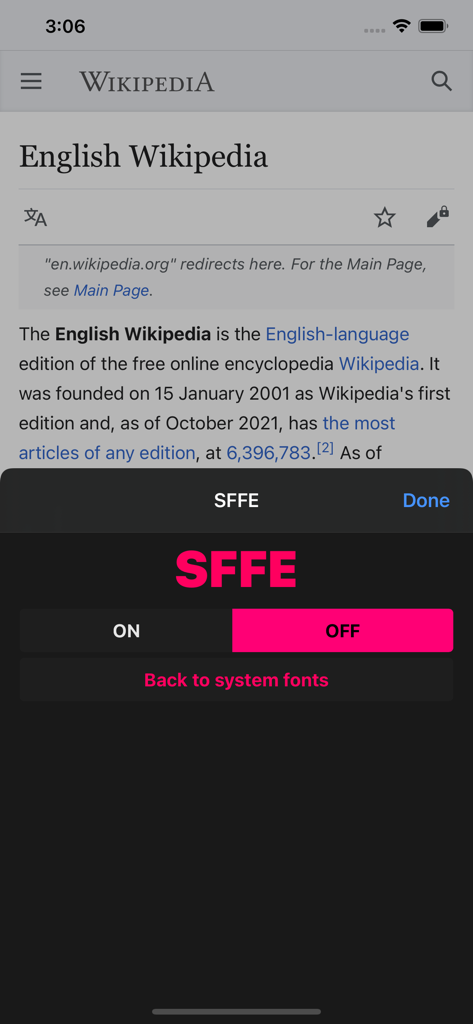
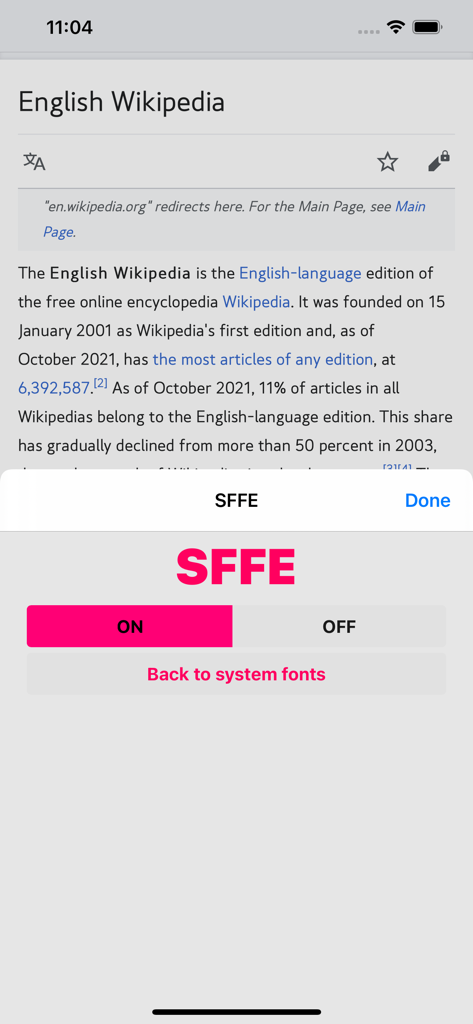
SFFE app interface overlay on a Safari web page with options to toggle custom fonts on and off

SFFE app interface overlay on a Safari web page with options to toggle custom fonts on and off

Instructions on how to activate the SFFE extension in Safari settings and select a custom font file.

Instructions on how to activate the SFFE extension in Safari settings and select a custom font file.

SFFE app interface for selecting custom fonts in the Safari browser with a Wikipedia page in the background

SFFE app interface for selecting custom fonts in the Safari browser with a Wikipedia page in the background

Interface of the SFFE Safari extension with a toggle to enable custom fonts on a Wikipedia article

Interface of the SFFE Safari extension with a toggle to enable custom fonts on a Wikipedia article

Interface of the SFFE mobile extension showing toggle controls for custom fonts on a Wikipedia page in Safari

Interface of the SFFE mobile extension showing toggle controls for custom fonts on a Wikipedia page in Safari

Elevate Your Reading Experience

The tools that make this app stand out, trusted by 13K+ users.

🎨

Complete Aesthetic Control

Match your browser's typography to your unique personal style. Upload your favorite WOFF files and make every website look like a curated designer magazine.

📖

Improved Focus & Legibility

Reduce eye strain and enhance your reading speed. Switch to fonts optimized for accessibility or dyslexia, making long-form articles easier to consume.

Native Safari Integration

Built as a lightweight extension for iPhone and iPad. Enjoy a seamless, high-performance browsing experience without compromising on speed or battery life.

About the app

Everything you need to know about SFFE.

Description

Change the font of the Safari web browser to the font you want. * Go to Settings - Safari - Extensions menu and enable it. * After enable, launch the Safari app and press the puzzle icon to enter the extension settings. * Small size WOFF(Webfont) file recommended. Large font files may take some time to load. * Please send feedback(sffe@blueat.me) if the font is not displayed.

Latest Version

2.0

Size

9.6 MB

First Released

Oct 18, 2021

Ready to redefine your browsing aesthetic?

Download SFFE today and transform Safari with the fonts you love. Whether you are seeking reading comfort or a perfectly curated look, it is time to take total control of your web experience.

Download on App Store

App information, icons, screenshots, and descriptions displayed on this page are sourced from the Apple App Store and are the property of their respective developers. Download estimates and rankings are based on MWM's proprietary models and may not reflect actual figures. This page is provided for informational and analytical purposes only.

Believe this page infringes your intellectual property? File a dispute