
This page is not an official page of the app or its developer, but an independent editorial publication created for informational and commentary purposes. Unless expressly stated otherwise, neither the app nor its developer is affiliated with, endorsed by, sponsored by, authorized by, or otherwise officially connected with MWM, Apple, Google Play, the app publisher, or the app's developer, and nothing on this page implies that the app was developed using MWM's services. Any trademarks, logos, screenshots, and other content remain the property of their respective owners.


Showbie
Empower your students with personalized feedback and seamless digital workflows. Elevate learning with the all-in-one hub designed for the modern K-12 educator.
Downloads
1M+User Rating
Total Ratings
5K+Publisher
Category
EducationLocales
20Latest Version
8.3.1Size
137.5 MBFirst Released
Aug 7, 2012Elevate Your Classroom Workflow
The all-in-one digital hub for teachers to assign work, provide rich feedback, and track student success—built natively for the iPad ecosystem.
Personalized Feedback in Seconds
Ditch the 'paper mountain' and red pen. Use voice notes and digital ink to provide more meaningful, human feedback without the late-night grading burnout.
The Ultimate Creative Hub
Simplify your 'App Smashing' by effortlessly collecting and reviewing work from thousands of compatible iPad apps in one central, secure location.
Frequently Asked Questions
Everything you need to know about Showbie
What is Showbie and what does it do?
Showbie is a digital learning app used by over 3 million teachers and students worldwide. It personalizes assignments and feedback on iPad, supporting effective classroom practices like direct instruction, independent practice, personalized feedback, and real-time assessment.
Does Showbie provide personalized feedback for students?
Yes, Showbie supports personalized feedback through digital ink, text, and voice annotations directly on images and PDFs. It also allows private chats with individual students.
How do teachers use Showbie for managing assignments?
Teachers use Showbie to assign, collect, and review student work from thousands of compatible iPad apps. They can distribute instructions, differentiate assignments, and gauge understanding with real-time assessment tools.
Can students submit work from other iPad apps using Showbie?
Yes, Showbie allows students to submit work from thousands of compatible iPad apps. They can also complete assignments using Showbie's built-in tools.
Does Showbie allow recording voice notes for feedback?
Yes, Showbie supports voice notes for verbal feedback or language exercises. Showbie Pro offers longer voice notes and the ability to pin them directly to student work.
How can parents stay informed about their child's progress with Showbie?
Showbie allows teachers to invite parents to view their student's work and keep them informed of classroom activity. Showbie Pro gives parents complete access to assignments in chosen classes.
What exclusive features does Showbie Pro offer?
Showbie Pro features include recording grades (numeric/letter), richer feedback with more pen colors, typing on pages, longer voice notes/videos, larger file uploads, locking assignments, and complete parent access.
Can Showbie track and record student grades?
Yes, Showbie Pro enables recording and tracking grades as numeric scores or letter grades, complemented by qualitative feedback. This feature enhances comprehensive student assessment.
Does Showbie provide real-time assessment capabilities?
Yes, Showbie facilitates real-time assessment by allowing teachers to gauge class understanding minute-by-minute. This helps in immediate instructional adjustments.
Can students participate in class discussions within Showbie?
Yes, Showbie allows students and teachers to engage in class discussions through a chat interface. This supports collaborative learning and communication within the app.
Does Showbie support the creation of student portfolios?
Yes, Showbie allows users to add student work to individual digital portfolios or enable students to curate their own. These portfolios can be securely shared with parents.
Is Showbie available in multiple languages?
Yes, Showbie is available in 18 languages. This ensures broad accessibility for diverse educational environments worldwide.
The following screenshots and description are sourced directly from the app's official store listing and are the property of the app developer.
App Store
Screenshots
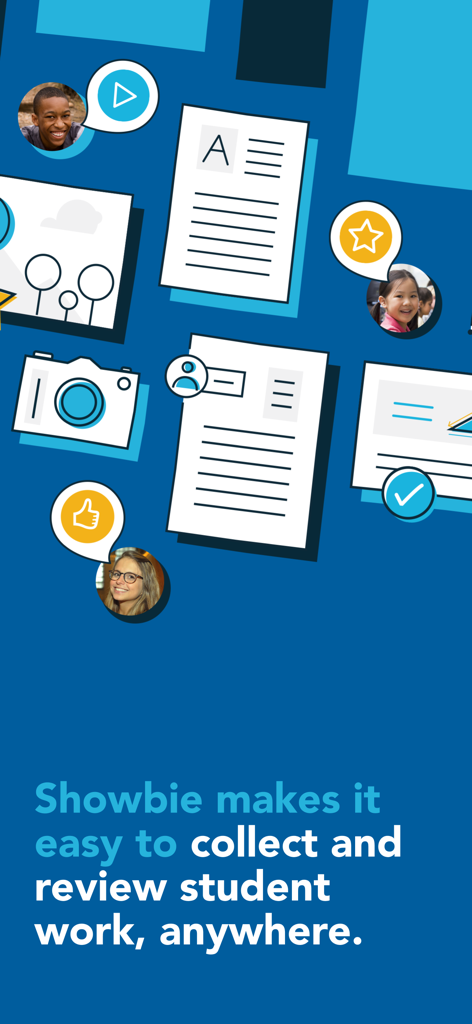
A graphic illustrating how Showbie simplifies collecting and reviewing student work through a digital workflow with teacher and student profiles.
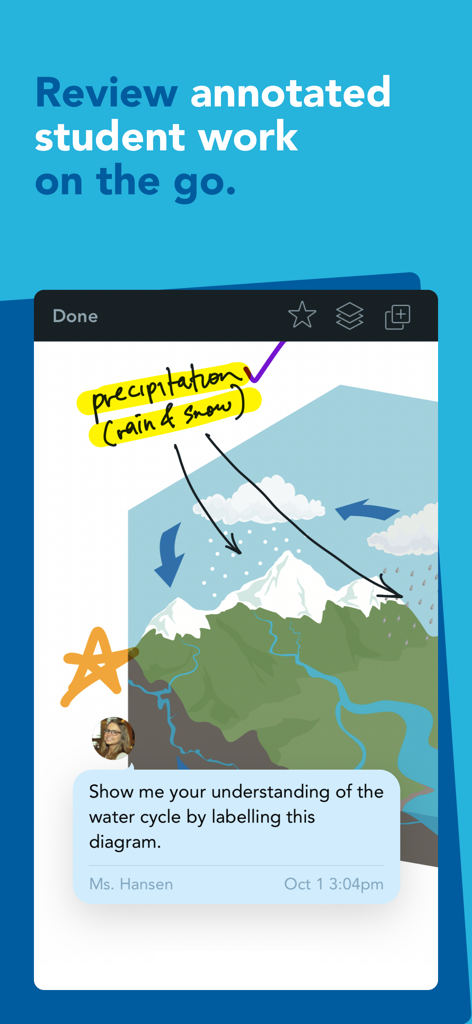
Reviewing annotated student work with digital ink and teacher feedback in the Showbie app
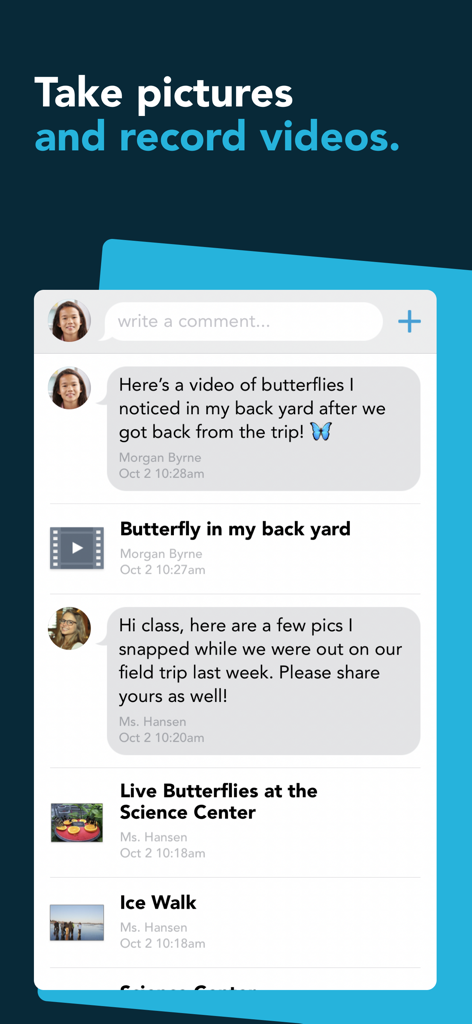
A screenshot of the Showbie app showing a student and teacher sharing pictures and videos of butterflies in a classroom chat interface
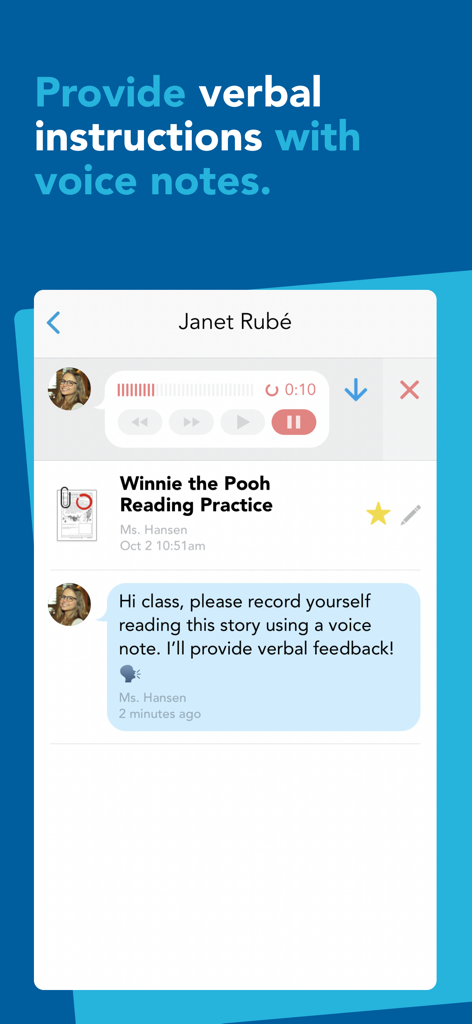
Showbie app interface showing a teacher providing verbal instructions and feedback using voice notes for a reading assignment.
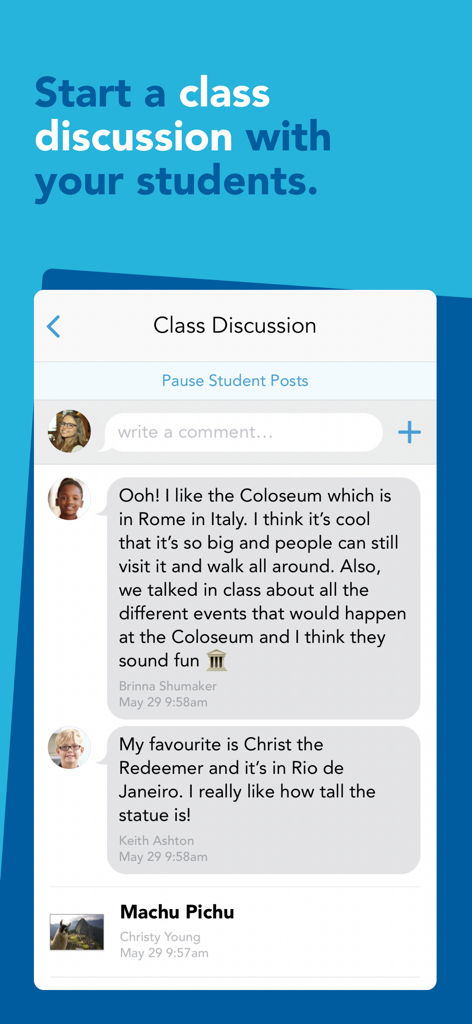
Screenshot of the Showbie app interface showing a real-time class discussion between a teacher and students about world landmarks.
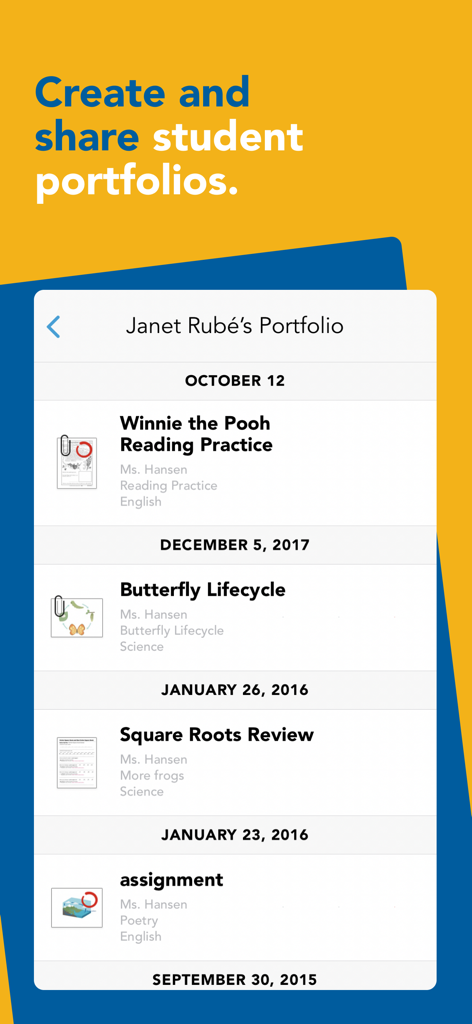
Digital student portfolio in Showbie app showcasing a timeline of school assignments
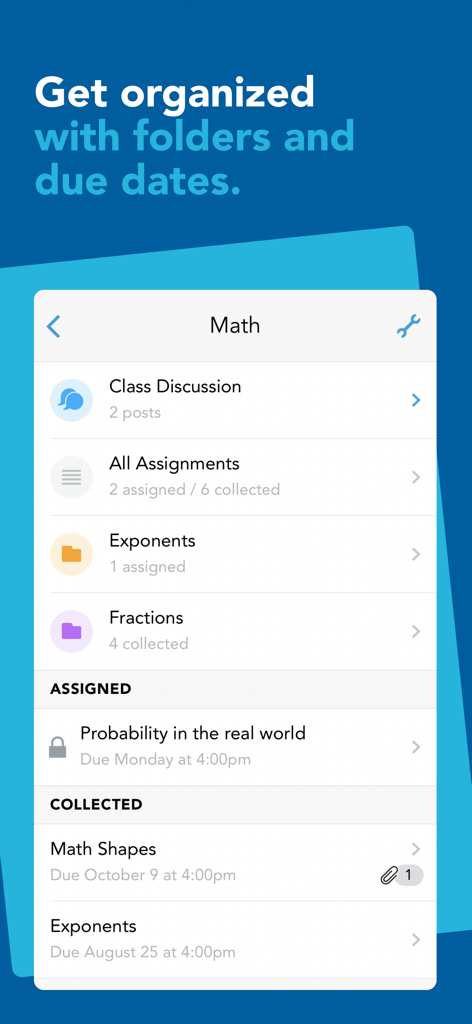
Showbie app interface displaying math class assignments organized by folders and due dates
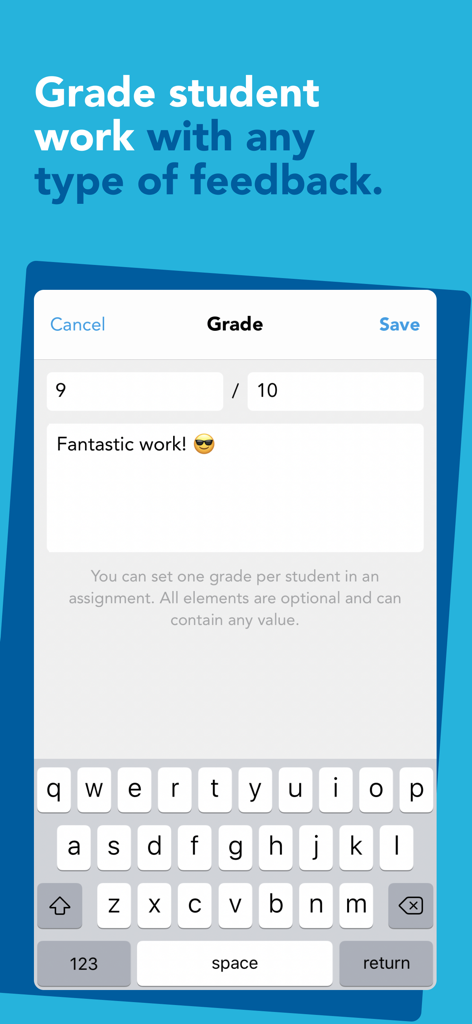
Showbie app interface showing a teacher assigning a grade and text feedback to student work
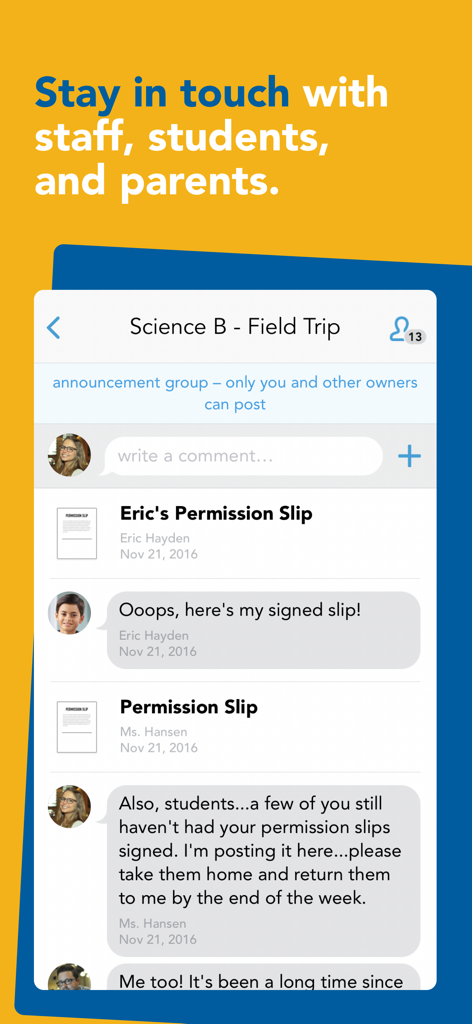
Showbie mobile app interface displaying a class announcement group for teachers students and parents
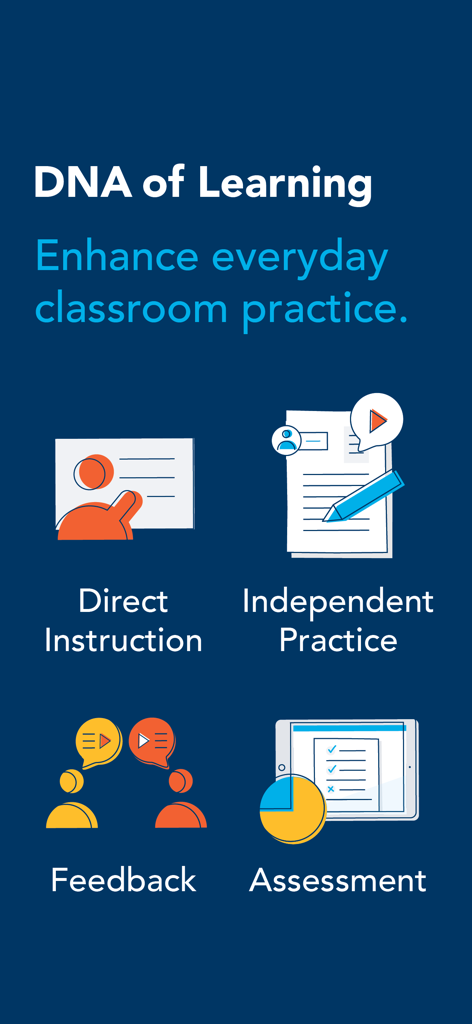
Infographic showing the four pillars of Showbie DNA of Learning including Direct Instruction Independent Practice Feedback and Assessment
Description
Download
More Like This
Apps with similar features and user experience

组卷-中小学智能题库
XKW(Beijing)CO.,LTD.

Twinkl USA
Twinkl Limited

ZipGrade
ZipGrade LLC

Учи.ру для учителей
Uchi.ru, OOO

JustTeacher
Igor Furmanenko

TNMaker - Multiple Choice Test
Vinh Le

TeacherKit Classroom Manager
ITWorx Egypt SAE

智学网教师端
Anhui Zhixue Technology Co.,Ltd.

七天网络
Anhui Septnet Co.,Ltd.
This page is not an official page of the app or its developer, but an independent editorial publication created for informational and commentary purposes. Unless expressly stated otherwise, neither the app nor its developer is affiliated with, endorsed by, sponsored by, authorized by, or otherwise officially connected with MWM, Apple, Google Play, the app publisher, or the app's developer, and nothing on this page implies that the app was developed using MWM's services. Any trademarks, logos, screenshots, and other content remain the property of their respective owners.