
This page is not an official page of the app or its developer, but an independent editorial publication created for informational and commentary purposes. Unless expressly stated otherwise, neither the app nor its developer is affiliated with, endorsed by, sponsored by, authorized by, or otherwise officially connected with MWM, Apple, Google Play, the app publisher, or the app's developer, and nothing on this page implies that the app was developed using MWM's services. Any trademarks, logos, screenshots, and other content remain the property of their respective owners.


Sicredi para smartphone
Finally, financial control moves at your pace. This app puts essential banking at your fingertips, liberating users from traditional constraints.
Downloads
2.5M+User Rating
Total Ratings
675.9KPublisher
Category
FinanceLocales
1Latest Version
6.24.0Size
205.9 MBFirst Released
Dec 12, 2015An evaluation of core functionalities for individual and business associates.
Sicredi Mobile Banking: Key Features Analysis
Seamless Fund Transfers
It allows users to perform various types of fund transfers, enabling quick and efficient movement of money between accounts, a crucial function for daily financial management.
Convenient Bill Payments
The app provides the capability to pay or schedule a wide range of bills, including boletos and taxes, simplifying financial obligations for associates.
Real-time Balance and Statement Access
It allows users to instantly consult their account balances and view detailed statements, providing a clear overview of their financial activity.
Integrated Investment and Loan Management
This tool features options to make investments and manage loans directly through the app, offering associates convenient access to financial growth and credit facilities.
Secure Mobile Token and QR Code Features
The app provides access to mobile tokens and QR code functionalities, enhancing security for transactions and enabling quick, secure payments or authentication.
Comprehensive Card Information Management
It allows users to consult detailed information regarding their credit and debit cards, supporting better management of card-related activities.
Frequently Asked Questions
Everything you need to know about Sicredi para smartphone
Who can use the Sicredi para smartphone app?
The Sicredi para smartphone app is exclusively for Sicredi associates. Users access it with the same password and security device used for Internet Banking, managing their finances easily from anywhere.
What main financial operations does the Sicredi para smartphone app offer?
The Sicredi para smartphone app allows users to check balances, pay bills and taxes, make investments and loans, perform transfers, and consult credit or debit card information. It caters to both individuals and legal entities.
Does the Sicredi para smartphone app support Pix transactions?
Yes, the Sicredi para smartphone app fully supports Pix transactions. Users can send and receive Pix via QR Code, manual key, or copy/paste, and view their Pix transaction history within the application.
Can businesses use the Sicredi para smartphone app?
Yes, the Sicredi para smartphone app supports both individual (Pessoa Física) and legal entity (Pessoa Jurídica) accounts. Users select their specific account type during the login process.
Can I recharge my mobile phone using the Sicredi para smartphone app?
Yes, the Sicredi para smartphone app enables users to perform mobile phone recharges directly within the application. This functionality is listed among the available services in the app's main menu.
The following screenshots and description are sourced directly from the app's official store listing and are the property of the app developer.
App Store
Screenshots
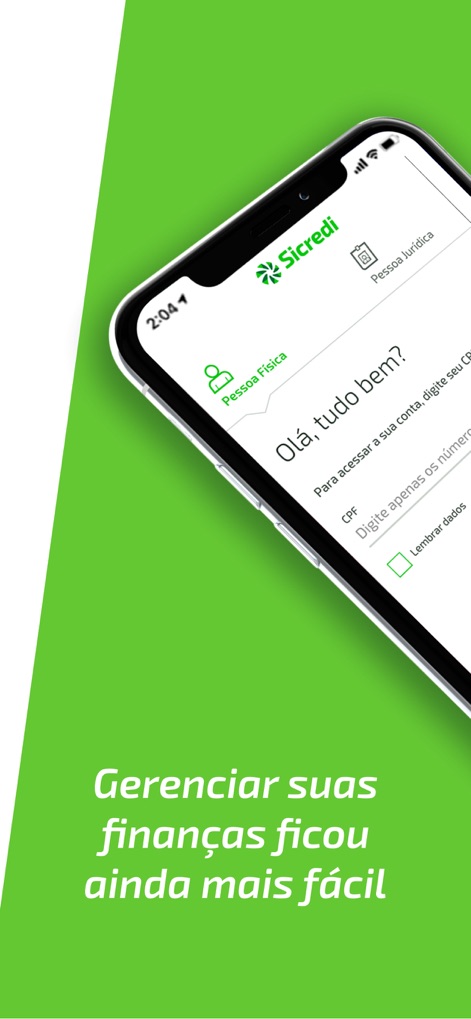
Users can effortlessly navigate between 'Individual Account' and 'Business Account' logins, leveraging the secure CPF input and the 'Remember Data' option for streamlined access.
Seamless Login Options
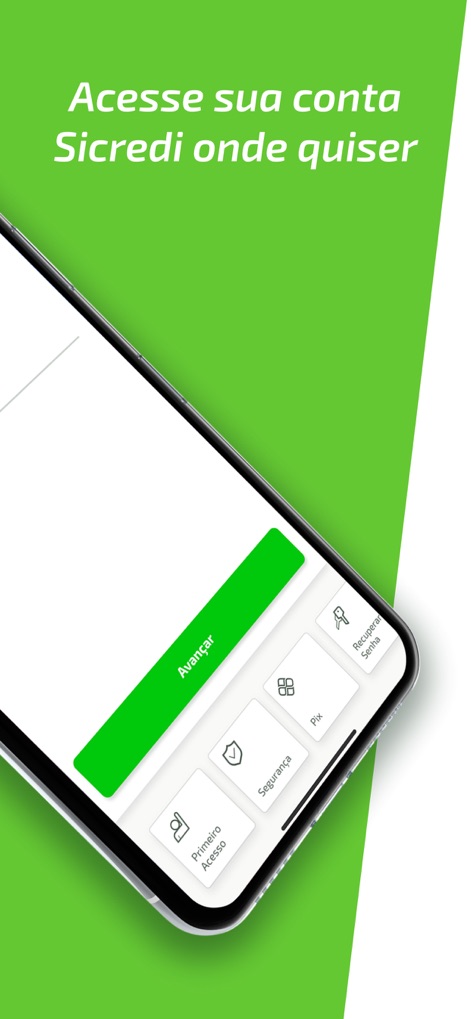
The app features intuitive quick access buttons for critical functions like 'First Access' and 'Security', alongside a clear 'Continue' button for streamlined user flow.
Essential Access Tools
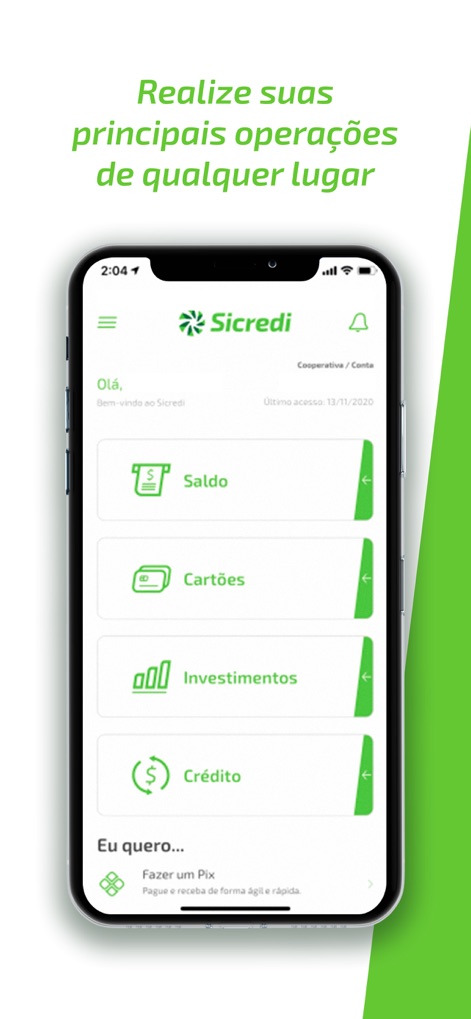
The main dashboard provides a clear, categorized overview of financial categories such as 'Balance' and 'Investments', complemented by a quick action shortcut for 'Making a Pix'.
Comprehensive Financial Hub

This screen details multiple Pix transfer options, including 'Pix with QR Code' and 'Pix Copy and Paste', alongside dedicated sections for 'Pix Movements' and 'My Keys'.
Advanced Pix Functionality

The app's comprehensive side menu allows users to easily navigate to core services such as 'Checking Account' and 'Investments', ensuring all financial needs are just a tap away.
Full Service Navigation
Description
Download
More Like This
Apps with similar features and user experience

Sicoob
Sicoob Confederacao

SchoolsFirst FCU Mobile
SchoolsFirst FCU

Ruralvía - Banca digital
Rural Servicios Informaticos, S.C.

SECU
State Employees' Credit Union

Mercantil Banco
MERCANTIL, C.A., Banco Universal.

Asakabank
Asaka Joint Stock Commercal Bank

America First Credit Union
America First Credit Union

CBNA Mobile Banking
Community Bank NA

PenFed Mobile
pentagon federal credit union
This page is not an official page of the app or its developer, but an independent editorial publication created for informational and commentary purposes. Unless expressly stated otherwise, neither the app nor its developer is affiliated with, endorsed by, sponsored by, authorized by, or otherwise officially connected with MWM, Apple, Google Play, the app publisher, or the app's developer, and nothing on this page implies that the app was developed using MWM's services. Any trademarks, logos, screenshots, and other content remain the property of their respective owners.