Silhouette - Image Maker App
Download on App Store

This page is not an official page of the app or its developer, but an independent editorial publication created for informational and commentary purposes. Unless expressly stated otherwise, neither the app nor its developer is affiliated with, endorsed by, sponsored by, authorized by, or otherwise officially connected with MWM, Apple, Google Play, the app publisher, or the app's developer, and nothing on this page implies that the app was developed using MWM's services. Any trademarks, logos, screenshots, and other content remain the property of their respective owners.
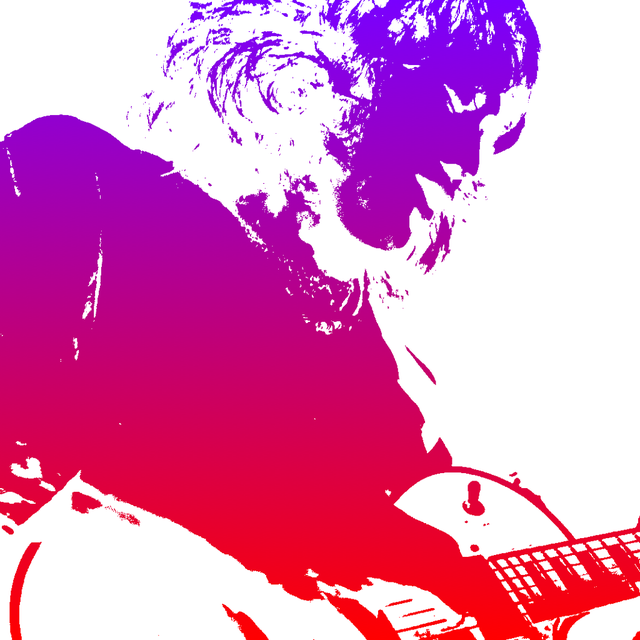

Logo of Silhouette - Image Maker App
Download on App Store

Silhouette - Image Maker App

Transform your photos into high-end advertising posters and custom digital stickers. Master the art of image blending and pattern layering to make your social media feed stand out with professional-lite visuals.

Key Figures

Downloads

0

User Rating

3.1/5

Total Ratings

0

Publisher

TAIKI HIRATA

Category

Photo & Video

Locales

2

Latest Version

2.5

Size

13.6 MB

First Released

Oct 20, 2014
Features

Create Visual Magic with Pro-Level Silhouette Art

Transform ordinary photos into striking, high-end graphic designs. Perfect for influencers, digital crafters, and anyone who loves a clean, minimalist aesthetic.

Seamless Image Blending

Layer patterns or landscape photos into your silhouettes to recreate the iconic look of professional advertising posters in seconds.

Instant Sticker Maker

Craft custom stamps with transparent backgrounds. Perfect for adding a unique personal flair to your Instagram Stories and digital journals.

The following screenshots and description are sourced directly from the app's official store listing and are the property of the app developer.

App Store

Screenshots
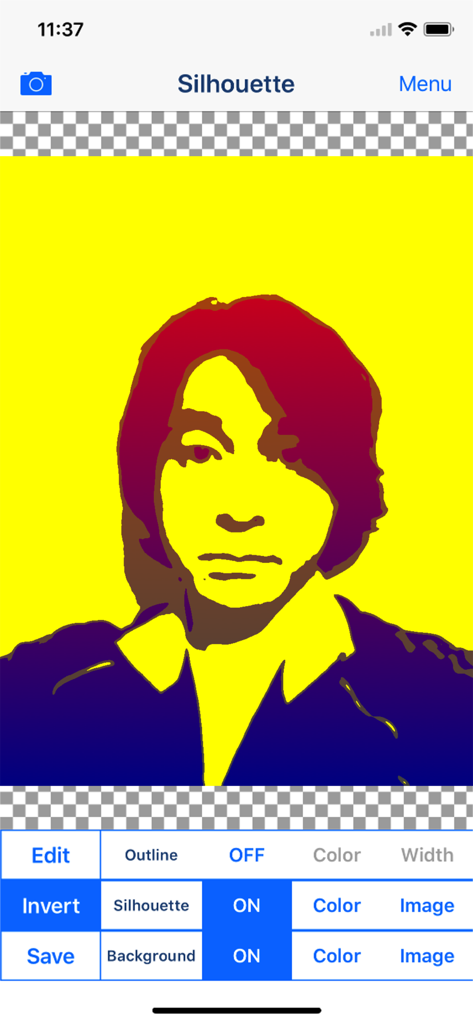
Silhouette - Image Maker App - A colorful artistic silhouette portrait being edited in the Silhouette Image Maker app interface
A colorful artistic silhouette portrait being edited in the Silhouette Image Maker app interface

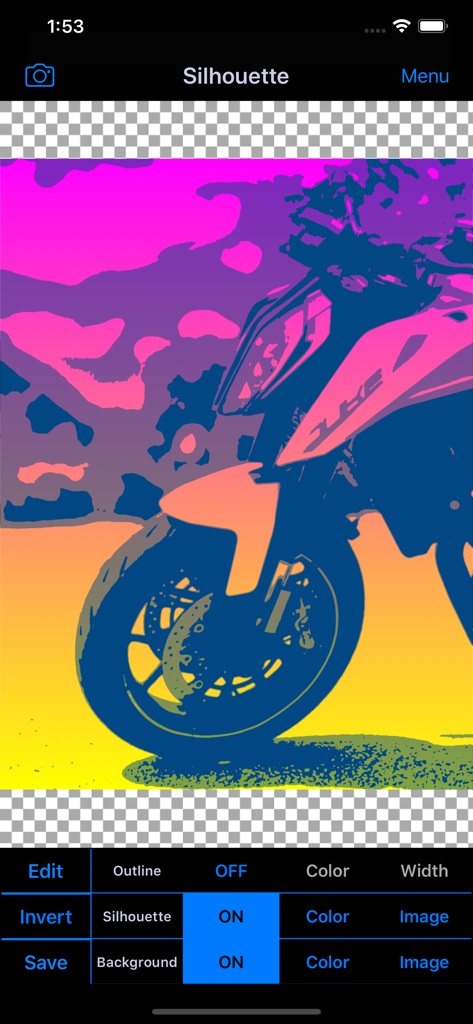
Silhouette - Image Maker App - The Silhouette app interface displaying a colorful silhouette edit of a motorcycle
The Silhouette app interface displaying a colorful silhouette edit of a motorcycle

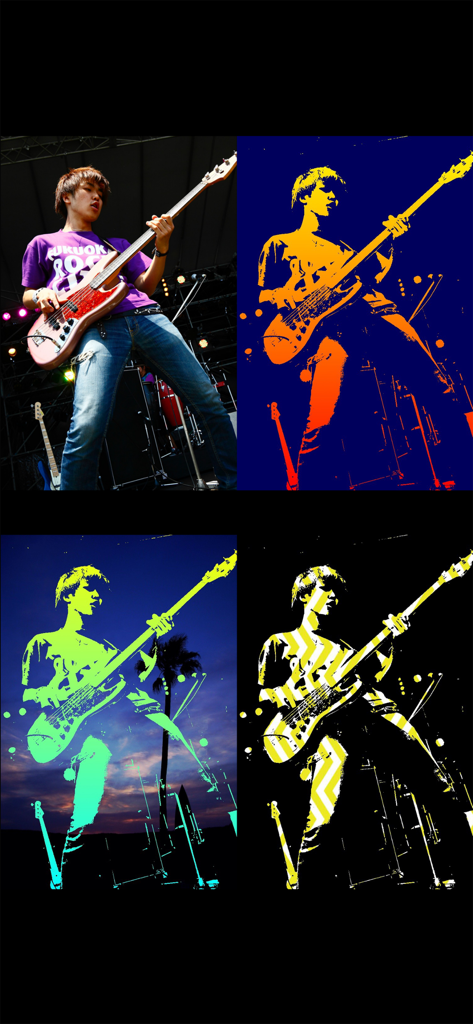
Silhouette - Image Maker App - A four panel display of a musician photo transformed into various silhouette art effects including color filters and image blending
A four panel display of a musician photo transformed into various silhouette art effects including color filters and image blending

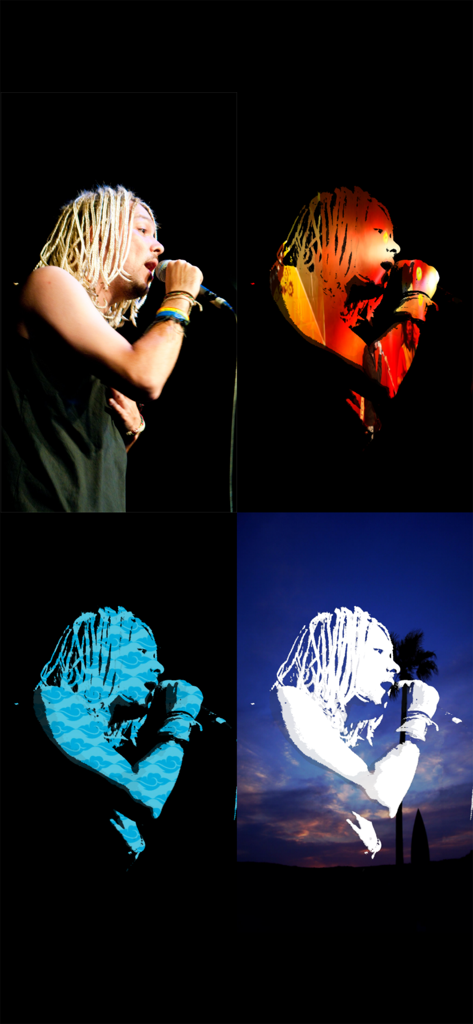
Silhouette - Image Maker App - Four-panel grid showing a singer original photo and three different artistic silhouette blending effects with patterns and sunset background
Four-panel grid showing a singer original photo and three different artistic silhouette blending effects with patterns and sunset background

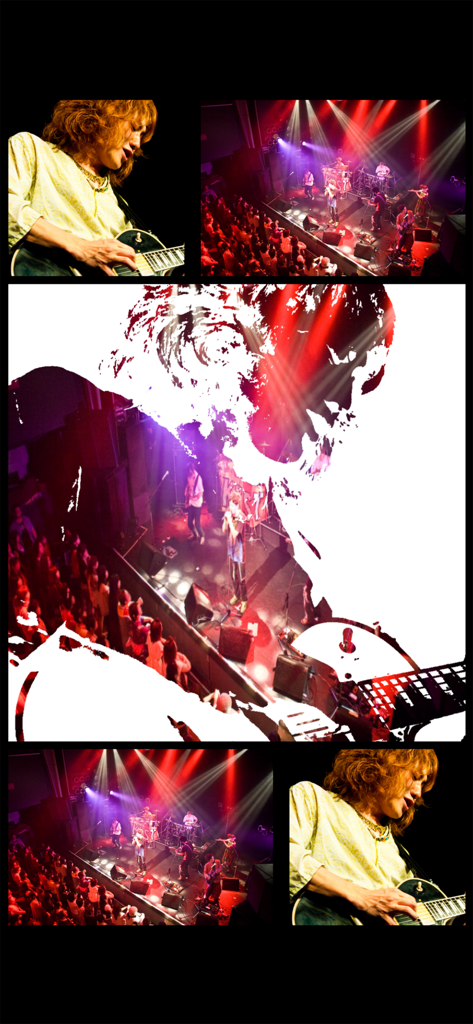
Silhouette - Image Maker App - A guitarist silhouette filled with a live music concert photo using the Silhouette app.
A guitarist silhouette filled with a live music concert photo using the Silhouette app.

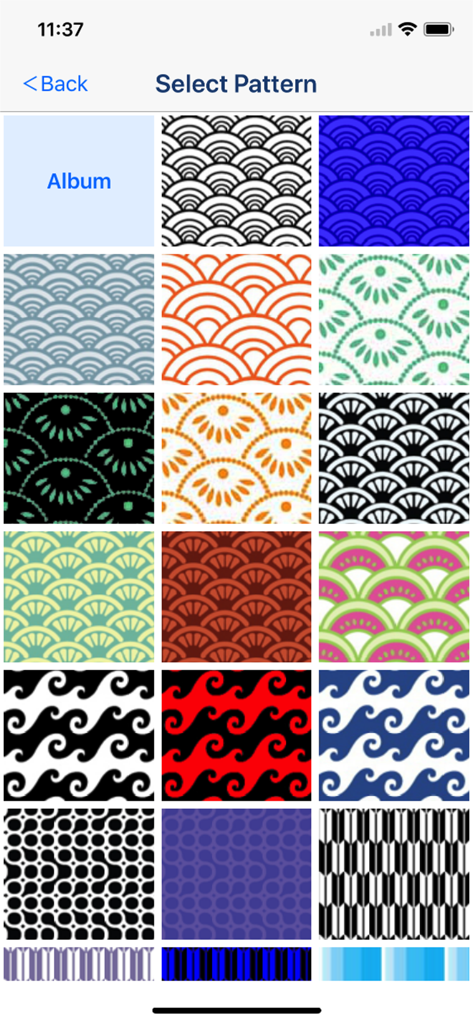
Silhouette - Image Maker App - A grid of various colorful geometric and wave patterns to select for silhouette art.

A grid of various colorful geometric and wave patterns to select for silhouette art.

Description

Let's create Cool Silhouette Art like advertising posters and TV CM! You will be able to create cool silhouette art easily! You will be able to merge photos to silhouette image! You will be able to collage pattern picture to silhouette image! Let's share your cool silhouette art with your friends by using Facebook, Twitter, Instagram and other SNS! Silhouette - Silhouette Effects Image Blender and Shadow Collage Picture Maker Free Photo Editor Apps - ■Description of App "Silhouette" is the free photo editor apps for creating silhouette effects image and collage picture. You will be able to edit your photo or image and create silhouette effects image easily by this photo collage editor apps. You will be able to create artistic image from your photo or image by blending photo or image from photo album or camera to silhouette effects image. In addition, you can edit silhouette effects image like collage using various pattern image which is incorporated in the apps. *You can save only one image that used blender effect or used pattern image per day. You can remove the restriction by purchasing "Additional Functions" Add-on in In-App Purchase. You can create image with transparent background like stamp from your photo by hiding the background. You can use pattern image of 155 type to edit your photo and image. In addition, you can use pattern image that saved in the photo album of your device. I plan to add new pattern image in the future. ■Function List 1. Extraction of Outline. ○You can extract outline from photo or image. ○Outline is hidden in the initial state. ○When you edit silhouette effects image from the photo with little contrast, you might be able to extract the silhouette relatively cleanly by using outline. ○You can edit outline color and outline width. ○You can hide outline. 2. Create Silhouette Effects Image ○You can create silhouette effects image from your photo or image. ○This is main function of this photo editor apps. ○You can edit silhouette color, silhouette threshold, silhouette transparency and silhouette smoothness. ○You can merge photo or image from photo album or camera as silhouette inner image. ○You can collage pattern image as silhouette inner image. ○You can invert and hide silhouette. 3. Edit Silhouette Background ○You can edit background of silhouette. ○You can edit background color. ○You can merge photo or image from photo album or camera as background. ○You can collage pattern image as background image. ○You can create image with transparent background like stamp from your photo by hiding the background. *You can save only one image that used blender effect or used pattern image per day. You can remove the restriction by purchasing "Additional Functions" Add-on in In-App Purchase. ■How to create Silhouette Effects Image 1. Select image you want to edit from "Camera" Button. 2. When Image was displayed, edit image to the desired image by Edit Items. 3. You can merge photo or image from photo album or camera as background by selecting "Image" button. 4.You can collage pattern image as background image by selecting "Image" button. 5. When you touch "Save" Button, current image will be saved in "Photos (Camera Roll)". *Full Screen Advertising will be displayed, after you have saved the picture. You can hide this Advertising by purchasing "Add-on". *You can save only one image that used blender effect or used pattern image per day. You can remove the restriction by purchasing "Additional Functions" Add-on in In-App Purchase. ■About In-app Advertising Banner Advertising is displayed in Home Screen. Full Screen Advertising will be displayed, after you have saved the picture. You can hide these Advertising by purchasing "Additional Function Add-on".

Download

Download on App Store

This page is not an official page of the app or its developer, but an independent editorial publication created for informational and commentary purposes. Unless expressly stated otherwise, neither the app nor its developer is affiliated with, endorsed by, sponsored by, authorized by, or otherwise officially connected with MWM, Apple, Google Play, the app publisher, or the app's developer, and nothing on this page implies that the app was developed using MWM's services. Any trademarks, logos, screenshots, and other content remain the property of their respective owners.