Simple PDF Editor

Simple PDF Editor

Download on App Store
Logo of Simple PDF Editor

Simple PDF Editor: Edit, Merge, and Secure Documents in Seconds

The no-bloat solution for professionals on the move. Effortlessly manage pages, extract content, and protect sensitive files right from your mobile device.

Download on App Store

Publisher

Kei Suefuji

Category

Utilities

Downloads

0

User Rating

4.3/5

Total Ratings

0

Locales

16

Simplicity in Action

Discover the interface used by 0 users.
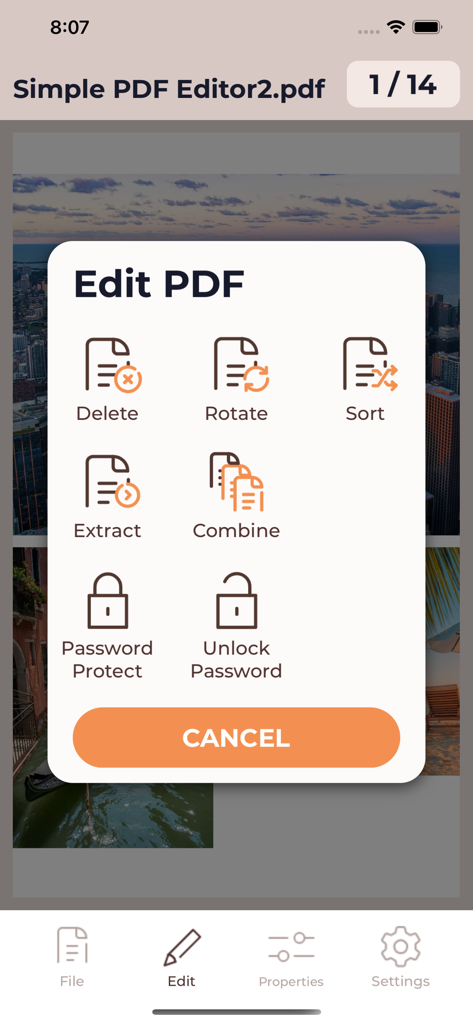
Edit PDF menu in the app with options to rotate sort extract and password protect documents

Edit PDF menu in the app with options to rotate sort extract and password protect documents

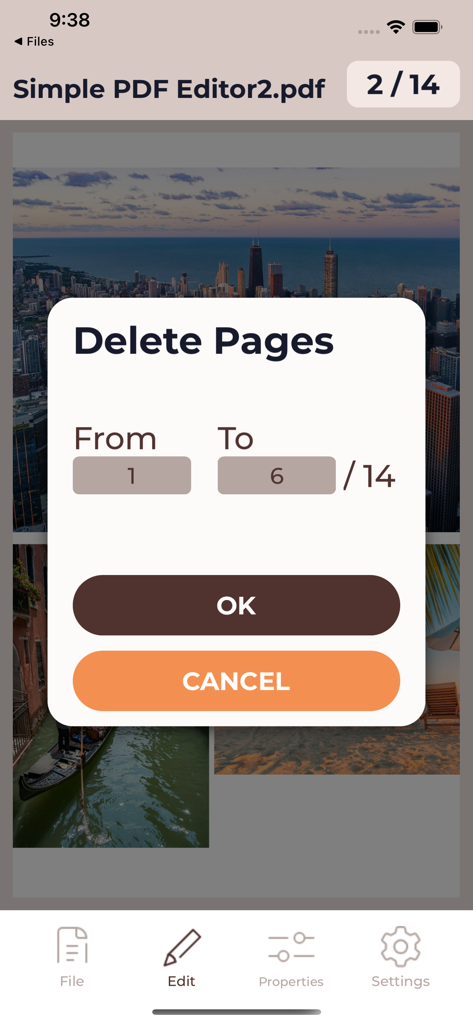
A screen from the Simple PDF Editor app showing a popup dialog to delete a range of pages from a 14 page document

A screen from the Simple PDF Editor app showing a popup dialog to delete a range of pages from a 14 page document

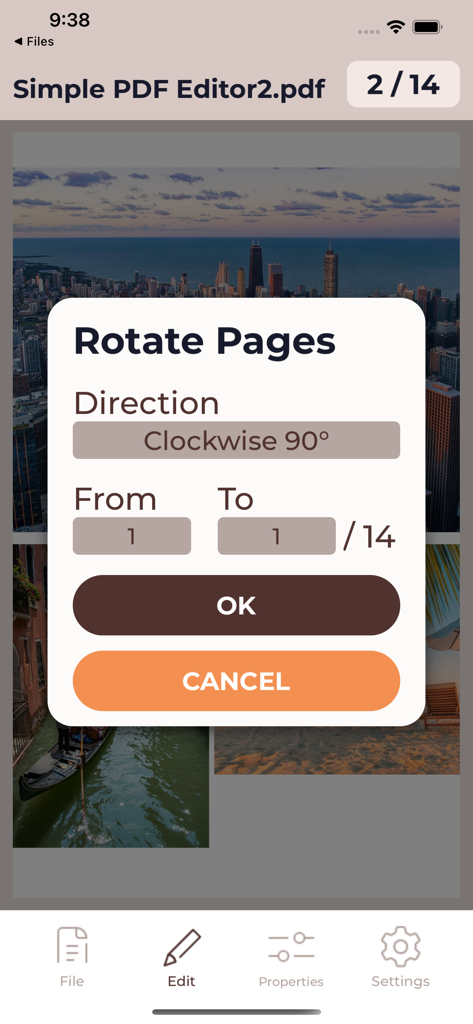
Rotate Pages dialog window in Simple PDF Editor app showing rotation direction and page range options.

Rotate Pages dialog window in Simple PDF Editor app showing rotation direction and page range options.

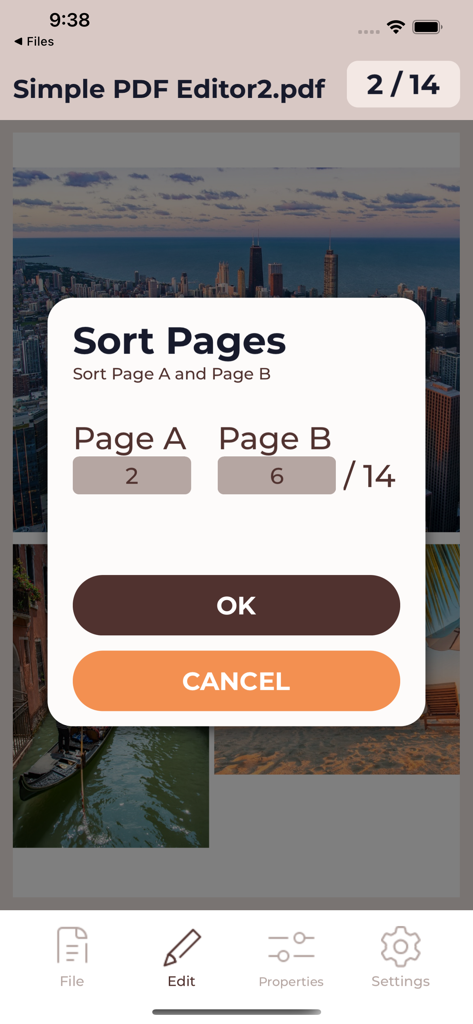
Simple PDF Editor interface for sorting document pages

Simple PDF Editor interface for sorting document pages

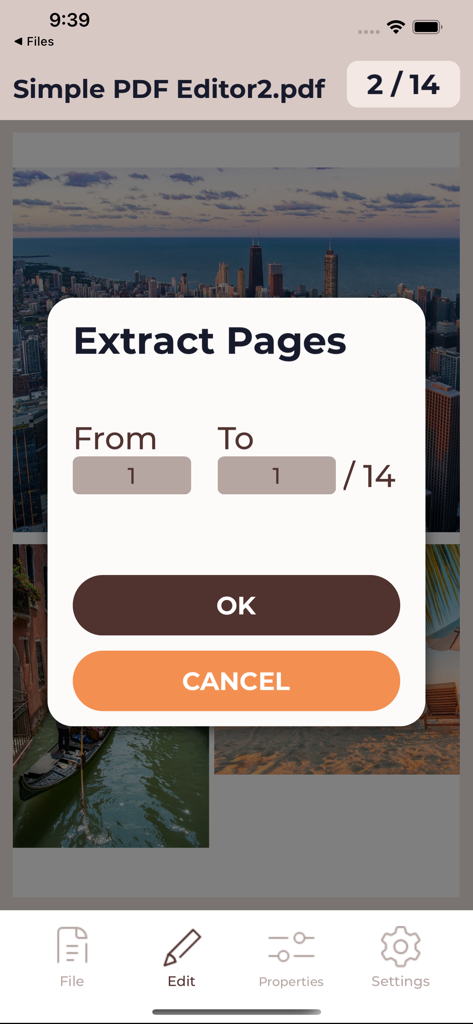
Extract pages interface in Simple PDF Editor showing page range selection for PDF documents

Extract pages interface in Simple PDF Editor showing page range selection for PDF documents

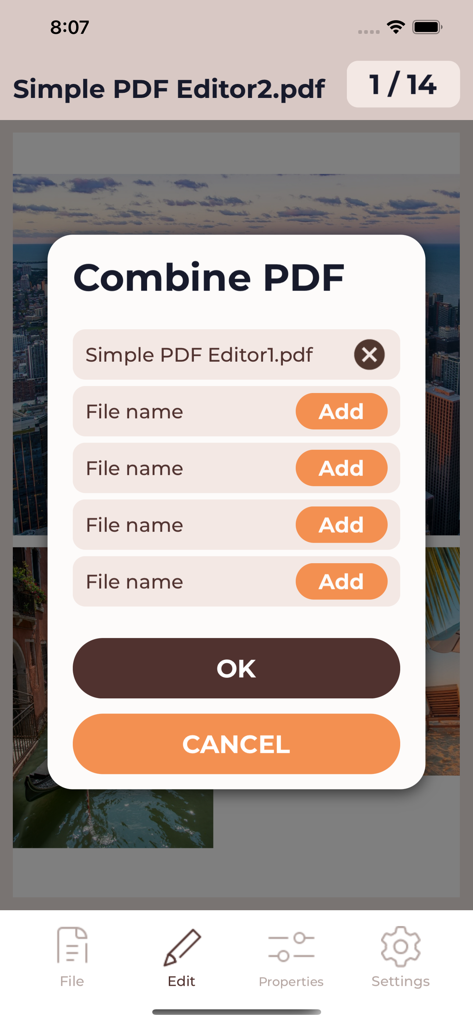
A mobile interface screen for combining multiple PDF files into one document within the Simple PDF Editor app.

A mobile interface screen for combining multiple PDF files into one document within the Simple PDF Editor app.

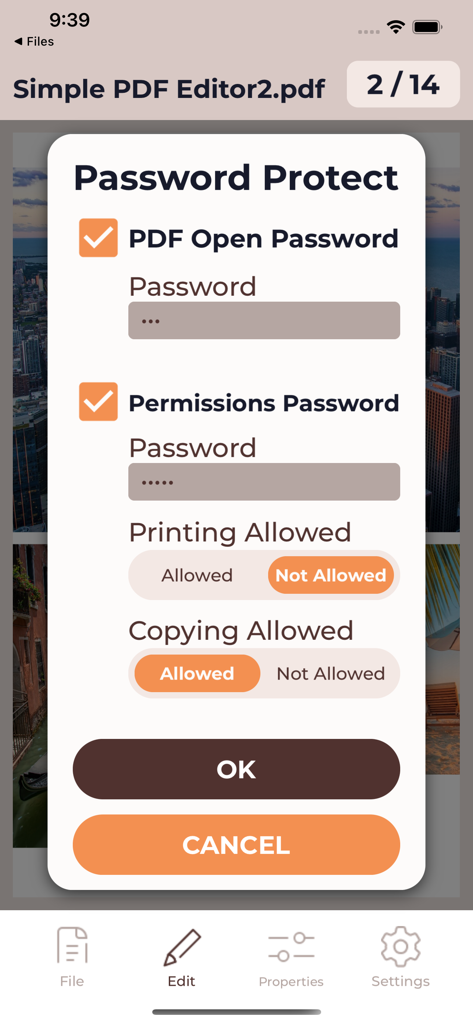
Setting up password protection and document permissions in Simple PDF Editor

Setting up password protection and document permissions in Simple PDF Editor

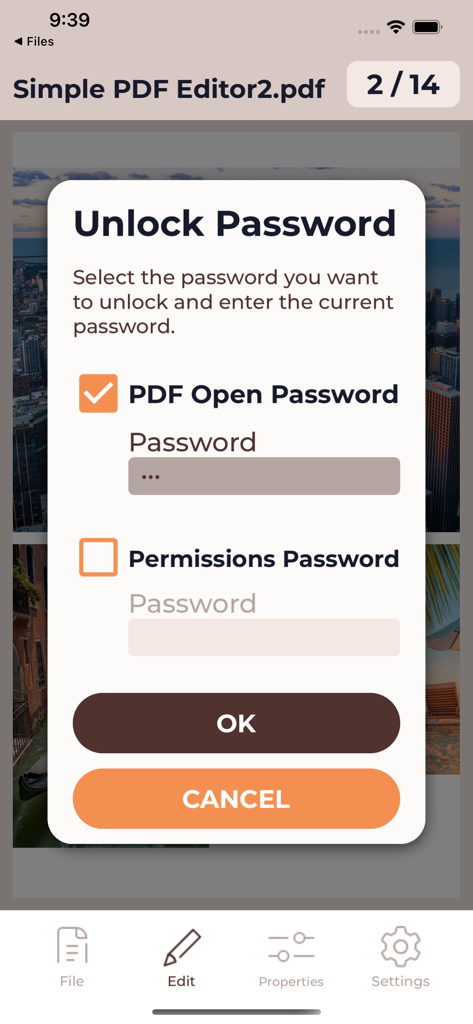
A mobile interface showing the unlock password dialog with options for open and permissions passwords.

A mobile interface showing the unlock password dialog with options for open and permissions passwords.

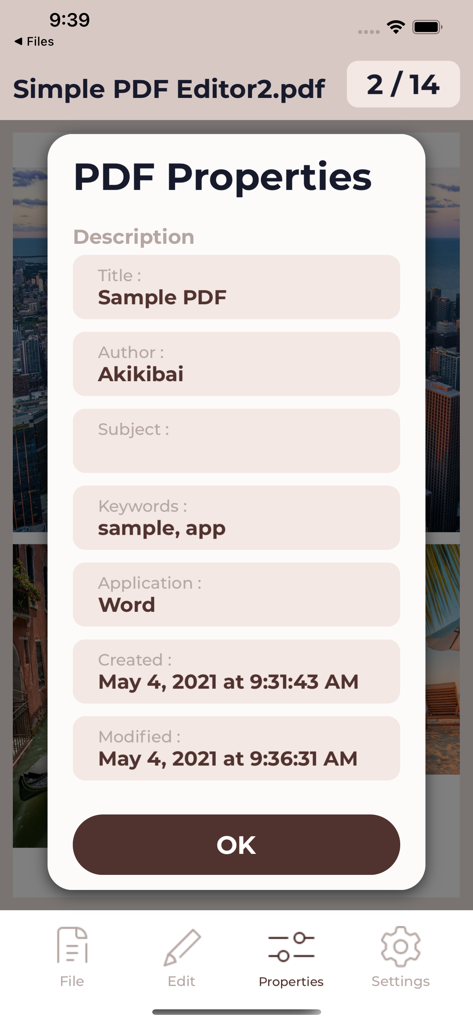
Simple PDF Editor app displaying document metadata and file properties on iPhone

Simple PDF Editor app displaying document metadata and file properties on iPhone

Edit PDFs Without the Headache

The tools that make this app stand out, trusted by 0 users.

📑

Instant Page Organization

Quickly rotate, reorder, or delete pages with simple touch gestures. Perfect for fixing upside-down scans while you're on the move.

🔀

Merge & Extract Effortlessly

Combine multiple reports into one professional file or extract specific pages to share only what is necessary with your clients.

🛡️

Bank-Level Security

Secure sensitive contracts with password protection or unlock restricted documents for easier editing—all without leaving your device.

About the app

Everything you need to know about Simple PDF Editor.

Description

This app is an app that allows you to easily edit PDF documents. You can easily delete, rotate, sort, extract, and combine pages of PDF documents with simple operations. You can also password protect PDF documents and unlock them. In the free version, you can even check the result of editing the PDF. If you want to save the edited file, please consider purchasing each editing tool in the app or purchasing the professional version that can use all the tools. ---------------------- Terms of Service and Privacy Policy: https://akikibai-labolatory.jimdofree.com/privacy-policy-log-apps/

Latest Version

1.12.0

Size

14.7 MB

First Released

May 4, 2021

Simplify Your PDF Workflow in Seconds

No more waiting until you are back at your desk. Join thousands of professionals who merge, rotate, and secure their documents on the go with the ultimate mobile productivity tool.

Download on App Store

App information, icons, screenshots, and descriptions displayed on this page are sourced from the Apple App Store and are the property of their respective developers. Download estimates and rankings are based on MWM's proprietary models and may not reflect actual figures. This page is provided for informational and analytical purposes only.

Believe this page infringes your intellectual property? File a dispute