Simple Weight - Weight Loss
Download on App Store

This page is not an official page of the app or its developer, but an independent editorial publication created for informational and commentary purposes. Unless expressly stated otherwise, neither the app nor its developer is affiliated with, endorsed by, sponsored by, authorized by, or otherwise officially connected with MWM, Apple, Google Play, the app publisher, or the app's developer, and nothing on this page implies that the app was developed using MWM's services. Any trademarks, logos, screenshots, and other content remain the property of their respective owners.

Logo of Simple Weight - Weight Loss
Download on App Store

Simple Weight - Weight Loss

Skip the complexity and focus on progress. Join over 1 million users who track weight, body fat, and health trends in seconds with total privacy and seamless Apple Health integration.

Key Figures

Downloads

1M+

User Rating

4.5/5

Total Ratings

25K+

Publisher

i-mobile Co.,Ltd

Category

Health & Fitness

Locales

5

Latest Version

3.3.9

Size

47.5 MB

First Released

Feb 15, 2011
Features

Master Your Health Without the Hassle

Stop fighting complex fitness apps. Focus on consistency with a minimalist weight tracker designed to fit into your busy life and help you reach your goals.

Track in 10 Seconds

Perfect for your morning ritual. No onboarding quizzes or complex menus—just record your weight and get back to your day.

Visualize Your Success

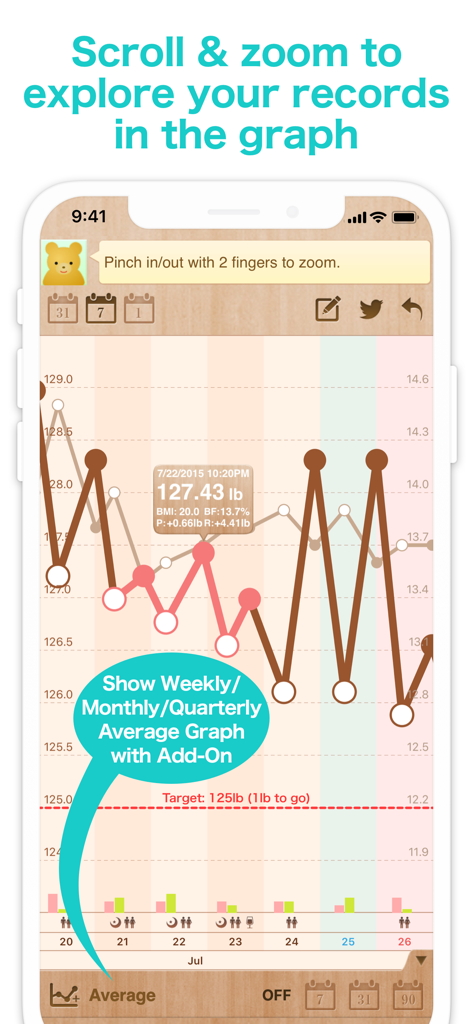
See beyond daily fluctuations with zoomable graphs and BMI indicators that highlight your long-term progress and trends.

The following screenshots and description are sourced directly from the app's official store listing and are the property of the app developer.

App Store

Screenshots
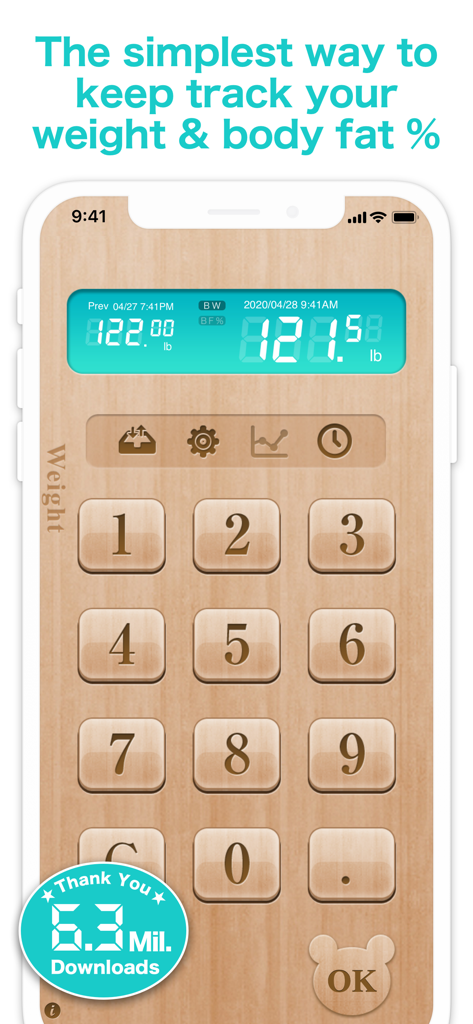
Simple Weight - Weight Loss - Simple Weight app interface with a wood-themed numeric keypad for tracking weight and body fat
Simple Weight app interface with a wood-themed numeric keypad for tracking weight and body fat

Simple Weight - Weight Loss - A zoomable weight loss graph in the Simple Weight app showing weight trends and target goals
A zoomable weight loss graph in the Simple Weight app showing weight trends and target goals

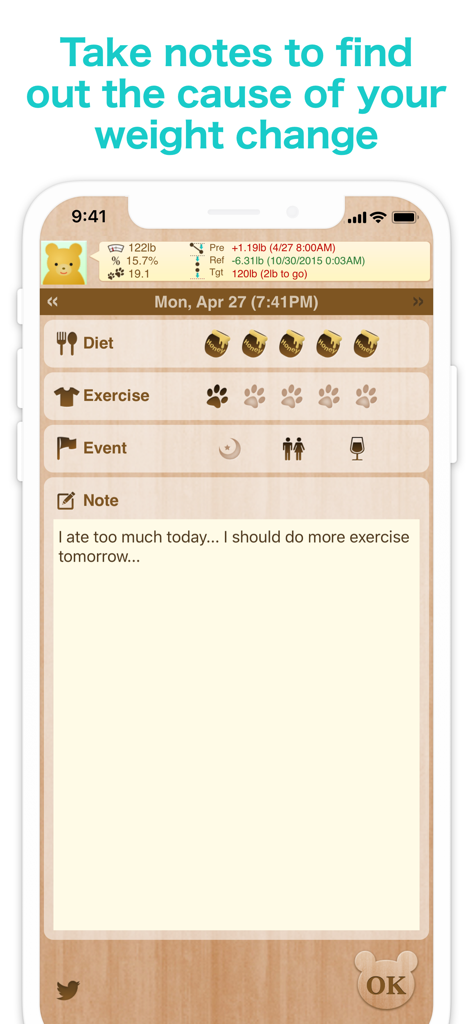
Simple Weight - Weight Loss - Weight loss app notes screen for diet and exercise tracking
Weight loss app notes screen for diet and exercise tracking

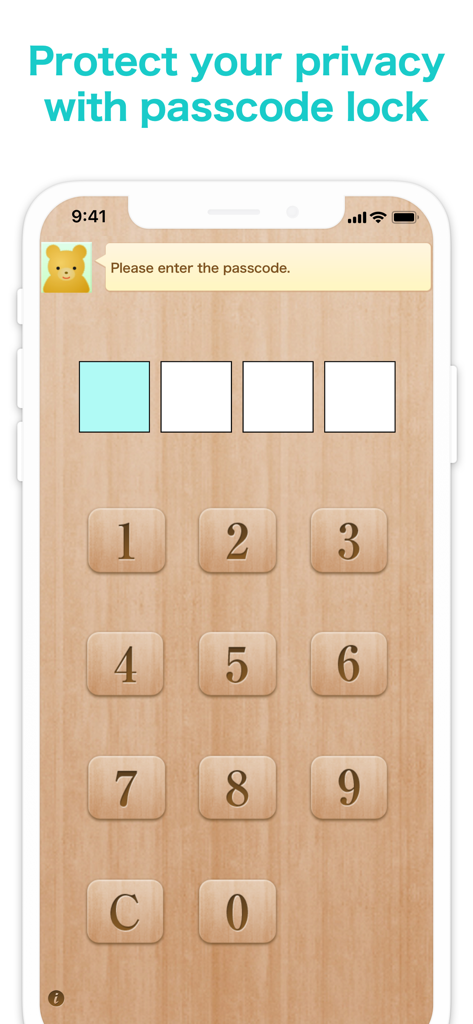
Simple Weight - Weight Loss - Passcode entry screen in the Simple Weight app for data privacy and protection.
Passcode entry screen in the Simple Weight app for data privacy and protection.

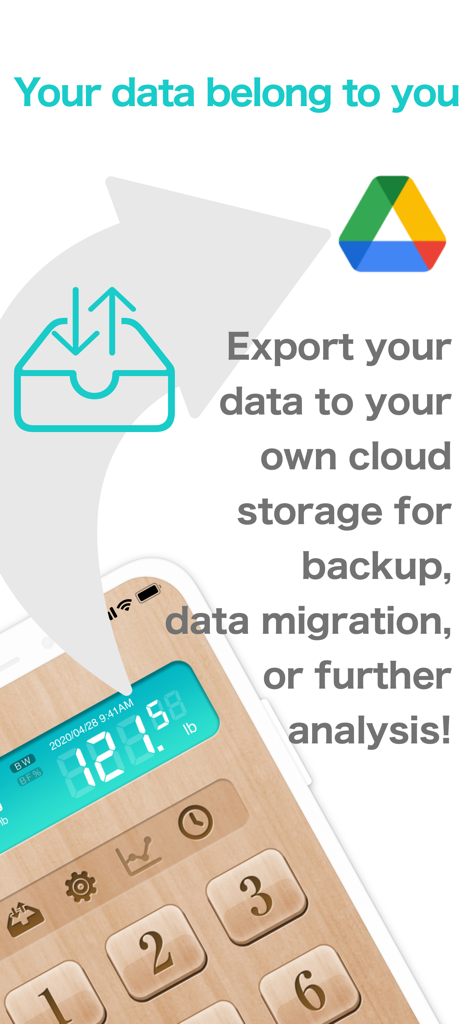
Simple Weight - Weight Loss - Simple Weight app screen showing cloud data export and backup options
Simple Weight app screen showing cloud data export and backup options

Simple Weight - Weight Loss - Announcement of a new brand new design theme in version 2.9 of the Simple Weight app

Announcement of a new brand new design theme in version 2.9 of the Simple Weight app

Description

SimpleWeight is a very simple yet powerful weight control tool for iPhone/iPod touch. Awarded as "App Store Korea Rewind 2011" in Health/Fitness category! Many people try many diet methods and fail because it is hard to continue. With SimpleWeight, all you need to do is to measure your weight daily and type in. It shows the record in a graph along with your target weight. Knowing your weight and its trend is the first and the most important step for taking it under control. This app makes this step very simple & fun! Simplicity leas to Continuity! Continuity leads to the Result! Some of the feature of the app are: - Simple & easy-to-use user interface - Record body fat % as well as the body weight and see them in a graph! - BMI calculation and indication for daily data. Overweight area is indicated in yellow/red color in the graph. - Scrollable and zoomable graph to explore your past record. - Make notes about what you had and/or how much exercise you did, etc. for each record. - Make notes about events that affect weight changes, which appears on the graph! - Import/Export data from/to the online server. Automatic export for protecting your data from any accident is also available. - Passcode Lock to protect your privacy. Unlock with Touch ID. - Design theme switching functionality. Pick the design theme that you like the best! - Connection with Health Care App for even more convenience Writing to Apple's Health Care App is now supported. When you record your weight and body fat percentage on Simple Diet, they will automatically be written to your health care application *:..。o○ Premium Feature ○o。..:* "Remove Ads + Average Tool" add-on removes the ads below the graph, and replaces it with a toolbar that can show the averaged weight and body fat graph. The average range can be selected from a week, a month, or 3 months. ********************** Caution ********************** This app is intended for a healthy adult to reduce/manage their body weight. This app is not intended to give a medical advice nor does not guarantee that you succeed in achieving your target weight. If you are seeing a doctor or have any disorder, consult with your doctor on your weight management. Unreasonable dieting or exercising could damage your health. Try to do proper exercise for your condition and have well balanced diet. ****************************************************** It's very simple and easy to continue, and seeing the progress of weight control is fun! Have a nice & simple weight control with SimpleWeight! * If you found any problems, or have any questions or feature request, please contact us from the contact form: http://www.simpleweight.net/en/contact/ Or follow me on Twitter @SimpleWeight and mention us casually! ;)

Download

Download on App Store

This page is not an official page of the app or its developer, but an independent editorial publication created for informational and commentary purposes. Unless expressly stated otherwise, neither the app nor its developer is affiliated with, endorsed by, sponsored by, authorized by, or otherwise officially connected with MWM, Apple, Google Play, the app publisher, or the app's developer, and nothing on this page implies that the app was developed using MWM's services. Any trademarks, logos, screenshots, and other content remain the property of their respective owners.