
This page is not an official page of the app or its developer, but an independent editorial publication created for informational and commentary purposes. Unless expressly stated otherwise, neither the app nor its developer is affiliated with, endorsed by, sponsored by, authorized by, or otherwise officially connected with MWM, Apple, Google Play, the app publisher, or the app's developer, and nothing on this page implies that the app was developed using MWM's services. Any trademarks, logos, screenshots, and other content remain the property of their respective owners.


SimpleMind - Mind Mapping
This app doesn't just map thoughts; it unlocks mental agility, making complex ideas pliable.
Downloads
2.5M+User Rating
Total Ratings
6.4KPublisher
Category
ProductivityLocales
15Latest Version
2.9.0Size
35.6 MBFirst Released
Feb 23, 2009An evaluation of key features impacting productivity, customization, and user value.
SimpleMind - Mind Mapping: Core Strengths Analysis
One-Time Purchase Model
It offers a transparent, one-time purchase model for full functionality, catering to users who prefer ownership over recurring subscriptions.
Robust Privacy & Ad-Free Experience
The app ensures user privacy by collecting no data, requiring no account sign-up, and providing an entirely ad-free experience.
Advanced Customization and Styling
It allows users to extensively customize mind map appearance with numerous stylesheets and detailed styling options, enabling personalized and professional visual representation.
Cross-Platform Cloud Synchronization
This tool features seamless synchronization across multiple platforms and cloud services (iCloud, Dropbox, OneDrive), ensuring accessibility and consistency of mind maps on various devices.
Scalable Free-Form and Auto-Layout Canvas
The app provides a virtually unlimited canvas with both free-form and auto-layout options, allowing for flexible organization and extensive mapping of complex ideas.
Rich Media and Link Integration
It supports rich media integration including images, notes, icons, links, voice memos, and videos, enhancing the depth and detail of mind map content.
Versatile Export and Sharing Options
The app offers diverse export formats (PDF, Image, Outline) and sharing capabilities, including slideshow presentations and integration with Reminders/Calendar, facilitating collaboration and communication.
Comprehensive Overview and Navigation Tools
This tool includes robust features for maintaining overview, such as collapsing branches, autofocus mode, group borders, outline view, and search, which are vital for navigating extensive mind maps.
Frequently Asked Questions
Everything you need to know about SimpleMind - Mind Mapping
What is SimpleMind - Mind Mapping?
SimpleMind - Mind Mapping is an intuitive app designed to help users organize thoughts, remember information, and generate new ideas through visual mind maps on various devices.
Is SimpleMind - Mind Mapping a free application?
Yes, SimpleMind offers free functionality including basic mind mapping, no ads, no data collection, and no account sign-up. Full functionality is available via a one-time purchase.
Does SimpleMind - Mind Mapping collect user data?
No, the SimpleMind - Mind Mapping app explicitly states it does not collect any user data. It also does not require users to sign up for an account.
How can I synchronize my mind maps with SimpleMind - Mind Mapping?
SimpleMind allows seamless synchronization of mind maps across iPads and iPhones, and other platforms like Mac (separate purchase). It supports iCloud, Dropbox, OneDrive, 坚果云 - Nutstore, and Nextcloud.
Can I add images and notes to my mind maps in SimpleMind?
Yes, SimpleMind - Mind Mapping allows users to add images, photos, notes, icons, voice memos, and videos to their mind map topics, enhancing visual and textual information.
What customization options does SimpleMind - Mind Mapping offer for styling?
SimpleMind offers 15+ pre-defined style sheets and allows users to create their own. Users can customize borders, lines, colors, background color, checkbox color, and more.
Is SimpleMind - Mind Mapping compatible with other platforms like Mac?
Yes, SimpleMind - Mind Mapping supports synchronization across platforms, including Mac, though the Mac version is a separate purchase. It also syncs with iPads and iPhones.
How long has SimpleMind - Mind Mapping been actively updated?
SimpleMind - Mind Mapping has been continuously fine-tuned and improved for over 15 years, ensuring trustworthiness and reliability through consistent updates.
What export formats are available for mind maps created in SimpleMind?
SimpleMind - Mind Mapping allows users to share mind maps as PDF or Image files. It also exports outlines for word processors and can export to Reminders or Calendar.
Does SimpleMind offer different layout options for mind maps?
Yes, SimpleMind - Mind Mapping offers flexible layout options, including free-form placement for topics and an auto-layout feature, which is beneficial for brainstorming sessions.
The following screenshots and description are sourced directly from the app's official store listing and are the property of the app developer.
App Store
Screenshots
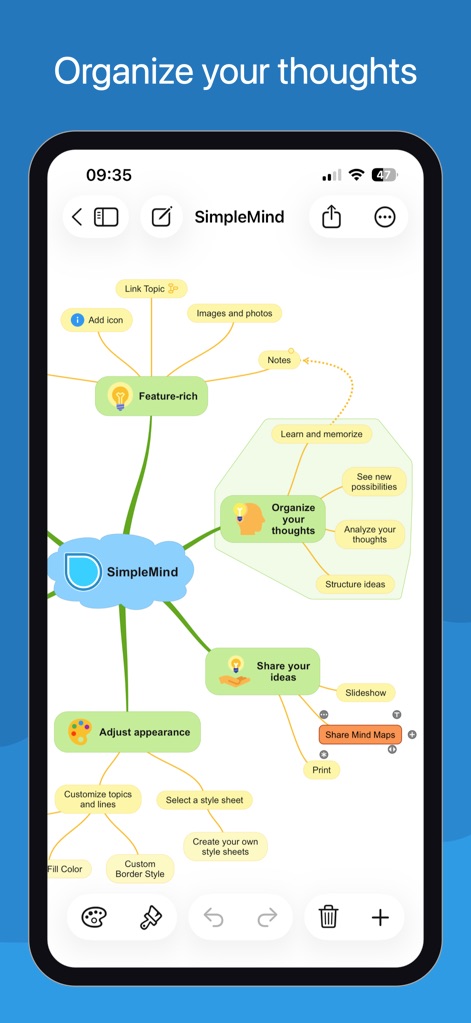
This app enables users to visually organize complex thoughts with a central "SimpleMind" node and connected, color-coded topics.
Visual Idea Organization
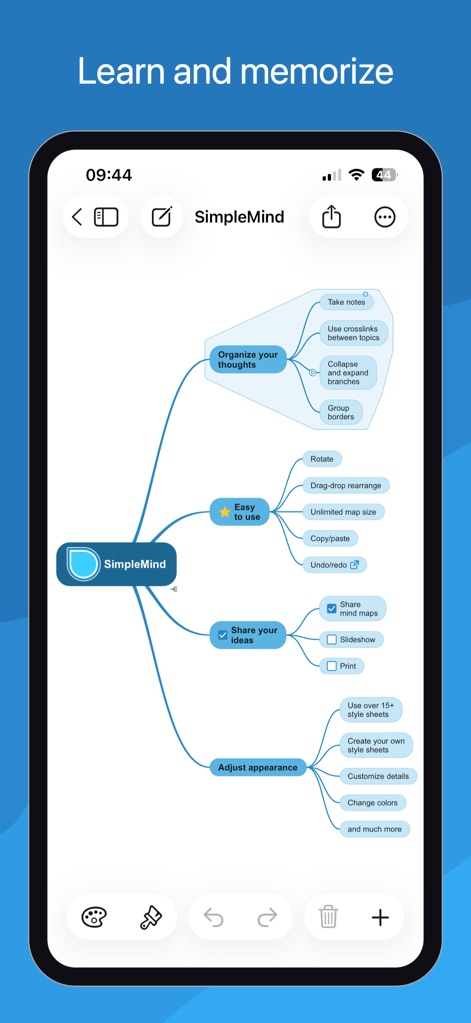
Users can efficiently learn and memorize information through the app's clear hierarchical structure and easy-to-use crosslinks between topics.
Streamlined Learning Flow
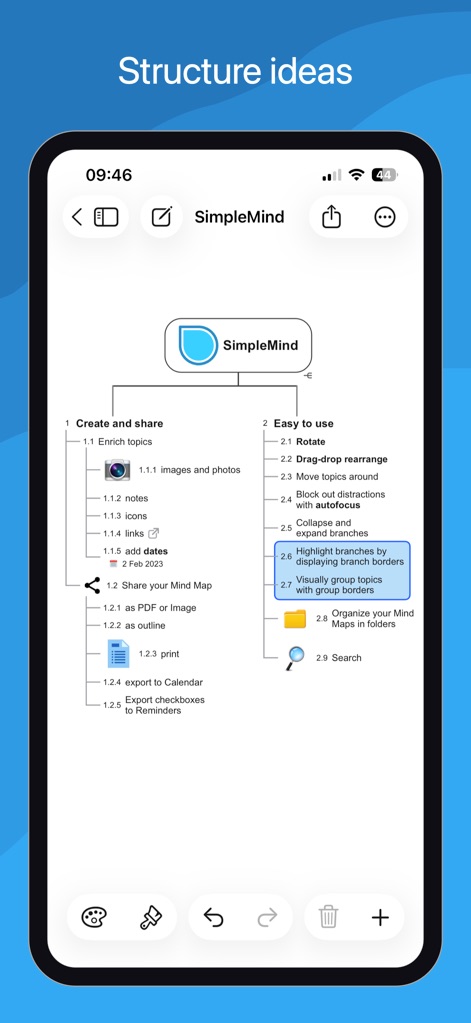
The app presents ideas in a clear, numbered outline view, detailing features like adding notes and exporting as PDF or image.
Structured Outline View
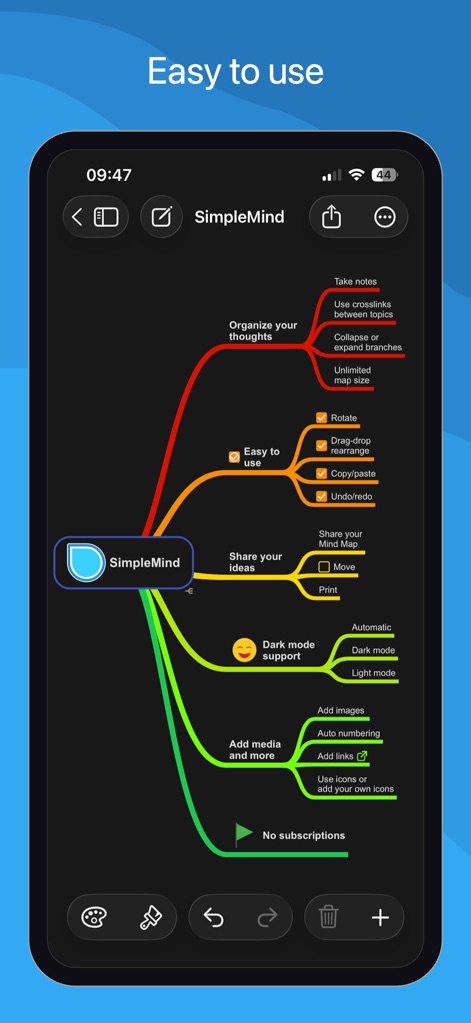
Users can customize their mind maps with dynamic styling options, including various color schemes for branches and dark mode support.
Dynamic Mind Map Styling
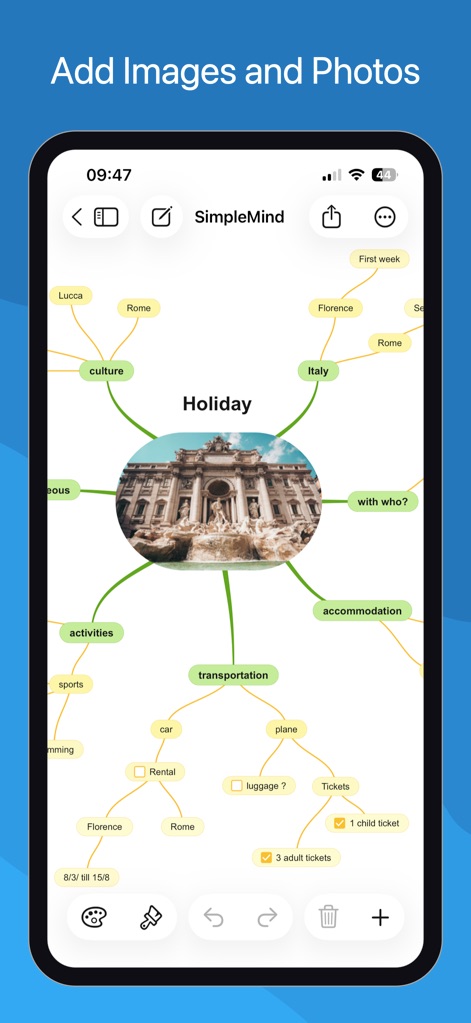
This tool allows users to enrich their mind maps by embedding images, such as a holiday picture, directly into topic nodes for visual context.
Enriched Visual Content

The app offers a range of predefined style sheets like "Natural + Colors" and "Aqua Levels" to instantly adjust the overall appearance of mind maps.
Diverse Style Sheets
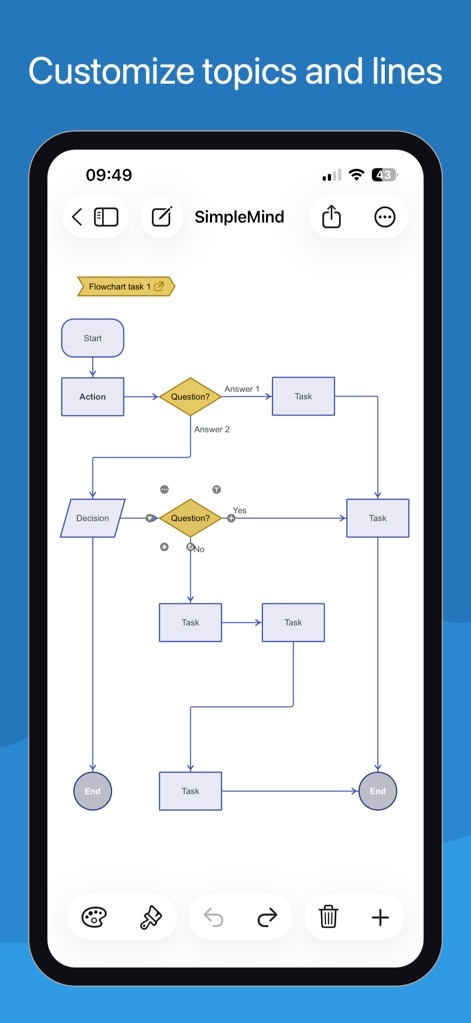
Users can create complex diagrams like flowcharts, customizing topic shapes (e.g., rectangles, diamonds) and connecting lines with precision.
Advanced Diagramming Options

The app provides granular control over topic and line appearance, allowing adjustments to font size, topic borders, and specific colors.
Granular Style Control
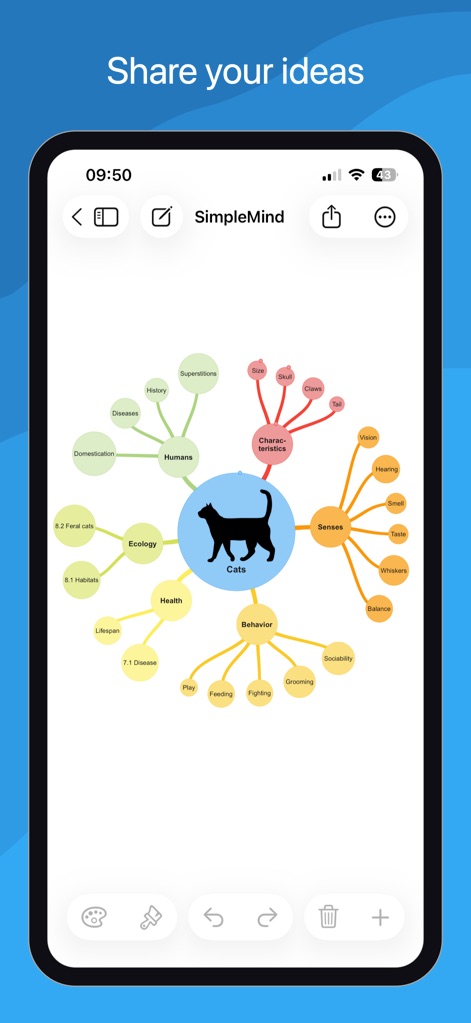
This tool facilitates sharing ideas through a central topic (e.g., "Cats") with radiating sub-topics and visually distinct branches.
Collaborative Idea Sharing
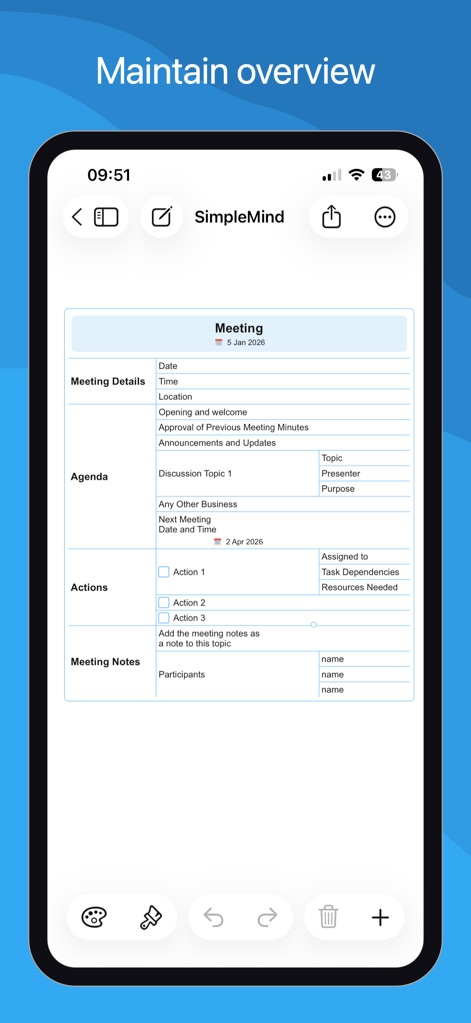
The app helps users maintain an overview by structuring meeting details, including agenda items and actionable tasks, within a clear document format.
Comprehensive Meeting Notes
Description
Download
More Like This
Apps with similar features and user experience

Penned: Private Notes
Edwing H Santos Mena

MindLine Mind Map
Shenzhen Brown Bear Technology Co., LTD

MindNode: Mind Map & Outline
IdeasOnCanvas GmbH

Post-it®
3M Company

MindSpace - Mind Map
佳文 潘

SimpleMind Pro - Mind Mapping
xpt Software & Consulting B.V.

Ayoa MindMaps for Kids
OpenGenius Limited

TouchMind-handwritten mind map
红霞 鲁

Mind Map Maker - Mindomo
Expert Software Applications Srl
This page is not an official page of the app or its developer, but an independent editorial publication created for informational and commentary purposes. Unless expressly stated otherwise, neither the app nor its developer is affiliated with, endorsed by, sponsored by, authorized by, or otherwise officially connected with MWM, Apple, Google Play, the app publisher, or the app's developer, and nothing on this page implies that the app was developed using MWM's services. Any trademarks, logos, screenshots, and other content remain the property of their respective owners.