Site Report Pro- Punchlist App

Site Report Pro- Punchlist App


Download on App Store
Logo of Site Report Pro- Punchlist App

Site Report Pro: Generate Professional Site Audit & Snag List Reports

The #1 mobile tool for contractors and inspectors to document issues, mark up photos, and deliver polished PDF or Excel reports directly from the site—with no monthly subscription fees.

Download on App Store

Publisher

Daxesoft Ltd

Category

Productivity

Downloads

18K+

User Rating

4.7/5

Total Ratings

1K+

Locales

1

The Professional's View

Discover the interface used by 18K+ users.
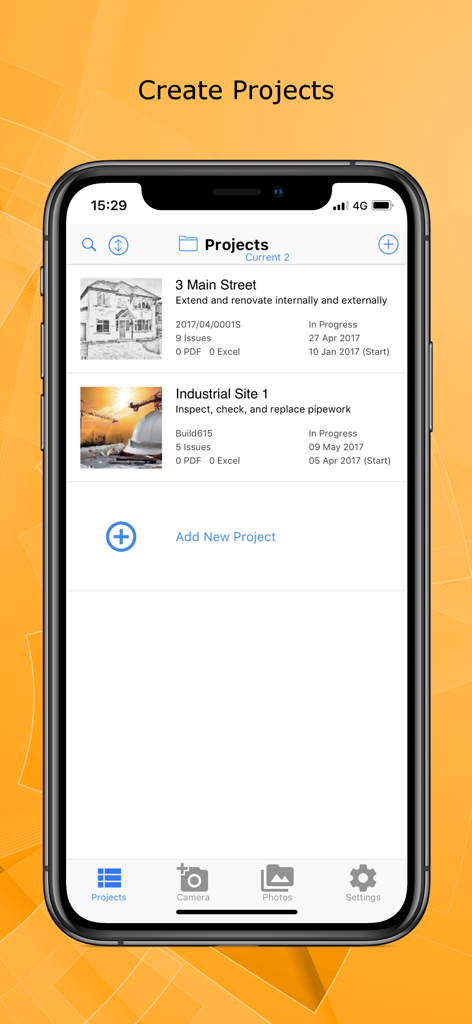
Site Report Pro app interface displaying a project list for construction and site audits on a mobile device.

Site Report Pro app interface displaying a project list for construction and site audits on a mobile device.

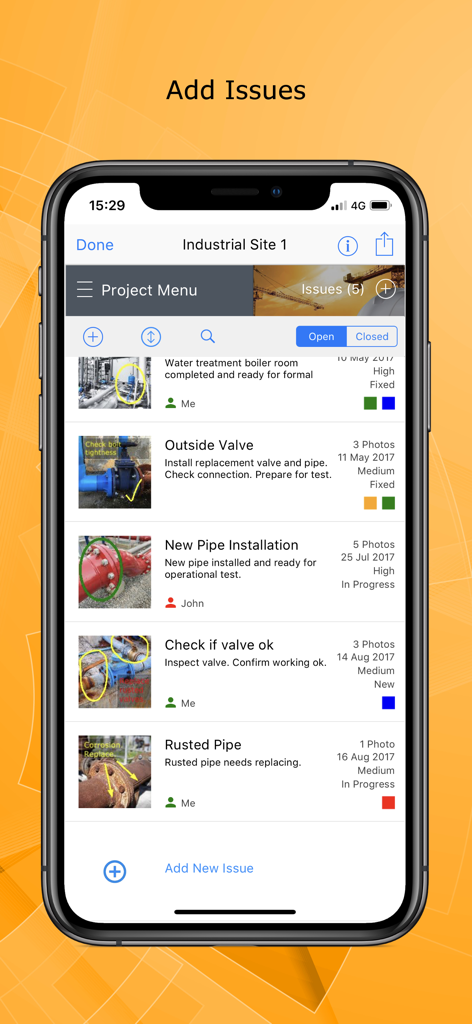
Interface of the Site Report Pro app showing a list of construction site issues with annotated photos.

Interface of the Site Report Pro app showing a list of construction site issues with annotated photos.

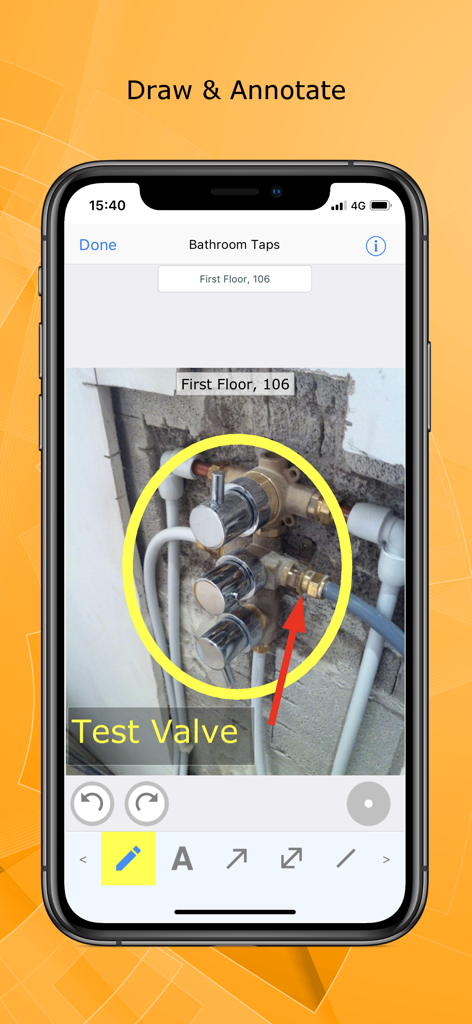
Photo annotation and markup features in the Site Report Pro app

Photo annotation and markup features in the Site Report Pro app

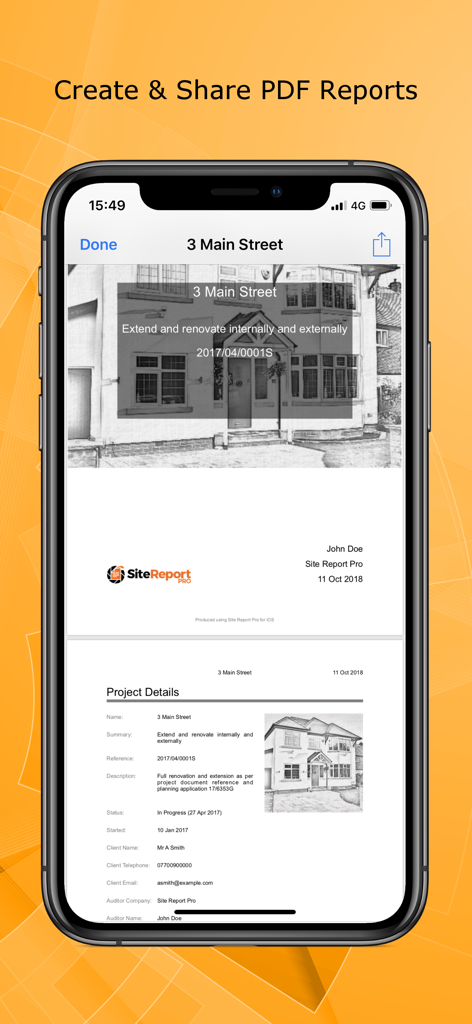
A mobile interface showing a professional PDF site inspection report with project details and photos.

A mobile interface showing a professional PDF site inspection report with project details and photos.

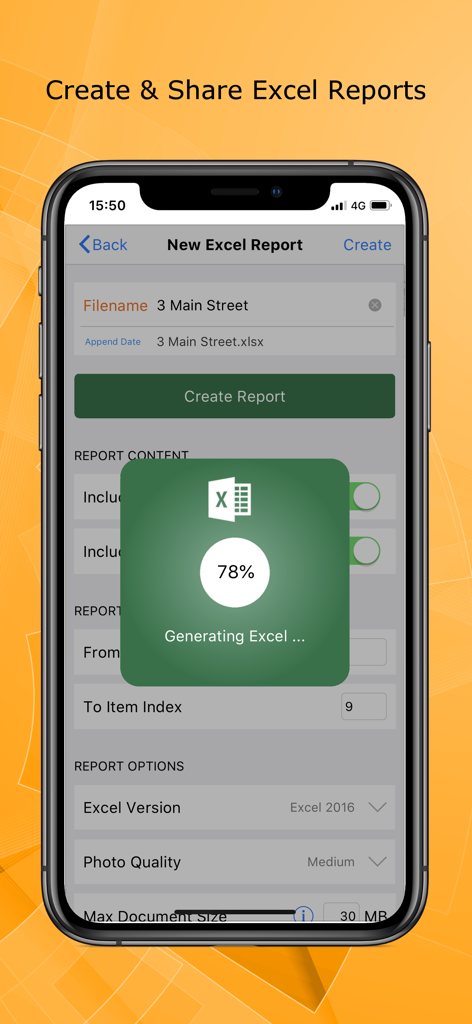
Site Report Pro app interface showing the generation of a professional Excel site audit report

Site Report Pro app interface showing the generation of a professional Excel site audit report

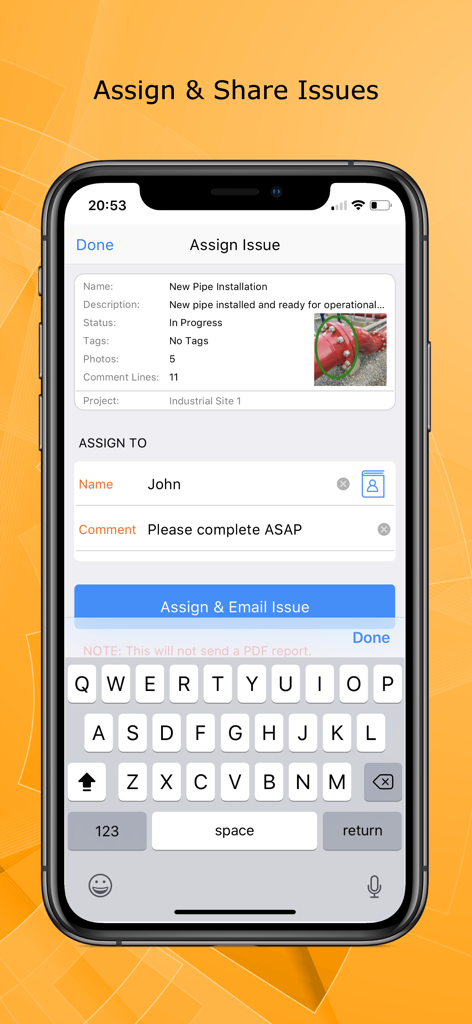
Site Report Pro mobile interface for assigning a construction issue to a team member with a photo and instructions

Site Report Pro mobile interface for assigning a construction issue to a team member with a photo and instructions

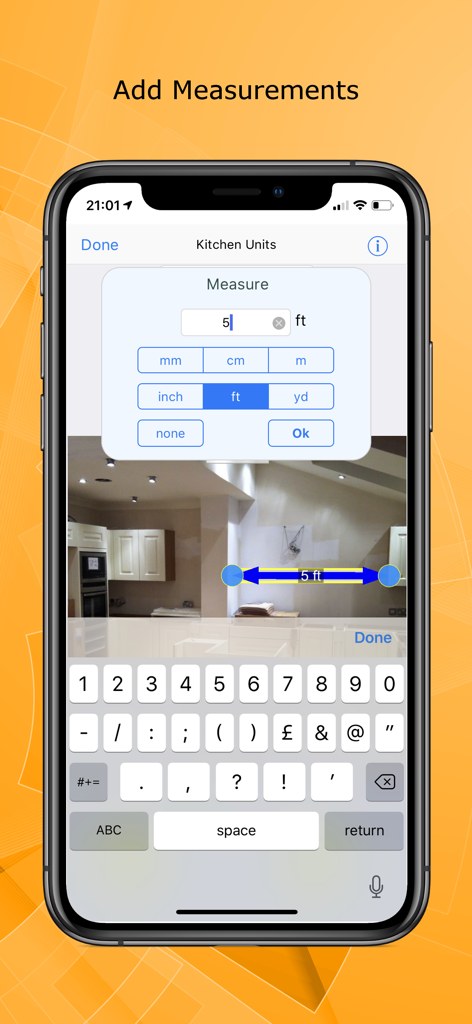
Site Report Pro app interface showing how to add digital measurements to a construction site photo

Site Report Pro app interface showing how to add digital measurements to a construction site photo

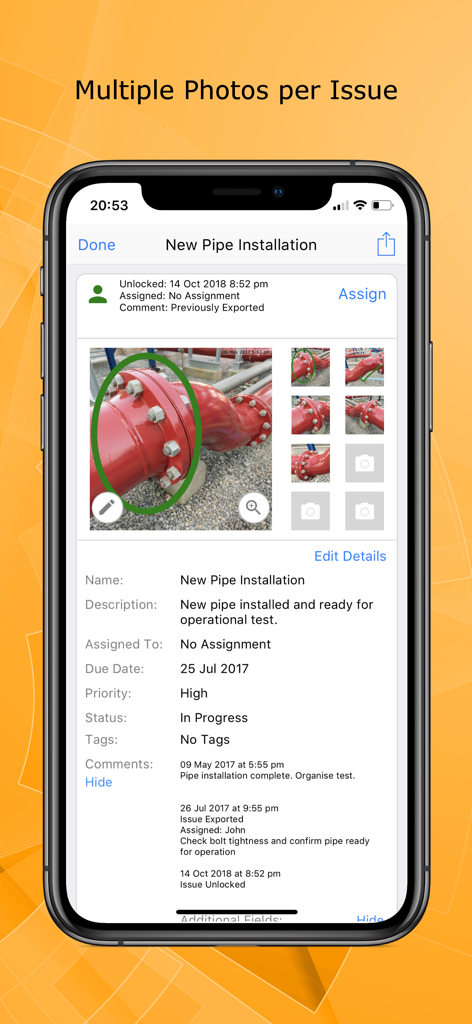
Mobile app interface of Site Report Pro showing multiple photos and detailed inspection notes for a pipe installation issue

Mobile app interface of Site Report Pro showing multiple photos and detailed inspection notes for a pipe installation issue

The Gold Standard for Site Inspections

The tools that make this app stand out, trusted by 18K+ users.

📸

Precision Visual Documentation

Attach up to 8 photos per issue and use powerful markup tools to highlight defects. Clear annotations eliminate communication errors between you and your contractors.

🏆

Client-Ready Reports Instantly

Choose from 30 premium themes to generate stunning PDF or Excel reports. Send professional, branded documentation to your clients before you even get in your truck.

🚀

Zero Subscription Fees

Break free from 'Admin Fatigue' and recurring costs. Enjoy high-end project management tools with a one-time purchase that works offline on every job site.

About the app

Everything you need to know about Site Report Pro- Punchlist App.

Description

Site Report Pro is the #1 mobile app for generating a site audit inspection report or professional snag list report as a PDF or XLS file (Excel document). Fast and easy to use, with powerful features not found in other snag list and site audit report apps, we are confident it will revolutionise the way you manage projects, highlight snagging issues, perform risk assessments and generate your site audit or inspection report. Whether you are an individual or a team, you can benefit from tools to mark up photos, simple issue assignment, powerful filter & sort capability, and generation of PDF audit reports in a choice of 30 premium themes that will amaze clients and colleagues. Customisable for a specific trade or industry, Site Report Pro is used worldwide for site walks, reporting snagging issues, producing a custom site inspection report, performing risk assessments, tracking construction projects and much more. The Site Report Pro App makes it easy to create and share a site inspection report, site audit report, or snag list report, as an XLSX file (Excel document) or as a professional PDF report, all while on site using only your iPhone or iPad. Benefit from the following 10 features that are generally not often found in other site audit report, snag list, and snagging apps: - Add up to 8 photos per issue to ensure all observations are captured in the report. Add multiple photos at once or instantly create issues from your selected images. - Mark up each photo to highlight issues using powerful annotation tools - don’t worry if you make a mistake, annotations can be moved and resized. - Produce and share professional snag list PDFs & site audit reports via e-mail (or 3 party tools such as drop box). - Choose from 30 available report themes. - Configure each Excel document (XLS, XLSX) or PDF audit report using powerful customisation, sorting and filtering tools - e.g. generate and send each trade or contractor a report of outstanding issues. - Powerful ordering, sorting, searching and filtering of projects, issues & snag lists. - Use the flexible tagging capability to categorise the site audit report or snagging report any way you want. - Assign and send issues to your team members, colleagues and contractors. - Maintain a chronological history of work with automatically time-stamped comments. - High quality software and first class customer support. Site Report Pro does not require an online service or sign-up and there are no monthly subscription fees.

Latest Version

1.3.6

Size

52.4 MB

First Released

Jul 4, 2017

Finish the Report Before You Leave the Site

Join 18,000+ professionals generating expert PDF audits and snag lists on the fly. No monthly fees, no subscriptions—just the power to reclaim your evenings.

Download on App Store
FAQ

Frequently Asked Questions

Everything you need to know about Site Report Pro- Punchlist App

What is the primary function of Site Report Pro- Punchlist App?

Site Report Pro is a mobile application for generating professional site audit inspection reports and snag list reports. It delivers these reports as PDF or XLS (Excel) files.

Are there monthly subscription fees for Site Report Pro?

No, Site Report Pro does not have any monthly subscription fees. It also does not require an online service or sign-up to operate.

How many photos can be added to an issue in Site Report Pro?

Site Report Pro allows users to add up to 8 photos per issue. It also supports creating issues instantly from selected images.

Can users annotate photos within the Site Report Pro app?

Yes, users can annotate photos in Site Report Pro using powerful annotation tools to highlight issues. Annotations are movable and resizable.

What report formats does Site Report Pro support for output?

Site Report Pro supports generating and sharing professional snag list PDFs and site audit reports. It also produces Excel documents in XLS and XLSX formats.

Does Site Report Pro offer report customization options?

Yes, Site Report Pro offers extensive report customization. Users can configure Excel or PDF audit reports with powerful customization, sorting, and filtering tools, and choose from 30 premium themes.

Is it possible to assign issues to team members using Site Report Pro?

Yes, Site Report Pro enables users to assign and send specific issues directly to team members, colleagues, and contractors for efficient workflow management.

Does Site Report Pro maintain a history of work on projects?

Yes, Site Report Pro maintains a chronological history of all work. It includes automatically time-stamped comments for each recorded issue.

Can measurements be added to images in Site Report Pro?

Yes, Site Report Pro allows users to add measurements directly onto images. The app provides options for various units, including feet, meters, and inches.

App information, icons, screenshots, and descriptions displayed on this page are sourced from the Apple App Store and are the property of their respective developers. Download estimates and rankings are based on MWM's proprietary models and may not reflect actual figures. This page is provided for informational and analytical purposes only.

Believe this page infringes your intellectual property? File a dispute