Sketch Club
Sketch Club
Download on App Store

This page is not an official page of the app or its developer, but an independent editorial publication created for informational and commentary purposes. Unless expressly stated otherwise, neither the app nor its developer is affiliated with, endorsed by, sponsored by, authorized by, or otherwise officially connected with MWM, Apple, Google Play, the app publisher, or the app's developer, and nothing on this page implies that the app was developed using MWM's services. Any trademarks, logos, screenshots, and other content remain the property of their respective owners.


Logo of Sketch Club
Download on App Store

Sketch Club

Join the ultimate social hub for artists of all levels. From professional-grade tools and 16K canvases to daily challenges and live-streamed classes, find your inspiration and share your journey in a community that never lets you create alone.

Key Figures

Downloads

360K+

User Rating

4.7/5

Total Ratings

10K+

Publisher

Jim Scott

Category

Graphics & Design

Locales

6

Latest Version

3.1.0

Size

47.8 MB

First Released

Nov 23, 2010
Features

Where Your Art Meets Its Community

Sketch Club combines professional-grade illustration tools with a vibrant social hub, giving you the power to create masterpieces and the audience to celebrate them.

Daily Inspiration & Rewards

Beat creative block with daily challenges and weekly competitions designed to push your skills and earn you recognition from fellow artists.

Pro Tools Made Accessible

Experience a 16K canvas and 100+ layers with procedural brushes that deliver professional results, even if you are just starting your creative journey.

The following screenshots and description are sourced directly from the app's official store listing and are the property of the app developer.

App Store

Screenshots
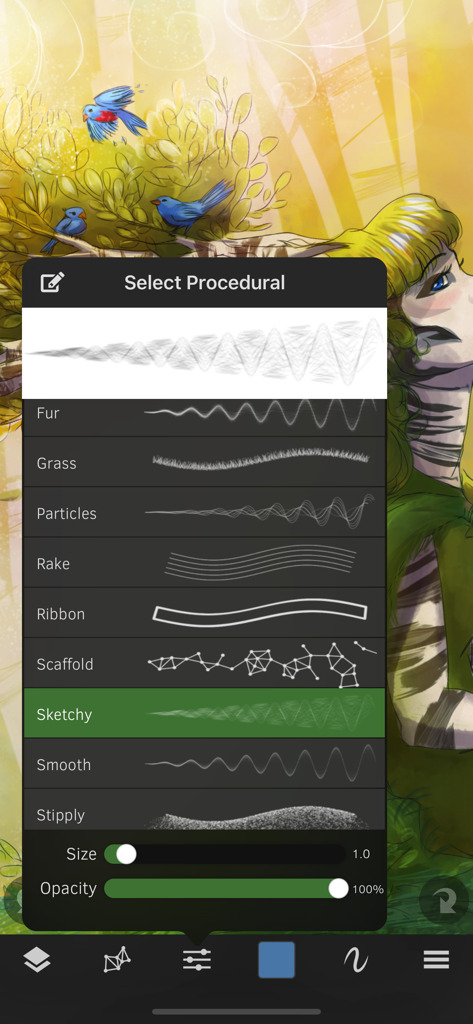
Sketch Club - Sketch Club app interface showing the procedural brush selection menu over a colorful digital illustration.
Sketch Club app interface showing the procedural brush selection menu over a colorful digital illustration.

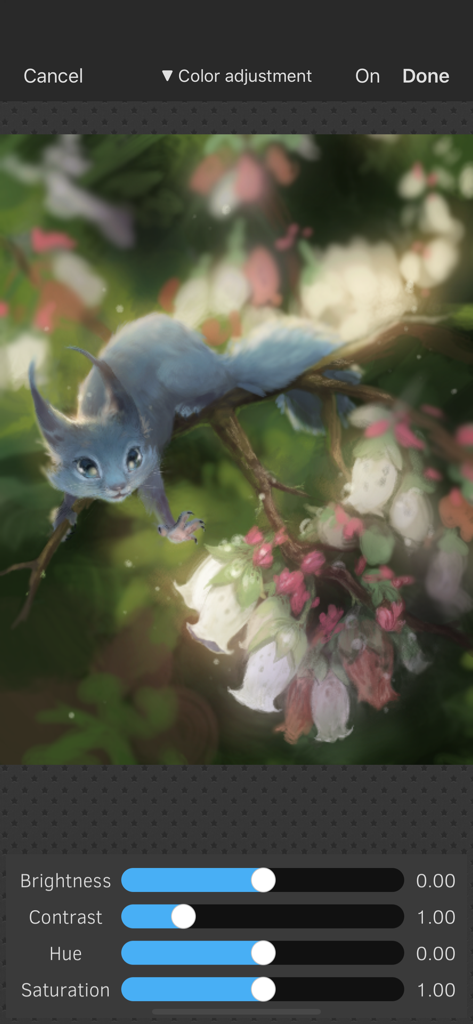
Sketch Club - Color adjustment interface in Sketch Club showing brightness contrast hue and saturation sliders over a digital painting of a blue creature
Color adjustment interface in Sketch Club showing brightness contrast hue and saturation sliders over a digital painting of a blue creature

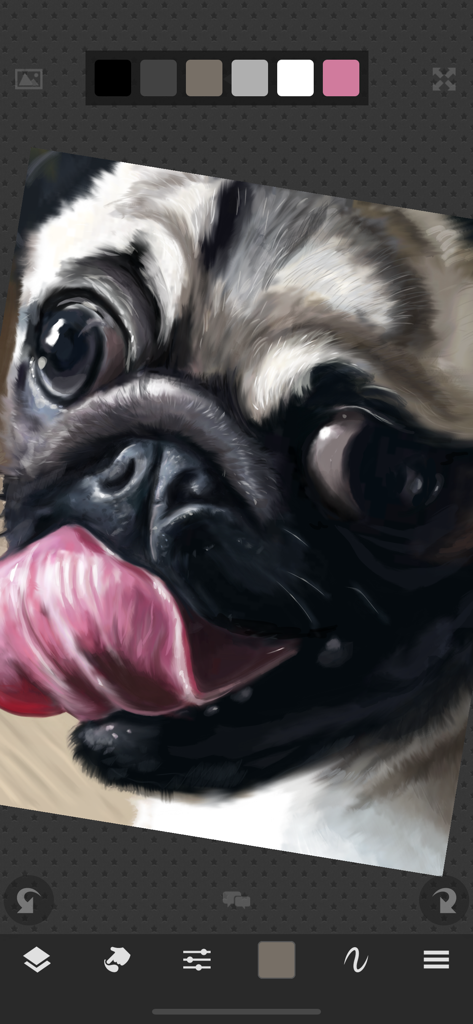
Sketch Club - A detailed digital painting of a pug created using the Sketch Club app interface
A detailed digital painting of a pug created using the Sketch Club app interface

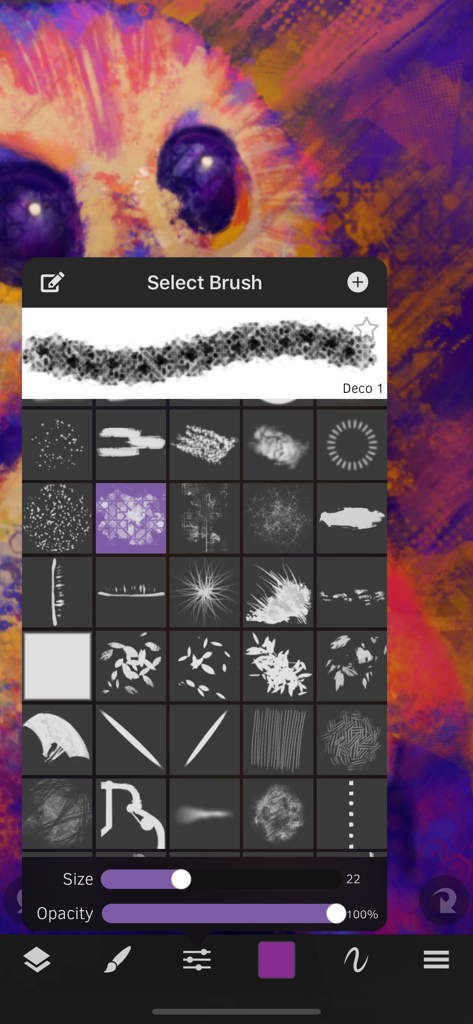
Sketch Club - Interface of the Sketch Club app showing the brush selection menu with various presets over a vibrant digital illustration.
Interface of the Sketch Club app showing the brush selection menu with various presets over a vibrant digital illustration.

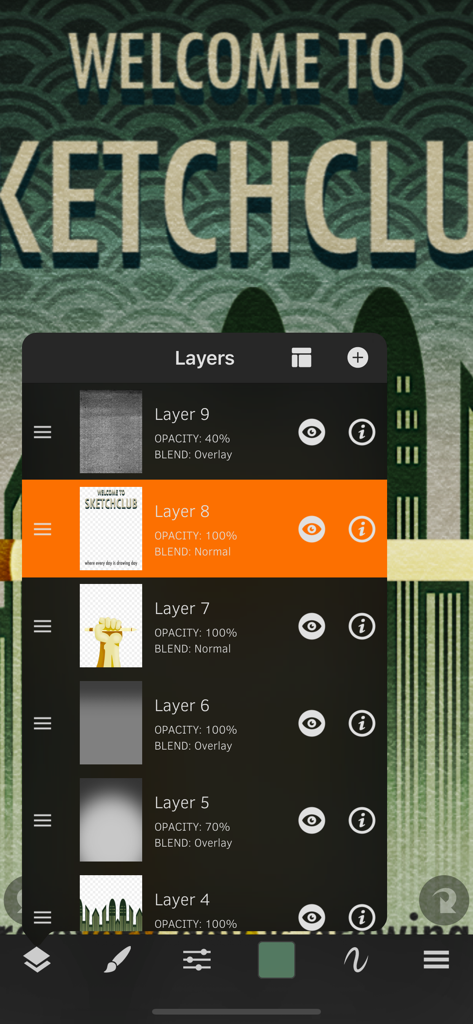
Sketch Club - The layer management panel in Sketch Club app showing multiple drawing layers and blending options

The layer management panel in Sketch Club app showing multiple drawing layers and blending options
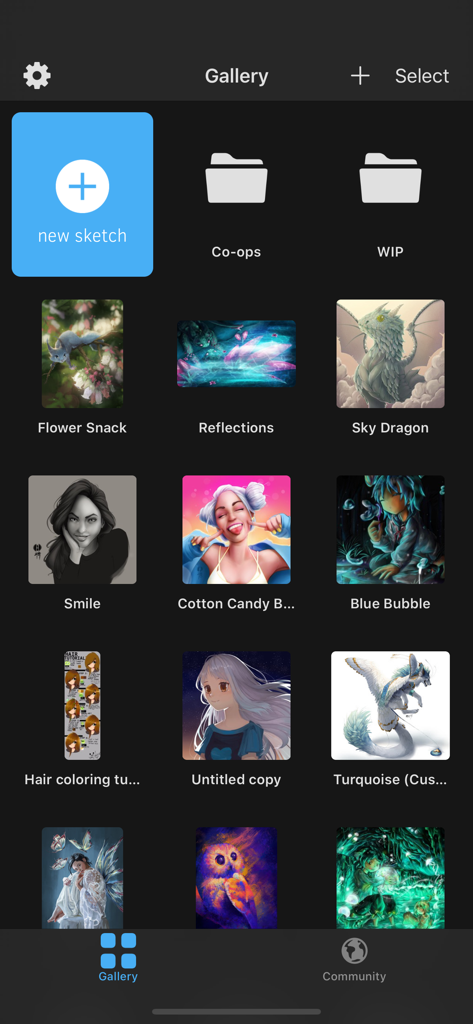
Sketch Club - A grid display of digital artwork and project folders within the Sketch Club app gallery interface

A grid display of digital artwork and project folders within the Sketch Club app gallery interface
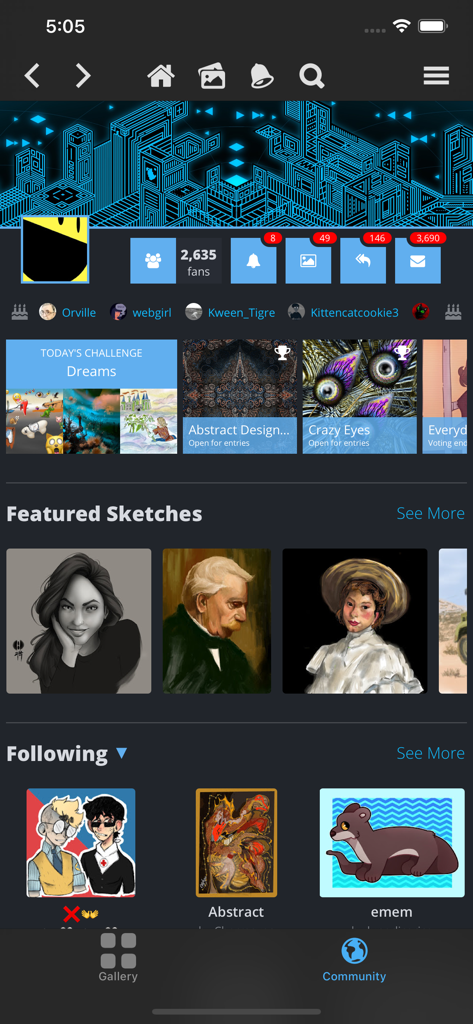
Sketch Club - The community screen of the Sketch Club app featuring daily art challenges and featured user sketches
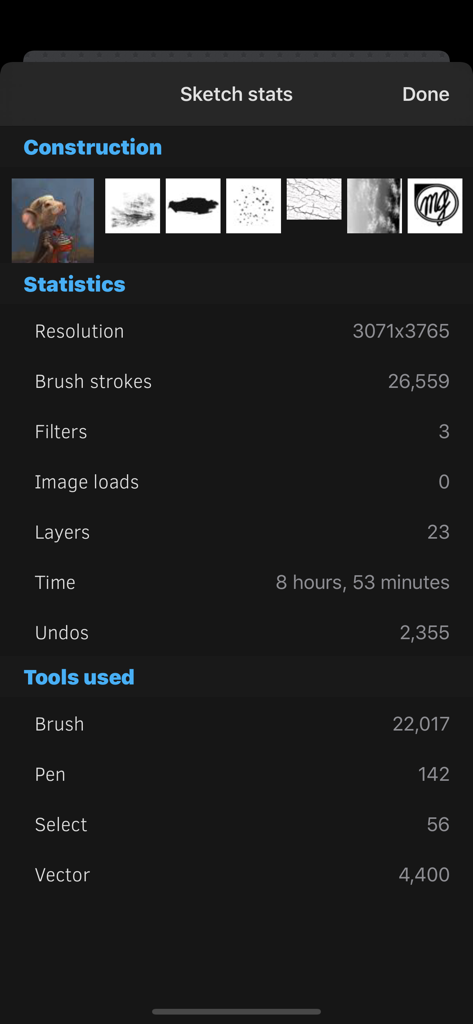
The community screen of the Sketch Club app featuring daily art challenges and featured user sketches

Sketch Club - A screen in the Sketch Club app showing detailed drawing statistics including brush strokes layers and time spent
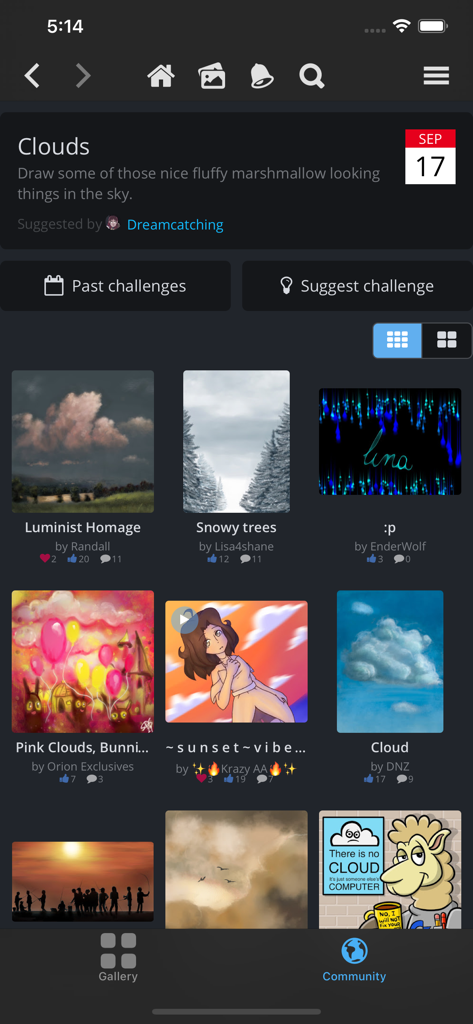
A screen in the Sketch Club app showing detailed drawing statistics including brush strokes layers and time spent

Sketch Club - A screen from the Sketch Club app showing a daily drawing challenge with a grid of community-submitted artwork and artist names.
A screen from the Sketch Club app showing a daily drawing challenge with a grid of community-submitted artwork and artist names.

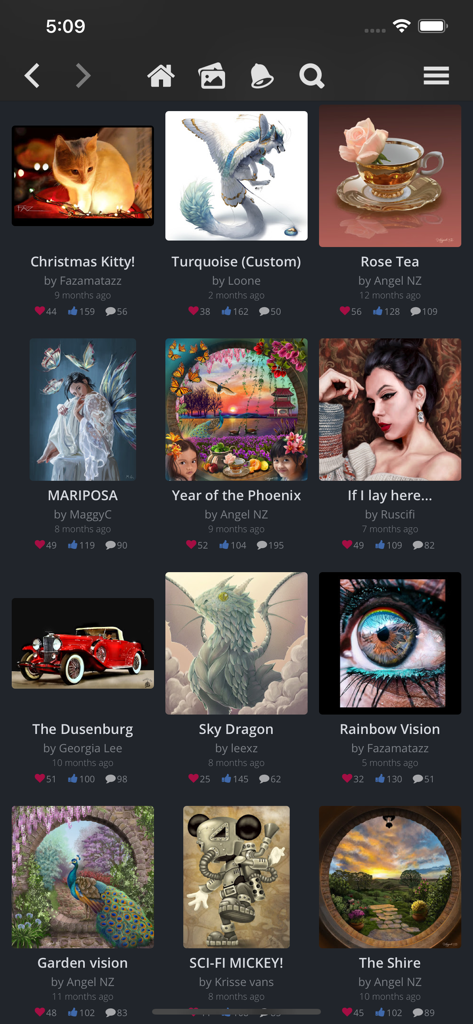
Sketch Club - Digital art gallery interface of the Sketch Club app featuring a variety of user-created illustrations and engagement metrics.

Digital art gallery interface of the Sketch Club app featuring a variety of user-created illustrations and engagement metrics.

Description

SketchClub not only gives you fantastic tools to sketch, draw, doodle, paint, and edit photos but also helps motivate you to keep creating! Check out the community where there’s a new drawing challenge every day, along with regular competitions and even co-ops where you can pick up where another artist left off. Don’t sketch alone, join us today! CORE FEATURES • Brush, Blur, Eraser, Fill, Pen, Pixels, Procedural, Select, Smudge, Text, and Vector tools • Hundreds of Layers with configurable blending, naming, and color tagging • Create your own comics and manga with the Pen and Text tools • Layer filters for color adjust, blurs, edges, noise, vignette and more • Layer transform with skew, shear, perspective, and tiling • Super fast brush and compositing engine • Up to 16K canvas size with presets including standard 300 DPI print sizes • Line, circle, square, and triangle shapes with automatic aspect ratio snapping • Horizontal, vertical, and dual mirroring modes • Canvas recording and export in full 1080 HD • Background autosave and persistent undo history • Universal binary supports both iPhones and iPads • 10 years running of continuous updates and improvements! TOOLS • Brushes with high resolution shapes, pattern textures, and input curves • Loads of built in tool presets plus thousands more from the community • Export sketches and presets to iCloud, Dropbox, Email and more • Create and share custom brush presets in community library • Pen tool presets include calligraphy, fountain pen, gel pen, and more • Pen and Vector tools include simplify for smooth lines even with shaky hands • Create smooth filled shapes and gradient with Vector • Procedural Sketchy and Smooth for amazing fast results • Procedural Bristles for realistic oil paint simulation • Animated GIF export CUSTOMIZE • Configurable color themes to make Sketch Club uniquely yours • Customizable shortcut bar for single tap access to your favorite functionality • Popup quick color swatch and size and opacity controls • Floating reference image with color sampling COMMUNITY • New challenge every day and new competition every week! • Massive library of shared brushes, templates, and textures • Live stream and chat for feedback and fun while you draw • Learn through tutorials, speed painting videos, and live classes • Follow other artists and gain fans as you share your creations • Community whiteboard with realtime collaborative drawing and fun events • Annual awards honoring the best creations every year FOR THE PROS • Excellent iPad Pro and Apple Pencil support • PSD file format export • RGB and hexadecimal color inputs • Bluetooth stylus support for Adonit, Hex3, Pogo, SonarPen, and Wacom • Screen mirroring modes for presentations and demos • Draw in Multiply, Normal, Overlay, and Screen brush blend modes • Input curves with angle, distance, fade, pressure, random, speed tilt, and time What are you waiting for, create with us in SketchClub today!

Download

Download on App Store

This page is not an official page of the app or its developer, but an independent editorial publication created for informational and commentary purposes. Unless expressly stated otherwise, neither the app nor its developer is affiliated with, endorsed by, sponsored by, authorized by, or otherwise officially connected with MWM, Apple, Google Play, the app publisher, or the app's developer, and nothing on this page implies that the app was developed using MWM's services. Any trademarks, logos, screenshots, and other content remain the property of their respective owners.