
This page is not an official page of the app or its developer, but an independent editorial publication created for informational and commentary purposes. Unless expressly stated otherwise, neither the app nor its developer is affiliated with, endorsed by, sponsored by, authorized by, or otherwise officially connected with MWM, Apple, Google Play, the app publisher, or the app's developer, and nothing on this page implies that the app was developed using MWM's services. Any trademarks, logos, screenshots, and other content remain the property of their respective owners.


VSCO: Photo Editor & Presets
Digital creation demands precision. The app equips every visual artist with the definitive tools and network to sculpt raw vision into professional, marketable art.
Downloads
100M+User Rating
Total Ratings
1.3MPublisher
Category
Photo & VideoLocales
16Latest Version
459.0.1Size
322.8 MBFirst Released
Jun 6, 2013VSCO: Photo Editor & Presets - Key Features Analysis
An evaluation of core functionalities and community engagement supporting professional and aspiring content creators.
Monetization & Work Opportunities
It offers unique opportunities to expand reach and monetize work through features like Hub for brand matching, Brand Challenges for licensing photos, and potential curation to the VSCO Collection via #VSCO.
Advanced Presets & Editing Suite
This tool features access to a comprehensive library of over 200 presets, including the Film X collection for recreating vintage film looks, alongside advanced editing functionalities such as HSL, Dodge & Burn, Split Tone, and Grain for professional-grade adjustments.
Professional Portfolio & Profile
The app allows users to create a professional profile to showcase their unique skills, organize work into Albums, tell stories with Blogs, and indicate availability for collaboration and professional projects.
Collaborative Creative Spaces
The app introduces collaborative Spaces for creating shared and private collections, facilitating feedback, and discussing the creative process within a safe environment, including secure Client Spaces for professional workflows.
Customizable Pro Presets
It provides Pro presets that enable users to refine their unique photo or video style by editing and customizing iconic tools, adjusting preset contrast, color, and tone.
Engaged Creative Community
This tool provides an engaged community where users can start discussions, repost inspiring photos, make direct connections through messaging, and curate a personalized Feed showcasing photographers worldwide.
Free Photo Editing Tools
The app provides a robust free photo editor, enabling users to import RAW photos, apply VSCO presets, and utilize essential editing tools like Contrast, Saturation, Crop, and Skew to refine their images.
Mobile Video Editing Capabilities
The app extends its premium presets and advanced editing tools to video, allowing users to transform mobile videos, adjust white balance, experiment with color control with HSL, and create short video GIFs.
AI-Powered Photo Enhancement
It allows users to leverage intelligent AI tools for removing distractions, upscaling, repairing, and refining photos at full resolution, offering efficient and high-quality image enhancement.
Photo & Video Collage Creation
This tool features the ability to create photo and video collages rapidly, offering pre-set templates or a blank canvas, and allowing users to combine video scenes with Montage or create new compositions with photos and text.
Frequently Asked Questions
Everything you need to know about VSCO: Photo Editor & Presets
What is VSCO and what does it offer photographers?
VSCO is a community-driven platform providing creative tools for mobile and desktop photography. It empowers photographers to connect with other creatives and businesses, fostering both creative and professional expansion within a global community.
Does VSCO include a free photo editor for users?
Yes, VSCO provides a free photo editor. It includes free presets, RAW import, and editing tools like Contrast, Saturation, Fade, Crop, and Skew. Users can also save and recreate their favorite edits with Recipes.
What advanced editing tools are available with VSCO Membership?
VSCO Membership unlocks over 200 presets and advanced editing tools. These include Film X for vintage looks, HSL, Dodge & Burn, Split Tone, and Grain. Users can also frame images with bold colored Borders.
Does VSCO offer AI-powered photo editing features?
Yes, VSCO Pro Membership includes high-fidelity AI tools like AI Remove and Upscale for photo editing. These features provide unlimited edits, without requiring credits or tokens, to enhance images.
Can VSCO be used as a video editor?
Yes, VSCO functions as a mobile video editor. It applies premium VSCO presets and advanced editing tools, allowing adjustments for white balance and color control with HSL. Users can also create short video GIFs with DSCO.
How do VSCO Pro presets enhance photo and video editing?
VSCO Pro Membership provides Pro presets, allowing users to customize iconic tools. Users refine their signature style by adjusting preset contrast, color, tone, and other elements for both photos and videos.
Does VSCO allow users to create photo and video collages?
Yes, VSCO enables users to create photo and video collages rapidly. It offers pre-set templates or a blank canvas. Montage combines video scenes, while Collage arranges photos, text, and customizable shapes.
What are VSCO Spaces and how do they function for creators?
VSCO Spaces are collaborative environments for creators. They provide a safe place to workshop ideas, share inspiration, and discuss the creative process. Client Spaces offer password-protected sharing for professional workflows.
How does VSCO help photographers find work opportunities?
VSCO helps photographers find work through Hub, matching them with top brands. Users can join Brand Challenges, submit to monthly prompts for photo licensing, and potentially be curated to the VSCO Collection.
Does VSCO offer a free trial for its membership?
Yes, VSCO provides a free 7-day trial for its membership. An annual subscription fee is charged automatically after the trial, unless auto-renew is turned off.
How do I turn off auto-renewal for my VSCO membership?
To turn off VSCO membership auto-renewal, navigate to Settings > iTunes Account & App Store > Apple ID > Subscriptions. Auto-renew must be disabled at least 24 hours before the current period ends.
Is VSCO available for desktop users?
Yes, VSCO extends its features to desktop users. More comprehensive functionality is available and accessible through the official website, vsco.co.
How can a professional photographer use the VSCO profile?
VSCO provides a professional profile to showcase unique skills. Users post photos and videos, organize work into Galleries, and tell stories with Blogs. It also indicates openness to collaborations and professional work, as seen with the "PRO" badge.
The following screenshots and description are sourced directly from the app's official store listing and are the property of the app developer.
App Store
Screenshots
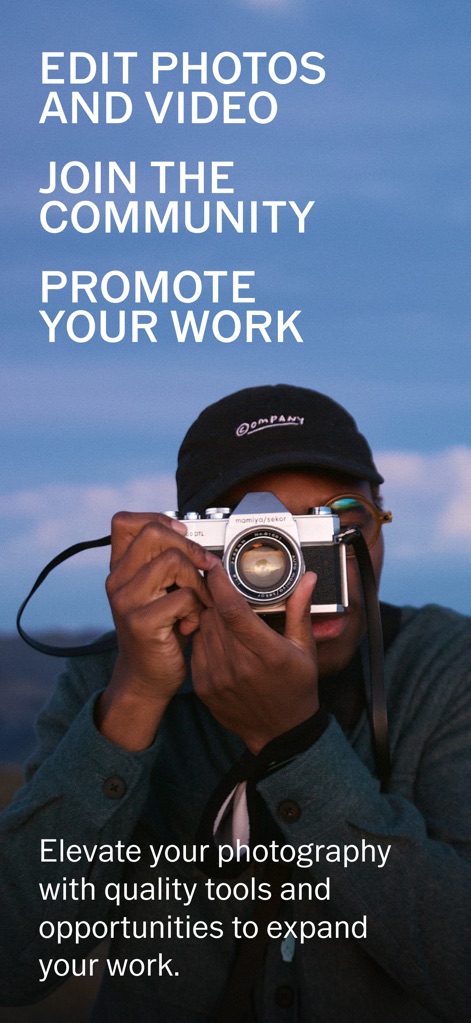
Platform Overview
This initial view highlights the app's core functionalities, presenting its capabilities for both "editing photos and video" and offering a pathway to "promote your work" within its ecosystem.
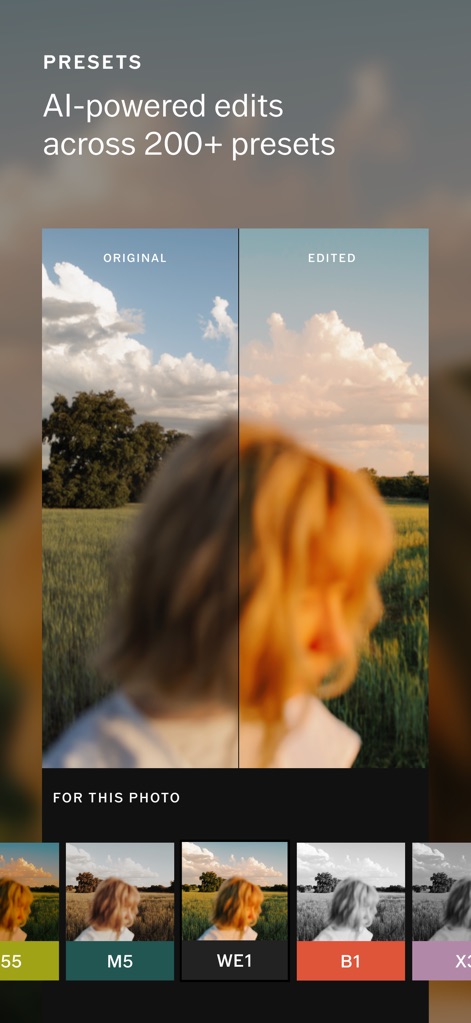
Preset Power
Users can explore the transformative "before/after" view, showcasing the impact of "AI-powered edits" and the extensive library of "200+ presets" readily available.
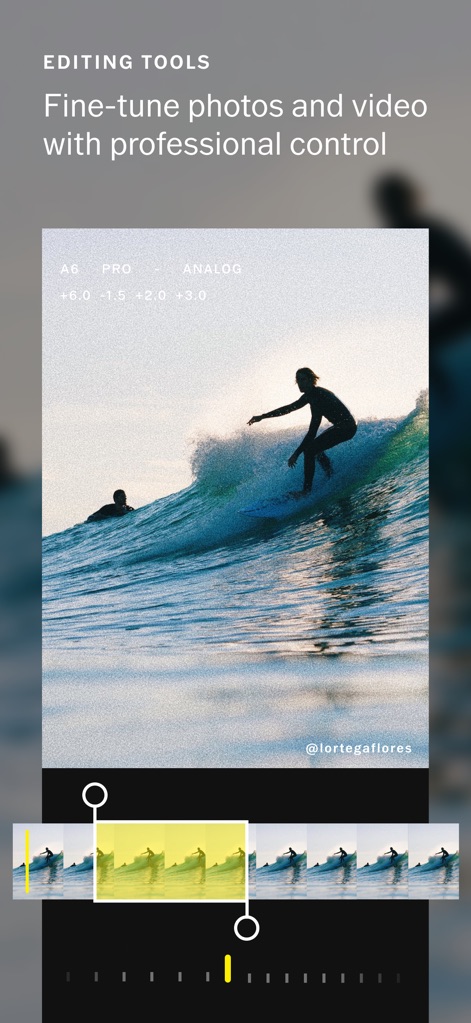
Video Refinement
The app provides granular control for "fine-tuning photos and video," evident with the precise "video timeline with selection handles" for seamless editing.
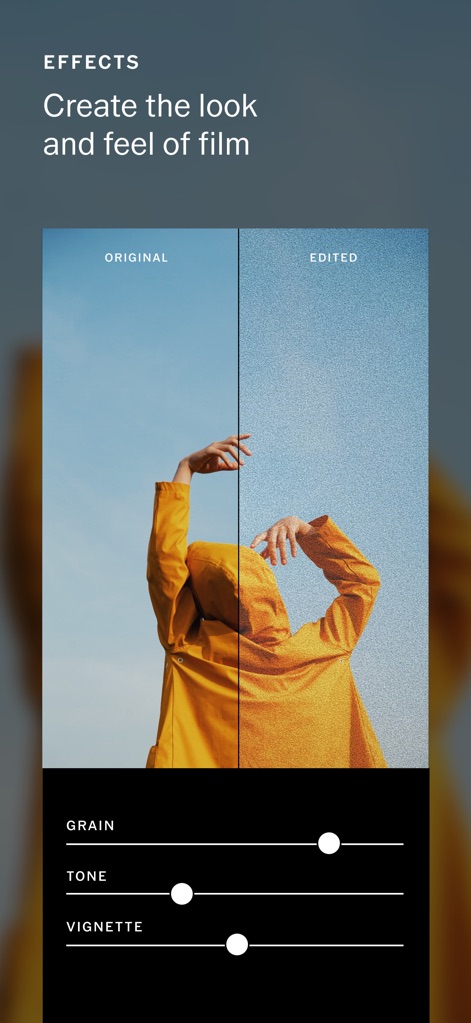
Cinematic Effects
This section demonstrates how to "create the look and feel of film" using dedicated controls, with visual sliders for "GRAIN" and "VIGNETTE" to achieve classic aesthetics.
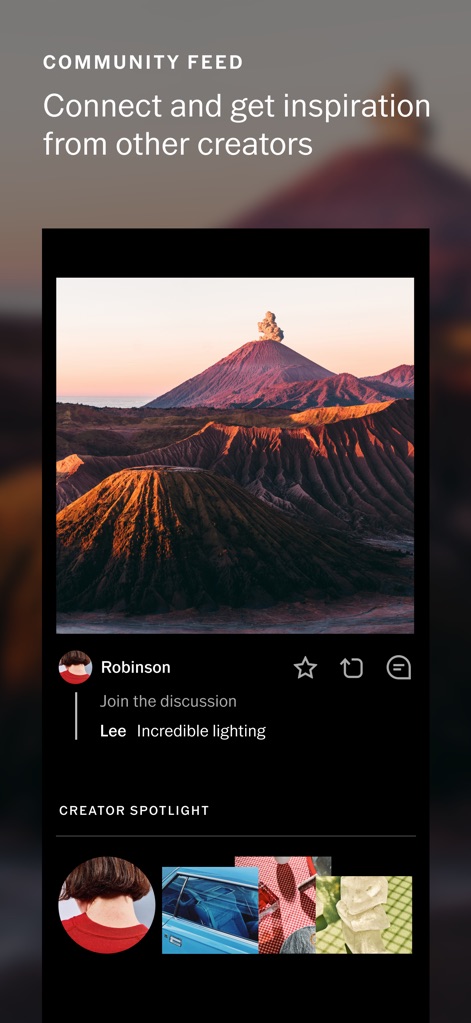
Community Inspiration
The "Community Feed" allows users to "connect and get inspiration from other creators," featuring posts with engagement options and a dedicated "CREATOR SPOTLIGHT" section.
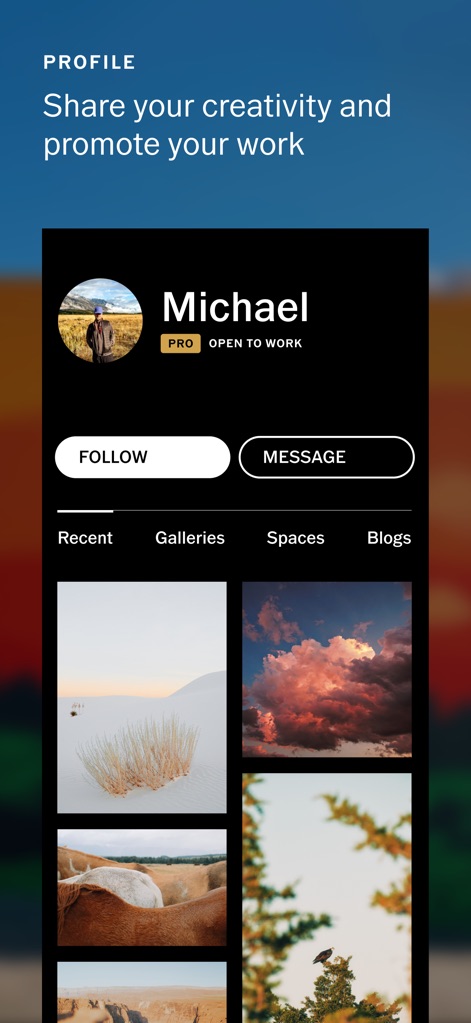
Showcase Your Work
Users can "share your creativity and promote your work" through a customizable profile featuring tabs for "Galleries" and a clear "PRO" badge indicating professional status.
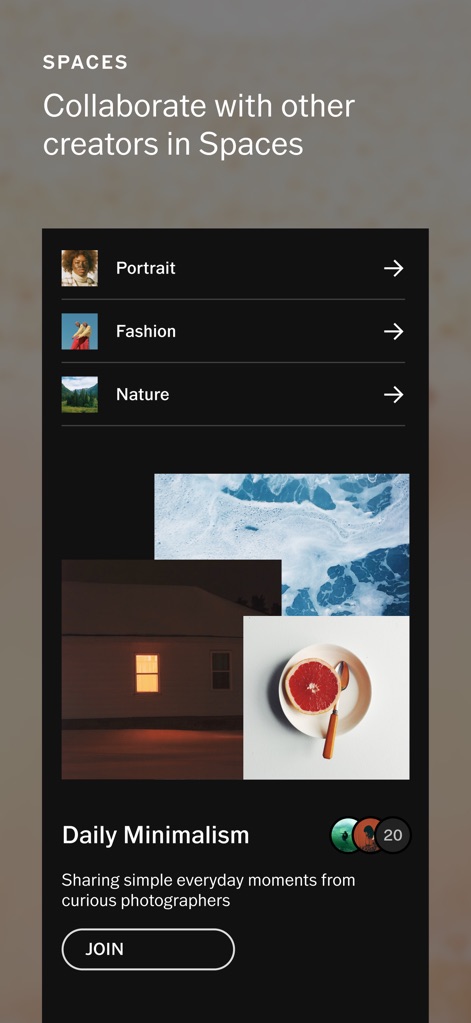
Collaborative Spaces
The "Spaces" feature enables users to "collaborate with other creators," allowing participation in various groups like "Daily Minimalism" and structured categories such as "Portrait" and "Fashion."
Description
Download
More Like This
Apps with similar features and user experience






This page is not an official page of the app or its developer, but an independent editorial publication created for informational and commentary purposes. Unless expressly stated otherwise, neither the app nor its developer is affiliated with, endorsed by, sponsored by, authorized by, or otherwise officially connected with MWM, Apple, Google Play, the app publisher, or the app's developer, and nothing on this page implies that the app was developed using MWM's services. Any trademarks, logos, screenshots, and other content remain the property of their respective owners.