
This page is not an official page of the app or its developer, but an independent editorial publication created for informational and commentary purposes. Unless expressly stated otherwise, neither the app nor its developer is affiliated with, endorsed by, sponsored by, authorized by, or otherwise officially connected with MWM, Apple, Google Play, the app publisher, or the app's developer, and nothing on this page implies that the app was developed using MWM's services. Any trademarks, logos, screenshots, and other content remain the property of their respective owners.


Slideshow Maker - MovieStudio
Unleash your inner director. The app grants users the power to transform static images into dynamic narratives, effortlessly.
Downloads
2.5M+User Rating
Total Ratings
336.3KPublisher
Category
Photo & VideoLocales
14Latest Version
17.3Size
194.3 MBFirst Released
Mar 8, 2013An analysis of key functionalities catering to casual and semi-professional content creators.
Software Evaluation: Slideshow Maker - MovieStudio
Template-Driven Video Creation
The app provides over 1000 pre-designed templates, enabling users to quickly transform photos into polished videos with minimal effort.
Social Media Optimized Short Videos
This tool features dedicated viral templates and formats optimized for platforms like TikTok, Instagram Reels, and YouTube, making it easy to create trending content.
Seamless Photo to Video Conversion
It allows users to effortlessly combine photos with music to create engaging video slideshows for personal milestones and memories.
Integrated Video Editing Suite
The app includes powerful editing capabilities such as trimming, merging clips, adjusting speed, adding text, and applying filters, allowing for more refined video production.
Event-Specific Video Templates
It offers specialized templates for diverse occasions like birthdays, weddings, anniversaries, and promotional content, simplifying the creation of tailored videos.
High-Quality Output & Branding Control
The app supports exporting videos in 1080p HD and, for VIP members, ensures a watermark-free final product, enhancing professional presentation.
Frequently Asked Questions
Everything you need to know about Slideshow Maker - MovieStudio
What is MovieStudio Video Maker?
MovieStudio Video Maker is a photo video maker app that merges photos to create slideshows. It allows users to edit and share photo music videos on social media platforms like TikTok, YouTube, Instagram, Facebook, and Twitter.
How do I create a video with MovieStudio Video Maker?
Users create videos in three steps: choose a template, replace photos, text, videos, and music, then export the video. After export, it can be shared to social media or saved to an album.
Does MovieStudio Video Maker offer templates for different occasions?
Yes, MovieStudio Video Maker offers rich video templates for 9 scene themes, including Birthday, Wedding, Promos, Holiday, Travel, and Family. These templates are continuously updated.
Can I export videos in high definition using MovieStudio Video Maker?
Yes, MovieStudio Video Maker supports 1080p high-definition resolution rendering and export for produced videos. This ensures compatibility for playing on high-definition TVs and projectors.
What are the benefits of a MovieStudio VIP subscription?
A MovieStudio VIP subscription includes free access to all templates, no watermark exports, high-definition exports, removal of advertisements, and all paid functions within the app.
How much does a MovieStudio VIP subscription cost?
MovieStudio VIP offers three subscription durations: "Monthly Fee", "Quarterly Fee", and "Annual Fee”. The specific pricing is detailed within the app during the purchase process.
How do I cancel my MovieStudio VIP subscription?
To cancel a MovieStudio VIP subscription, go to iOS device Settings, then iTunes Store and App Store, select your Apple ID, click View Apple ID, then Subscribe, and select MovieStudio to cancel.
Does MovieStudio Video Maker allow sharing videos to social media?
Yes, MovieStudio Video Maker allows users to share videos to social media platforms such as YouTube, Instagram, TikTok, Facebook, and Twitter with one click after creation, making sharing convenient.
Does MovieStudio Video Maker have video effects like 3D or object tracking?
Yes, MovieStudio Video Maker includes over 1000 picture animation effects, professional film and television post-production technology, and key 3D effects such as photo wall and real-time object tracking.
Can I edit photos and text within MovieStudio Video Maker templates?
Yes, MovieStudio Video Maker provides easy template editing, enabling users to swap photos and text to customize their video creations. This ensures personalization of each video project.
The following screenshots and description are sourced directly from the app's official store listing and are the property of the app developer.
App Store
Screenshots
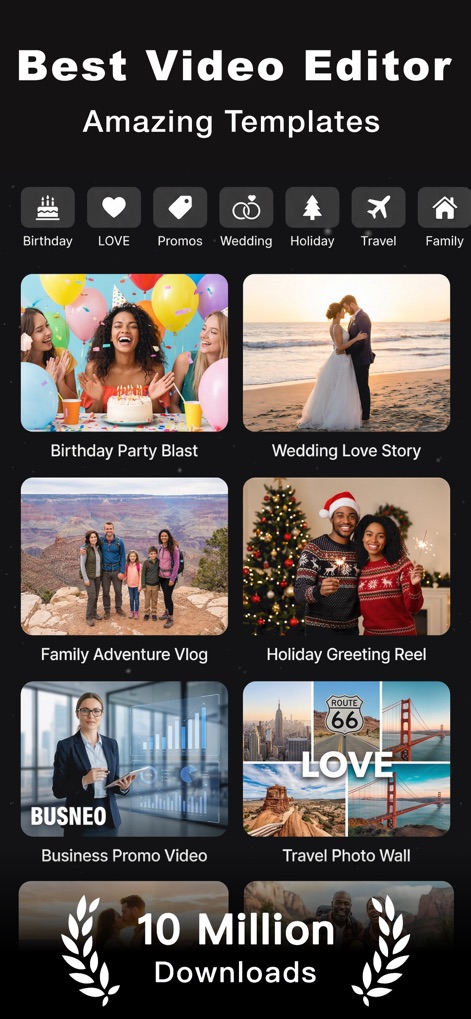
Explore the app's extensive library of categorized templates, showcasing diverse video genres from Birthday Party Blast to Business Promo Video.
Discover Templates
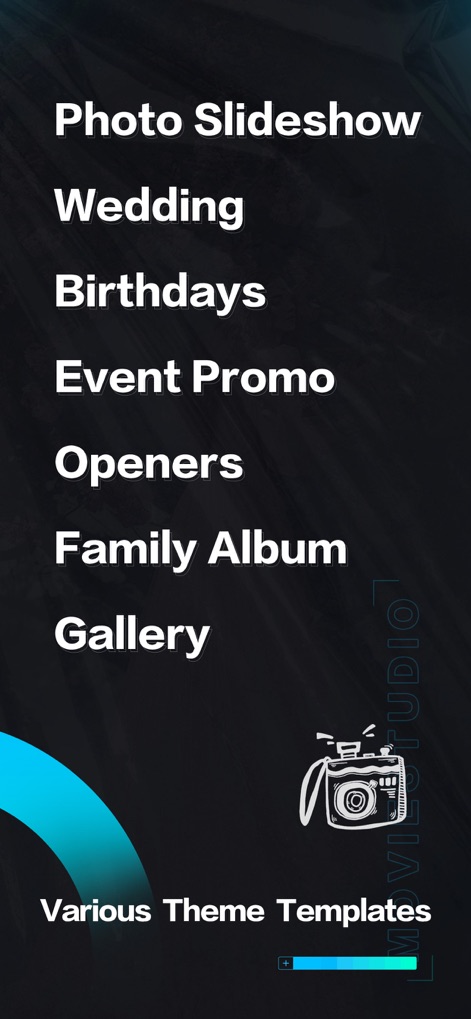
Users can effortlessly navigate through a comprehensive list of video types, including Photo Slideshows and Event Promos, to find the perfect starting point.
Category Selection
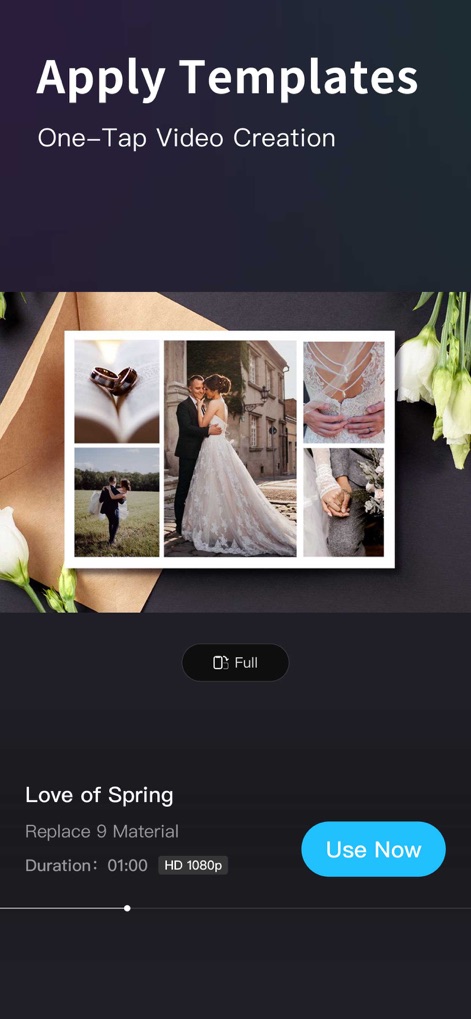
See how easily templates are applied with a single tap, displaying key details such as the "Love of Spring" theme and "HD 1080p" export quality.
Template Application
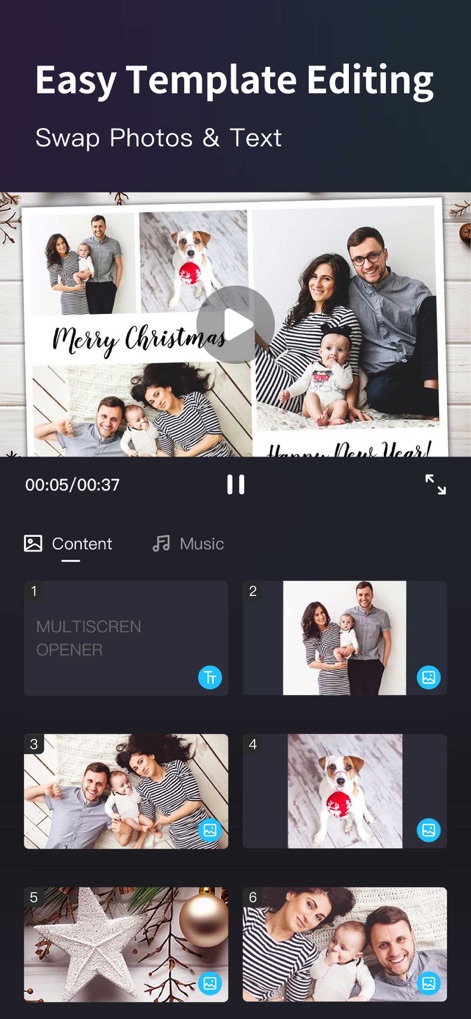
This tool provides an intuitive interface for replacing photos within a template's grid and offers dedicated tabs for adjusting "Content" and "Music".
Customize Content
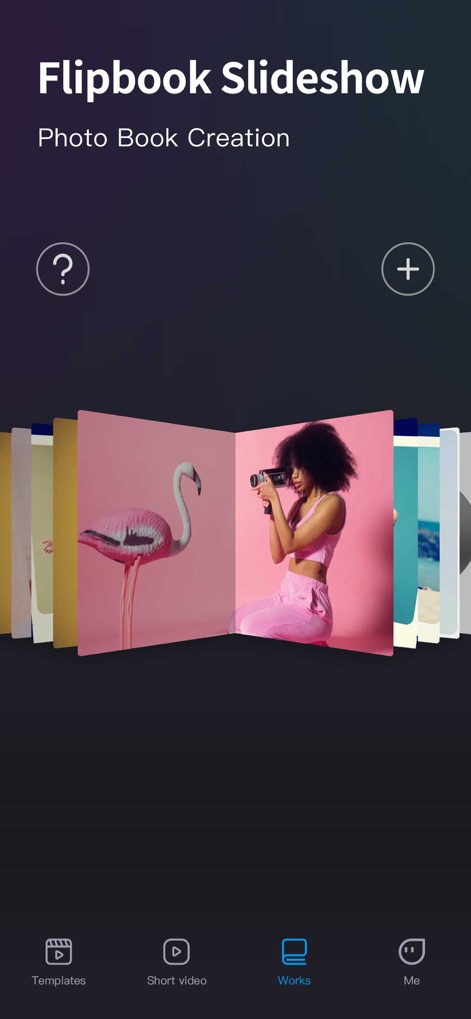
Explore unique display options like the "Flipbook Slideshow" presentation and manage all your created projects within the accessible "Works" section.
Creative Album Formats
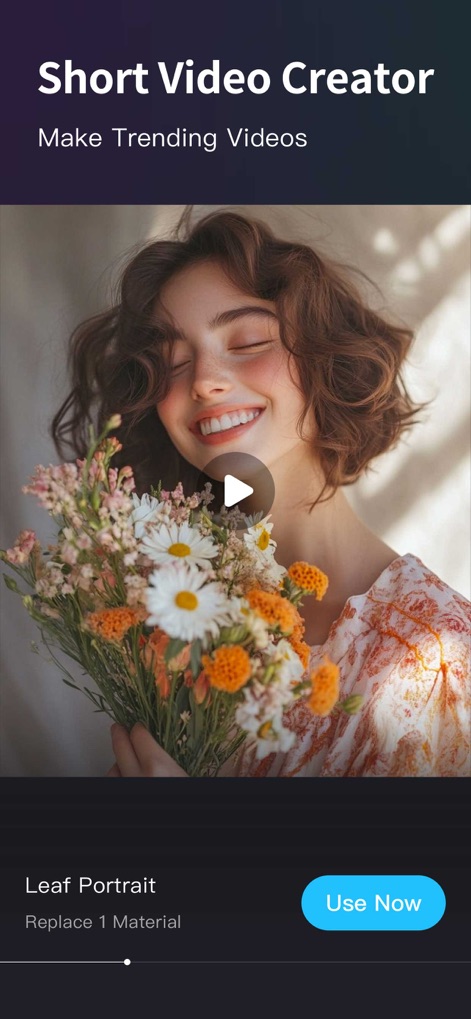
Generate trending short videos efficiently, with a prominent play button for instant preview and options to replace specific "Material".
Short Video Creation

Craft engaging short videos using creative layouts such as the "Heart-Shaped Flash" photo collage, making content dynamic and visually appealing.
Dynamic Short Videos
Description
Download
More Like This
Apps with similar features and user experience

VEED Shorts: AI videos
VEED Ltd

AI Video Maker - Renderforest
Renderforest LLC

Filmigo Video Maker & Editor
VIDEOSHOW PTE. LTD.

Slideshow Maker Video & Photo
Honk Honk Punch Pty Ltd

Quick Slideshow Maker + Music
Zipo Apps Ltd.

Salad Video -Video Editor
ChengDu PinGuo Technology Co., Ltd.

Story Swag - Quick Reels
Slider LLC

StoryWave - Video Maker
UNSTATIC LTD

Smoozly: Animated Stories
Smoozly Inc.
This page is not an official page of the app or its developer, but an independent editorial publication created for informational and commentary purposes. Unless expressly stated otherwise, neither the app nor its developer is affiliated with, endorsed by, sponsored by, authorized by, or otherwise officially connected with MWM, Apple, Google Play, the app publisher, or the app's developer, and nothing on this page implies that the app was developed using MWM's services. Any trademarks, logos, screenshots, and other content remain the property of their respective owners.