
This page is not an official page of the app or its developer, but an independent editorial publication created for informational and commentary purposes. Unless expressly stated otherwise, neither the app nor its developer is affiliated with, endorsed by, sponsored by, authorized by, or otherwise officially connected with MWM, Apple, Google Play, the app publisher, or the app's developer, and nothing on this page implies that the app was developed using MWM's services. Any trademarks, logos, screenshots, and other content remain the property of their respective owners.


SmileBudget
Financial clarity is elusive. This app delivers it, giving users a minimalist lens on their money. It strips away the noise, revealing spending patterns that empower better decisions.
Downloads
100k+User Rating
Total Ratings
3.5KPublisher
Category
FinanceLocales
12Latest Version
5.1.2Size
90.2 MBFirst Released
Jul 31, 2023An analysis of key features designed for intuitive personal finance tracking and budgeting.
SmileBudget: Core Financial Management Capabilities
Quick Expense Logging
The app provides a streamlined process for logging expenses with minimal taps, ensuring ease of use and a stress-free experience.
Customizable Spending Categories
It allows users to personalize and organize their spending categories with custom names and icons, enhancing visual appeal and user engagement.
Intuitive Spending Insights
This tool features clear weekly, monthly, and yearly insights through charts and rankings, helping users understand their spending habits without complex data.
Simple Budget Management
The app enables users to set and monitor budgets for various spending areas, promoting conscious financial management.
Consolidated Account Overview
It provides the ability to manage finances across multiple accounts, offering a consolidated and clear financial overview.
Seamless Cross-Device Synchronization
This feature ensures that financial data is consistently updated and accessible across all user devices.
Enhanced Data Security
The app offers security features like app locking to safeguard sensitive financial information.
Transaction Data Export
It allows users to export their transaction data in CSV format for personal record-keeping or further analysis outside the app.
Frequently Asked Questions
Everything you need to know about SmileBudget
What is SmileBudget?
SmileBudget is a simple, minimalist app for tracking money and managing personal finances. It helps users manage expenses, income, and budgets to build good financial habits.
How does SmileBudget assist with expense tracking?
SmileBudget allows quick expense entries in a few taps. It provides detailed expense analysis with weekly, monthly, and yearly insights, including charts and rankings of income and spending categories.
Can I manage multiple financial accounts using SmileBudget?
Yes, SmileBudget supports multi-account management. Users can manage various financial accounts, update balances, and filter transactions to achieve a clear financial overview.
Does SmileBudget allow for custom spending categories?
Yes, SmileBudget enables users to create, edit, and organize custom spending categories. Users can also personalize their budgeting experience by choosing from a variety of icons.
Is my financial data secure in SmileBudget?
Yes, SmileBudget prioritizes user privacy. The app includes a lock feature to keep data secure and is described as private, safe, and ad-free, ensuring data protection.
Can I export my financial data from SmileBudget?
Yes, SmileBudget allows users to export their financial data. Income and expense transactions can be downloaded in CSV format for personal records or external analysis.
Does SmileBudget provide cross-device synchronization?
Yes, SmileBudget offers cross-device synchronization. This feature ensures that all financial data remains updated and consistent across all devices where the app is used.
Does SmileBudget offer budgeting tools?
Yes, SmileBudget includes comprehensive budget tracking tools. Users can set spending limits, monitor their progress, and visualize category-specific budgets to stay on financial track.
Can SmileBudget handle recurring transactions?
Yes, SmileBudget supports auto recurring transactions. Users can set up recurring income and expenses, which the app automatically logs according to the defined schedule.
Does SmileBudget offer home screen widgets?
Yes, SmileBudget provides widgets for quick access. These allow users to log expenses efficiently directly from their home screen without opening the full application.
Can I track my net worth with SmileBudget?
Yes, SmileBudget helps users track their net worth. The app calculates and displays assets, liabilities, and total net worth across all managed financial accounts.
Does SmileBudget offer different themes or customization options?
Yes, SmileBudget offers customization options including various themes. Users can select their preferred theme colors and app icons to personalize the app's appearance.
The following screenshots and description are sourced directly from the app's official store listing and are the property of the app developer.
App Store
Screenshots
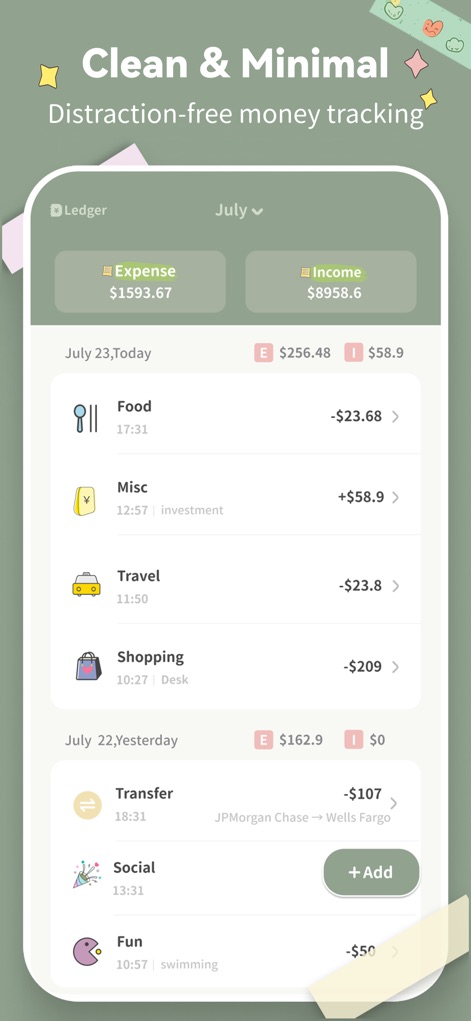
Users can effortlessly track daily expenses and income with the clear expense/income summaries and detailed transaction list.
Minimalist Ledger View

This tool streamlines expense logging with a dedicated numeric keypad and easily selectable spending categories.
Quick Entry System
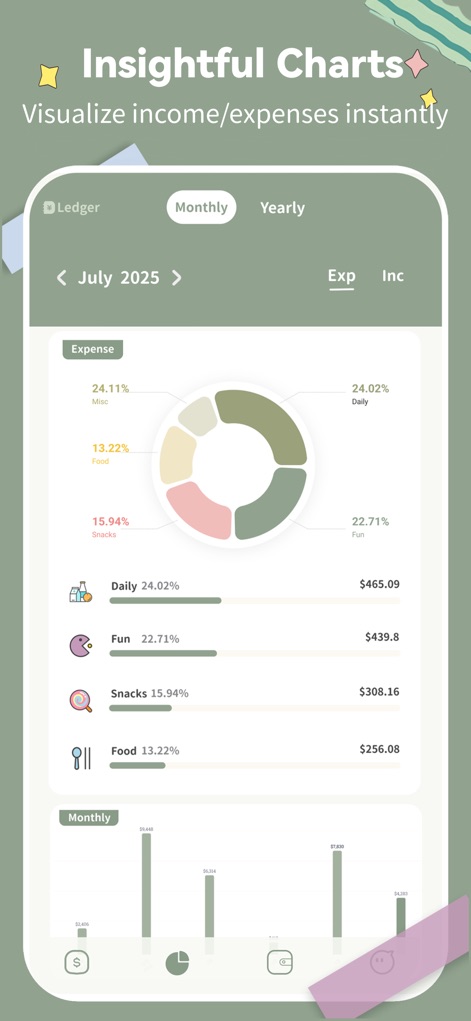
The app presents spending patterns through an intuitive donut chart and detailed percentage breakdowns by category.
Visual Expense Analysis
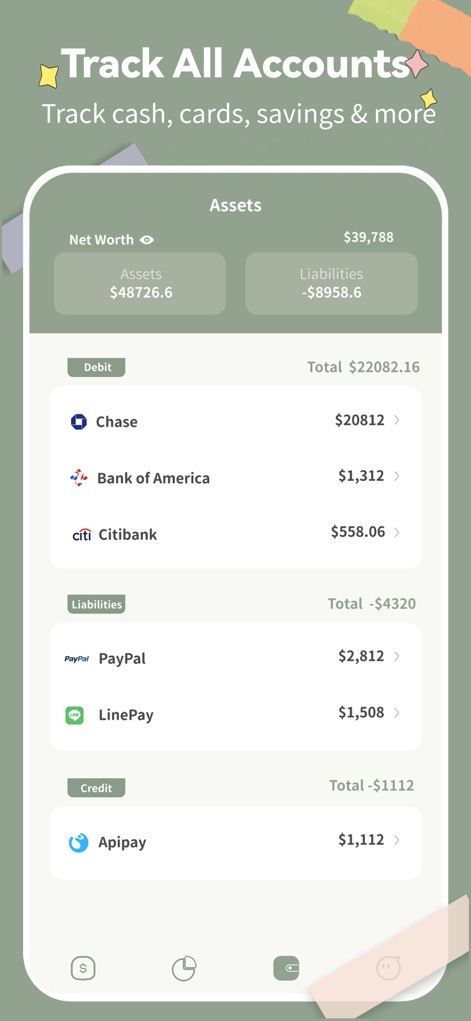
Users gain a comprehensive financial snapshot with distinct sections for bank accounts and various liabilities like PayPal.
Unified Account Overview

This feature allows users to categorize expenses by purpose, as shown with customizable 'Money Books' and total expense counts.
Organized Financial Books
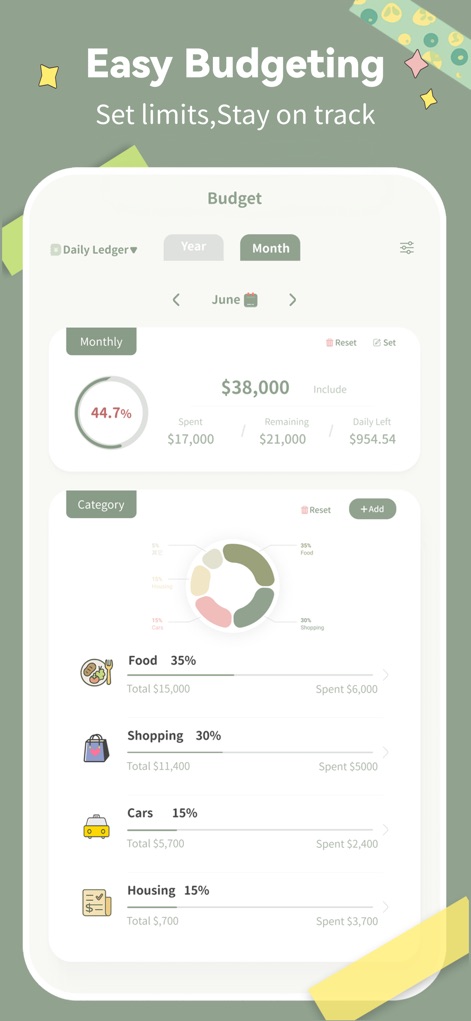
The app facilitates budget management with a clear spending progress indicator and flexible categorized budget allocations.
Effortless Budget Control
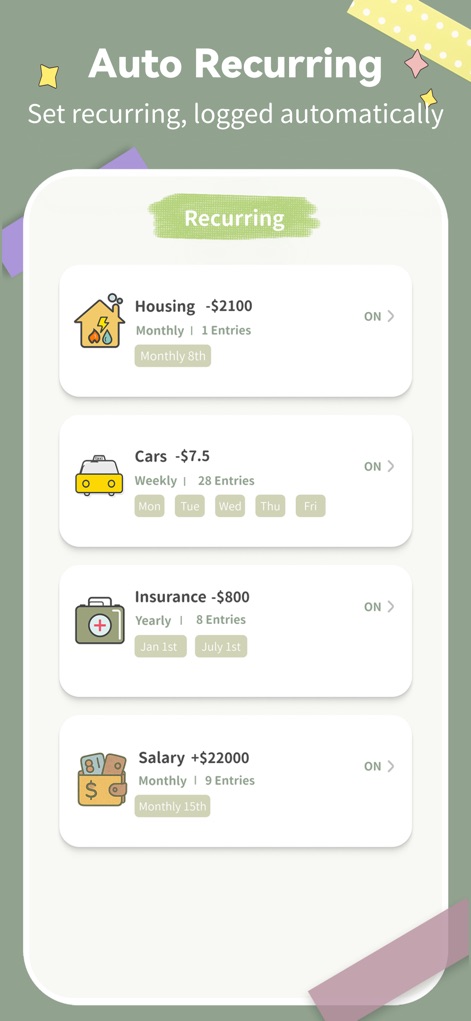
Users can set up recurring expenses and incomes, easily viewable with frequency labels and specific calendar dates.
Automated Transaction Logging
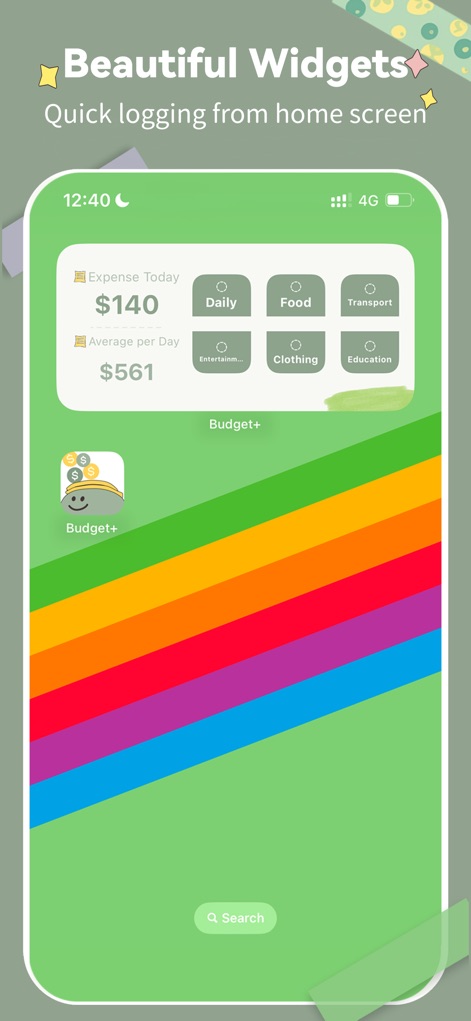
The app offers convenient home screen widgets for rapid expense entry and a clear summary of daily spending.
Quick Access Widgets
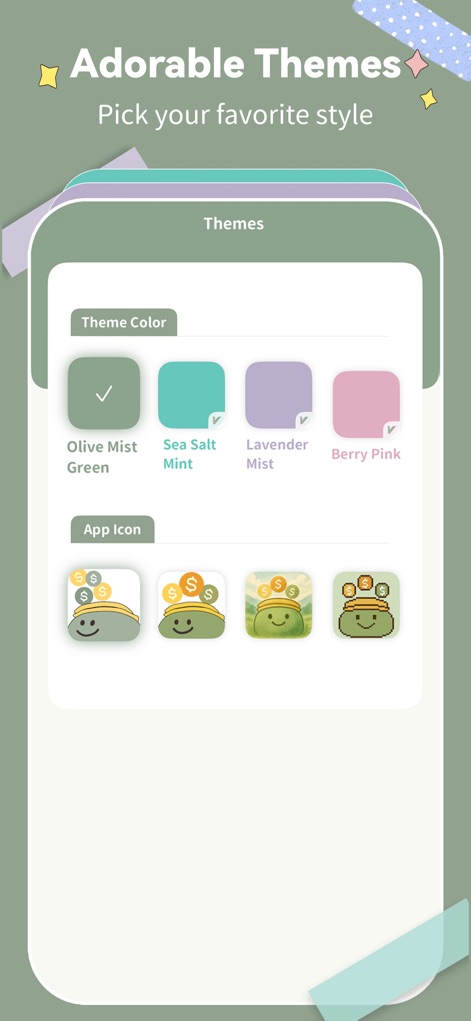
Users can customize their experience by choosing from various theme colors and unique app icons to personalize their interface.
Personalized App Style
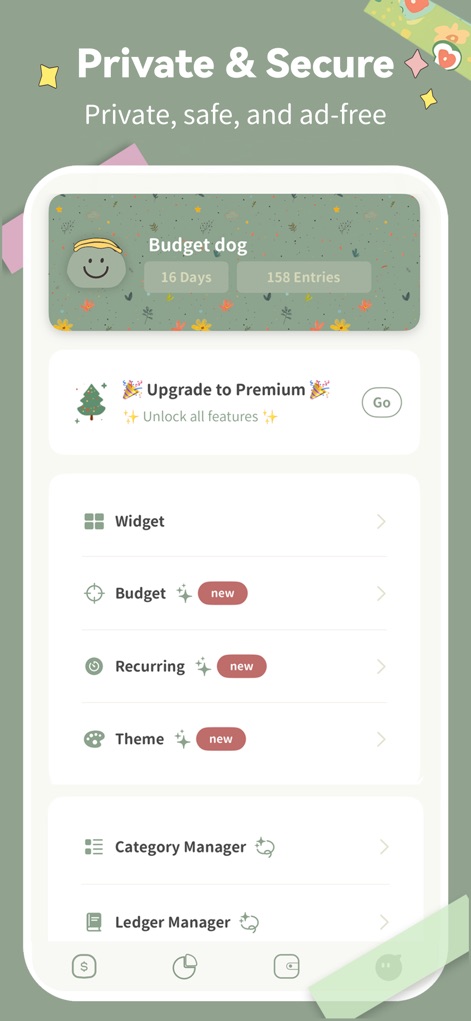
This tool provides robust security features, including a 'Budget dog' progress tracker and an upgrade path for premium features.
Secure App Management
Description
Download
More Like This
Apps with similar features and user experience

PetPlanr
Anri Tugushi

Weple Money: Expense Tracker
Park Hankyu

Caho可愛いかけいぼ!学生/夫婦おかね管理
LAN CHEN

Sepran: Expense Manager
Sepran Ashari

Money OK - personal finance
Mobion OOO

Расходы - личный бюджет
Oleg Ponomarev

EMMO Cost
EMMO Corp.

Monefy: Money Tracker
Reflective Technologies ApS

Minhas Economias
MINHAS ECONOMIAS SOLUCOES LTDA
This page is not an official page of the app or its developer, but an independent editorial publication created for informational and commentary purposes. Unless expressly stated otherwise, neither the app nor its developer is affiliated with, endorsed by, sponsored by, authorized by, or otherwise officially connected with MWM, Apple, Google Play, the app publisher, or the app's developer, and nothing on this page implies that the app was developed using MWM's services. Any trademarks, logos, screenshots, and other content remain the property of their respective owners.