Snoozers: The End of Snoozing
Download on App Store

This page is not an official page of the app or its developer, but an independent editorial publication created for informational and commentary purposes. Unless expressly stated otherwise, neither the app nor its developer is affiliated with, endorsed by, sponsored by, authorized by, or otherwise officially connected with MWM, Apple, Google Play, the app publisher, or the app's developer, and nothing on this page implies that the app was developed using MWM's services. Any trademarks, logos, screenshots, and other content remain the property of their respective owners.

Logo of Snoozers: The End of Snoozing
Download on App Store

Snoozers: The End of Snoozing

Transform chaotic mornings into a mindful ritual. Engage your mind with science-backed missions, curated sounds, and habit-tracking insights designed to help you conquer the snooze button for good.

Key Figures

Downloads

21K+

User Rating

4.6/5

Total Ratings

300

Publisher

Syed Kazmi

Category

Lifestyle

Locales

1

Latest Version

2.2.0

Size

114.8 MB

First Released

Aug 25, 2025
Features

Master Your Morning Ritual

Transform your wake-up routine with science-backed missions and progress tracking designed for clarity, not chaos.

Cognitive Wake-Up Missions

Clear morning fog instantly by engaging your brain with math, memory, or positive typing challenges.

Data-Driven Discipline

Track your 'Ring-to-Start' speed and build consistency streaks that turn vague goals into daily habits.

The following screenshots and description are sourced directly from the app's official store listing and are the property of the app developer.

App Store

Screenshots
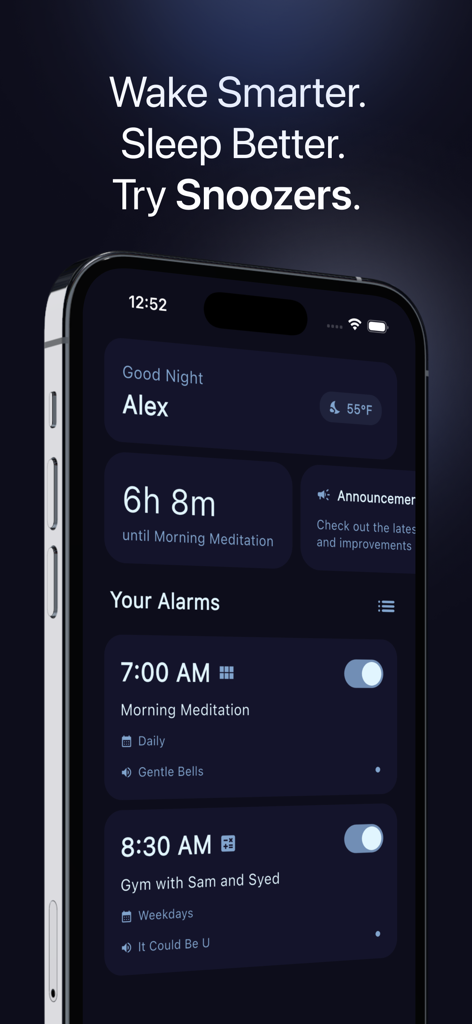
Snoozers: The End of Snoozing - Smartphone showing Snoozers alarm app with a minimalist dashboard and customized wake up schedules

Smartphone showing Snoozers alarm app with a minimalist dashboard and customized wake up schedules
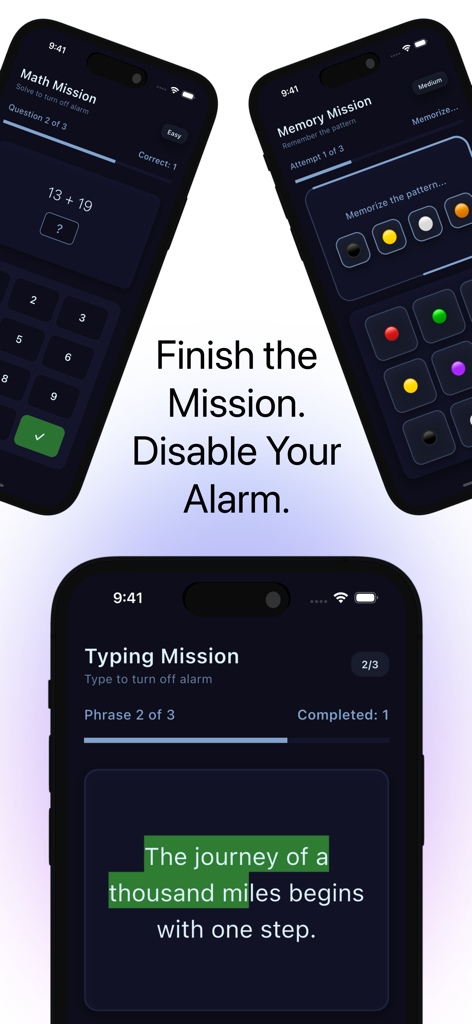
Snoozers: The End of Snoozing - Three phone screens showing math, memory, and typing missions used to disable the Snoozers alarm.

Three phone screens showing math, memory, and typing missions used to disable the Snoozers alarm.
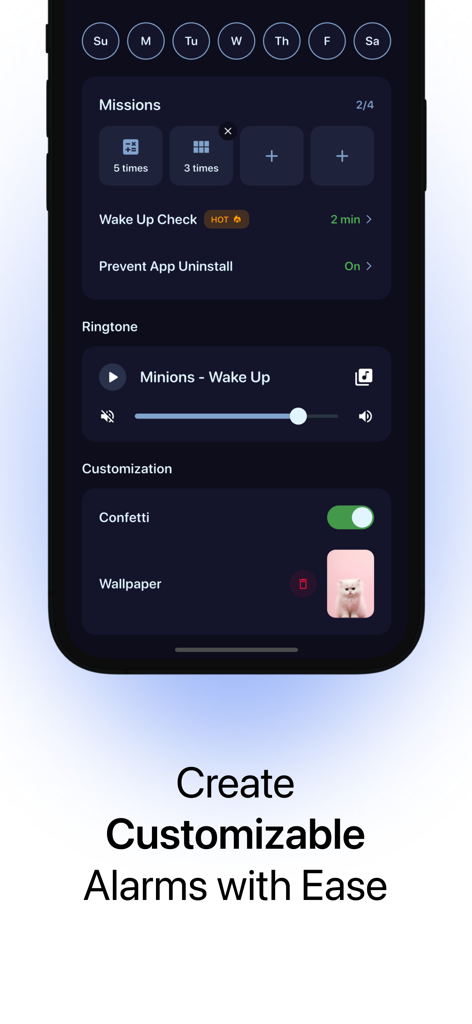
Snoozers: The End of Snoozing - Smartphone screen showing customizable alarm settings in the Snoozers app including wake up missions and ringtone selection.
Smartphone screen showing customizable alarm settings in the Snoozers app including wake up missions and ringtone selection.

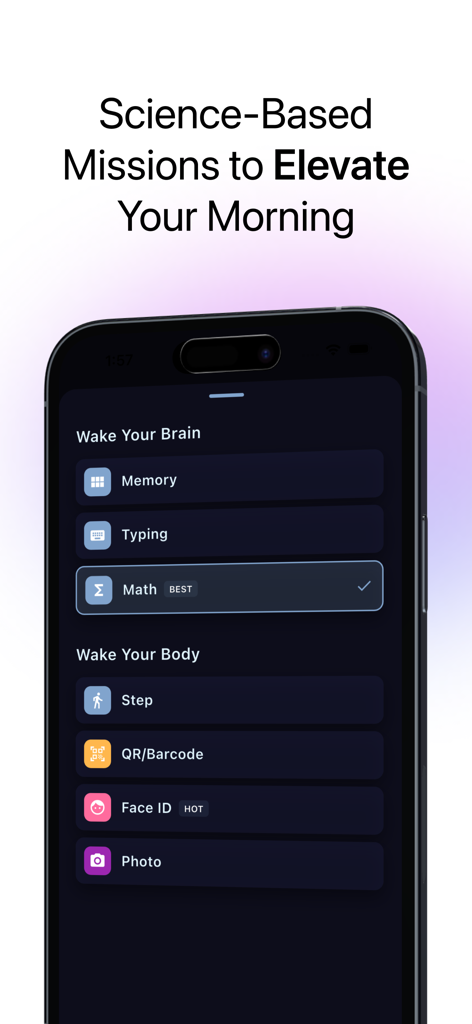
Snoozers: The End of Snoozing - Snoozers app screen showing cognitive and physical wake-up missions like math and memory puzzles.

Snoozers app screen showing cognitive and physical wake-up missions like math and memory puzzles.
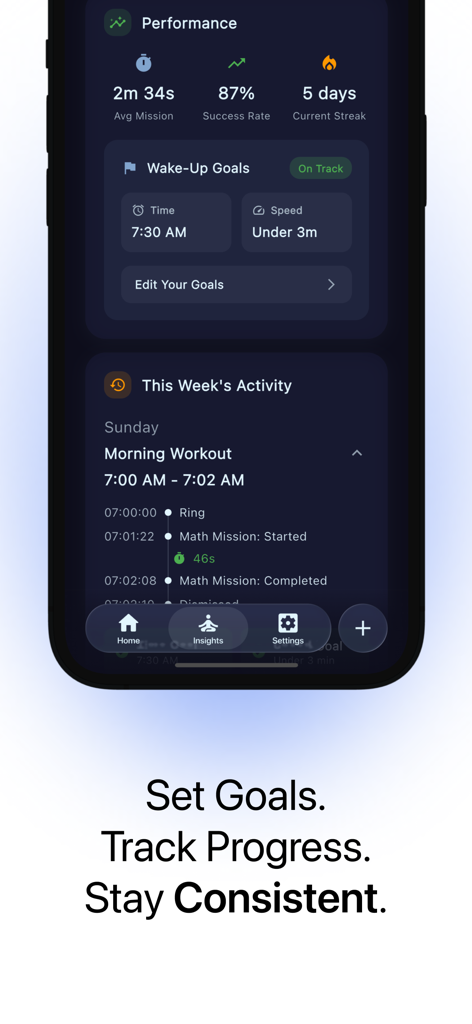
Snoozers: The End of Snoozing - Snoozers app dashboard displaying morning performance metrics success rate and wake up goals
Snoozers app dashboard displaying morning performance metrics success rate and wake up goals

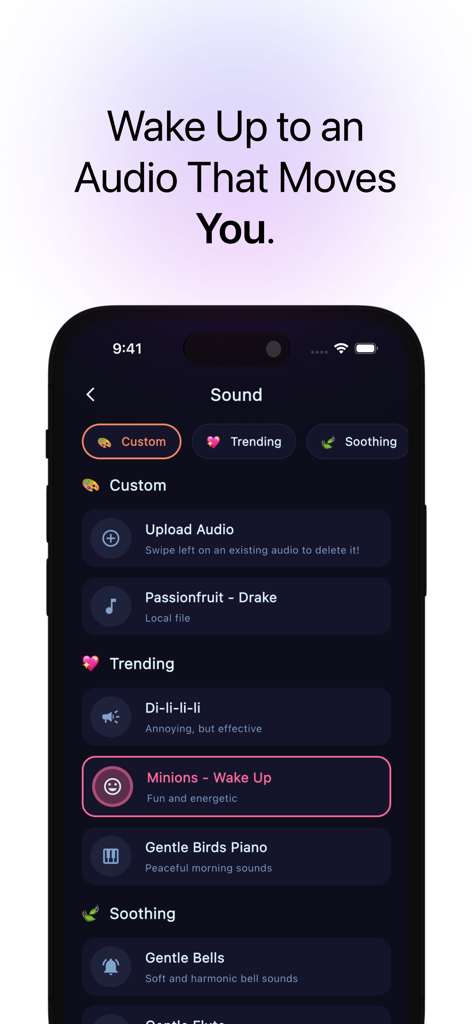
Snoozers: The End of Snoozing - Interface of Snoozers app showing custom and trending alarm sound options like gentle birds and uplifting music.
Interface of Snoozers app showing custom and trending alarm sound options like gentle birds and uplifting music.

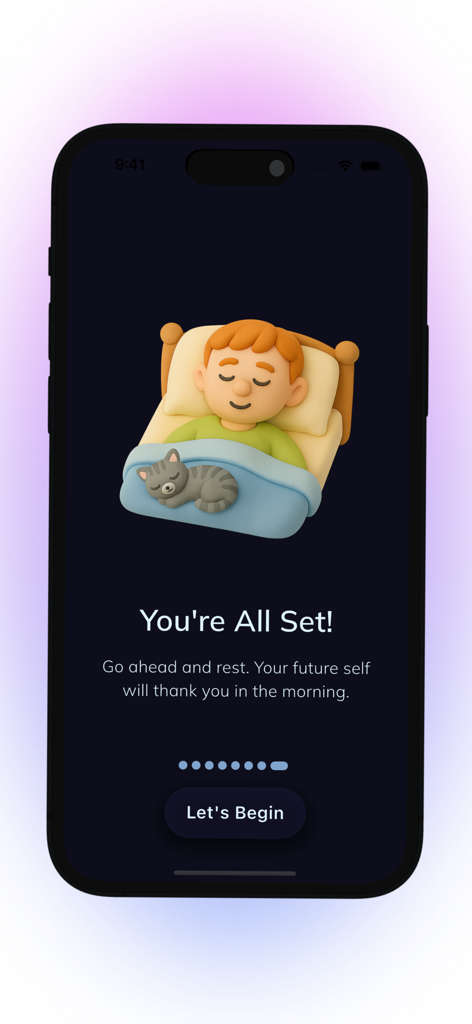
Snoozers: The End of Snoozing - Snoozers app confirmation screen showing a boy and a cat sleeping peacefully with the message You're All Set.

Snoozers app confirmation screen showing a boy and a cat sleeping peacefully with the message You're All Set.

Description

The End of Snoozing ⏰ Snoozers is a beautifully crafted alarm that helps you actually get out of bed. It blends science‑backed wake‑up missions, curated sounds, gentle design, and meaningful insights so your mornings start with clarity, not chaos. What makes Snoozers different: Snoozers doesn’t just ring and hope. It engages your brain, guides your habits, and gives you feedback that’s actually useful. Set your goals, choose your mission, pick a sound that fits your vibe, and trust the app to support consistent, confident mornings. Wake‑up missions (science‑backed): Turn off your alarm by completing a quick cognitive activation. You choose the challenge and difficulty: • Math Mission: Solve a series of problems with adjustable difficulty and question count. Great when you need sharp focus fast. • Typing Mission: Type uplifting phrases you select, with customizable length and number of phrases. Builds momentum and positive tone. • Memory Mission: Repeat visual patterns with selectable difficulty and attempts. Wake up your recall and attention. Every mission tracks ring‑to‑start time and completion time, so you can measure progress—not just intentions. Sounds that set the tone: Find your perfect morning energy with a curated mix—from soft and gentle birds to fun, motivational, and classic alarm sounds. Preview within the app, switch anytime, and keep favorites handy. Reliability, by design: Snoozers is engineered with thoughtful safeguards so your alarms are dependable once you’ve allowed notifications. Smart scheduling aims to keep your alarm on time—even when your phone is locked, or your ringer is off, or Do Not Disturb is on. Goals that actually stick: Turn vague ambition into clear targets: • Wake‑Up Time Goal: Pick your daily “up by” time. • Mission Speed Goal: Choose a completion target (e.g., finish in under 3 minutes). Each alarm can count toward one or both goals. Progress compounds—and your streak grows—when you hit them consistently. Insights that matter: Understand your mornings at a glance: • Ring‑to‑Start: How quickly you begin the mission. • Mission Duration: How long it takes to complete. • Success Rate: Based on your two goals (wake time and mission speed). • Streak: Consecutive days meeting both goals, designed to motivate—not shame. • Day‑of‑Week Patterns and Wake Time snapshots to spot trends and adjust. You can optionally exclude specific alarms from stats to keep your data clean and honest. Designed to feel good: Fluid animations, tactile haptics, and a calm, modern interface keep friction low and focus high. Per‑alarm volume with gentle fade‑in and vibration makes waking humane, not jarring. Weather‑aware greetings and rotating sleep tips add a small moment of care to your morning ritual. Simple, private, and optional cloud backup: Your alarms and insights live on your device by default. Prefer peace‑of‑mind backup? Sign in to securely store alarms in the cloud and sync across devices. Change your display name anytime in settings. Thoughtful details: • Create, edit, and reorder alarms with ease. • Pick repeat days and labels that fit your life. • Preview and switch sounds instantly. • Mission settings per alarm (difficulty, counts, phrases, attempts). • Portrait‑first design, fast performance, and minimal battery use. Privacy & transparency: Your data is yours. We don’t sell personal information. Cloud backup is opt‑in. You’re always in control. A note on reliability: For best results, open Snoozers after install, allow notifications, and keep system permissions enabled. Snoozers is designed to ring reliably under normal iOS conditions with notifications allowed. Give your future self a head start. Rest easy tonight—wake up ready with Snoozers. --- Email: snoozers.help@gmail.com Privacy Policy: https://docs.google.com/document/d/1bZjFtvH7QJOa4R60p15mG2IDWoYpdnzOYmTL6T8H9sI/edit?usp=sharing Terms of Use: https://www.apple.com/legal/internet-services/itunes/dev/stdeula/

Download

Download on App Store

This page is not an official page of the app or its developer, but an independent editorial publication created for informational and commentary purposes. Unless expressly stated otherwise, neither the app nor its developer is affiliated with, endorsed by, sponsored by, authorized by, or otherwise officially connected with MWM, Apple, Google Play, the app publisher, or the app's developer, and nothing on this page implies that the app was developed using MWM's services. Any trademarks, logos, screenshots, and other content remain the property of their respective owners.








