Somnus
Somnus
Download on App Store

This page is not an official page of the app or its developer, but an independent editorial publication created for informational and commentary purposes. Unless expressly stated otherwise, neither the app nor its developer is affiliated with, endorsed by, sponsored by, authorized by, or otherwise officially connected with MWM, Apple, Google Play, the app publisher, or the app's developer, and nothing on this page implies that the app was developed using MWM's services. Any trademarks, logos, screenshots, and other content remain the property of their respective owners.

Logo of Somnus
Download on App Store

Somnus

Efficiency meets absolute privacy. Securely log procedures, scan patient IDs, and manage clinical data offline across your entire Apple ecosystem—without ever compromising patient confidentiality.

Key Figures

Downloads

27K+

User Rating

4.7/5

Total Ratings

200

Publisher

Somnus Health Pty Ltd

Category

Medical

Locales

1

Latest Version

10.3.3

Size

99.7 MB

First Released

Mar 27, 2018
Features

Master Your Clinical Workflow

The most powerful, secure, and efficient way to log anaesthesia, surgical, and critical care cases across all your Apple devices—designed for the demands of the modern operating room.

Lightning-Fast Data Entry

Minimize charting time in high-pressure environments. Use on-device ID label scanning and custom templates to log complex procedures with just a few taps.

Ironclad Privacy & Security

Maintain total control over your clinical data. With on-device encryption and private iCloud syncing, your patient logs never touch a third-party server.

The following screenshots and description are sourced directly from the app's official store listing and are the property of the app developer.

App Store

Screenshots
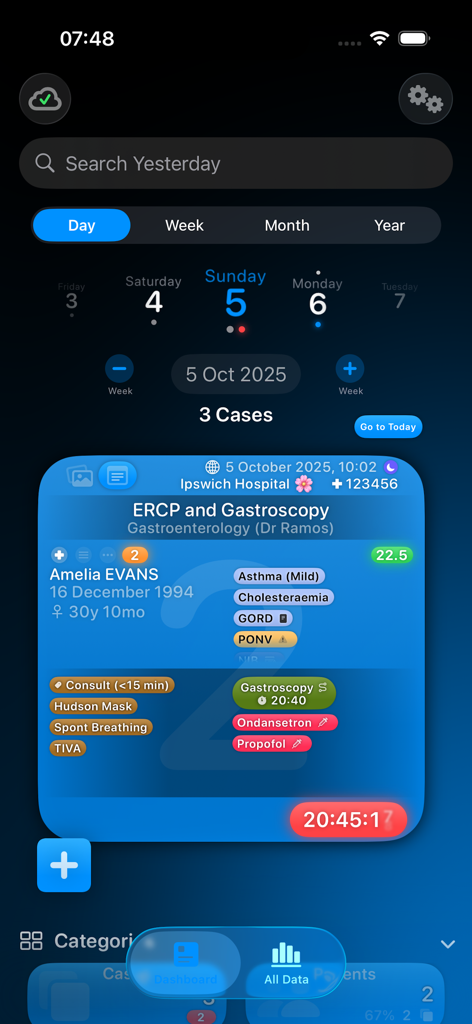
Somnus - Somnus app dashboard showing a detailed medical case log for an anaesthesia procedure
Somnus app dashboard showing a detailed medical case log for an anaesthesia procedure

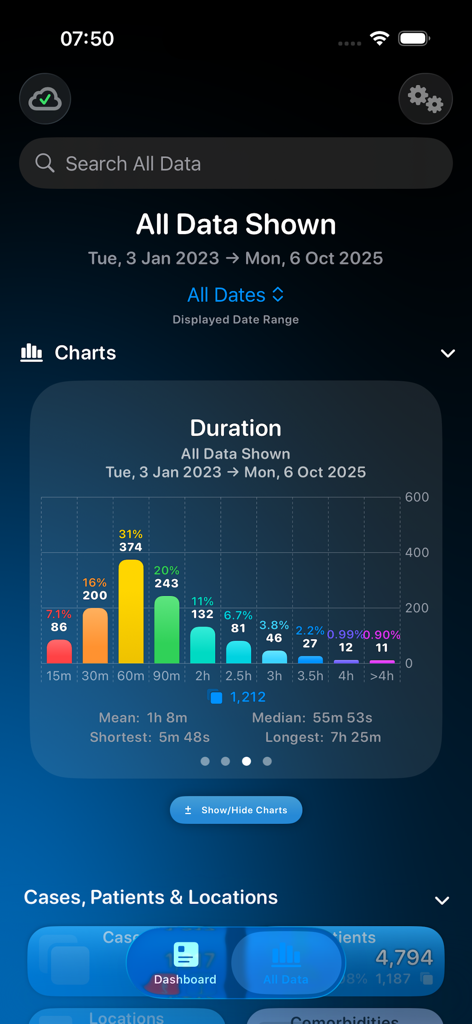
Somnus - Somnus app dashboard showing a bar chart of medical procedure durations and case statistics.
Somnus app dashboard showing a bar chart of medical procedure durations and case statistics.

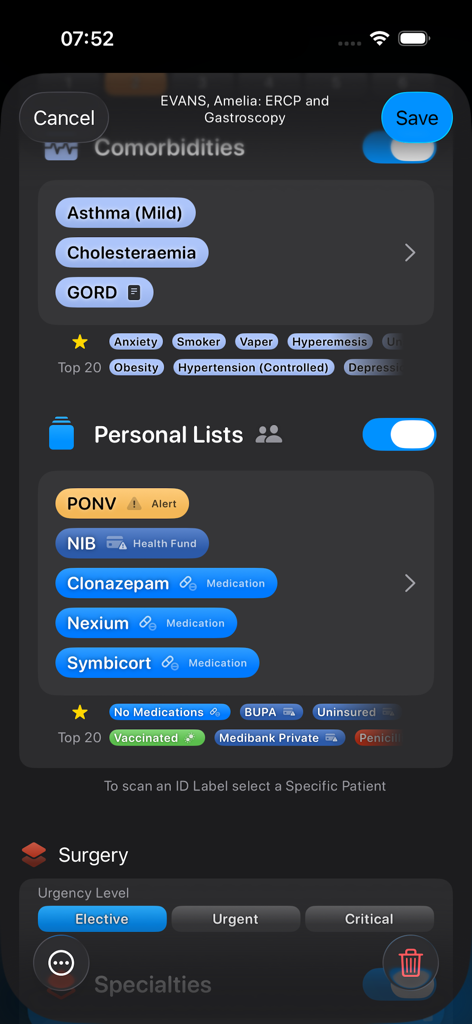
Somnus - Interface of the Somnus app showing patient comorbidities and surgical details for an ERCP and gastroscopy case.
Interface of the Somnus app showing patient comorbidities and surgical details for an ERCP and gastroscopy case.

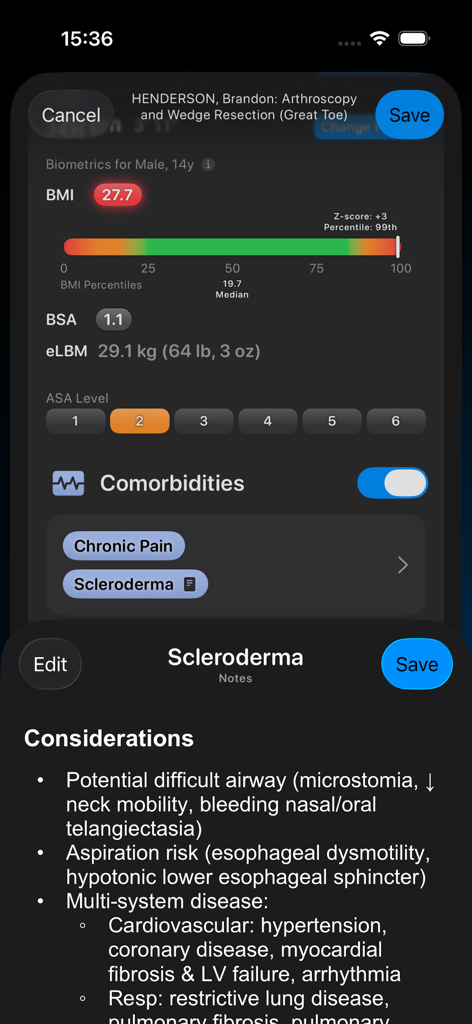
Somnus - Somnus mobile app interface displaying patient biometrics, ASA level, and clinical considerations for scleroderma.
Somnus mobile app interface displaying patient biometrics, ASA level, and clinical considerations for scleroderma.

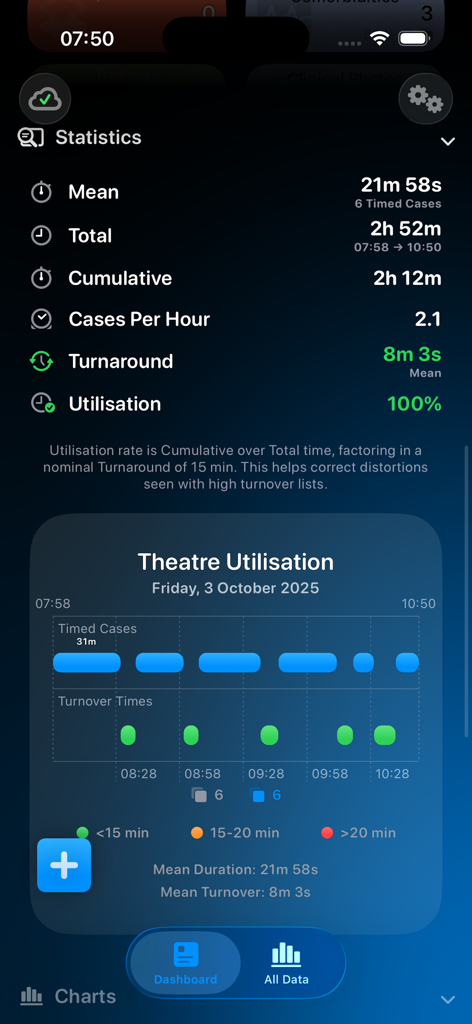
Somnus - A dashboard screen from the Somnus app showing theatre utilisation statistics including mean case duration and turnaround times with an interactive chart.
A dashboard screen from the Somnus app showing theatre utilisation statistics including mean case duration and turnaround times with an interactive chart.

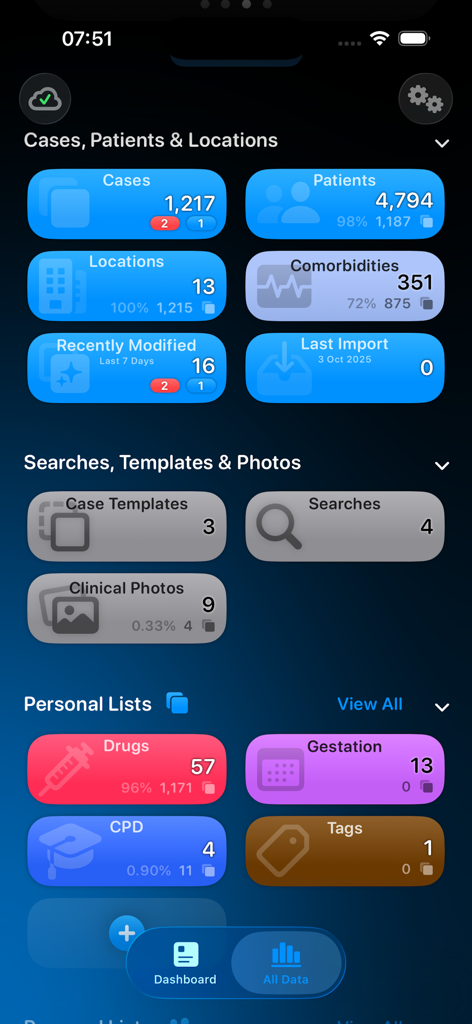
Somnus - The dashboard screen of the Somnus medical app showing statistics for cases, patients, comorbidities, and personal medical lists in a dark interface.
The dashboard screen of the Somnus medical app showing statistics for cases, patients, comorbidities, and personal medical lists in a dark interface.

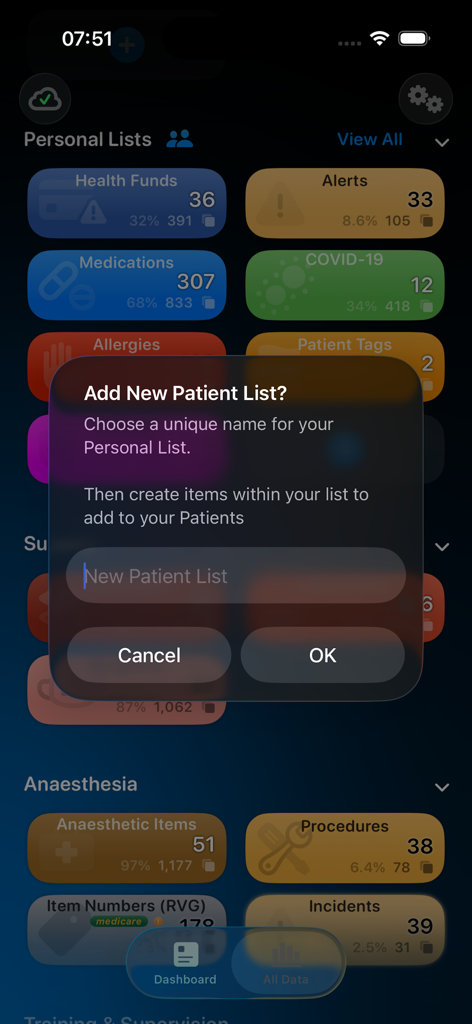
Somnus - Somnus medical app interface showing a pop up window to create a custom patient list
Somnus medical app interface showing a pop up window to create a custom patient list

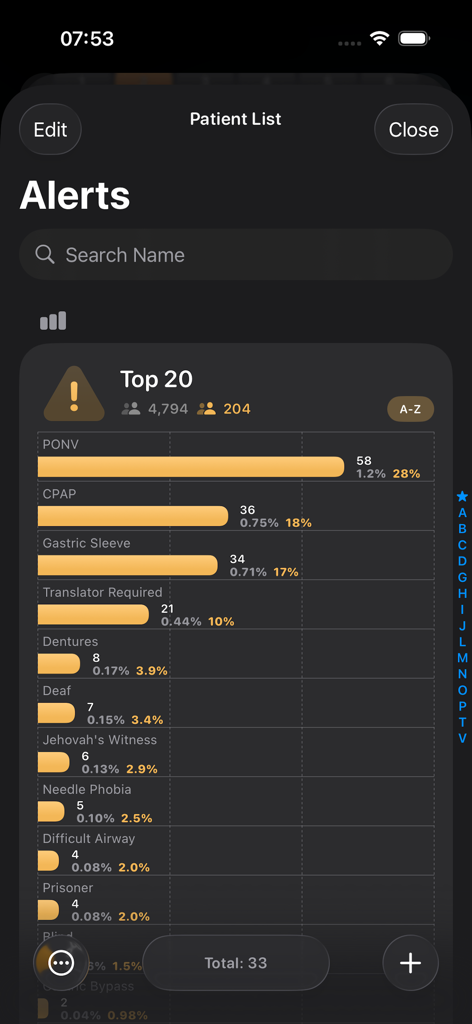
Somnus - Somnus app interface showing a bar chart of top patient alerts and clinical conditions for medical professionals
Somnus app interface showing a bar chart of top patient alerts and clinical conditions for medical professionals

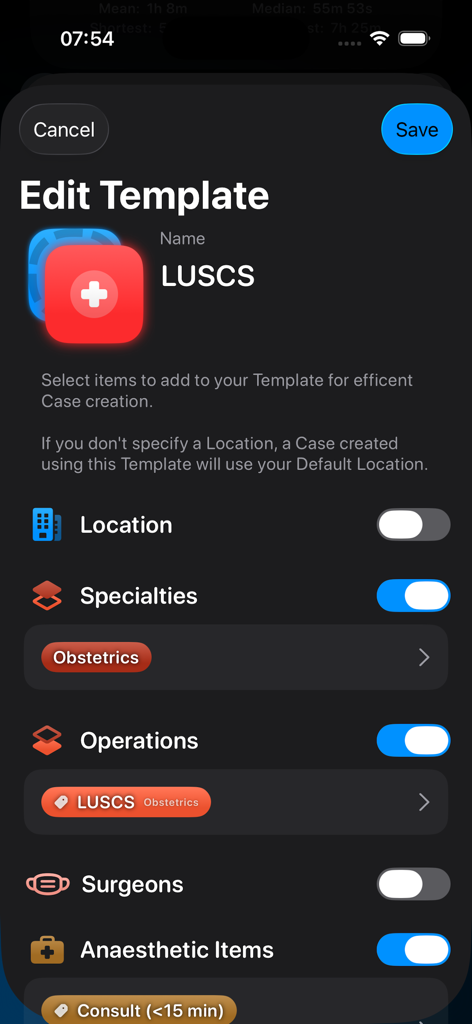
Somnus - Somnus app screen for editing a surgical case template named LUSCS.
Somnus app screen for editing a surgical case template named LUSCS.

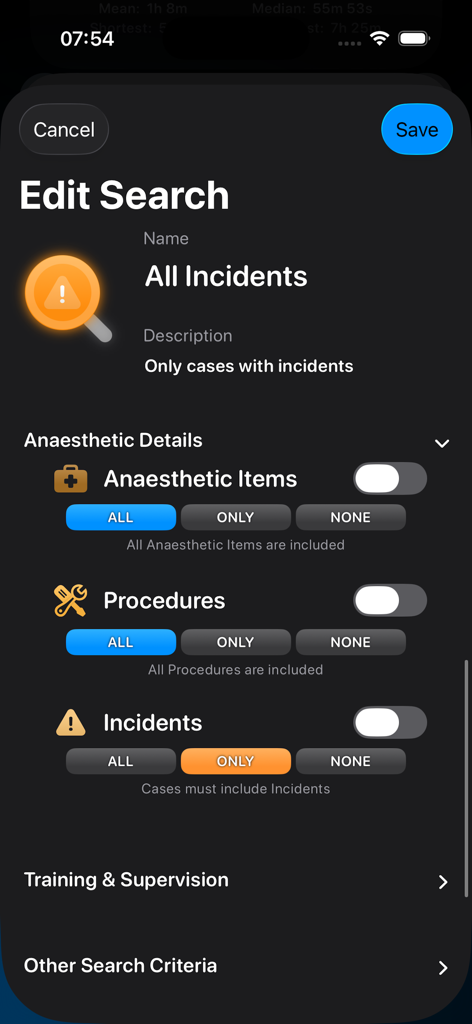
Somnus - Edit Search interface in Somnus app with filters for medical incidents and anaesthetic items

Edit Search interface in Somnus app with filters for medical incidents and anaesthetic items

Description

Fast & efficient Anaesthesia, Surgical & Critical Care case & procedure logging, backed with secure, encrypted & private iCloud syncing, with powerful searching and exporting features & local data encryption. Your data will never be locked behind a paywall. Only adding data requires a subscription. visionOS & macOS versions are included in the same subscription. • Your Data on Your Device - No internet required - Enter as little or as much Case data as you wish - Use generic Patients or for a more powerful database, add specific Patients to your Cases - Intelligent data entry prevents errors (eg. ASA 1 patients with comorbidities, extreme BMIs, etc.) - Data is encrypted & protected on device with Face ID or Touch ID (and a fallback PIN) - Intelligent relational database means renaming an item in one place sees it update everywhere, instantly. • Fully Customisable - All category items are there for you to edit, merge, rename, delete... or create your own to suit your needs - Add rich text notes (including tappable weblink) to almost any item you create - Personal Lists are for you to create your own categories & items to add to Cases & Patients - Custom Timers allow you to record multiple case-related events (eg. tourniquet time) - Create Templates to make starting a Case as simple as two taps - Create Searches to view & analyse your data in sophisticated ways. • Syncing via iCloud is Private, Secure & Encrypted - No special logins or accounts required, just your iCloud login - Uses Apple’s iCloud infrastructure only - No information is collected or accessible to anyone other than you - Turn it off and use your devices independently if you wish - Everything syncs: Templates, Searches, Photos, ID Labels & even most Settings • ID Label (Bradma) & Document Scanning - It’s never been faster to add a patient - Just start by scanning their ID Label - Analysis is all done on-device, no data leaves your device, including Medicare number validation (Australia) - If you see the same patient again, you can re-scan the label. If it has changed, choose to update their other Cases - Potentially valid data (names, dates of birth) will be detected and automatically added - Scan document text straight into Case notes • Clinical Photos - Include high resolution photos, captured within Somnus - Add as many to a Case as you like - Export or import images to & from your Photo Library as required • Exporting Your Data as a - Case Report (PDF) including all Patient & Case details, notes & photos - Billing Report (PDF) for billing assistance - Australian users can have fee estimates automatically generated using the built-in RVG - Summary Report (PDF) for your records, auditing or teaching - Summary Report (CSV) to have all your data in a form that is device & app independent (see website for details) - Spreadsheet (CSV) to have all your data in a form that is device & app independent (see website for details) - Data File to send to another user for their copy of Somnus • Importing Your Data - Import Somnus Data, Backups or CSV files - CSV Files can be used to quickly pre-populate upcoming lists so you can start the Booked Case with a tap • Other Features - Beautiful, interactive charts - Enhanced multi-window use with local drag & drop - Advanced drag & drop (Cases, Photos & Charts) straight into most other Apps - Cases can be dropped as PDF Reports, Data Files - Searches can be dropped as PDF Summary Reports - Drag CSV or Data files straight onto the Somnus Dashboard to import - Realtime Case timers - Theatre utilisation summaries - Tappable items in Notes (phone numbers, emails, dates, addresses) - And so much more! Terms of Use: https://www.apple.com/legal/internet-services/itunes/dev/stdeula/

Download

Download on App Store

This page is not an official page of the app or its developer, but an independent editorial publication created for informational and commentary purposes. Unless expressly stated otherwise, neither the app nor its developer is affiliated with, endorsed by, sponsored by, authorized by, or otherwise officially connected with MWM, Apple, Google Play, the app publisher, or the app's developer, and nothing on this page implies that the app was developed using MWM's services. Any trademarks, logos, screenshots, and other content remain the property of their respective owners.








