
This page is not an official page of the app or its developer, but an independent editorial publication created for informational and commentary purposes. Unless expressly stated otherwise, neither the app nor its developer is affiliated with, endorsed by, sponsored by, authorized by, or otherwise officially connected with MWM, Apple, Google Play, the app publisher, or the app's developer, and nothing on this page implies that the app was developed using MWM's services. Any trademarks, logos, screenshots, and other content remain the property of their respective owners.


Space Cleaner: File Manager
Stop "Storage Full" alerts and boost productivity. Effortlessly remove duplicates, convert file formats, and organize your digital life with the ultimate all-in-one utility.
Downloads
324K+User Rating
Total Ratings
3K+Publisher
Category
UtilitiesLocales
13Latest Version
1.0.36Size
170.2 MBFirst Released
Jun 22, 2024Master Your Digital Workspace
The all-in-one toolkit designed to end storage anxiety and streamline your mobile productivity for work and life.
Instant Space Retrieval
End the 'Storage Full' frustration. Automatically find and purge duplicate photos and large videos to reclaim gigabytes in seconds.
Pro-Level Format Converter
The mobile professional's secret weapon. Convert between PDF, Word, and media formats on the go without ever needing a laptop.
Frequently Asked Questions
Everything you need to know about Space Cleaner: File Manager
What is Space Cleaner: File Manager?
"Space Cleaner: File Manager" is a powerful application designed for comprehensive file management. It helps users organize, clean, convert, and manage documents, photos, videos, and other files on their iPhone effectively.
Can Space Cleaner: File Manager remove duplicate photos?
Yes, "Space Cleaner: File Manager" automatically identifies and deletes duplicate photos and videos. It also cleans large videos, blurry photos, and burst shots/screenshots to reclaim storage space.
Does Space Cleaner: File Manager include a document scanner?
Yes, "Space Cleaner: File Manager" features an effortless document scanning function. Users can directly upload scanned documents or capture new ones within the app.
What file formats can Space Cleaner: File Manager convert?
"Space Cleaner: File Manager" converts document formats (PDF, Word, txt, PPT), image formats (png, jpg, svg, jpeg), audio formats (mp3, wav, wma, m4a), and video formats (mp4, mov, avi, wmv).
Is there a free trial for Space Cleaner: File Manager?
Yes, "Space Cleaner: File Manager" offers a 3-day free trial. This trial provides unlimited access to all file manager features before an automatic renewal to the annual subscription plan.
How do I cancel my Space Cleaner: File Manager subscription?
To cancel your "Space Cleaner: File Manager" subscription, navigate to iPhone Settings, then tap your name, and select Subscriptions. Manage the desired subscription there. Cancellation must occur at least 24 hours before the current period ends.
Can Space Cleaner: File Manager organize my photos?
Yes, "Space Cleaner: File Manager" smartly organizes photos by categories such as Recents, Favorites, People, Places, Selfies, and Panoramic. This feature allows for efficient photo management.
Does Space Cleaner: File Manager support ZIP and RAR files?
Yes, "Space Cleaner: File Manager" supports both compression and decompression of ZIP and RAR archive formats. This functionality helps optimize storage space on the device.
What file management operations does Space Cleaner: File Manager perform?
"Space Cleaner: File Manager" performs batch operations including deletion, moving, copying, and compressing files. It also supports file uploading, creation of text files and folders, and comprehensive file categorization.
The following screenshots and description are sourced directly from the app's official store listing and are the property of the app developer.
App Store
Screenshots

Space Cleaner app screenshot showing duplicate photo removal and storage cleanup for iPhone
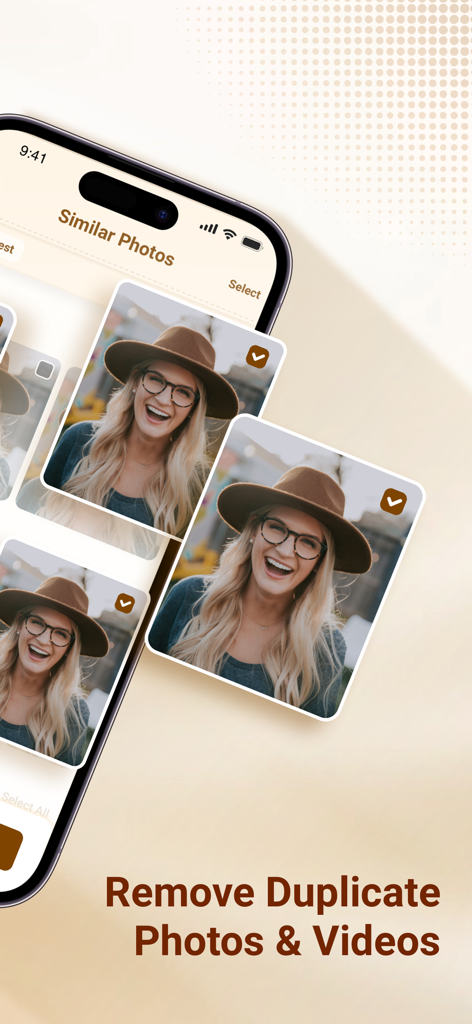
Mobile app interface identifying similar photos for deletion to optimize device storage.
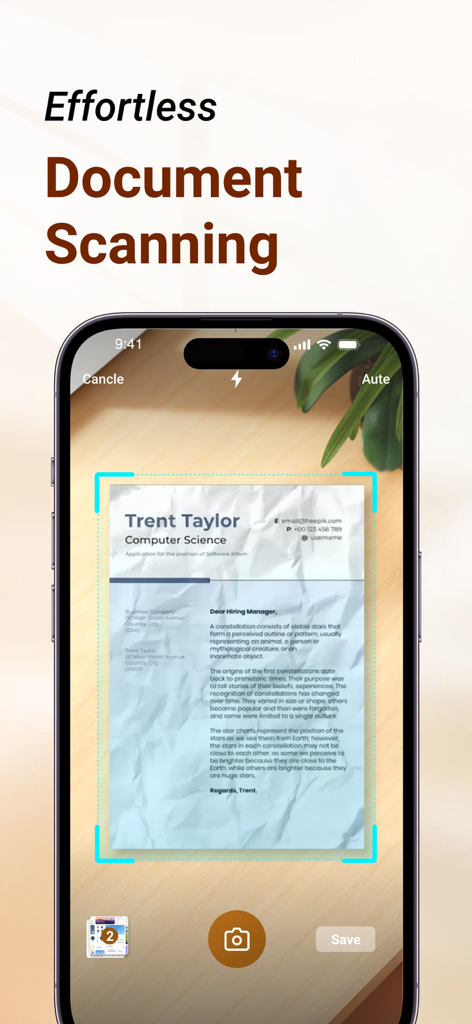
Interface of the Space Cleaner app showing the effortless document scanning feature on an iPhone
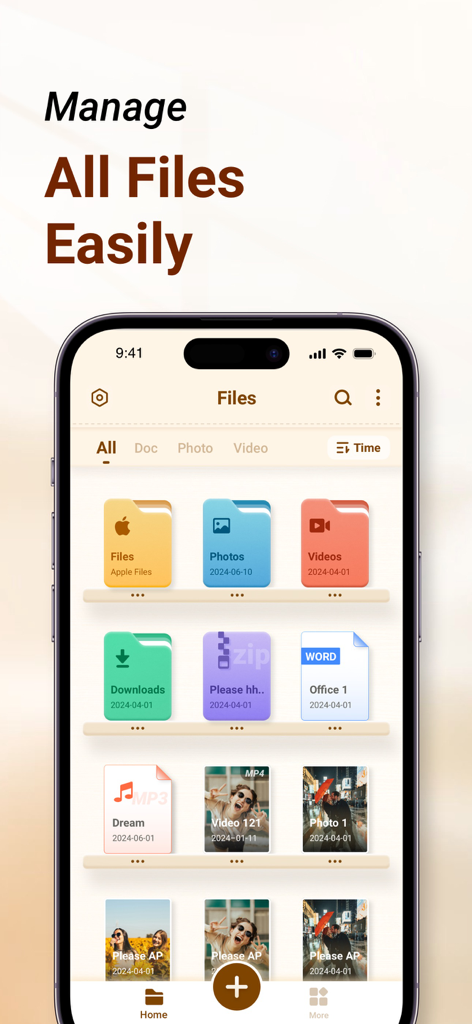
Space Cleaner app interface showing organized file categories like photos videos and documents on an iPhone
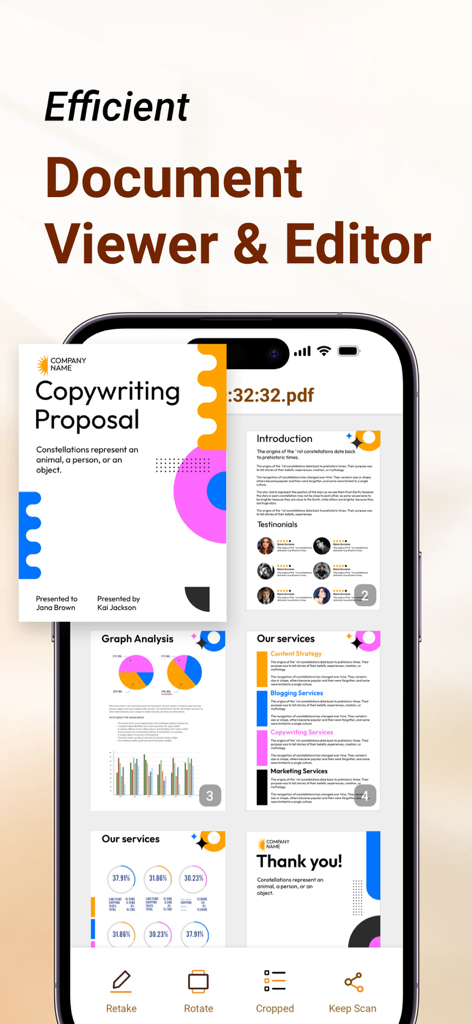
Space Cleaner app document viewer and editor interface on iPhone showing a PDF copywriting proposal
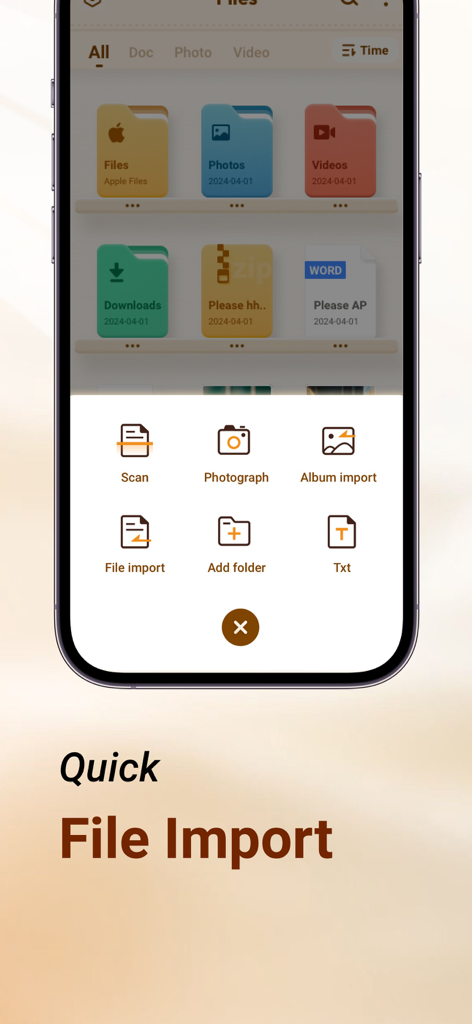
Quick file import menu in Space Cleaner app featuring options to scan, photograph, and import files or albums
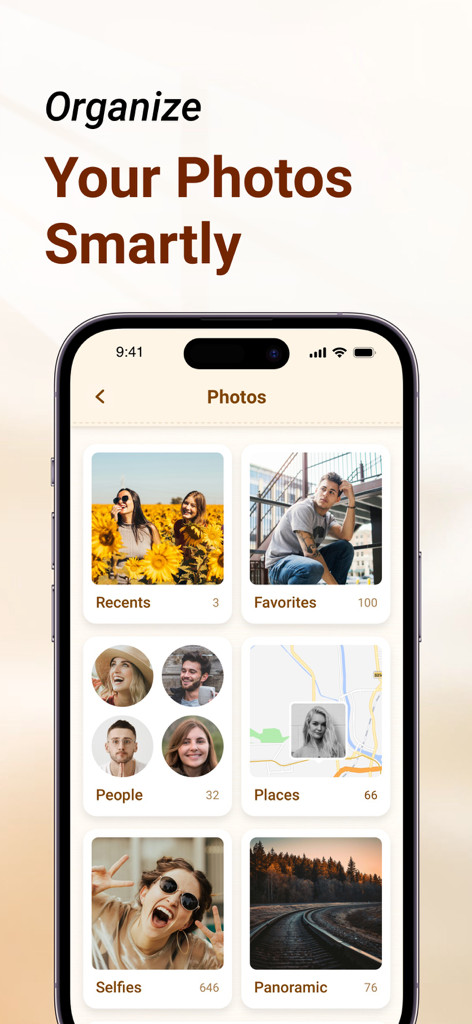
iPhone app interface displaying photos organized into smart categories like Favorites, People, and Places
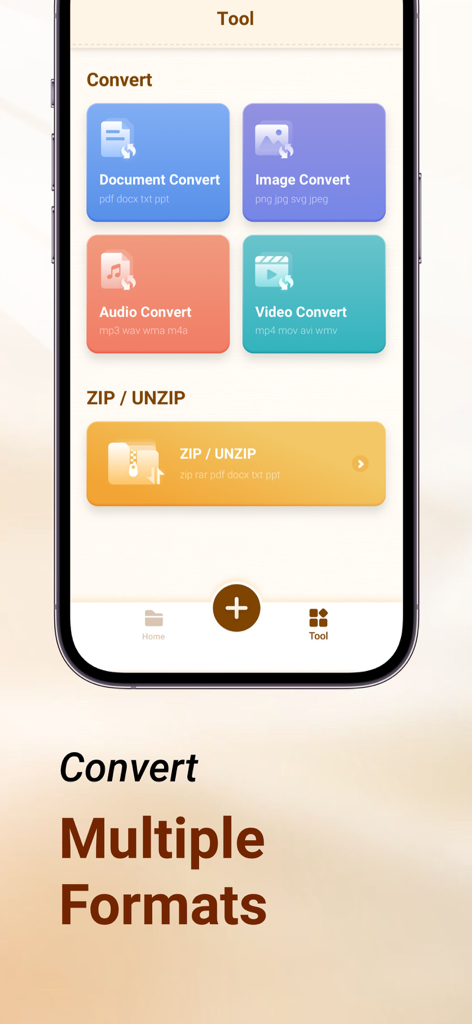
Space Cleaner app screen showing conversion tools for document image audio and video formats plus zip and unzip features
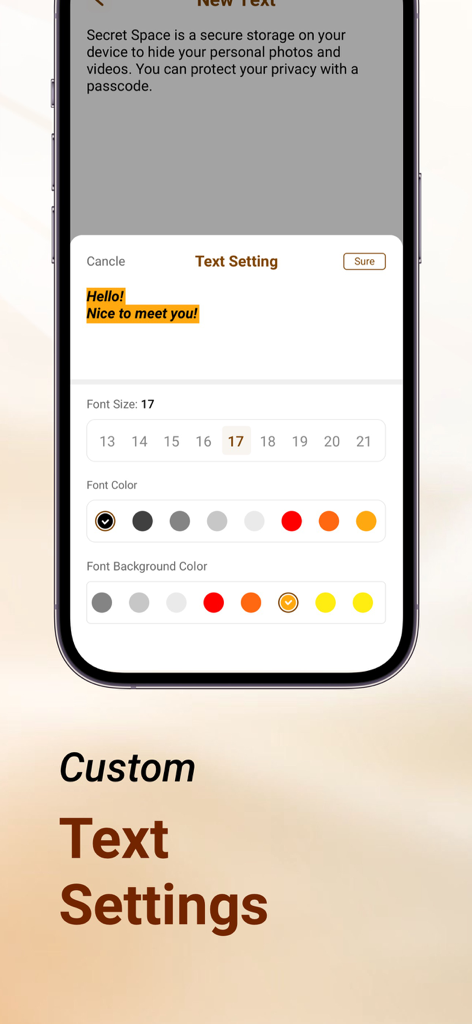
User interface for customizing text font size and color in the Space Cleaner app
Description
Download
More Like This
Apps with similar features and user experience

Clever Cleaner: AI CleanUp App
CleverFiles Inc.

Slidebox: Photo Cleaner App
Slidebox LLC

Photo Organizer: Picnic
Picnic Ventures Ltd

Super Smart Cleaner
VIBE WITH ME LTD

Boost Cleaner -Clean Up Smart°
AEGIS SOLUTIONS PRIVATE LIMITED

Cleanup: Phone Storage Cleaner
DEEP FLOW SOFTWARE SERVICES - FZCO

Cleaner Guru: Clean Up Storage
GM UniverseApps Limited

AI Cleaner: Clean Up Storage
GRIMLAX TRADE,S.L.

Photo Cleaner: Swipewipe
MWM
This page is not an official page of the app or its developer, but an independent editorial publication created for informational and commentary purposes. Unless expressly stated otherwise, neither the app nor its developer is affiliated with, endorsed by, sponsored by, authorized by, or otherwise officially connected with MWM, Apple, Google Play, the app publisher, or the app's developer, and nothing on this page implies that the app was developed using MWM's services. Any trademarks, logos, screenshots, and other content remain the property of their respective owners.