
This page is not an official page of the app or its developer, but an independent editorial publication created for informational and commentary purposes. Unless expressly stated otherwise, neither the app nor its developer is affiliated with, endorsed by, sponsored by, authorized by, or otherwise officially connected with MWM, Apple, Google Play, the app publisher, or the app's developer, and nothing on this page implies that the app was developed using MWM's services. Any trademarks, logos, screenshots, and other content remain the property of their respective owners.


SpeakApp AI: Voice Notes
Voice notes are no longer just recordings; they're editable, intelligent content. SpeakApp AI hands users the power to sculpt spoken words into any written form.
Downloads
1M+User Rating
Total Ratings
28.7KPublisher
Category
ProductivityLocales
19Latest Version
4.11Size
90.8 MBFirst Released
Jan 1, 2024An analytical overview of functionalities designed for enhanced productivity and workflow streamlining.
Key Features of SpeakApp AI: Voice Notes
Real-time Voice-to-Text Transcription
The app provides instant and accurate conversion of spoken content into editable text, significantly enhancing productivity for all users.
Multilingual Voice & Text Support
It offers extensive language options for voice input and text output, including instant translation, catering effectively to multilingual users and global communication needs.
AI-Powered Summarization & Translation
This tool features the ability to instantly summarize content and translate text, enabling users to quickly grasp key information and overcome language barriers.
High-Fidelity Transcription
The app ensures transcribed text is grammatically correct, properly punctuated, and free of filler words, delivering clean, ready-to-use content.
Robust Privacy & Data Control
It guarantees that user data remains confidential and provides full control over personal information, ensuring security and peace of mind.
AI-Assisted Email & Task Formatting
It allows users to transform transcribed text directly into formatted emails or structured tasks, streamlining professional workflows and communication.
External Audio & Video Import and Transcription
This tool features the capability to import and transcribe recordings from various sources, including other apps, files, and YouTube videos, broadening its application significantly.
AI-Driven Summarization & Bullet Point Generation
It assists users in extracting the essence of their notes by generating concise summaries and organized bullet points, aiding efficient review and organization.
Frequently Asked Questions
Everything you need to know about SpeakApp AI: Voice Notes
What is SpeakApp AI: Voice Notes?
SpeakApp AI: Voice Notes is an application that converts spoken voice into text using AI. It records and transcribes meetings, voice notes, lectures, and emails, streamlining workflows with accurate output.
How does SpeakApp AI record and transcribe audio?
SpeakApp AI captures voice with a single tap, transforming it into grammatically correct, punctuated text. It removes filler words, ensuring high-quality transcription with 99% accuracy using cutting-edge AI.
Does SpeakApp AI provide accurate transcriptions?
Yes, SpeakApp AI provides highly accurate transcriptions with 99% accuracy. It uses cutting-edge AI to produce grammatically correct, punctuated text, free of filler words and repetitions.
Does SpeakApp AI support multiple languages for transcription and translation?
Yes, SpeakApp AI supports over 50 languages for transcription and instant voice translation. This feature makes it ideal for multilingual users or those learning new languages.
Can SpeakApp AI import recordings from other sources?
Yes, SpeakApp AI imports recordings from various sources. Users can import files, voice messages from WhatsApp/Telegram, and YouTube videos for transcription, summary, and translation.
What AI text editing features does SpeakApp AI offer?
SpeakApp AI offers AI text editing features like summarizing, converting to bullet notes, and adjusting tone. It also converts text into ready-to-send emails or structured tasks using advanced AI.
Is user data private and secure with SpeakApp AI?
Yes, user data is private and secure with SpeakApp AI. The app keeps data confidential, never sharing it with third parties. Users maintain full control to manage and delete their data.
How can users share transcriptions from SpeakApp AI?
SpeakApp AI allows users to share transcriptions directly from the app. Options include sharing as text, MS Word, PDF formats, or the audio file itself for efficient communication.
Can SpeakApp AI transcribe YouTube videos?
Yes, SpeakApp AI transcribes YouTube videos. Users import videos by URL to get instant summaries and translations, though unsupported formats include YouTube Shorts and Live streams.
Does SpeakApp AI provide options to adjust transcription length?
Yes, SpeakApp AI includes an AI Length Adjustment feature. Users can modify transcribed text to be either shorter or longer, utilizing advanced AI technology for content customization.
The following screenshots and description are sourced directly from the app's official store listing and are the property of the app developer.
App Store
Screenshots
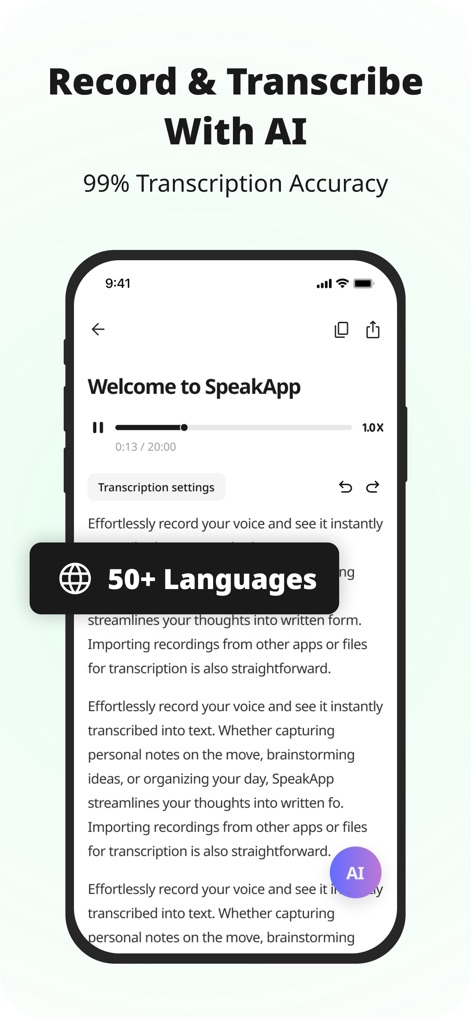
See how SpeakApp AI effortlessly records voice into text in real-time, supported by its extensive 50+ language capabilities.
AI Transcription Power
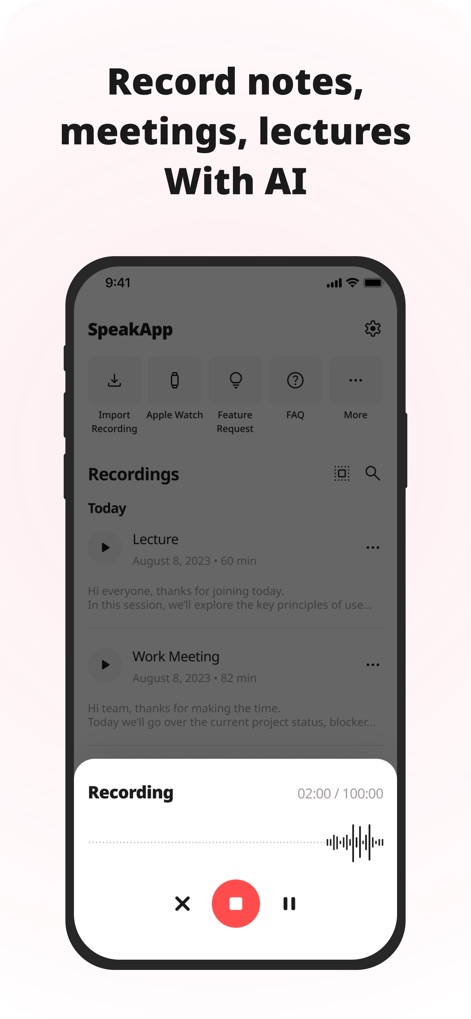
Discover how the app organizes recordings into a clear list, while the intuitive recording interface displays an active waveform for precise capture.
Capture Every Word
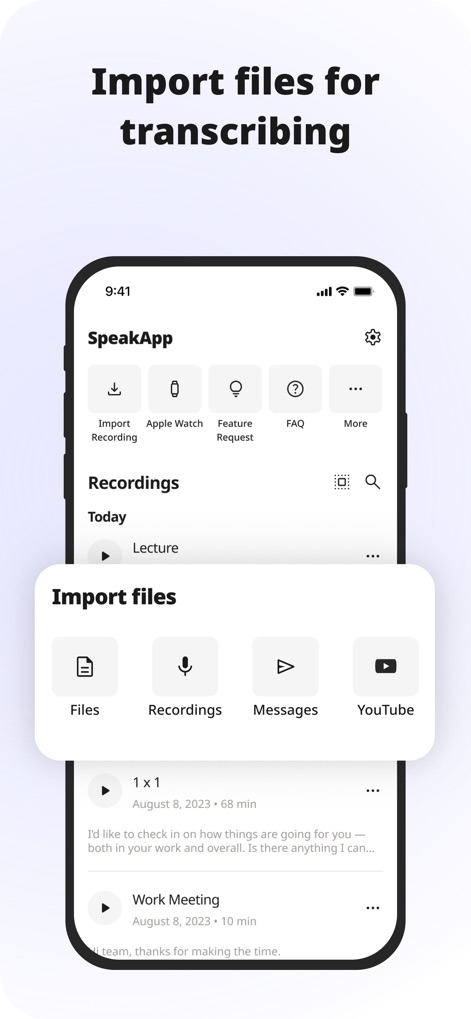
Explore the app's versatile import options, allowing users to transcribe content from diverse sources like local files and YouTube videos.
Seamless Import Options
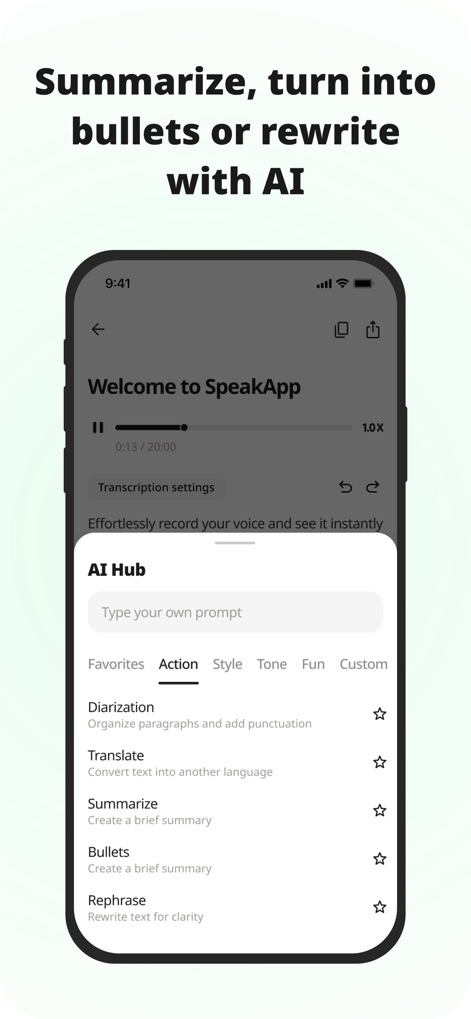
Witness the power of the AI Hub, where users can effortlessly summarize content or choose from various AI-powered text manipulation actions.
AI Text Transformation
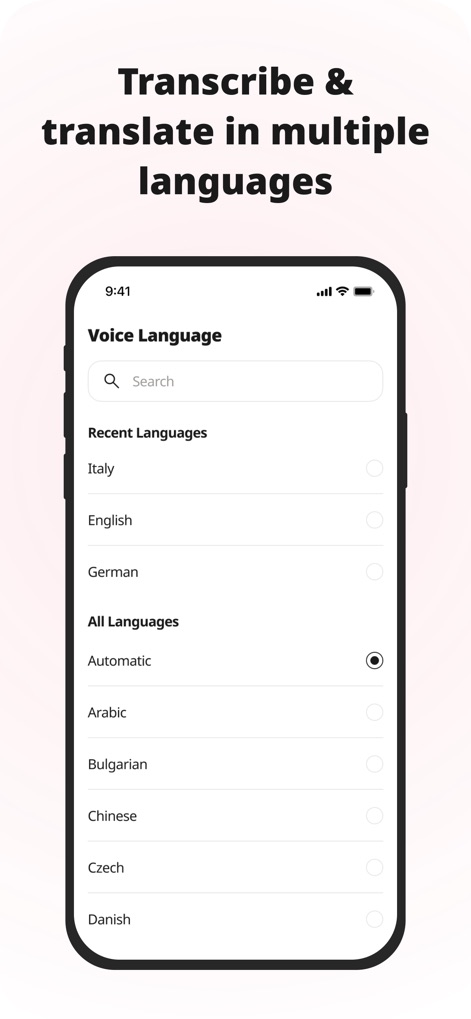
Observe the app's robust language support, providing users with a comprehensive list of voice languages for transcription and translation.
Global Language Support
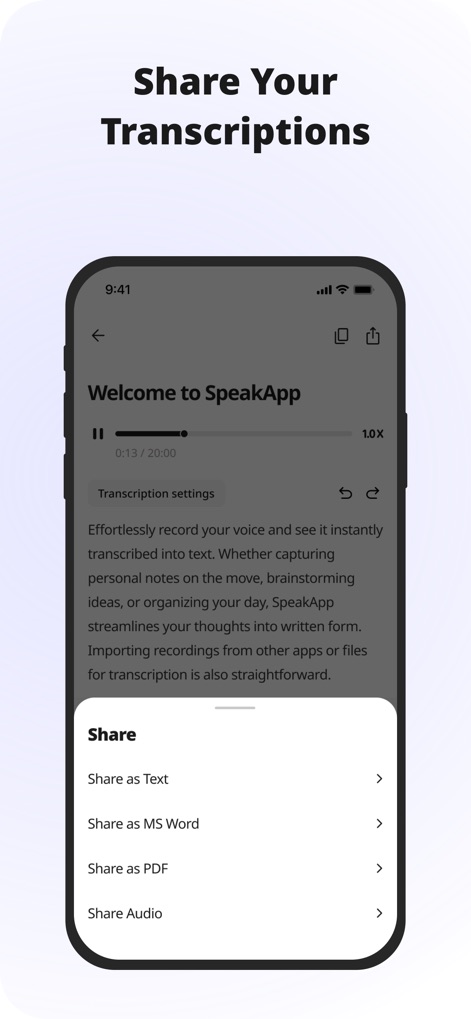
Discover the app's efficient sharing capabilities, offering various formats such as MS Word and PDF for convenient distribution of transcriptions.
Effortless Sharing Options
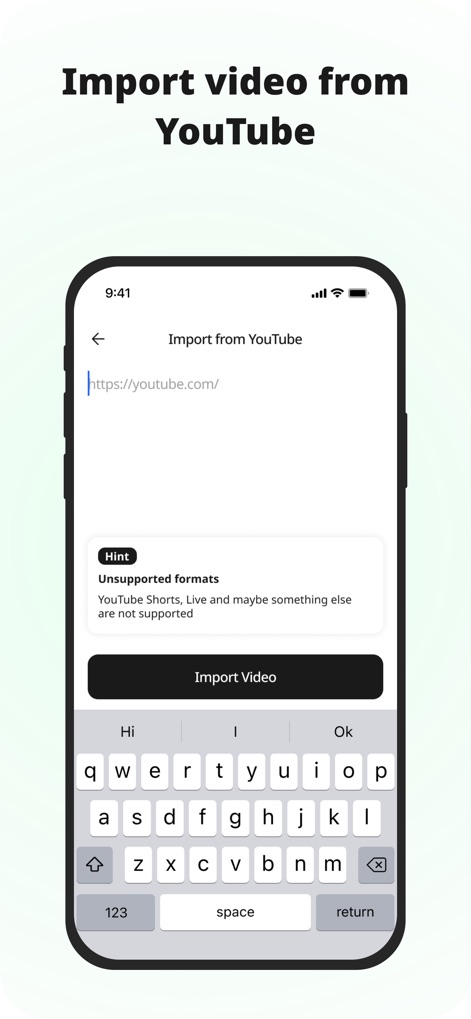
See how the app streamlines content ingestion with a dedicated YouTube URL input field and a direct import video action.
YouTube Integration
Description
Download
More Like This
Apps with similar features and user experience

Plaud: AI Note Taker
PLAUD LLC

Notee: AI Note Taker
GM UniverseApps Limited

클로바노트 - 음성 그 이상의 기록
NAVER Corp.

录音专家-专业录音转文字助手
Chongqing Yeyuegua Technology Co., Ltd

听脑AI - 实时录音转文字总结助手
Shanghai Xiuyu Network Technology Co., Ltd

Granola - AI Meeting Notes
Granola inc

Transkriptor - Speech to Text
Textintel FZE

Minutes: AI Meeting Note Taker
Minutes AI, LLC

Fireflies: AI notetaker
FIREFLIES.AI CORP.
This page is not an official page of the app or its developer, but an independent editorial publication created for informational and commentary purposes. Unless expressly stated otherwise, neither the app nor its developer is affiliated with, endorsed by, sponsored by, authorized by, or otherwise officially connected with MWM, Apple, Google Play, the app publisher, or the app's developer, and nothing on this page implies that the app was developed using MWM's services. Any trademarks, logos, screenshots, and other content remain the property of their respective owners.