
This page is not an official page of the app or its developer, but an independent editorial publication created for informational and commentary purposes. Unless expressly stated otherwise, neither the app nor its developer is affiliated with, endorsed by, sponsored by, authorized by, or otherwise officially connected with MWM, Apple, Google Play, the app publisher, or the app's developer, and nothing on this page implies that the app was developed using MWM's services. Any trademarks, logos, screenshots, and other content remain the property of their respective owners.

Spelling: Spelling Games
Join over 500,000 learners in the ultimate educational playground. From grade-level mastery to custom word lists and mini-games, we turn screen time into academic excellence for students and adults alike.
Downloads
520K+User Rating
Total Ratings
13K+Publisher
Category
ReferenceLocales
1Latest Version
2.1.3Size
179.1 MBFirst Released
Jan 24, 2020Master Every Word with Professional Spelling Tools
Whether preparing for the classroom or the national stage, our gamified curriculum turns spelling practice into an exciting journey of mastery for students and adults alike.
Personalized Word Lists
Easily import your weekly school lists or choose from 50+ specialized topics to focus on the vocabulary that matters most for your next big test.
Professional Bee Coaching
Go beyond rote memorization by studying etymology, definitions, and word roots with guidance inspired by world-class spelling champions.
Frequently Asked Questions
Everything you need to know about Spelling: Spelling Games
What is the "Spelling: Spelling Games" app?
The Spelling: Spelling Games app offers spelling practice through multiple-choice and text entry games, mini-games, and a campaign mode. It provides definitions, part of speech, and language of origin for words.
Does "Spelling: Spelling Games" include different game modes?
Yes, the Spelling Games app includes multiple choice and text entry modes, plus mini-games like Fill in the Blank, Word Search, and Hangman. It also features a campaign mode with over 1,000 levels.
Can users create custom word lists in the Spelling Games app?
Yes, the Spelling: Spelling Games app allows users to create their own custom word lists. This feature enhances personalized study and preparation.
How does the "Spelling: Spelling Games" app help users improve their spelling?
The Spelling Games app helps users improve by providing instant feedback, showing missed words, offering definitions and word origins, and tracking progress. Users can study missed words specifically.
Does the Spelling Games app track user progress and scores?
Yes, the Spelling: Spelling Games app tracks high scores, mastered words, and user rank. It also displays stats for each answered word and offers a global leaderboard.
What age groups is the "Spelling: Spelling Games" app recommended for?
The Spelling: Spelling Games app is recommended for both kids and adults. It allows studying by grade level from 1-9 and offers content suitable for various age groups.
Is there a subscription for the Spelling Games app?
Yes, the Spelling: Spelling Games app offers subscriptions. Payment is charged to the iTunes Account upon confirmation. Subscriptions automatically renew unless turned off 24 hours before the period ends.
How can users manage their subscription for the Spelling Games app?
Users can manage their subscription and turn off auto-renewal for the Spelling: Spelling Games app by going to their iTunes Account Settings after purchase.
Does "Spelling: Spelling Games" provide a companion app for smartwatches?
Yes, the Spelling: Spelling Games app includes a new companion watch app, allowing users to study on the go.
Where can I find the Terms of Use and Privacy Policy for the Spelling Games app?
The Terms of Use and Privacy Policy for the Spelling: Spelling Games app are available via direct links provided in the app description.
The following screenshots and description are sourced directly from the app's official store listing and are the property of the app developer.
App Store
Screenshots
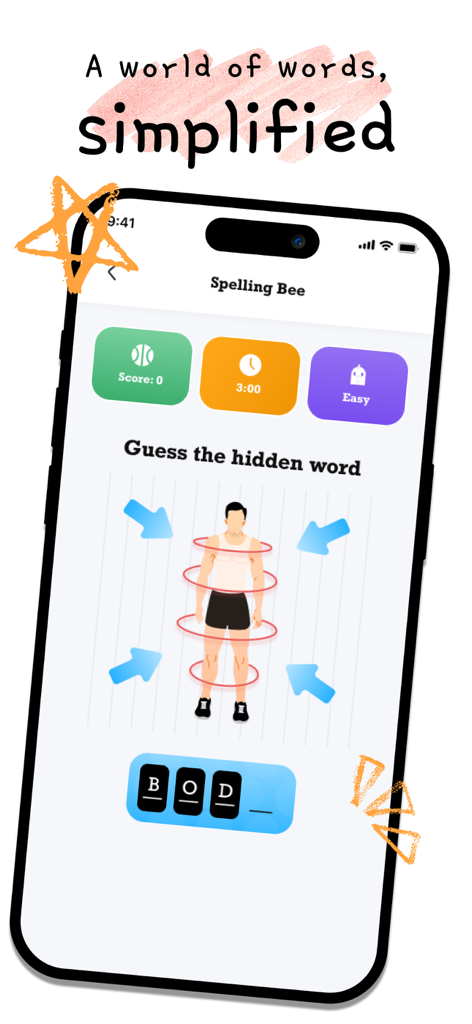
Spelling Bee app interface featuring a guess the hidden word game with a body illustration and letter tiles.
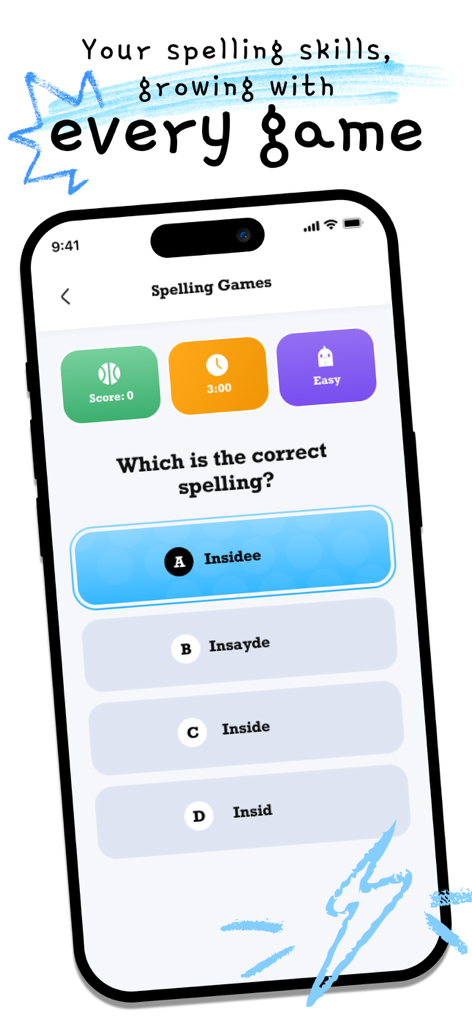
A spelling quiz screen showing a multiple choice question for the word inside with score and timer displays
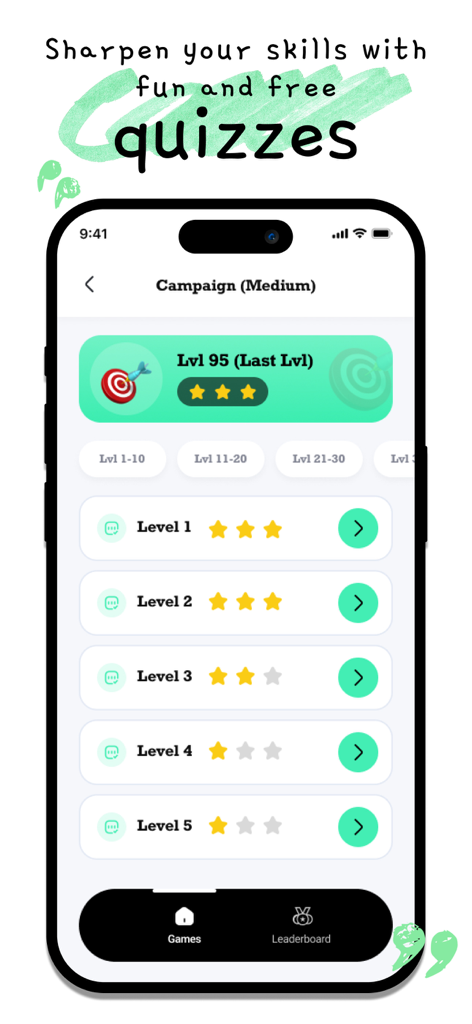
Screenshot of Spelling Games app showing levels in campaign mode with star ratings.
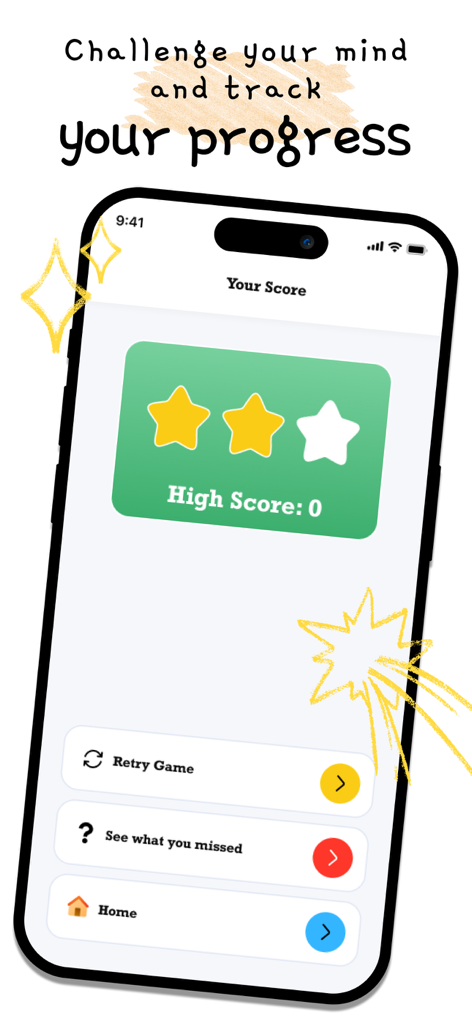
Spelling app score screen showing high score and progress tracking
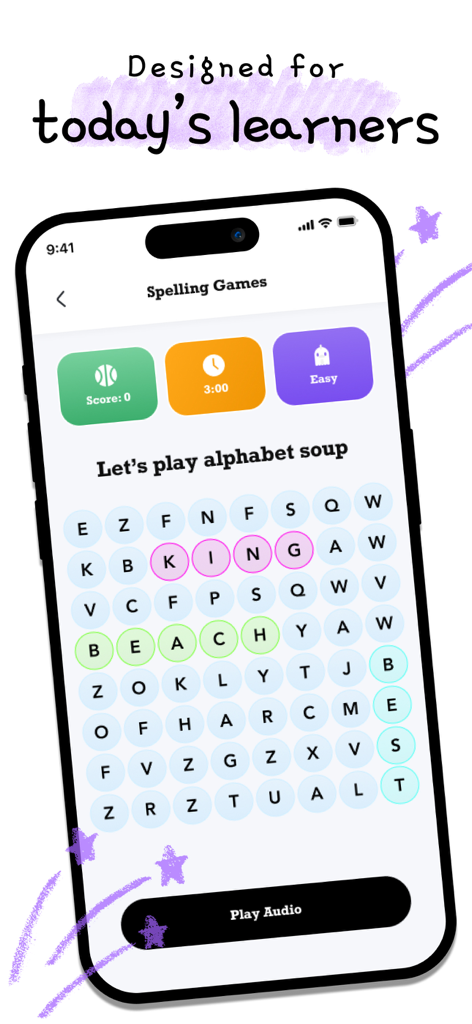
A word search mini game called alphabet soup inside the Spelling Games mobile app
Description
Download
More Like This
Apps with similar features and user experience
Spark Reading for Kids
Peekaboo Studios LLC

Learn It - Easier learning
Enhanced Work Nordic AB

Aprender a Leer - Silabario
Edu Apps llc
TurboWords Spelling
Claude Labelle
Teach Monster: Reading for Fun
Teach Your Monster Ltd.
Blitzlesen: Das Original
Simon Storz
Word Tag: Lingo learning game
Mrs Wordsmith Group Limited

天才鸭同步单词
Shanghai Progressive Youth Technology Development Co., Ltd.
EASY peasy: Spelling for Kids
wonderkind GmbH
This page is not an official page of the app or its developer, but an independent editorial publication created for informational and commentary purposes. Unless expressly stated otherwise, neither the app nor its developer is affiliated with, endorsed by, sponsored by, authorized by, or otherwise officially connected with MWM, Apple, Google Play, the app publisher, or the app's developer, and nothing on this page implies that the app was developed using MWM's services. Any trademarks, logos, screenshots, and other content remain the property of their respective owners.