
This page is not an official page of the app or its developer, but an independent editorial publication created for informational and commentary purposes. Unless expressly stated otherwise, neither the app nor its developer is affiliated with, endorsed by, sponsored by, authorized by, or otherwise officially connected with MWM, Apple, Google Play, the app publisher, or the app's developer, and nothing on this page implies that the app was developed using MWM's services. Any trademarks, logos, screenshots, and other content remain the property of their respective owners.


SPV - Photo Vault
Your digital life, locked down. It offers a true sanctuary for private data.
Downloads
2.5M+User Rating
Total Ratings
92.3KPublisher
Category
UtilitiesLocales
4Latest Version
7.0Size
178.3 MBFirst Released
Jan 23, 2019An evaluation of key capabilities for privacy-focused users.
SPV - Photo Vault: Feature Analysis
Local-Only Data Storage
The app ensures ultimate privacy by storing all sensitive data, including photos and videos, exclusively on the device's internal storage, never on external servers. If the app is deleted, the data is also deleted, emphasizing device-centric control.
PIN-Secured Vault Access
It secures the entire vault and its contents (photos, videos, contacts, passwords) with robust PIN protection, safeguarding against unauthorized access and ensuring only the user can open the app.
Discreet Photo & Video Vault
The app provides a dedicated and secure vault for storing personal photos and videos, keeping them hidden from the device's standard galleries and protecting precious memories from prying eyes.
Confidential Contact Storage
It allows users to store sensitive contact information securely within the vault, preventing unauthorized access to personal connections and maintaining privacy for their network.
Integrated Password Manager
This tool features a secure section for storing passwords, helping users manage and protect their login credentials without fear of exposure, enhancing digital security.
Anonymous Web Browsing
The app includes an integrated private web browser that ensures no browsing history or traces are left behind, enhancing online anonymity for sensitive searches and activities.
The following screenshots and description are sourced directly from the app's official store listing and are the property of the app developer.
App Store
Screenshots

The app ensures data privacy with its intuitive PIN keypad and clear padlock icons indicating protected media.
Secure Access Control

Users can choose their preferred security method, from the discreet passcode entry screen to biometric fingerprint authentication.
Robust Security Options

The app allows seamless organization of media into categories like 'Photos' and 'Video', complemented by a comprehensive bottom navigation menu for all features.
Organized Media Protection
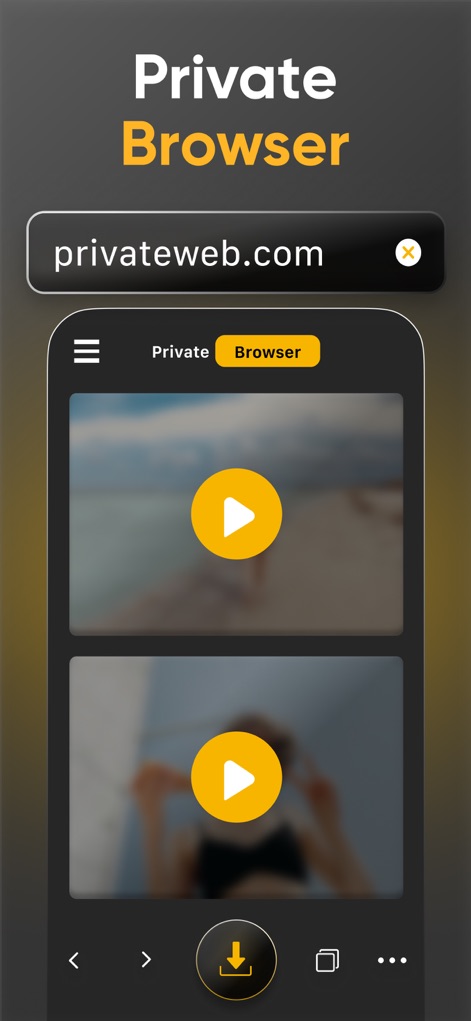
This tool provides an integrated URL bar for anonymous browsing and a user-friendly video playback interface for protected content.
Discreet Web Browsing

Users can maintain utmost discretion by selecting from a range of customizable app icons, with a clear visual list of available options.
Enhanced Discretion

The app safeguards sensitive contact information, clearly displaying a locked contact entry within the organized contact list.
Secure Contact Storage

This tool offers a built-in photo editor with intuitive control options like 'Adjust' and 'Filters', applied directly to the displayed image with a helpful grid overlay.
Integrated Photo Editing

The app provides a secure password manager, featuring a concealed password entry field with an eye icon and a clear list of stored credentials.
Password Manager

This tool features a dedicated URL input field for private web access, complemented by multiple video preview tiles for media within the browser.
Incognito Web Access

The app enables users to create custom albums like 'Girlfriends', offering easy photo and video selection via a prominent checkbox.
Custom Album Creation
Description
Download
More Like This
Apps with similar features and user experience

Private Photo Vault - Pic Safe
Legendary Software Labs LLC

PBox-Private Photo Vault
宇 刘

Safe Lock - Hidden Photo Vault
Katerina Akhlebinina

SV - Private Photo Vault PRO
Legendary Software Labs LLC

PV - Secret Photo Album
Haibin Jiao

Converter: Hidden Photo Vault
Dmitry Petrov

Calculator Lock - Secure Vault
MacyMind

Secret Photo Vault: Keepsafe
KeepSafe Software, Inc

Digiposte: secure storage
la poste
This page is not an official page of the app or its developer, but an independent editorial publication created for informational and commentary purposes. Unless expressly stated otherwise, neither the app nor its developer is affiliated with, endorsed by, sponsored by, authorized by, or otherwise officially connected with MWM, Apple, Google Play, the app publisher, or the app's developer, and nothing on this page implies that the app was developed using MWM's services. Any trademarks, logos, screenshots, and other content remain the property of their respective owners.