
This page is not an official page of the app or its developer, but an independent editorial publication created for informational and commentary purposes. Unless expressly stated otherwise, neither the app nor its developer is affiliated with, endorsed by, sponsored by, authorized by, or otherwise officially connected with MWM, Apple, Google Play, the app publisher, or the app's developer, and nothing on this page implies that the app was developed using MWM's services. Any trademarks, logos, screenshots, and other content remain the property of their respective owners.


Digiposte: secure storage
No more lost documents. This app grants users total control, turning administrative chaos into organized power.
Downloads
2.5M+User Rating
Total Ratings
46.1KPublisher
Category
ProductivityLocales
2Latest Version
4.4.0Size
91.1 MBFirst Released
Oct 10, 2016An analytical overview highlighting core functionalities and their relevance for security-conscious users and professionals.
Key Features of Digiposte: Secure Storage
Data Hosting in France & Compliance
It ensures robust data privacy and compliance with national regulations, reinforcing trust for its French user base.
Secure Digital Safe for Documents
The app provides a reliable and confidential space for storing critical personal and professional documents, accessible anywhere.
Biometric Login & Two-Factor Authentication
It offers enhanced security for account access through biometric authentication and two-factor verification, protecting sensitive data.
Secure Document Sharing Capabilities
This tool features secure methods for sharing documents with third parties, including dedicated sharing spaces, essential for administrative and professional needs.
Versatile Document Upload & Scanning
It allows users to easily add documents via various methods, including scanning paper documents, importing from other apps, or emailing, ensuring all records are digitized.
Full-Text Search within Documents
The app enables quick and efficient retrieval of information by allowing full-text searches within PDF documents, streamlining document management.
Specialized Document Organization for Procedures
It provides a dedicated 'Proofs' section to organize documents by administrative procedure type, significantly streamlining complex tasks.
Offline Document Access
This feature offers the convenience of accessing important documents even without an internet connection, enhancing usability on the go (Premium feature).
Frequently Asked Questions
Everything you need to know about Digiposte: secure storage
What is Digiposte?
Digiposte is a secure digital safe application that allows users to store and manage important professional and personal documents confidentially and at all times.
Can I store personal and professional documents in Digiposte?
Yes, Digiposte allows you to securely store both professional and personal documents, including pay slips, employment contracts, identity proofs, and administrative records.
How do I add documents to Digiposte?
You can add documents to Digiposte by importing them from other apps or files, scanning paper documents, or sending them via email to your Digiposte safe.
Does Digiposte offer biometric security?
Yes, Digiposte offers biometric unlock options, such as fingerprint and facial recognition, for quick and secure access to your account via the 'Security' section.
Is Digiposte's data hosted in France?
Yes, Digiposte hosts all documents and data exclusively in France. This ensures strict compliance with current rules and standards for security, durability, and confidentiality.
What are the pricing options for Digiposte?
Digiposte has two paid offers: Premium, with 100 GB of storage, and Pro, offering 1 TB. Both include PDF content search, offline access, and phone support.
Can I share documents securely from Digiposte?
Yes, Digiposte allows secure document sharing via email, text, or app. Users can also create a sharing space to send a link to multiple documents to third parties.
Does Digiposte support two-factor authentication?
Yes, Digiposte supports two-factor authentication to increase account security. Options include push notifications, SMS codes, or a code provided by an authenticator app.
What types of proofs can Digiposte help me organize?
Digiposte organizes proofs for administrative procedures, such as identity, residency, income, education, professional, and finance documents, accessible in the 'Proofs' section.
Can Digiposte search within PDF documents?
Yes, both the Premium and Pro paid offers within Digiposte include the functionality to search directly within the content of PDF documents for efficient information retrieval.
The following screenshots and description are sourced directly from the app's official store listing and are the property of the app developer.
App Store
Screenshots
This opening visual introduces the app's core promise, highlighting its function as a "secure digital safe" and its benefit in simplifying administrative procedures.
Digital Safe Introduction
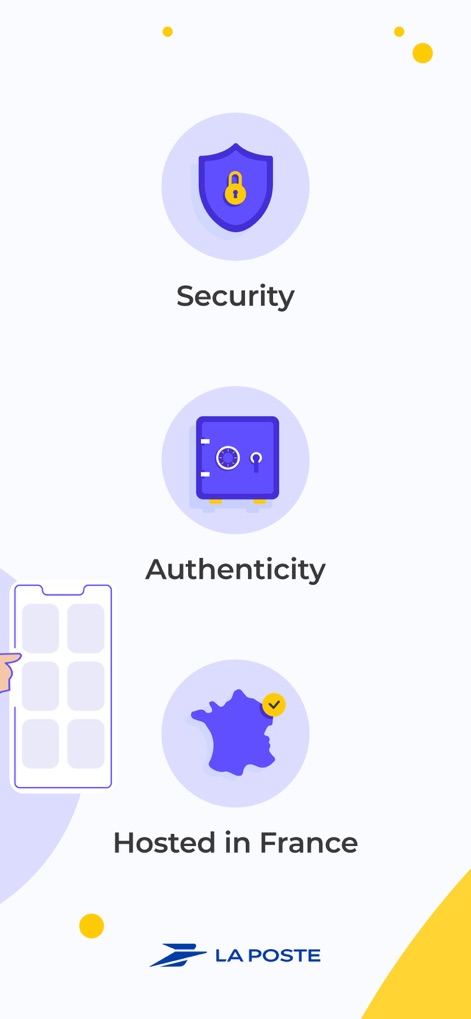
The app emphasizes its robust security measures through a visual shield icon and guarantees data sovereignty with the "Hosted in France" badge.
Core Security Features
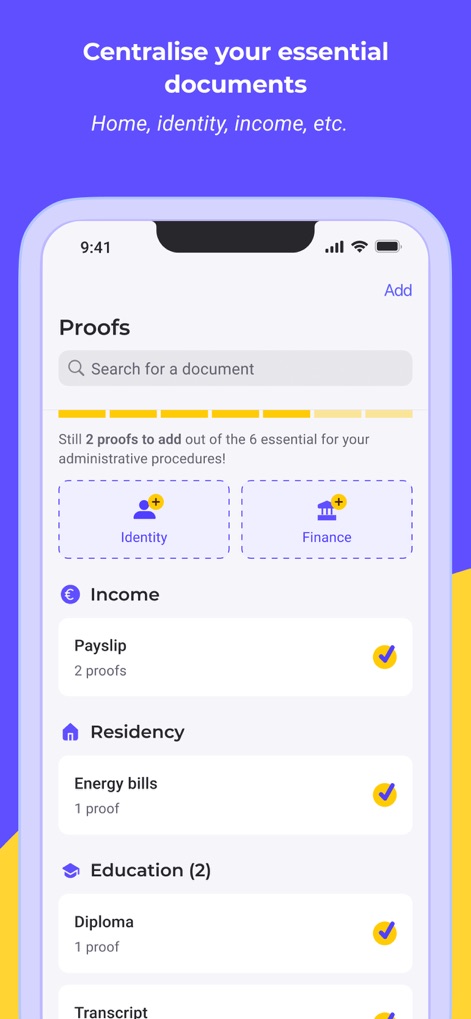
Users can efficiently manage documents in the "Proofs" section, clearly categorizing them under sections like "Identity" and "Finance" for easy access.
Centralized Document Hub
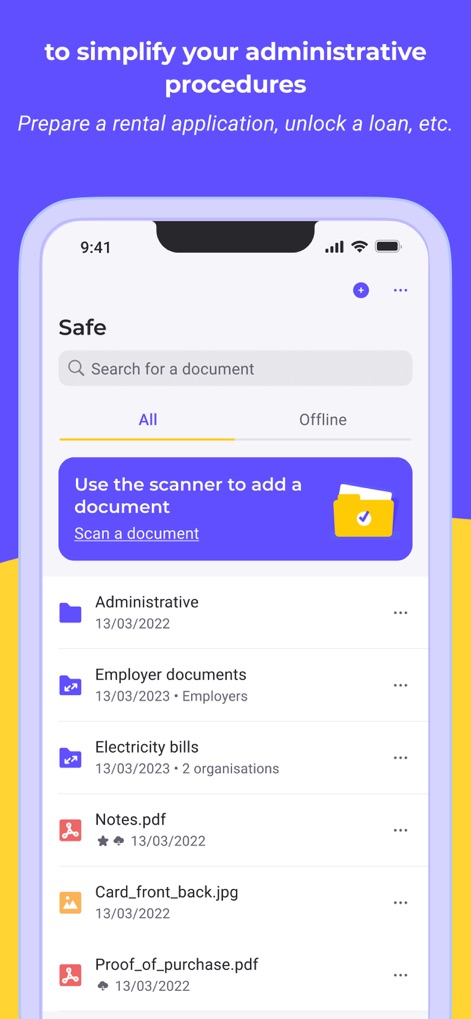
This tool provides a comprehensive "Safe" section for all documents and facilitates quick additions with a prominent "Scan a document" feature.
Document Management Made Easy
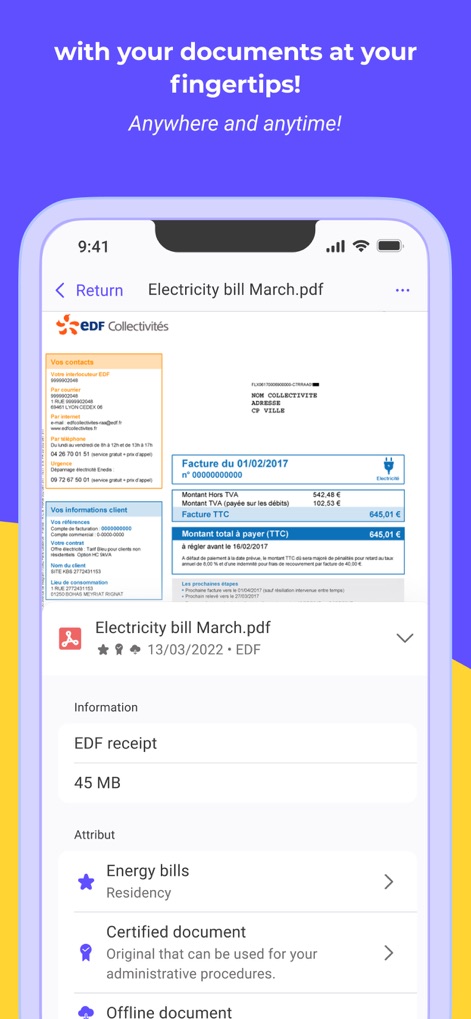
The app offers a clear display of documents, such as an "Electricity bill March.pdf", and indicates their official status with a "Certified document" label.
Detailed Document View
Description
Download
More Like This
Apps with similar features and user experience

Private Photo Vault - Pic Safe
Legendary Software Labs LLC

PBox-Private Photo Vault
宇 刘

Safe Lock - Hidden Photo Vault
Katerina Akhlebinina

SV - Private Photo Vault PRO
Legendary Software Labs LLC

PV - Secret Photo Album
Haibin Jiao

Converter: Hidden Photo Vault
Dmitry Petrov

Calculator Lock - Secure Vault
MacyMind

Secret Photo Vault: Keepsafe
KeepSafe Software, Inc
FileMate
俊波 贾
This page is not an official page of the app or its developer, but an independent editorial publication created for informational and commentary purposes. Unless expressly stated otherwise, neither the app nor its developer is affiliated with, endorsed by, sponsored by, authorized by, or otherwise officially connected with MWM, Apple, Google Play, the app publisher, or the app's developer, and nothing on this page implies that the app was developed using MWM's services. Any trademarks, logos, screenshots, and other content remain the property of their respective owners.