
This page is not an official page of the app or its developer, but an independent editorial publication created for informational and commentary purposes. Unless expressly stated otherwise, neither the app nor its developer is affiliated with, endorsed by, sponsored by, authorized by, or otherwise officially connected with MWM, Apple, Google Play, the app publisher, or the app's developer, and nothing on this page implies that the app was developed using MWM's services. Any trademarks, logos, screenshots, and other content remain the property of their respective owners.


FileMate
No more digital chaos. FileMate gives you total control over your iPhone's files, securing your data and streamlining your digital life.
Downloads
1M+User Rating
Total Ratings
21.4KPublisher
Category
ProductivityLocales
11Latest Version
13.1Size
92.3 MBFirst Released
Apr 18, 2015An analytical evaluation of core features designed for robust digital asset handling and privacy protection on iPhone.
FileMate: Comprehensive File Management & Security for iOS
Enhanced Privacy & Security
The app provides robust privacy features, including the ability to hide sensitive files, secure access with password, Face ID/Touch ID, and even a 'Super Hidden Mode' to conceal privacy settings themselves. This ensures user data remains protected and isolated from other applications.
Advanced File Organization & Management
This tool features powerful functionalities for organizing digital assets, allowing users to create, rename, copy, move, and delete files and folders. It also enables viewing file attributes and sorting files by various criteria, ensuring an efficient workflow.
Extensive File Type Compatibility
It allows users to view and preview a wide array of file types directly within the app, including Office documents, PDFs, various text formats (e.g., txt, json, xml), high-resolution images, and provides an efficient media player for audio and video playback.
Versatile File Transfer Capabilities
The app facilitates multiple methods for adding files, including direct creation, importing from Photos/Files/other apps, and transferring files between PC/Mac and iPhone via WiFi, Finder, or iTunes. It also supports sharing files to other apps.
Integrated Archive Management
This tool supports common archive formats like 7z, rar, zip, and tar, enabling users to manage (archive and extract) compressed files, including those that are password-protected, directly on their iPhone.
Intelligent File Search
It allows users to quickly locate specific files using intelligent search functionalities, including fuzzy search and multi-keyword search, enhancing productivity for users with large file collections.
Customizable File Marking
The app enables users to mark important files, allowing for faster access and custom sorting views, which streamlines the workflow for frequently accessed documents and media.
Personalized User Interface
This tool features theme settings that allow users to customize the app's appearance, including themes, folder styles, menus, and text size, providing a tailored user experience.
Frequently Asked Questions
Everything you need to know about FileMate
What is FileMate?
FileMate is a local file management tool for phones that allows users to browse, manage, and protect their files. It supports various file types and offers features like archiving, searching, and privacy protection.
What types of files can FileMate browse?
FileMate can browse Office, PDF, and various text files like txt, json, java, php, swift, xml. It also supports picture formats including long vertical and high-resolution images, and plays audio/video files.
How can I add files to FileMate?
Users can add files to FileMate by creating them within the app, importing from system Photos/Files or other apps, or sharing via WiFi between PC and iPhone. Mac users can use Finder and iTunes.
What file management operations does FileMate support?
FileMate supports creating new directories, renaming, copying, moving, deleting, viewing attributes, and setting hidden files. Users can also sort files by name, type, time, and size.
Does FileMate offer privacy protection for files?
Yes, FileMate provides privacy protection through hidden files, password lock, Face ID, and Touch ID unlock. It also includes a "Super hidden" feature to conceal related settings.
Can FileMate archive and unarchive files?
Yes, FileMate supports archiving and unarchiving files in 7z, rar, zip, and tar formats. It also allows setting passwords for archived files.
How does the hidden files feature work in FileMate?
FileMate allows users to set private files as hidden, making them not displayed by default. Hidden files can be displayed when needed, and their settings can be super hidden.
Can I password-protect FileMate?
Yes, FileMate offers a password lock to enter the app. It also supports Face ID and Touch ID unlock, with customizable authentication-free time intervals for convenience.
How much does the monthly FileMate subscription cost?
The FileMate "All Access, Removing Ad" subscription costs $0.99 per month. This service renews automatically unless turned off at least 24 hours before the current period ends.
What is the annual subscription price for FileMate?
The annual "All Access, Removing Ad" subscription for FileMate costs $9.99 per year. This subscription auto-renews unless disabled at least 24 hours prior to the current period's end.
How do I manage my FileMate subscription?
Users can manage their FileMate subscriptions and turn off auto-renewal through their iTunes Account Settings after purchase. This allows full control over subscription preferences.
What is the "Super Hidden" feature in FileMate?
The "Super hidden" feature in FileMate allows users to hide all setting items related to hidden files within the app. Users can then reveal these hidden settings using a shake gesture.
Does FileMate have a "Shake Control" feature?
Yes, FileMate includes a "Shake Control" feature. Users can shake their device to undo recent deletions or to show hidden files.
Can I customize the appearance of FileMate?
Yes, FileMate offers theme settings where users can modify the app's theme, folder appearance, menu structure, and text size. Dark Mode is also available for customization.
The following screenshots and description are sourced directly from the app's official store listing and are the property of the app developer.
App Store
Screenshots
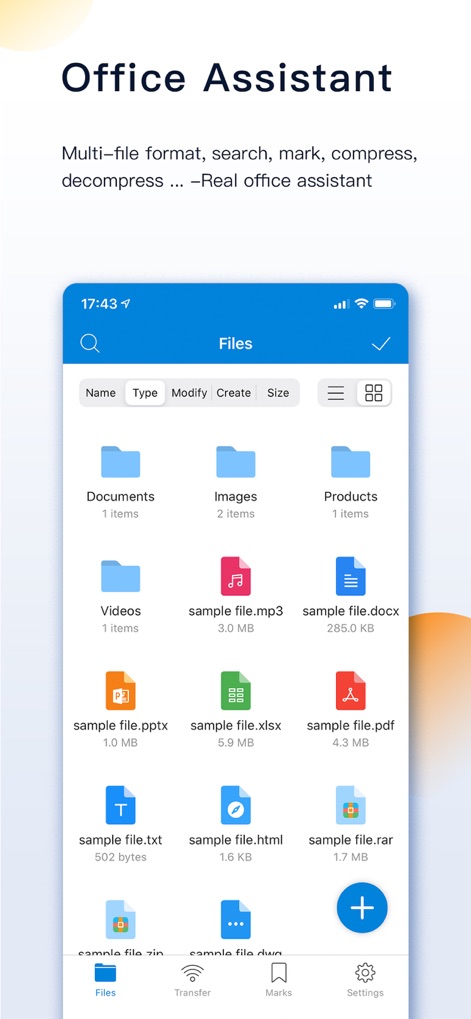
See how the app displays diverse file types from Office documents to archives, alongside intuitive sorting options for seamless navigation.
Efficient File Browsing
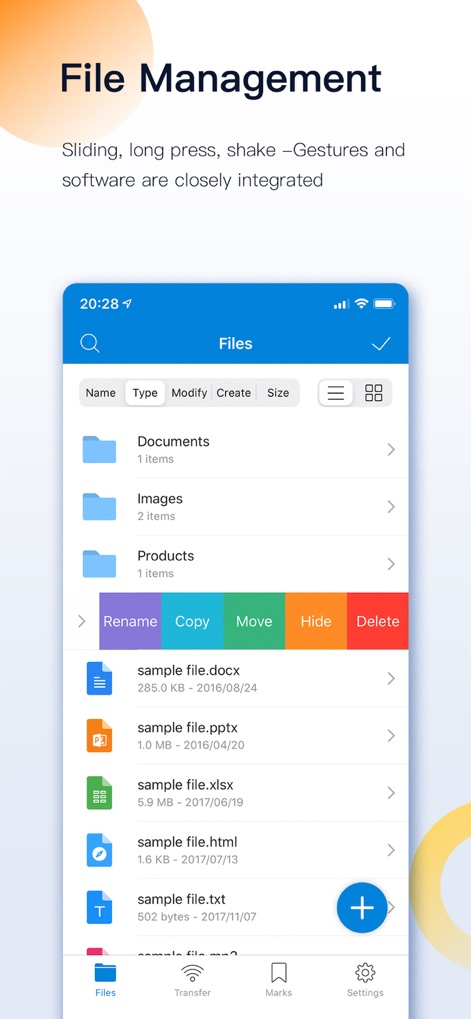
This screenshot reveals the robust file management options, allowing users to effortlessly rename, copy, and move files directly from the intuitive context menu.
Effortless Organization
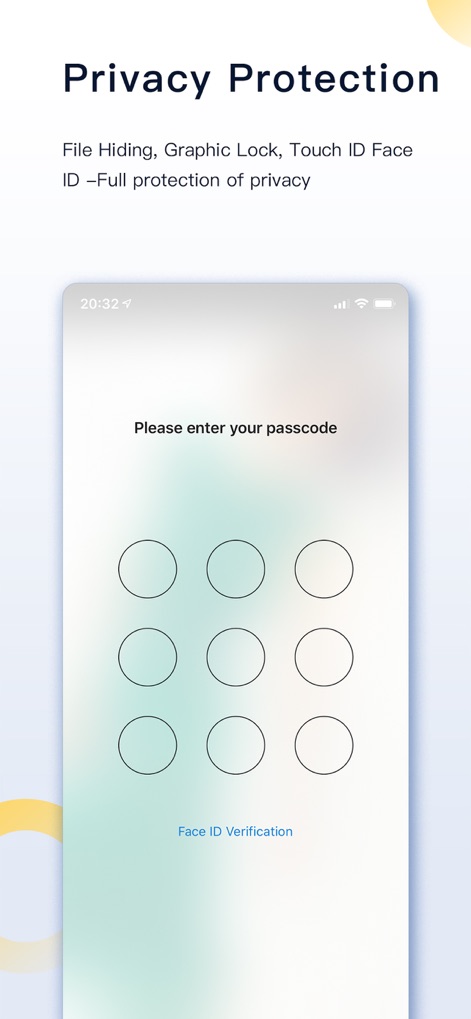
Observe the app's advanced privacy features, employing a secure passcode lock and convenient Face ID verification to protect sensitive data.
Secure File Access
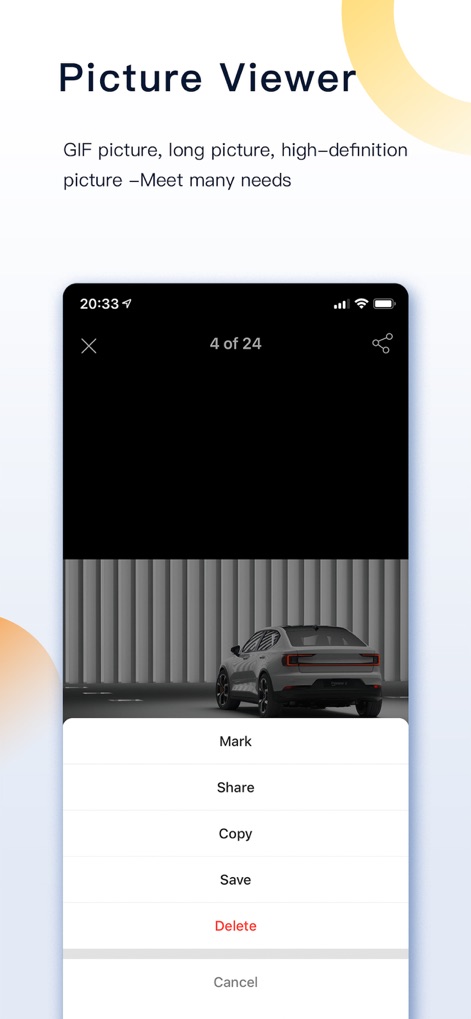
Explore the app's dedicated image viewer, providing clear previews of high-resolution pictures and quick access to actions like marking and sharing.
Integrated Image Viewer
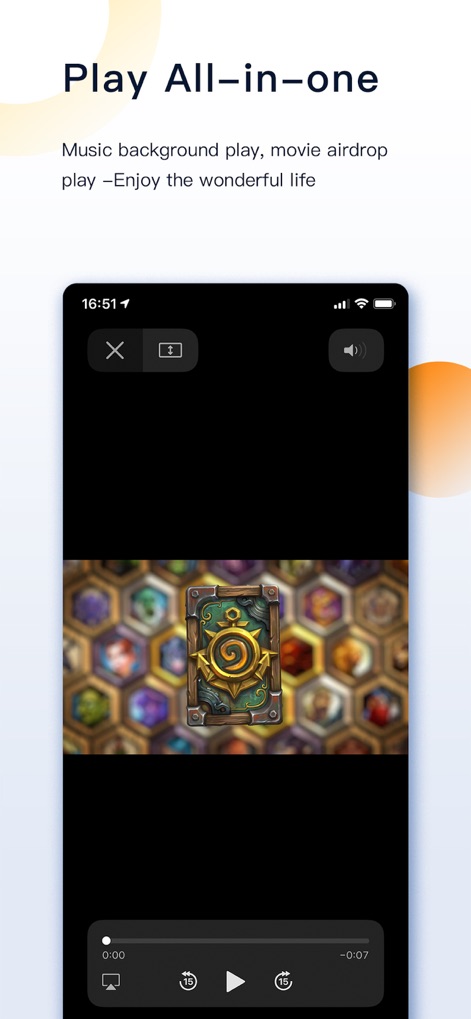
The app offers a comprehensive media player, supporting seamless video playback with intuitive controls and easy AirDrop functionality.
Multimedia Playback
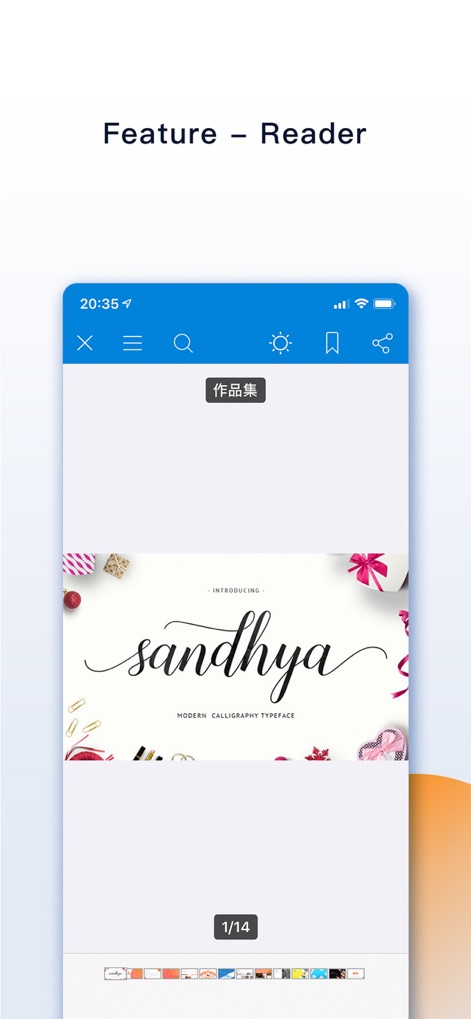
Discover the powerful built-in reader, which provides features like document search and bookmarking for an enhanced viewing experience.
Advanced Document Reader
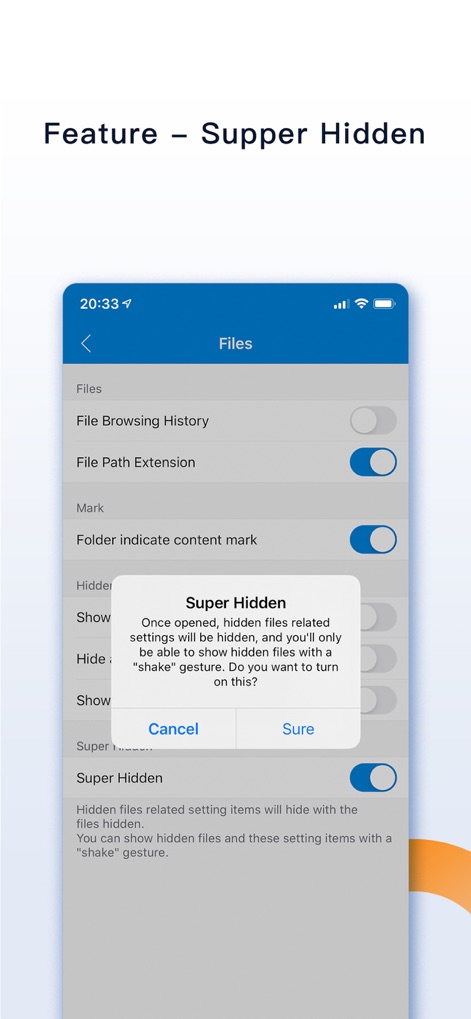
Witness the 'Super Hidden' mode, an innovative feature that conceals privacy settings and reveals hidden files via a discreet shake gesture.
Ultimate Privacy Control

The app incorporates convenient shake controls, enabling users to quickly undo deletions or reveal hidden files with a simple physical interaction.
Intuitive Shake Gestures
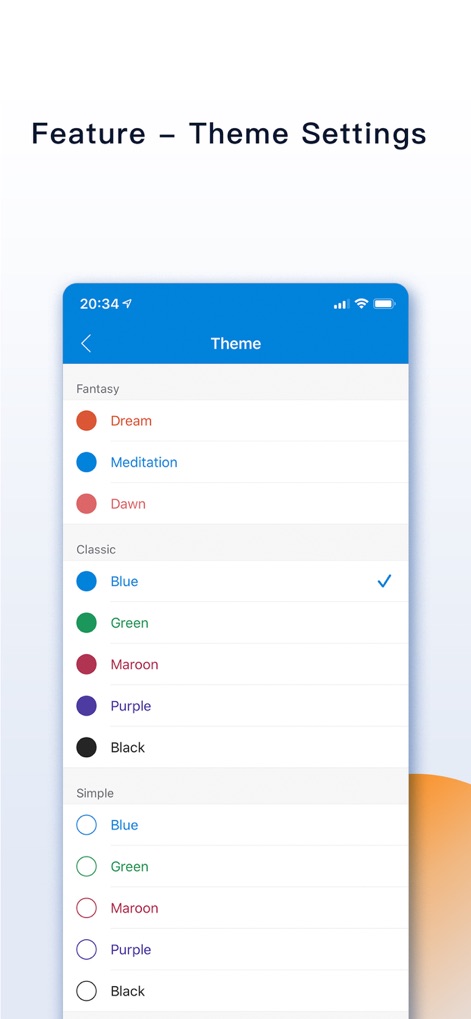
Customize the app's aesthetic with flexible theme settings, offering a range of color options to personalize the user interface.
Personalized Interface Themes
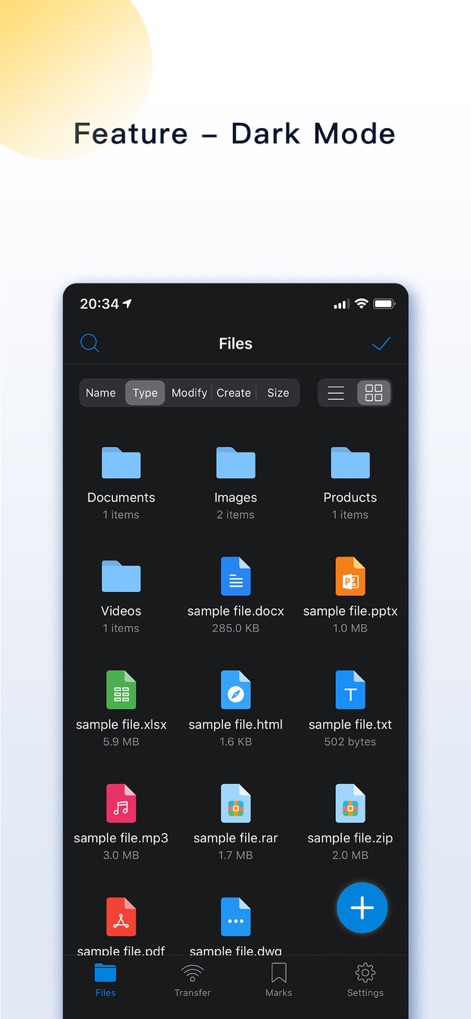
Enhance readability and conserve battery life with the app's sleek Dark Mode, providing a comfortable viewing experience in low-light conditions.
Elegant Dark Mode
Description
Download
More Like This
Apps with similar features and user experience

Private Photo Vault - Pic Safe
Legendary Software Labs LLC

PBox-Private Photo Vault
宇 刘

PV - Secret Photo Album
Haibin Jiao

Safe Lock - Hidden Photo Vault
Katerina Akhlebinina

SV - Private Photo Vault PRO
Legendary Software Labs LLC

Converter: Hidden Photo Vault
Dmitry Petrov

Calculator Lock - Secure Vault
MacyMind

Secret Photo Vault: Keepsafe
KeepSafe Software, Inc

Digiposte: secure storage
la poste
This page is not an official page of the app or its developer, but an independent editorial publication created for informational and commentary purposes. Unless expressly stated otherwise, neither the app nor its developer is affiliated with, endorsed by, sponsored by, authorized by, or otherwise officially connected with MWM, Apple, Google Play, the app publisher, or the app's developer, and nothing on this page implies that the app was developed using MWM's services. Any trademarks, logos, screenshots, and other content remain the property of their respective owners.