Square Team: Your Schedule, Your Pay, and Your Team in One App
Empower your workforce with mobile clock-ins, real-time messaging, and transparent pay tracking. Built for businesses on Square to simplify scheduling and keep everyone in sync.
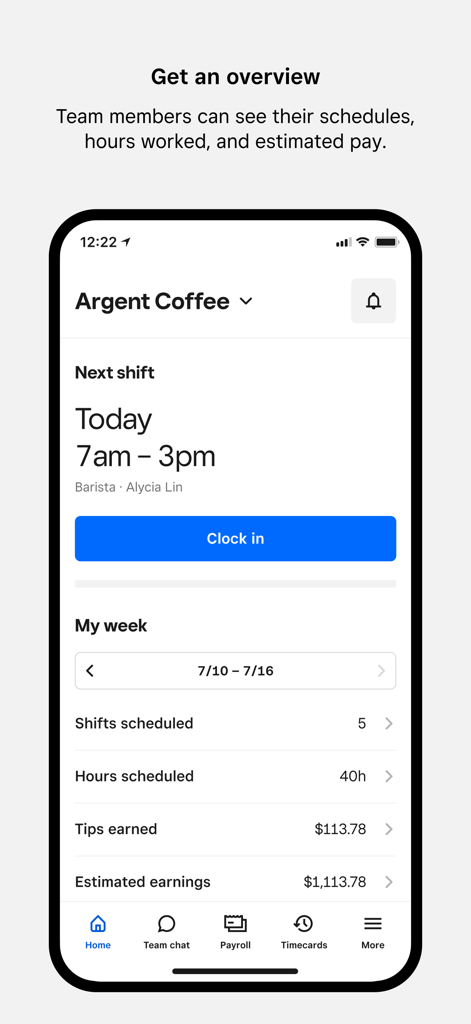
Square Team app home screen showing shift schedules and estimated earnings
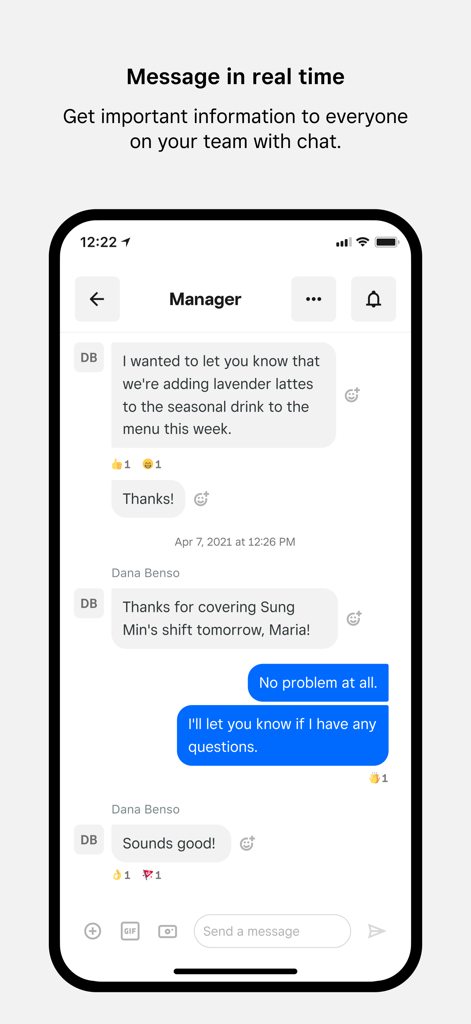
Square Team app interface showing real-time chat between a manager and employee about work updates
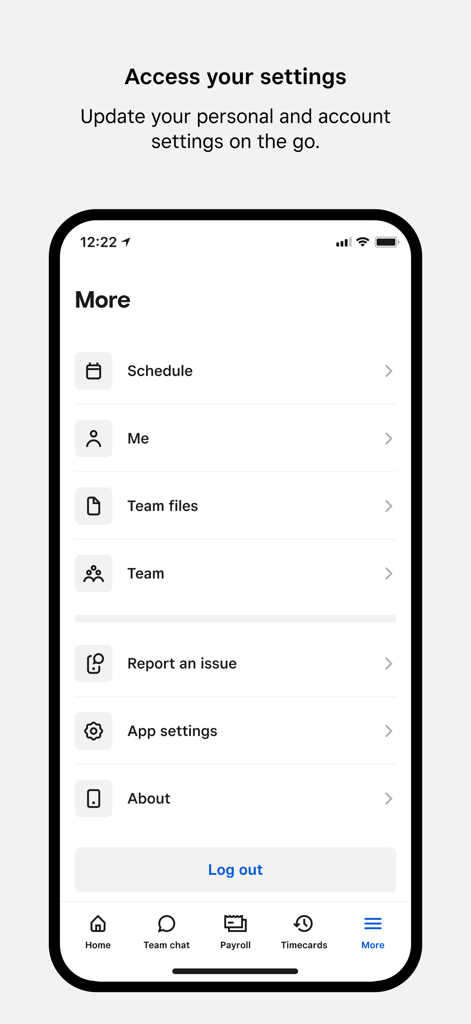
Square Team app more menu screen showing account and app settings
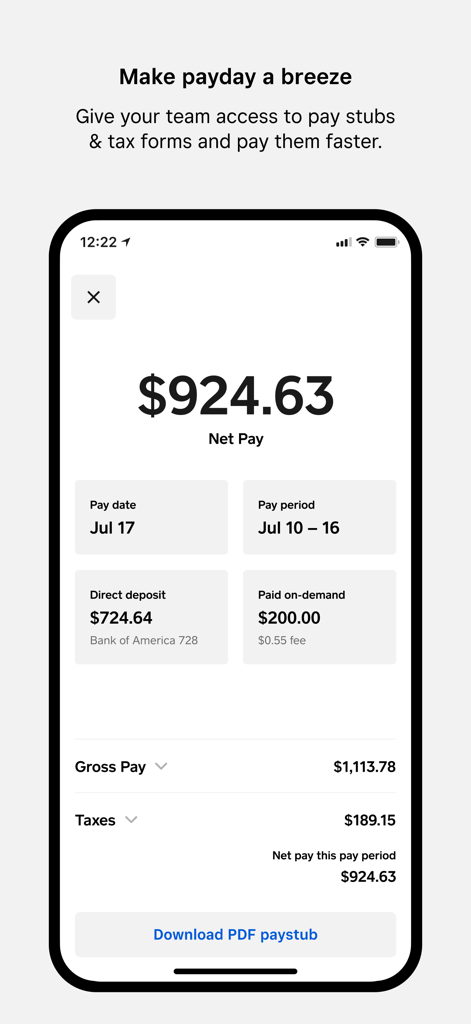
Mobile view of the Square Team app displaying a detailed pay stub summary with net pay and deposit information
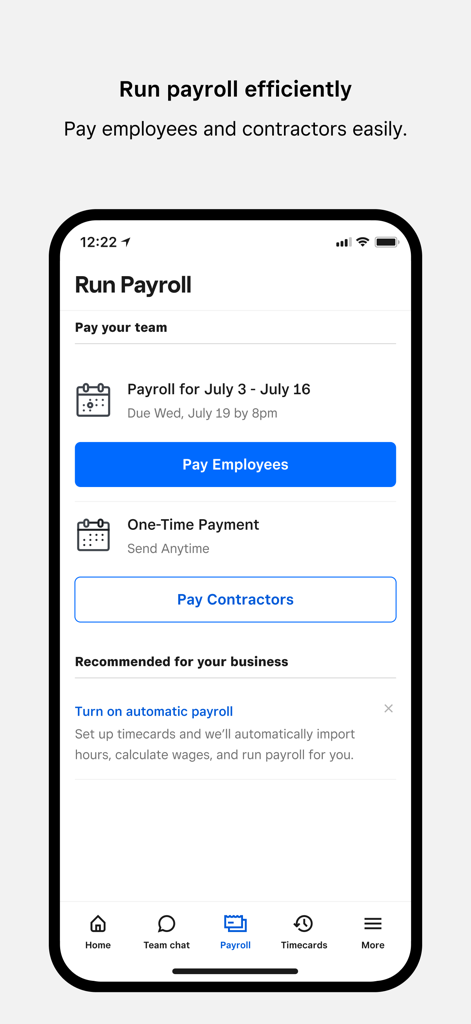
Square Team app mobile interface showing the payroll screen with options to pay employees and contractors.
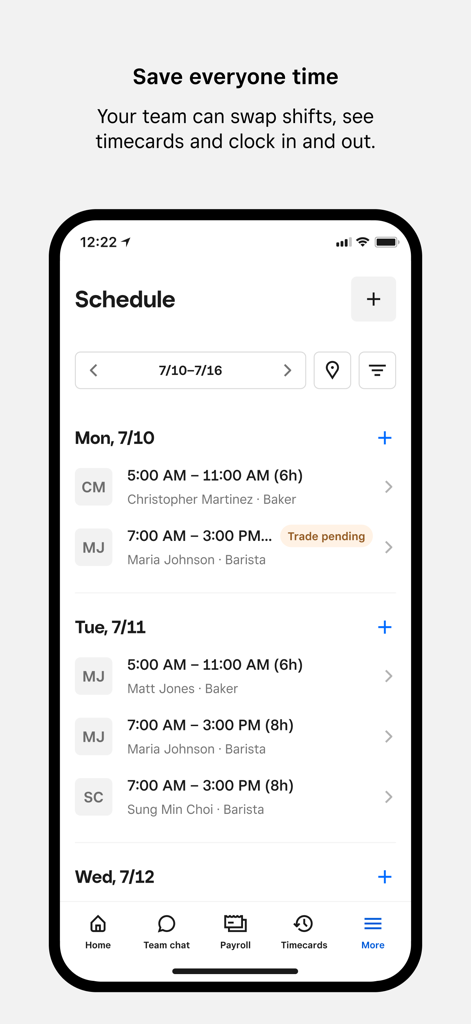
Square Team app mobile interface displaying a weekly work schedule with shifts and employee roles
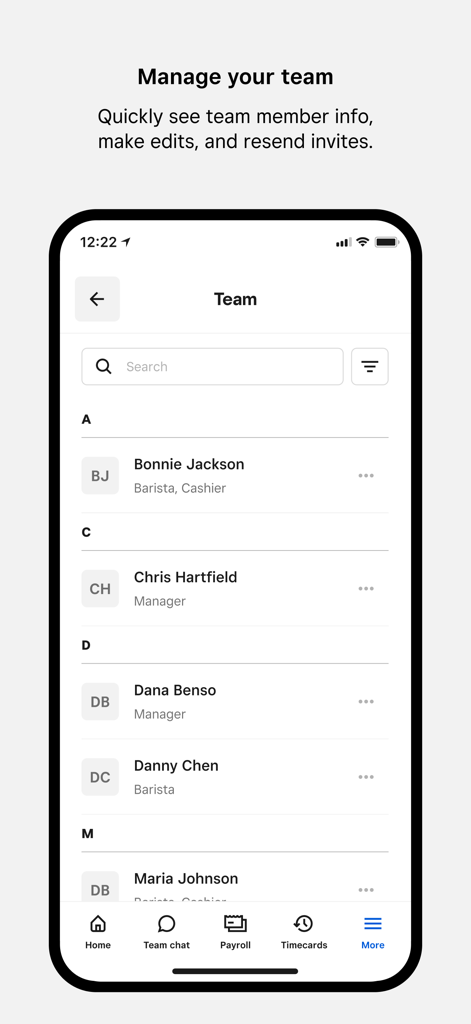
Interface of the Square Team app showing a list of team members with their job titles and management options.
Everything your team needs, right in their pocket
The tools that make this app stand out, trusted by 3M+ users.
💰
Real-time earnings transparency
Give your team the ability to track hours worked, tips, and estimated pay as they earn them, reducing financial anxiety and boosting motivation.
🗓️
Flexible shift management
Let employees request time off, swap shifts, or claim open hours directly from the app, giving them the autonomy they crave while simplifying your admin work.
📲
Contactless mobile clock-in
Eliminate the bottleneck at the POS. Team members can clock in and out from their own phones, ensuring accuracy and getting them to work faster.
About the app
Everything you need to know about Square Team.
Description
Square Team app is the one place for your team to communicate, manage schedules, access timecards, and stay in sync — all on the go. It also allows them to see their hours worked, breaks, overtime, and estimated pay.
Built for businesses using Square, the app enables employees to clock in and out on their phones instead of at the POS, which saves time and eliminates the need for team members to crowd around the POS to clock in. Employers can manage teams more easily, adjust schedules, and empower their employees by putting critical shift information at their fingertips. Employers using Square Payroll can easily pay their team, automatically importing timecards, tips, and commissions.
Your whole team can chat using real-time messaging and employers can send out important updates and announcements so the whole team stays in the know.
Team members can see when and where they’re scheduled to work, pick up open hours, and make sure their work schedule fits with their personal one. It also allows them to see their hours worked, breaks, overtime, and estimated pay. And if team members are paid through Square Payroll, they have access to their pay stubs and tax forms right on their mobile phones.
Home Screen
• Clock-in: Team members can clock in for an upcoming shift directly through Team app
• Weekly Snapshot: Team members can get a quick snapshot of when and where they’re scheduled to work
• Estimated pay: Team members can also see hours worked, breaks, overtime, tips and estimated pay
Messages and Announcements
• Messaging: Real-time messaging for the whole team, eliminating the need to share phone numbers.
• Announcements: Easily broadcast important announcements, news, and updates to everyone on the team.
Shifts
• Team-initiated scheduling: Empower your team to request time off, swap shifts, and claim open shifts directly from the Square Team app.
• Timecards, schedules and estimated pay: Team members can view timecards, scheduled hours, and view estimated pay.
• Clock in and out: Enable team members to clock in and out, take breaks, and get notifications.
Payroll
• Owners using Square Payroll can easily pay W2 employees and 1099 contractors, automatically importing timecards, tips, and commissions
• Our team of specialists will take care of the rest—we pay your team, file your payroll taxes, and send your tax payments to federal and state tax agencies.
My Pay
• If team members get paid through Square Payroll, they can:
• See estimated earnings, even before they get paid
• Get paid faster via Cash App
• Download tax forms
• Update their bank account or personal details
• And all staff information is stored securely
Team Management
• Quickly see all of the team members at your location, edit team member information directly in the app, or resend invites to the team.
More
• Team members can update personal and account settings on the go.
Download the Square Team app and invite your team members now.
Latest Version
6.88
Size
115.6 MB
First Released
Oct 19, 2018
Take Control of Your Schedule and Your Pay
Join over 3 million users managing shifts, tracking earnings, and staying in sync. Download Square Team and streamline your workday today.
FAQ
Frequently Asked Questions
Everything you need to know about Square Team
What is the Square Team app used for?
The Square Team app allows teams to communicate, manage schedules, access timecards, and view hours worked, breaks, overtime, and estimated pay. It also enables employees to clock in and out on their phones.
Can team members clock in and out directly from the Square Team app?
Yes, team members can clock in and out on their phones using the Square Team app. This feature saves time and prevents crowding around a Point of Sale (POS) system.
Does the Square Team app support team communication and messaging?
Yes, the Square Team app includes real-time messaging for the whole team. Employers can also send important updates and announcements to everyone on the team.
Can employees manage their work schedules with the Square Team app?
Yes, team members can view their scheduled shifts, pick up open hours, request time off, and swap shifts directly from the Square Team app to fit their personal schedule.
Can team members view their estimated pay in the Square Team app?
Yes, team members can see their estimated pay, hours worked, breaks, overtime, and tips directly in the Square Team app, providing financial transparency.
How do employees access pay stubs and tax forms through the Square Team app?
If team members are paid through Square Payroll, they can securely access their pay stubs and tax forms directly on their mobile phones within the Square Team app.
Can business owners run payroll for their team using the Square Team app?
Yes, owners using Square Payroll can easily pay W2 employees and 1099 contractors. The app automatically imports timecards, tips, and commissions for efficient payroll processing.
What team management features are available to employers in the Square Team app?
Employers can quickly view all team members, edit their information, and resend invites directly in the Square Team app, empowering easier team management.
Can team members update their personal information in the Square Team app?
Yes, team members can update their personal and account settings, including bank account details, directly from their mobile device using the Square Team app.
App information, icons, screenshots, and descriptions displayed on this page are sourced from the Apple App Store and are the property of their respective developers. Download estimates and rankings are based on MWM's proprietary models and may not reflect actual figures. This page is provided for informational and analytical purposes only.
Believe this page infringes your intellectual property? File a dispute