
This page is not an official page of the app or its developer, but an independent editorial publication created for informational and commentary purposes. Unless expressly stated otherwise, neither the app nor its developer is affiliated with, endorsed by, sponsored by, authorized by, or otherwise officially connected with MWM, Apple, Google Play, the app publisher, or the app's developer, and nothing on this page implies that the app was developed using MWM's services. Any trademarks, logos, screenshots, and other content remain the property of their respective owners.


Stanford Health Care MyHealth
Take control of your health journey with instant access to test results, secure messaging with your care team, and seamless appointment management—all in one confidential, easy-to-use app.
Downloads
790K+User Rating
Total Ratings
1K+Publisher
Category
MedicalLocales
1Latest Version
11.5Size
75.7 MBFirst Released
Jan 28, 2015Your Health, Connected & Simplified
Experience a seamless digital bridge to Stanford Health Care. From instant lab results to indoor navigation, manage every aspect of your wellness with Silicon Valley efficiency.
Instant Access to Care
Skip the hold music. Schedule video visits, view lab results the moment they are ready, and message your care team directly from your device.
Seamless Campus Navigation
Never get lost in a hospital again. Get precise, step-by-step directions directly to your appointment door inside our medical buildings.
Frequently Asked Questions
Everything you need to know about Stanford Health Care MyHealth
How can I schedule appointments using the Stanford Health Care MyHealth app?
Yes, the Stanford Health Care MyHealth app allows users to schedule in-person appointments or video visits directly. It also supports eCheck-in for scheduled appointments.
Can I communicate with my care team through the Stanford Health Care MyHealth app?
Yes, the Stanford Health Care MyHealth app enables direct communication with your care team. This feature is accessible from the app's personal dashboard.
Does the Stanford Health Care MyHealth app show test results?
Yes, the Stanford Health Care MyHealth app allows users to view test results as soon as they are released. Imaging results are also available within the app.
Can I manage medications with the Stanford Health Care MyHealth app?
Yes, the Stanford Health Care MyHealth app supports managing medications, including viewing prescriptions and requesting renewals. The app displays medicine details and renewal availability.
Does the Stanford Health Care MyHealth app provide indoor navigation?
Yes, the Stanford Health Care MyHealth app provides step-by-step directions to appointment locations inside Stanford Health Care buildings. It helps users navigate within facilities.
Can I pay my medical bills using the Stanford Health Care MyHealth app?
Yes, the Stanford Health Care MyHealth app allows users to review and pay their medical bills. This feature simplifies managing healthcare expenses directly from the app.
Does the Stanford Health Care MyHealth app provide information during a hospital stay?
Yes, the Stanford Health Care MyHealth app provides up-to-date health information and allows users to follow their progress during a hospital stay, including discharge readiness.
Does the Stanford Health Care MyHealth app integrate with the Apple Health app?
Yes, the Stanford Health Care MyHealth app integrates with the Health app. This integration allows users to securely share their vital signs with their doctor.
Can I share my health records with family using the Stanford Health Care MyHealth app?
Yes, the Stanford Health Care MyHealth app allows users to give permission to family members or caregivers to access their health records through a proxy feature.
Can I track my care in the emergency department using the Stanford Health Care MyHealth app?
Yes, the Stanford Health Care MyHealth app enables users to track their care while at one of the emergency departments. It provides information on the ED process and assessment.
Does the Stanford Health Care MyHealth app support eCheck-in for appointments?
Yes, the Stanford Health Care MyHealth app supports eCheck-in for appointments. Users can complete this process conveniently before their in-person or video visits.
Is my personal health information confidential in the Stanford Health Care MyHealth app?
Yes, the Stanford Health Care MyHealth app ensures that your personal health information is completely confidential. It prioritizes the security and privacy of user data.
The following screenshots and description are sourced directly from the app's official store listing and are the property of the app developer.
App Store
Screenshots
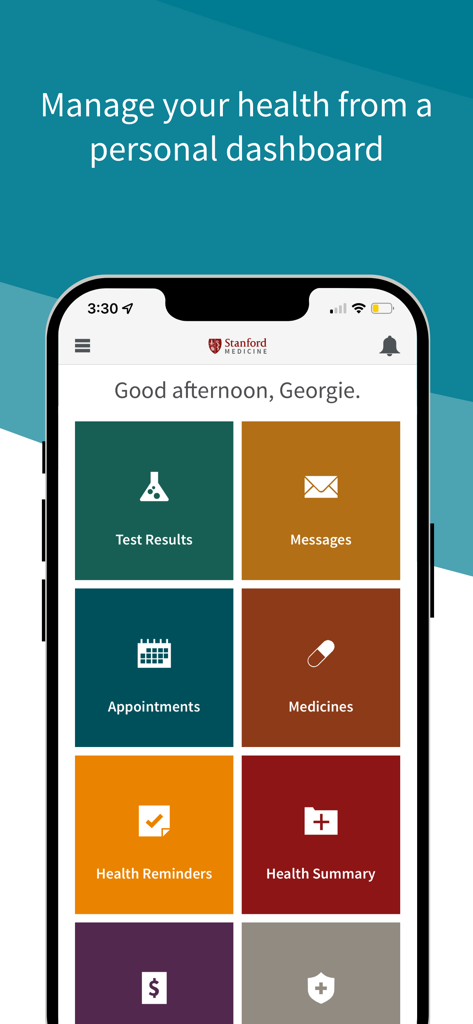
Stanford Health Care MyHealth app personal dashboard displaying icons for test results, messages, and appointments
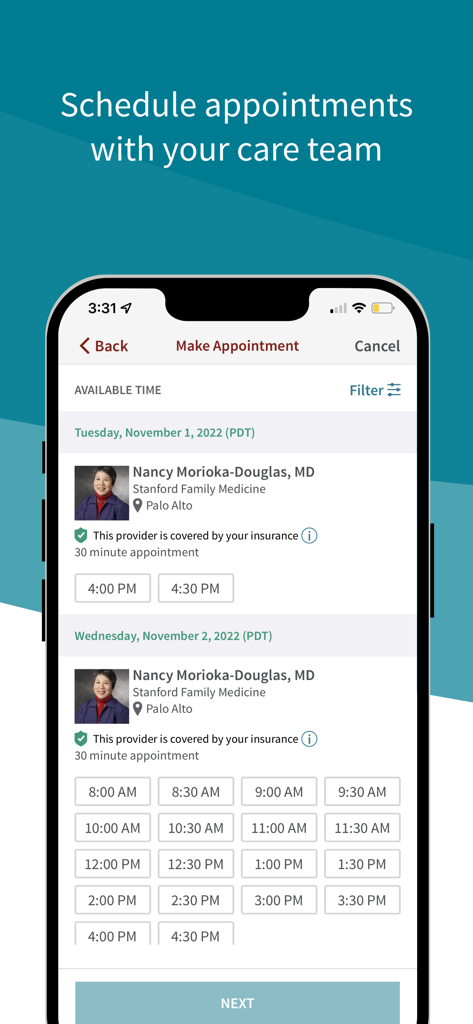
Interface of the Stanford MyHealth app showing available appointment times for a doctor in Palo Alto
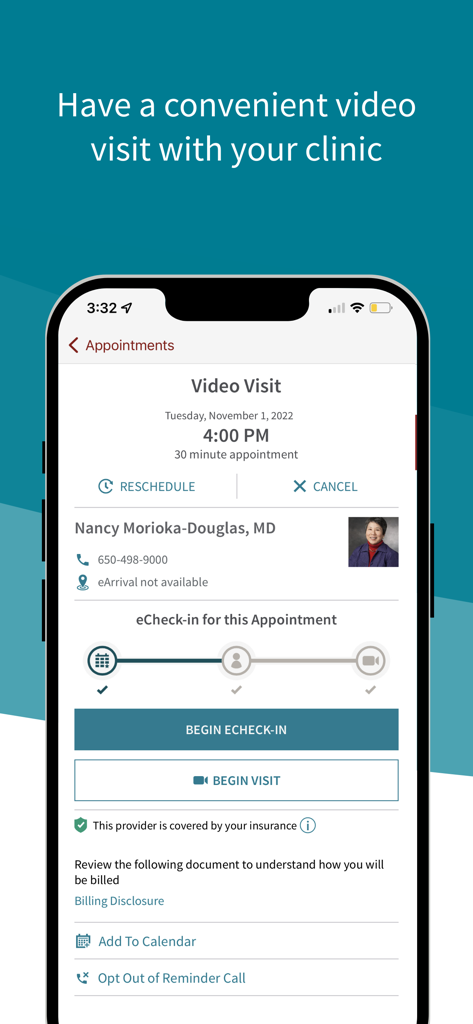
Stanford Health Care MyHealth app video visit appointment screen
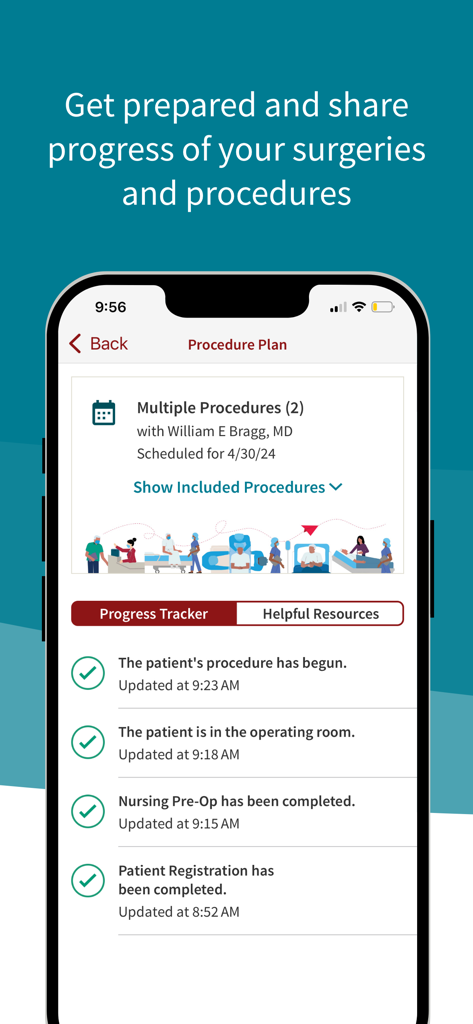
Surgery progress tracker showing real time status updates in MyHealth app
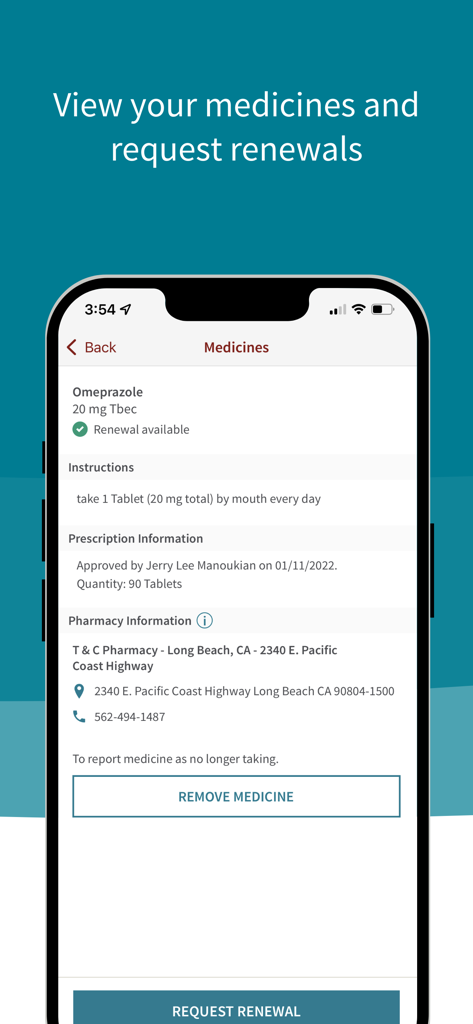
Stanford Health Care MyHealth app screen showing medication details and renewal options
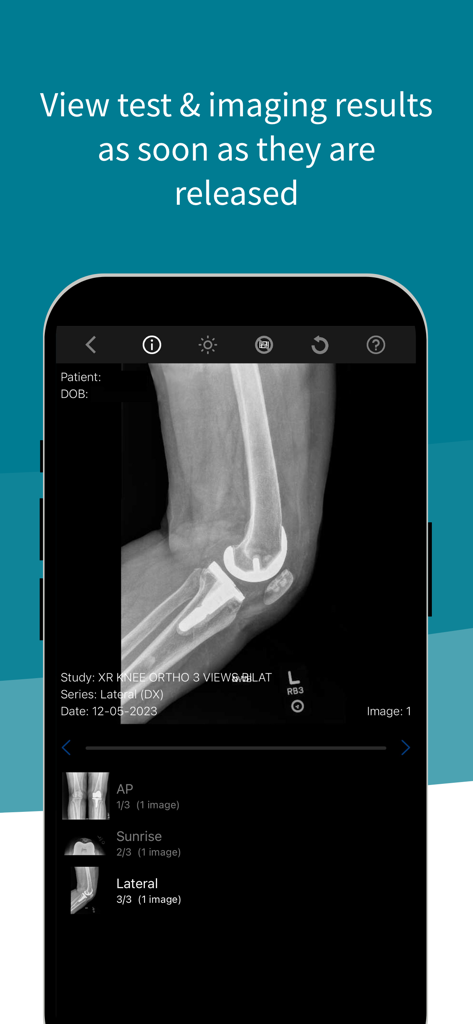
Mobile screen showing a knee X-ray imaging result within the Stanford Health Care MyHealth app.
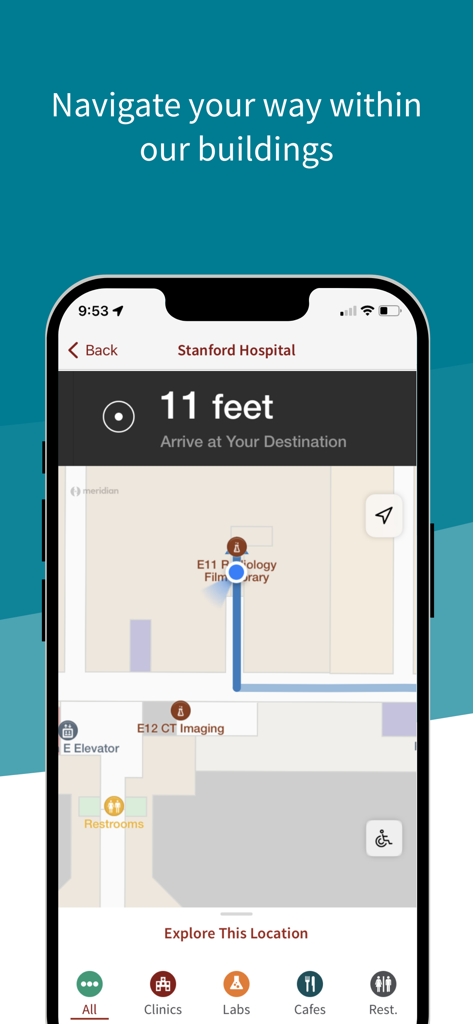
A mobile app screen showing indoor navigation and map directions within Stanford Hospital
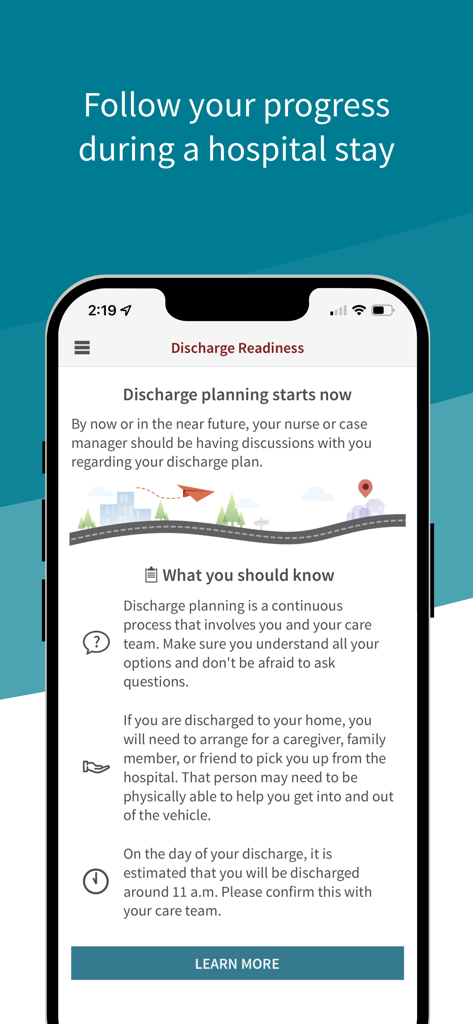
Stanford Health MyHealth app screen showing discharge readiness planning for hospital stays.
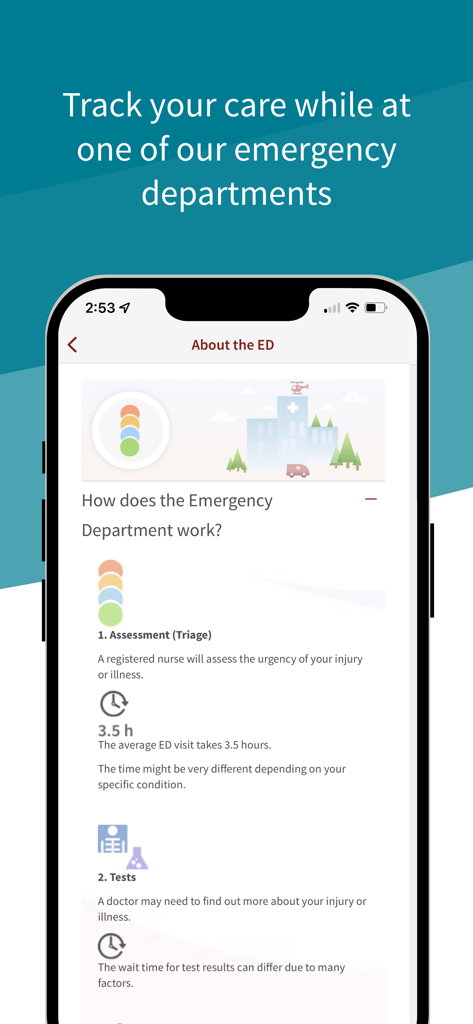
Stanford MyHealth app interface showing emergency department care tracking including triage and test information
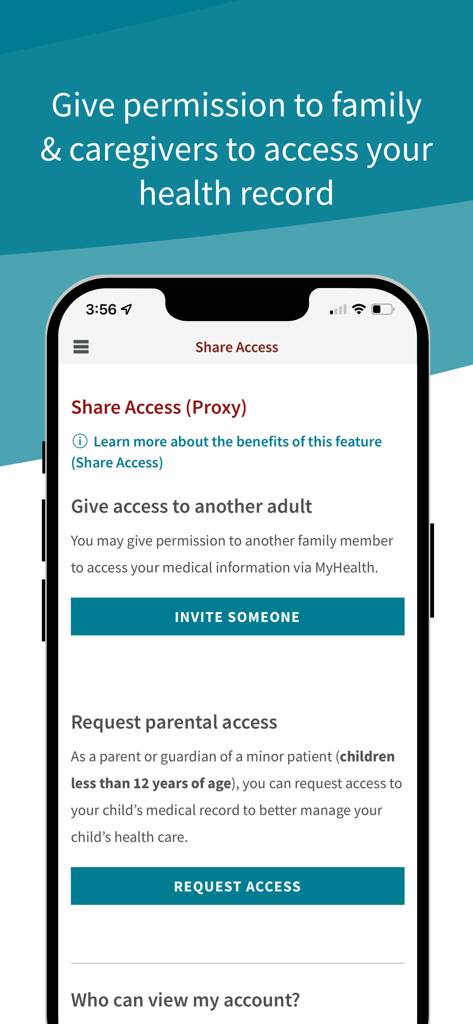
Stanford MyHealth app screen for sharing health record access with family and caregivers
Description
Download
More Like This
Apps with similar features and user experience

SimplePractice Client Portal
SimplePractice LLC

athenaPatient
athenahealth, Inc.

Kaiser Permanente
Kaiser Permanente

One Medical
One Medical Group, Inc.

Saudi German Health
Saudi German Hospital

NowServing by SeriousMD
LeapFroggr Inc.

Providence
PROVIDENCE HEALTH & SERVICES - WASHINGTON

Mediclinic - ميديكلينيك
MEDICLINIC MIDDLE EAST MANAGEMENT SERVICES FZ LLC

NMC - MyHealth
NMC HEALTHCARE LTD
This page is not an official page of the app or its developer, but an independent editorial publication created for informational and commentary purposes. Unless expressly stated otherwise, neither the app nor its developer is affiliated with, endorsed by, sponsored by, authorized by, or otherwise officially connected with MWM, Apple, Google Play, the app publisher, or the app's developer, and nothing on this page implies that the app was developed using MWM's services. Any trademarks, logos, screenshots, and other content remain the property of their respective owners.